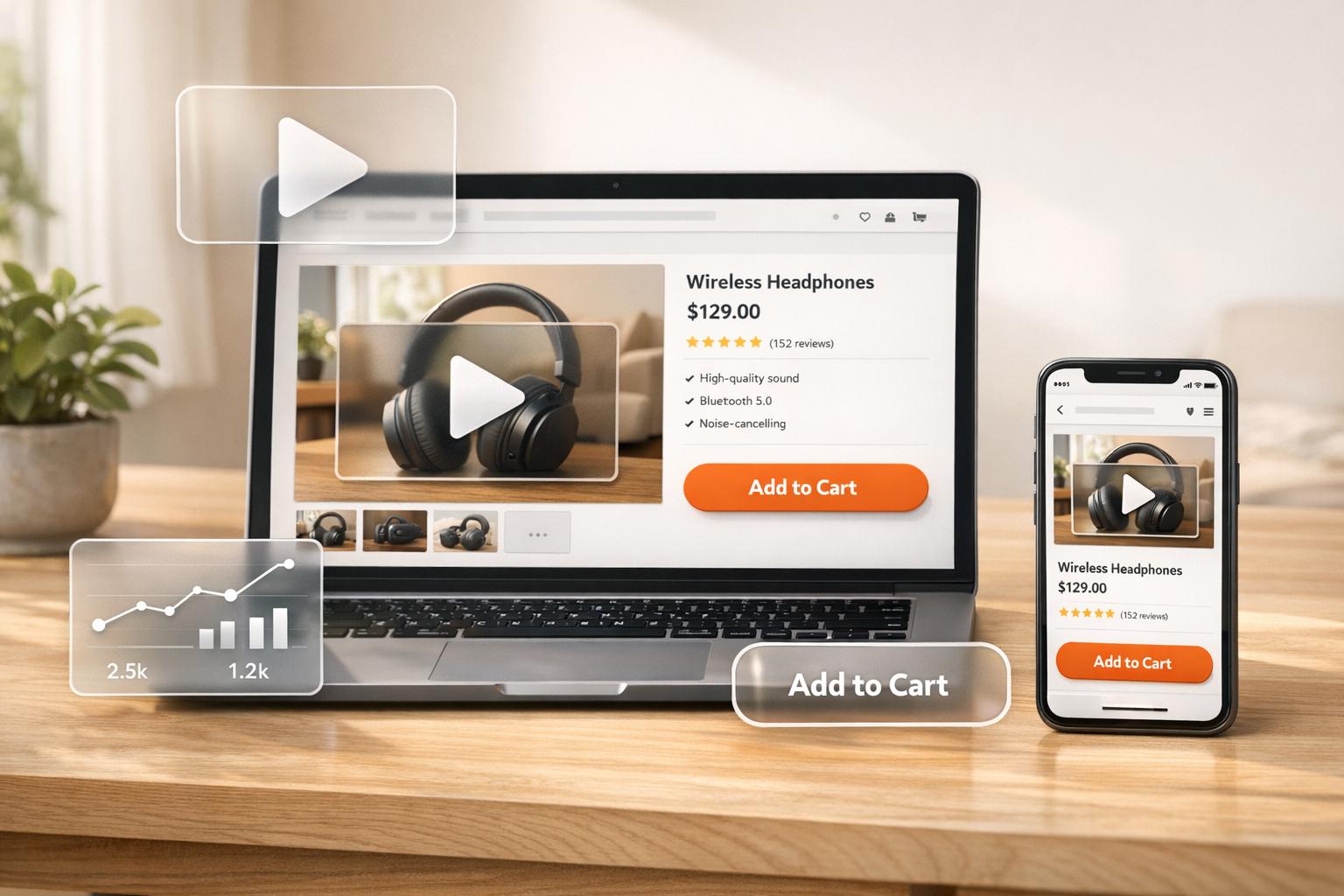
Want to boost your Shopify sales? Start using video content.
Here’s why:
- 89% of people say videos influence their buying decisions.
- Product pages with videos can increase conversions by 80%.
- Customers spend 5x longer on sites with video.
Videos bridge the gap between online shopping and the in-store experience. They help customers see your products in action, build trust, and reduce returns. Plus, Google favors sites with video, improving your search rankings.
This guide covers:
- How to tailor videos to your audience.
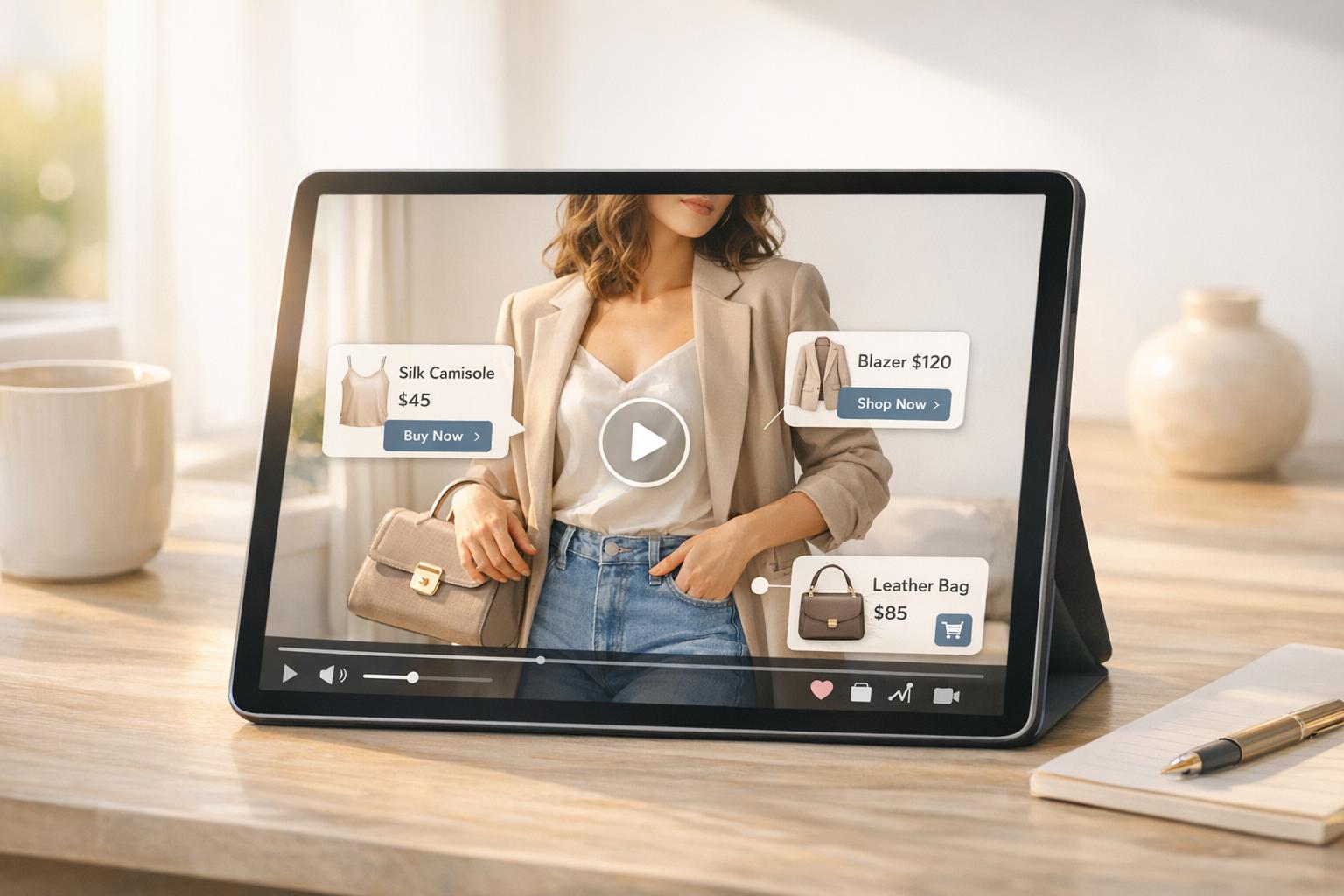
- The best video types for conversions (e.g., demos, testimonials, unboxing).
- Tips for creating high-quality videos on a budget.
- Where and how to embed videos on Shopify for maximum impact.
Key takeaway: Video content isn’t just a trend - it’s a proven way to drive more sales and keep customers engaged. Let’s get started.

Video Marketing Statistics for Shopify Stores: Impact on Conversions and Sales
The 3-STEP Formula We Use to Make VIRAL Videos for Our Shopify Stores

Understanding Your Shopify Audience
Before diving into video creation, it’s crucial to know who you’re speaking to. Producing video content without understanding your audience can limit its impact. Thankfully, Shopify offers tools to help identify who’s shopping on your store and what drives their decisions. Let’s explore how to break down audience segments and tailor your video strategies accordingly.
Identifying Key Audience Segments
Your customers aren’t all the same - they have different needs, behaviors, and expectations. To connect with them effectively, segment your audience based on demographics, behaviors, psychographics, and location. Then, align these insights with specific video formats that cater to each group’s interests.
For example, Gen Z tends to prefer trendy, fast-paced videos on platforms like TikTok, while Baby Boomers are more engaged on Facebook. Tailoring your videos to these preferences can make a big difference. Consider showcasing seasonal products or tackling customer pain points, like shipping costs. Propeller Coffee Co., for instance, addressed such challenges and saw a 175% increase in conversions.
"We look at customer segmentation analysis in terms of product mix, purchase rate, AOV, LTV, and abandoned cart rate to get an understanding of how people are marking purchases or not." – Aaron Zack, former Vice President, Propeller Coffee Co.
Shopify Analytics is a great place to start for tracking customer activity and demographics. You can also use Shopify Audiences to create custom segments using algorithm-driven insights. Another option is to let customers self-segment by including preferences in email signup forms, grouping them by interests or average order value (AOV) right from the start. Once you’ve identified your key segments, think about what kind of video content resonates with each group. For example:
- Impulse buyers: Short, energetic videos that encourage quick action.
- Value seekers: Comparison videos or content highlighting ROI.
- Loyal customers: Behind-the-scenes footage or early access previews.
Matching Video Goals to Customer Behavior
After defining your audience segments, it’s time to match your video strategies to their behaviors. Different customer actions require tailored approaches. For instance:
- Browsers in the awareness stage: Use educational or brand storytelling videos to build trust.
- Abandoned-cart customers: Retarget them with personalized videos that address their specific concerns.
- Repeat buyers: Engage them with how-to tutorials, loyalty program updates, or vlogs that strengthen their connection to your brand.
Personalized video content has proven to be 3.5 times more effective at converting or retaining customers than generic content. In fact, 69% of customers now expect personalized content from brands. Take Island Creek Oysters as an example. CEO Chris Sherman used Shopify Analytics to identify a high cart abandonment rate. The issue? Customers were discouraged by shipping costs, not product prices. By addressing this concern through strategic communication, the company tripled its revenue in a single year.
To fine-tune your video placement and messaging, tools like Hotjar (starting at $32/month) or Lucky Orange (starting at $14/month) can provide valuable insights. These tools reveal where users click, scroll, or hesitate on your site. If session recordings show frequent “rage clicks” during checkout, a simple how-to video explaining the process could smooth things out.
Types of Videos That Drive Shopify Conversions
Picking the right video format can make all the difference when it comes to converting Shopify shoppers. The key? Align your video content with where your customer is in their buying journey - whether they're just discovering your brand or ready to hit "buy." Here are some video types that can help boost conversions.
Product demos and explainer videos are a must during the consideration stage. These videos showcase your product in action, answering common questions before they even arise. In fact, 96% of consumers have watched an explainer video, and 89% say it helped them decide to make a purchase. By setting clear expectations, these videos also help reduce returns after the sale.
Lifestyle and storytelling videos take a more personal approach, showing your product in real-world settings. Instead of listing features, they reveal how your product fits into your customer’s daily life. They also highlight the people and passion behind your brand, creating an emotional connection that builds loyalty. This kind of content works especially well for fashion, home goods, and lifestyle brands.
Customer testimonial and review videos tap into the power of social proof. Hearing real customers share their positive experiences can be far more convincing than traditional marketing messages. These videos turn happy customers into brand advocates, helping to ease any doubts potential buyers might have.
Unboxing and short-form videos are perfect for mobile-first platforms like TikTok, Instagram Reels, or YouTube Shorts. These quick clips - usually 15 to 60 seconds - are great for grabbing attention and showcasing product packaging, first impressions, or standout features. For instance, Firefly Slime gained a huge following by sharing behind-the-scenes order-packing videos on TikTok, eventually transforming their success into a full-time Shopify store. You can even embed YouTube galleries, carousels, or shorts directly on your product pages using tools like UWidget, making it easy to turn engagement into conversions right on Shopify.
How to Create High-Quality Shopify Videos
Planning Videos with Shopify Tools and Goals
Start by deciding what you want your video to accomplish. Are you aiming to boost your YouTube SEO, help customers understand your product better (a whopping 94% of marketers say video helps with this), or provide step-by-step instructions? Your goal will guide everything from the script to the final edit. To make your content even more relevant, dig into your audience's preferences by analyzing surveys and customer data. This can help you pinpoint their pain points and tailor your script to address them.
When brainstorming topics, take advantage of tools like Google and YouTube's search bars to uncover popular questions and trends. Another great trick? Check out your competitors' videos and dive into their comment sections to discover gaps you can fill. Once you’ve nailed down your idea, write a script that feels natural and conversational. Read it out loud to ensure it flows smoothly and tweak any awkward phrasing. Don’t forget to include notes for music, transitions, and visual effects to keep your production on track.
The opening seconds of your video are crucial - grab attention right away with a surprising fact, a bold statement, or by addressing a problem your audience wants solved. Wrap things up with a clear call-to-action, whether that’s “buy now,” “subscribe,” or “learn more.” For Shopify stores, think about how you’ll integrate your videos. Tools like UWidget make it easy to embed YouTube videos as galleries, carousels, or sticky videos that link directly to your products - no coding needed.
With your script and plan in hand, it’s time to start shooting your video without breaking the bank.
Shooting High-Quality Videos on a Budget
Creating professional-looking videos doesn’t have to drain your wallet. Start with what you have - your smartphone can deliver excellent results when paired with a tripod and natural window light for steady, well-lit shots. Don’t overlook audio quality, though; investing in an affordable lapel microphone can make a big difference in capturing clear sound.
"Quality is inevitably how you compete. But it doesn't necessarily have to cost you a lot. Entrepreneurs and creators can always make up for what they lack in resources with resourcefulness."
– Braveen Kumar
Keep your setup simple and focus on authenticity. Modern audiences often prefer behind-the-scenes or vlog-style videos over overly polished, sales-heavy content. If you’re showcasing products, highlight them in a way that feels genuine and relatable. Also, shoot extra footage - it’ll give you more flexibility when editing.
Editing Videos for Engagement and Mobile
Once you’ve captured your footage, the next step is editing it into a polished, engaging final product. The goal here is to keep your audience hooked, especially on mobile devices. Cut out any unnecessary pauses, filler words, or repetitive sections to maintain a brisk pace. Subtle background music and sound effects can add energy without distracting from your message. Consistency is key, so stick to the same fonts, colors, and logo placement to reinforce your branding.
Since 85% of mobile videos are watched without sound, subtitles or captions are a must. They ensure your message is clear, even when viewers have the sound off. For platforms like TikTok, Instagram Reels, and YouTube Shorts, format your videos vertically (9:16 aspect ratio). For other social feeds, a square (1:1) format works well. Adding text overlays to highlight key product features or solutions can also help grab attention.
Before exporting, make sure your video is optimized for mobile viewing. Tools like UWidget can help you embed these videos seamlessly into your Shopify store. To find out what resonates most with your audience, experiment with different video lengths. Record longer footage and edit it into shorter clips to test which versions perform best.
sbb-itb-d9e5b3a
Embedding and Optimizing Videos on Shopify
Best Practices for Uploading and Placing Videos
Adding videos to your Shopify store is straightforward, but where and how you place them can make all the difference. First, make sure your store's theme supports video content and 3D models. If you're using an older theme, consider updating it to unlock these features. Videos can be uploaded directly to Shopify - storage limits vary from 50 GB on the Basic plan to 2 TB on the Enterprise plan - or embedded from platforms like YouTube and Vimeo. YouTube offers SEO perks, while Vimeo provides sleek customization options.
Placement matters. The first media item in your product section will act as the "featured media" displayed on collection pages, carts, and even the checkout. To make the most impact, position your most engaging video first. If you're embedding from YouTube, use the standard URL format (https://youtube.com/watch?v=[video-id]) and ensure the video is set to "Public" or "Unlisted" for proper visibility in your Shopify admin. Keep your videos concise - 30 to 60 seconds is ideal for product demos, while tutorials can run up to 10 minutes.
Don't forget SEO basics. Use relevant keywords in your video titles, descriptions, and tags to help search engines identify your content. With 89% of shoppers saying videos have convinced them to make a purchase, every video should grab attention with a strong hook, address specific customer needs, and wrap up with a compelling call-to-action like "Shop Now" or "Learn More."
Once your videos are ready, simplify the embedding process with the right tools.
Using UWidget for Shopify Video Integration
For seamless YouTube video embedding, UWidget is a game-changer. This no-code app lets you create video galleries, carousels, sliders, and even sticky videos that follow visitors as they browse your store. You can also link videos directly to individual products, enhancing the shopping experience.
If your store regularly produces video content, UWidget can save you time and effort. Instead of embedding each video manually, you can pull entire YouTube playlists or channels to create organized galleries. The app also supports YouTube Shorts, allowing you to showcase short-form videos in a TikTok-style layout - perfect for grabbing the attention of mobile shoppers. Plus, with responsive formatting built-in, your videos will look polished on both desktop and mobile devices. This is especially important since 68% of Facebook users consume content exclusively on their phones.
Tracking Video Performance and Sales Impact
Once you've nailed down the best practices for creating and placing videos, the next step is to measure their effect on conversions and revenue. By tracking performance, you can turn viewer engagement into actionable insights.
Using Shopify Analytics to Measure Conversions

Start by identifying your high-traffic pages in Shopify Analytics. Embedding videos on these pages - whether product pages or blog posts - lets you track if conversions increase as a result. If you're using YouTube, you can tag products during live streams to directly manage sales. For more detailed insights, integrate Google Analytics to monitor how visitors interact with video-embedded pages. Additionally, apps like Vidjet or Video Ad Machine can help track video engagement and its connection to sales. Don't forget about social media platforms - analytics from Facebook, Instagram, and TikTok can reveal which video posts are driving the most engagement or conversions to your store.
A/B Testing Video Placement
To figure out the most effective video placement, A/B testing is your best friend. Change just one variable at a time - keep the content, thumbnail, and other page elements the same while testing different video locations. Focus on high-impact areas, such as placing the video above the fold versus further down the page, or within the product image gallery instead of the description area.
For instance, the hair extension brand INH partnered with SplitBase to test various demonstration formats on their product pages. By comparing static images, standard videos, and GIFs, they found that using three GIFs led to a 26% increase in conversions and boosted their return on ad spend. Run your tests for at least two weeks to account for variations in shopping behavior. Also, analyze mobile and desktop results separately - a placement that looks great on a desktop might obscure key information on a phone.
After refining your placement strategy, assess its financial impact through ROI analysis.
Calculating ROI from Video Content
The formula for ROI is straightforward: ROI = (Earnings - Costs) ÷ Costs × 100. When calculating earnings, include both direct purchases (from shoppable videos) and influenced sales (purchases made after watching at least five seconds of a video during the same session). On the cost side, factor in production expenses, labor, ad spend, and fees for Shopify apps or editing tools.
To track video-driven traffic, use UTM parameters and unique discount codes. Beyond immediate sales, think about the long-term value of video-acquired customers by considering their Customer Lifetime Value (CLV). With 81% of marketers saying video has directly increased their sales, these metrics are essential for understanding what works. On average, ecommerce social media campaigns deliver a 250% ROI - meaning $3.50 earned for every $1 spent.
"The goal is to think about how to generate the highest profit number in your business possible over whatever time period. So sometimes that's about savings, and sometimes it's about growth." - Andrew Faris, Ecommerce Expert
Conclusion
Video content plays a powerful role in driving conversions on platforms like Shopify. Its influence on purchase decisions is undeniable, which is why maintaining consistency - whether it’s in colors, fonts, or messaging - is so important for building strong brand recognition.
When it comes to video, quality beats quantity every time. Focus on creating high-quality, engaging videos that grab attention with a strong hook and include a clear call-to-action. Whether you're showcasing product demos, sharing customer testimonials, or filming unboxing clips, make sure the audio is crisp and the visuals are sharp. Poorly produced content can hurt your credibility and make your brand seem less trustworthy.
"The best video marketing doesn't feel like marketing - make personal connections with audiences and engage in an authentic way that reflects your brand values." - Dayna Winter, Shopify
Tailor your videos for the platforms your audience prefers. Use vertical formats, add subtitles, and stick to ideal lengths (30–60 seconds) to maximize engagement. Tools like UWidget simplify the process of embedding YouTube videos directly into your Shopify store, helping you turn product pages into conversion machines without slowing down your site.
Here’s a stat that speaks volumes: 87% of marketers say video drives sales. Start small - test different styles and approaches to see what resonates with your audience. You don’t need a massive production budget; what matters most is authenticity, usefulness, and aligning your content with what your customers want to see. By following these proven techniques - from planning and shooting to embedding and analyzing - you can turn your Shopify videos into a key driver of sales and boost your store’s ROI.
FAQs
How do I choose the best video format for different customer groups on Shopify?
To pick the best video format for your Shopify audience, start by getting to know your customer segments. Shopify’s analytics can help you group shoppers based on factors like age, shopping habits, and the devices they use. For instance, younger, mobile-first customers often gravitate toward short, vertical videos (15–60 seconds) on platforms like TikTok or Instagram Reels. On the other hand, shoppers who value detailed information may prefer longer horizontal videos (2–5 minutes) that dive into product features or offer tutorials.
Tips for selecting video formats:
- Consider device preferences: Vertical videos (9:16) are perfect for mobile users, while horizontal videos (16:9) suit desktop viewers better.
- Match video length to the customer journey: Short videos (15–30 seconds) are great for grabbing attention, while longer ones (2–5 minutes) are better for showcasing products in detail.
- Adapt content to your goals: Use quick reels for promotions, detailed tutorials for product education, and customer testimonials to build trust.
By tailoring your video formats to your audience’s preferences and needs, you’ll create content that connects with them and encourages conversions.
How can I create professional-looking video content on a budget?
Creating great videos doesn’t have to drain your wallet. Start with your smartphone - most modern devices can shoot in 4K and come with built-in stabilization, so there’s no need to splurge on a separate camera. For lighting, take advantage of natural sunlight or pick up an affordable ring light to keep your footage bright and polished. As for your backdrop, a clean, uncluttered space at home works perfectly.
When it’s time to edit, free tools like iMovie (for macOS/iOS) or DaVinci Resolve (for Windows/macOS) let you trim clips, tweak colors, and add captions without spending a cent. Want background music? Platforms like YouTube’s Audio Library offer royalty-free tracks that can give your videos a polished, professional touch - completely free.
Keep your videos short and to the point - 30 to 90 seconds is ideal for Shopify product pages and social media platforms. To get the most out of your efforts, repurpose the same footage across Instagram Reels, TikTok, and YouTube. Just make sure your videos are in Shopify-friendly formats like MP4 or HLS for easy uploads - no pricey conversion software required.
How can I measure the impact of my video content on Shopify sales?
To understand how your video content influences Shopify sales, start by adding UTM parameters to your video links. These small tags allow you to track traffic from your videos within Shopify’s analytics and tools like Google Analytics. Pay attention to metrics like total revenue, average order value (AOV), and conversion rate from sessions driven by your video links. Comparing these numbers to your overall store performance will give you a clear sense of how your videos are contributing to sales.
Next, dive into video engagement metrics that can impact purchasing behavior. Look at data like watch time, average view duration (AVD), click-through rate (CTR) on shoppable elements, and audience retention. For instance, on a 60-second video, aim for viewers to stick around for at least 30 seconds. Combine this engagement data with your Shopify sales metrics to uncover patterns and pinpoint areas that need improvement.
Use what you learn to fine-tune your content. If a video gets a strong CTR but doesn’t lead to many conversions, consider improving your calls-to-action or making your “Shop Now” buttons stand out more. If engagement drops after the first minute, try adding attention-grabbing hooks or showcasing different products every 30–60 seconds. By consistently monitoring and tweaking these metrics, you’ll be able to boost the sales power of your videos over time.