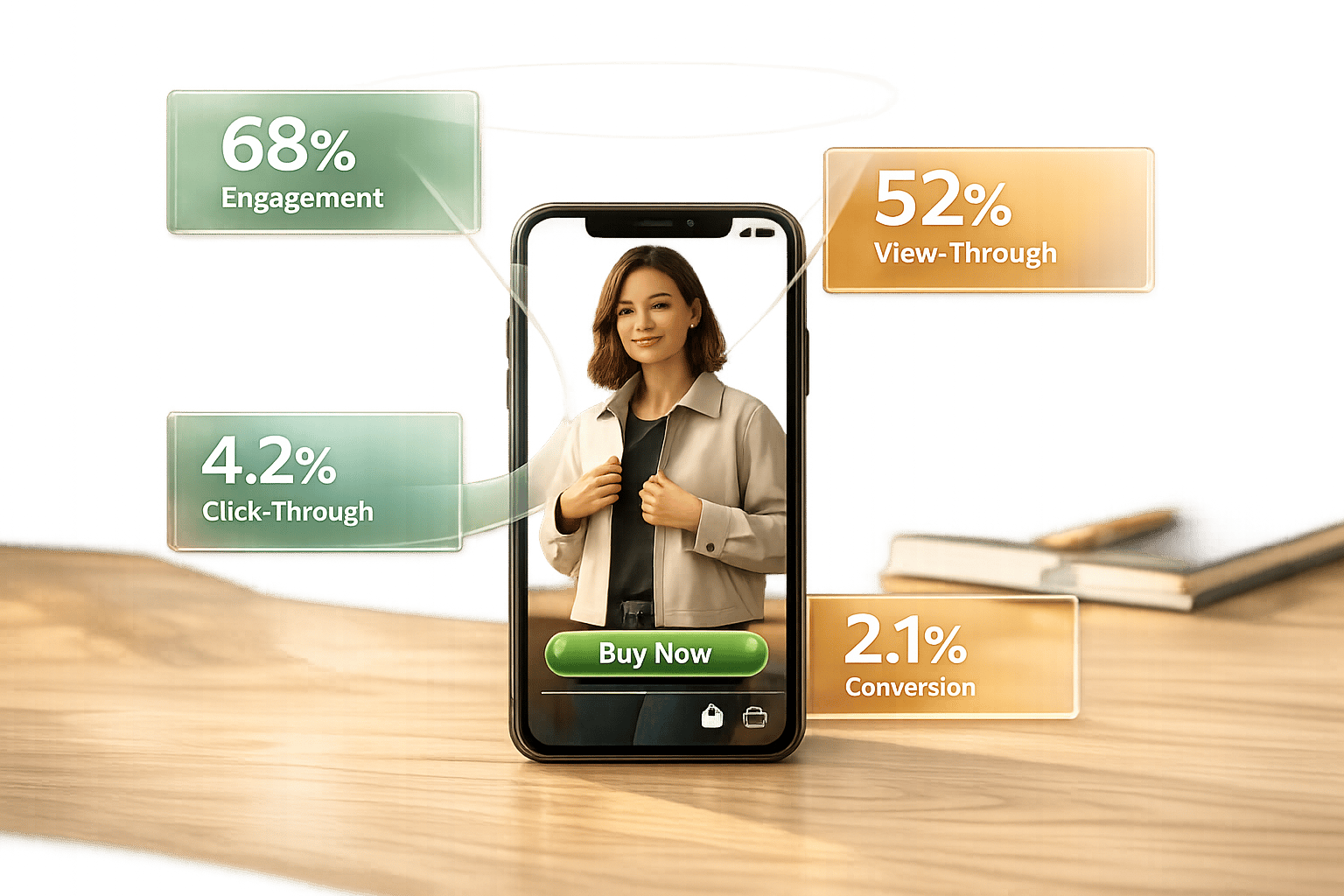
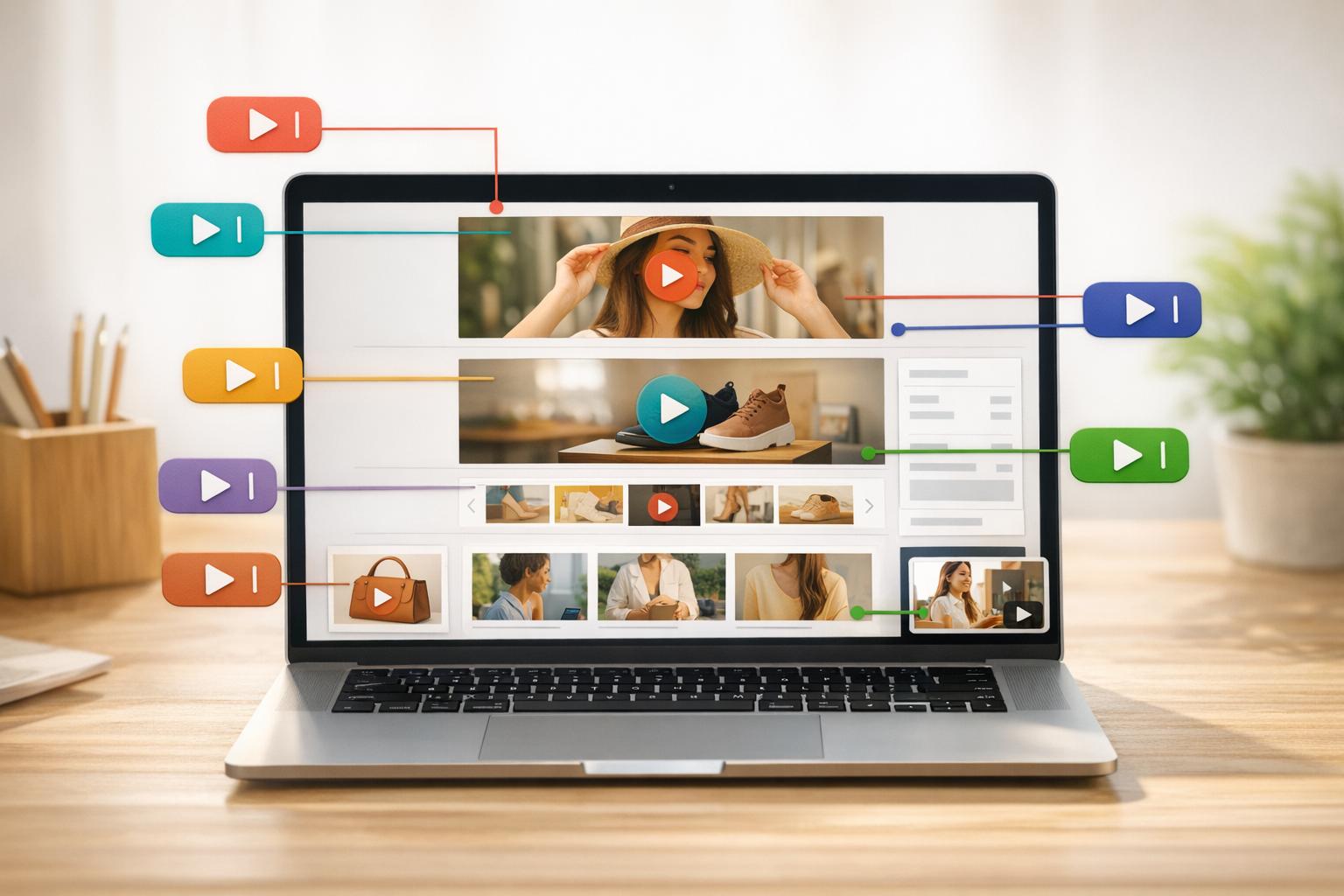
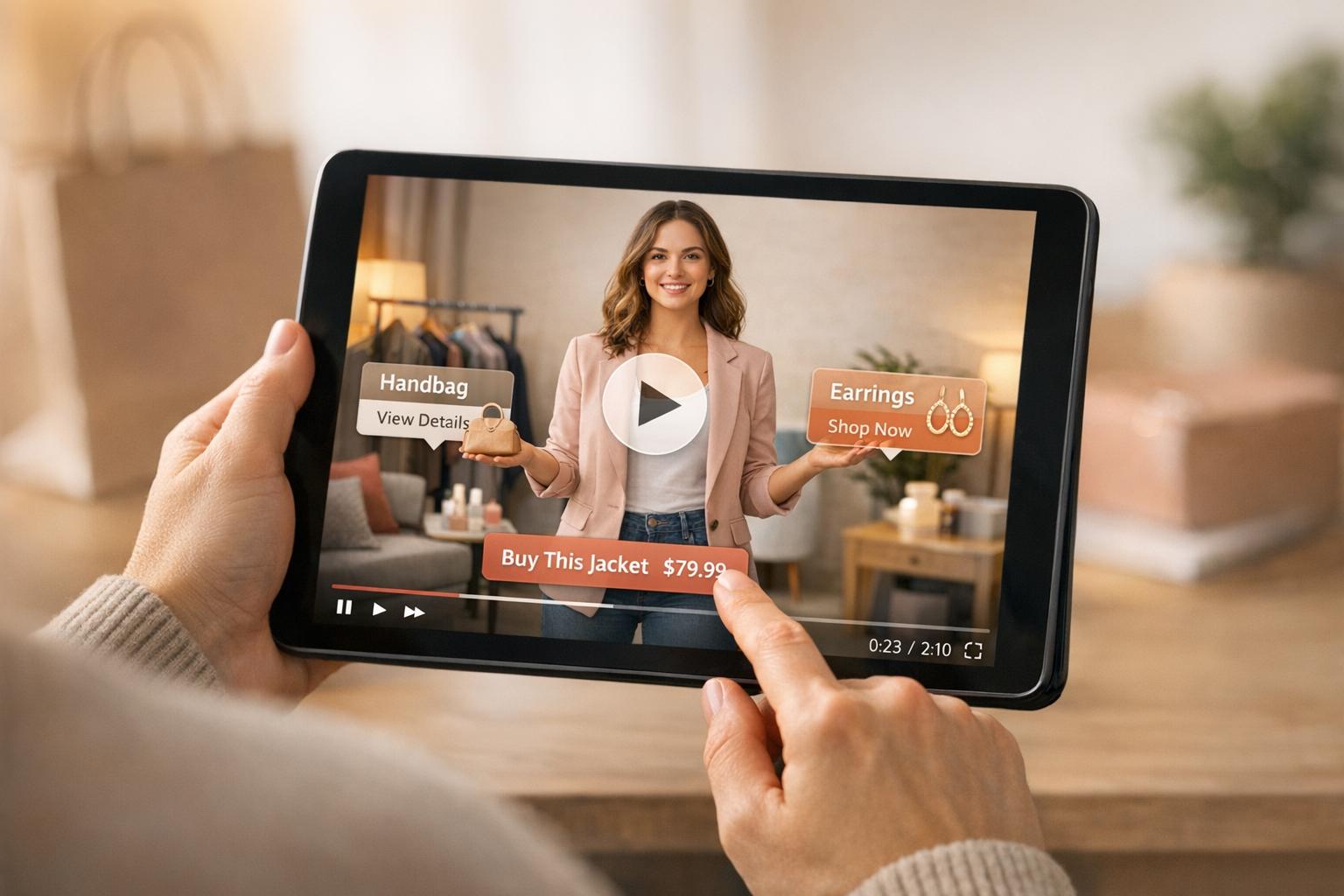
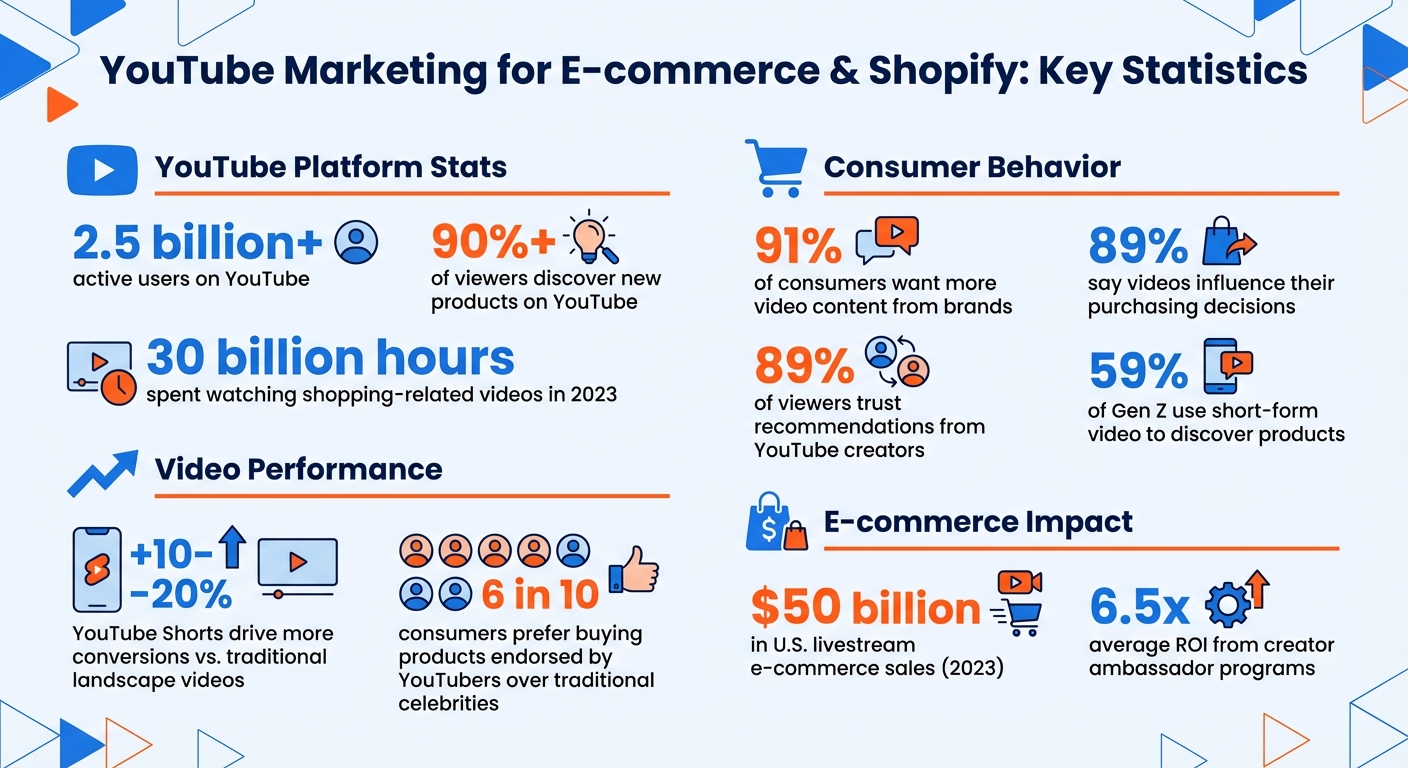
YouTube is a powerful tool for Shopify store owners to attract customers and increase sales. With over 2.5 billion active users and more than 90% of viewers discovering new products on the platform, YouTube offers unmatched opportunities for product visibility and engagement. Here's how you can leverage it:
- Create engaging videos: Showcase your products through demos, tutorials, and customer testimonials. Use formats like YouTube Shorts for quick exposure or in-depth videos for detailed insights.
- Optimize for search: Use keywords in titles, descriptions, and tags to improve visibility. Eye-catching thumbnails and captions also boost click-through rates and accessibility.
- Use YouTube features: Add product links in descriptions, interactive cards, and end screens to drive traffic directly to your Shopify store.
- Integrate YouTube Shopping: Sync your Shopify catalog to tag products in videos, enabling viewers to shop without leaving YouTube.
- Embed videos on your store: Use tools like UWidget to display videos on product pages, enhancing customer experience and trust.
- Collaborate with influencers: Partner with creators to reach new audiences and build credibility.
- Track performance: Use YouTube Analytics to refine your content strategy and measure traffic impact on your store.
YouTube Marketing Statistics for Shopify Stores 2024
Create Video Content That Showcases Your Shopify Products

Videos are a powerful way to drive traffic and spotlight your products. With 91% of consumers wanting more video content from brands, there’s a clear opportunity to connect with your audience - but how you deliver matters. Your videos should go beyond just selling; they need to entertain or educate while naturally featuring your products.
For instance, a skincare brand could create tutorials on building a nighttime routine, seamlessly incorporating their serums and moisturizers. A furniture store might showcase room transformations, illustrating how their pieces can elevate a space. The goal is to position your products as the solution to challenges your audience already faces.
When creating videos, prioritize audio quality. As Tiff Bauer, former Video Producer at Descript, explains:
"People will watch something with poor video quality if the audio quality is good, but they won't watch something with good video quality if the audio quality and sound effects are poor."
Invest in a good microphone before splurging on a high-end camera. Clear, crisp audio can make all the difference.
Video Formats That Work for Shopify Stores
Different video formats can help you achieve various goals in your YouTube strategy:
- Product demos: These are essential for Shopify stores. They show how your product works using multiple camera angles and clear instructions. These videos answer buyers’ questions and help bridge the gap between curiosity and purchase.
- Educational and tutorial content: These videos offer value beyond a sales pitch. For example, a coffee equipment store could create guides on perfecting pour-over coffee or troubleshooting espresso machines. This type of content builds trust and positions your store as an expert in the field.
- YouTube Shorts: Perfect for quick product discovery, especially among younger audiences. These vertical videos, under 60 seconds, are optimized for mobile viewing. Interestingly, 59% of Gen Z use short-form video to discover products, and YouTube Shorts can drive 10% to 20% more conversions compared to traditional landscape videos. A quick 30-second clip showcasing your product in action can lead viewers to longer videos or directly to your store.
- Customer testimonials and reviews: Social proof is a powerful motivator. Fresh Beauty effectively uses this format by curating user-generated video testimonials into a playlist on their YouTube channel. Real customers sharing their experiences often carry more weight than polished ads. Reach out to happy customers to see if they’d record a short review.
- Entertaining content: Vat19, an ecommerce gift shop, took this to the next level by creating quirky comedy sketches to highlight their novelty products. Their approach earned them over 10 million YouTube subscribers as of August 2024. While not every brand needs to go this route, it shows the potential of blending entertainment with product promotion.
Once you’ve chosen your format, focus on making your production process as efficient as possible to create videos that captivate and convert.
How to Script, Film, and Edit Your Videos
A well-structured script is essential to keep viewers engaged. Break your video into key sections: a 3–20 second hook, a quick intro, the main content, one or two calls to action, and a concise conclusion. The hook is critical - grab attention immediately, or risk losing viewers.
When writing your script, aim for a conversational tone. Keep sentences short - under 25 words - and maintain a natural pace of 140–160 words per minute. Read it aloud to ensure it sounds like a friendly chat rather than a stiff corporate pitch.
For filming, you don’t need an elaborate setup. Natural light from a window or an inexpensive ring light can work wonders. Use a clean, uncluttered background to keep the focus on your product. Record multiple takes of each scene, leaving a few extra seconds before and after the action to make editing smoother.
Editing doesn’t have to be complicated or expensive. Free tools like iMovie and Windows Video Editor are great starting points. Platforms like Descript even offer free versions for basic editing and transcription. Stick to simple transitions, like crossfades, to avoid distracting from your message. Techniques like “match cuts” (cutting between clips with similar framing or motion) create a polished, seamless flow. Keep your branding consistent with a short branded intro, a unified color palette, and matching fonts for text overlays.
Staying organized can save you hours during editing. As Tiff Bauer advises:
"Starting off by organizing your stuff straight out of the camera is great. Keeping your video clips and audio files in order will allow you to quickly find the pieces you need."
Create a structured folder system for raw footage, audio, and other assets before you begin editing.
Optimize Your Videos for YouTube SEO
Making great videos is just the first step - you also need people to find them. With over 2.5 billion active users on YouTube, your content is up against a massive library of videos. This is where YouTube SEO comes into play. By fine-tuning your content and targeting the right audience, you can get your videos to show up in search results, suggested feeds, and even Google searches. This means more exposure for your products and more traffic to your Shopify store.
Find and Use Keywords in Titles, Descriptions, and Tags
To start, figure out what your audience is searching for. Use YouTube's autosuggest feature by typing in a few words related to your product and noting the suggestions. For deeper insights, tools like Keywords Everywhere, TubeBuddy, or Ahrefs can help you understand search volume and competition.
Make sure your target keyword appears at the beginning of your title. For instance, instead of something generic like "Check Out These Amazing Dog Onesies", go for "Best Dog Onesies for Winter: Cozy and Affordable Options." This approach not only appeals to viewers but also signals relevance to YouTube’s algorithm.
Write a description of about 250 words, making sure to include the main keyword within the first 25 words. Use the rest of the space to summarize the video, add timestamps for longer content, and link back to your Shopify store. For an added SEO boost, rename your video file to include the keyword before uploading (e.g., "best_dog_onesies.mp4").
Tags also help YouTube understand your video's context. Add 3–5 specific tags and assign your video to the most relevant category so it appears in related playlists. Smaller channels (under 20,000 subscribers) should focus on specific, descriptive titles to attract search traffic, while established channels can experiment with curiosity-driven hooks.
Once your metadata is optimized, it’s time to focus on making your video stand out visually.
Increase Visibility with Thumbnails, Captions, and End Screens
Metadata is important, but your video's visuals and interactive elements can make or break its performance. Thumbnails, for example, are the first thing viewers see, and they play a huge role in click-through rates. Rebecca Vilsan, YouTube Specialist at Shopify, emphasizes this point:
"If there's one thing you should absolutely obsess about as a professional YouTuber, it's your thumbnail. It's your thumbnail that gets the click, not your video content."
Design thumbnails that pass the one-second rule - viewers should immediately understand what your video is about. Use bright, contrasting colors, bold text, and clear facial expressions. Keep the design clean and avoid overcrowding the frame. Stick to a 16:9 aspect ratio (1280x720 px, under 2 MB) in JPG, GIF, or PNG format.
Captions and transcripts are another powerful tool. Not only do they make your videos accessible to deaf and hard-of-hearing viewers, but they also provide YouTube’s algorithm with text data to help index your content. This can improve your chances of ranking for specific keywords. Additionally, you can repurpose your video transcripts as blog posts for your Shopify store, giving you extra searchable content on Google while offering an alternative format for your audience.
End screens are a great way to keep viewers engaged. Use them to link to related videos, playlists, or even specific product pages on your Shopify store. The longer viewers stay on YouTube watching your content, the more the algorithm rewards you with better rankings.
| Feature | SEO/Traffic Benefit | Best Practice |
|---|---|---|
| Thumbnails | Boosts click-through rates | 1280x720 px, bold text, human faces |
| Captions | Improves indexing and access | Accurate transcripts; repurpose content |
| End Screens | Increases watch time | Link to playlists or product pages |
Direct Viewers to Your Shopify Store Using YouTube Features
Once your videos start gaining traction, the next logical step is turning those viewers into customers. YouTube provides several built-in tools to help you seamlessly direct traffic from your videos to your Shopify store, making it easier for viewers to go from watching to shopping.
Add Shopify Store Links in Descriptions and Cards
Every video description should include a direct link to your Shopify store. To ensure visibility, place the link within the first 125 characters of the description. For example, if you're promoting a winter jacket, your description could begin with: "Shop the Cozy Winter Jacket here: [your-store-link]. Stay warm this season with our water-resistant, insulated design."
YouTube Cards are another powerful tool. These are interactive pop-ups that appear during your video, allowing you to link directly to your Shopify store. You can add up to five cards per video, and they’re most effective when they align with key moments in your content. For instance, if you mention a product at the 2:30 mark, displaying a card at that exact moment creates a natural flow for viewers to engage. To add cards, head to YouTube Studio, select the video, click "Cards" in the left menu, and choose "Link" to insert your Shopify URL. Keep in mind that linking to external sites is available only for channels in the YouTube Partner Program, so you’ll need monetization enabled for this feature.
For creators using YouTube Shorts in the U.S., brand deals can include clickable links, making it even easier to showcase quick product demos and drive traffic.
Set Up YouTube Shopping Integration
If you’re looking to make the buying process even smoother, consider using YouTube Shopping integration. This feature allows you to tag products directly in your videos. When viewers click on a tagged item, they can see details like pricing and a direct purchase link - all without leaving YouTube. To access this feature, your channel must have at least 1,000 subscribers, be approved for monetization, and not be labeled as "Made for Kids".
Here’s how to connect your Shopify store to YouTube Shopping:
- Go to YouTube Studio > Earn > Shopping and select "Connect Store."
- Choose Shopify and follow the prompts to link your Shopify admin account.
- Install the Google & YouTube app in Shopify, then click "Get Started" under the YouTube Shopping section.
Once connected, you can tag up to 30 products per video using the "Tag Products" option in the "Video Elements" tab during the upload process. For U.S. merchants, enabling the "embedded checkout" feature lets customers complete their purchases directly on YouTube. Merchants outside the U.S. will redirect customers to their Shopify store via a browser.
Paul Jauregui, Co-founder of BK Beauty, emphasizes the importance of this seamless process:
"I was always the big believer that the sale takes place while the consumer is watching and consuming the content."
A great example of this strategy in action is Luxy Hair. Co-founder Mimi Ikonn grew her channel to over 3 million subscribers, turning it into a multimillion-dollar business by tagging products in videos and keeping the sales pitch natural. Mimi shared:
"Whenever I made the videos, it was very much an organic sell. Whenever I told people to buy the products, it was very much just educational."
After integrating YouTube Shopping, your videos will feature a "View Products" tab and a product shelf, making it easy for viewers to browse your catalog while watching. In 2023 alone, users spent 30 billion hours watching shopping-related videos on YouTube, and U.S. livestream ecommerce sales reached approximately $50 billion. The potential is enormous - your job is to make purchasing as effortless as possible.
sbb-itb-d9e5b3a
Embed YouTube Videos on Your Shopify Store with UWidget
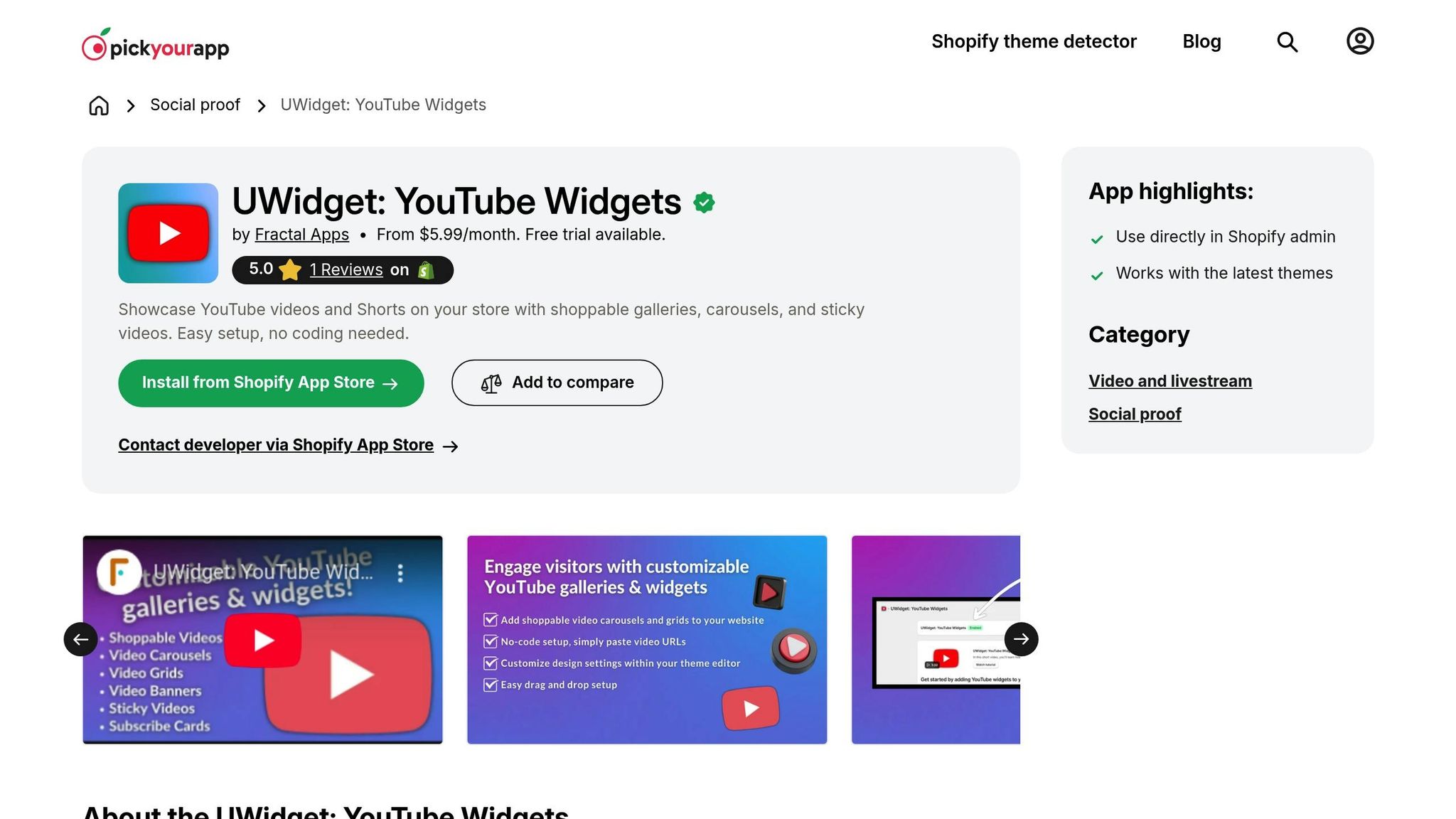
YouTube is great for driving traffic, but embedding videos directly on your Shopify product pages takes customer engagement to the next level. With UWidget from Fractal Apps, you can seamlessly integrate YouTube content into your store, transforming your product pages into dynamic, video-rich experiences.
How to Set Up UWidget for Video Embedding
Once you've installed UWidget from the Shopify App Store, you can choose from several display options like galleries, carousels, sliders, or sticky videos to showcase your content. For example, sticky videos are perfect for tutorials that guide customers during their buying journey, while galleries work well for displaying customer testimonials alongside product demos.
UWidget makes it easy to embed videos not just on product pages but also on landing pages or blog posts. Play around with different placements to see what resonates most with your audience.
Drive Conversions with Video Content
Did you know that 91% of consumers want to see more videos from brands, and 89% say videos influence their purchasing decisions? Embedding product demos and customer reviews directly on your pages can provide the detailed, timely information shoppers need.
Videos are also highly engaging, holding attention better than text alone. Use them to highlight product benefits, demonstrate real-life applications, or show how appliances work and clothing fits. Adding customer testimonials can further build trust and authenticity, giving your audience that extra nudge to hit “Buy.”
Use Playlists, Collaborations, and Analytics to Grow Your Channel
Organize Videos into Themed Playlists
Playlists are a smart way to keep viewers engaged. They automatically play the next video, encouraging longer watch times and giving your channel more exposure. For example, Amanda Rach Lee, the creator behind "Shop Amanda Rach Lee", grouped her videos into categories like "bullet journaling", "drawing", and "interior decorating." This made it easier for her 2+ million subscribers to find content they loved - and stick around for more. Similarly, Fresh Beauty features a playlist of customer testimonials on their YouTube homepage, building trust with potential buyers.
"Playlists encourage people to watch more videos due to the auto-play feature, which queues up the next video in the playlist." - Dayna Winter, Shopify
Consider creating playlists that cater to your audience's interests, such as "Gift Guides", "Troubleshooting", or "Behind the Scenes." Start your playlists with your strongest videos to grab attention right away, and use keywords in playlist titles to improve search visibility. You can even embed playlists on your Shopify pages - like adding a "Tutorials" playlist to a product collection page. This not only boosts YouTube views but can also lead to more conversions. Once your playlists are set, you’ll have a strong foundation to expand your reach through collaborations with influencers.
Partner with Influencers and Other Creators
Collaborating with influencers can help you tap into highly engaged and trusted audiences. Nearly 89% of viewers trust recommendations from YouTube creators, and 6 in 10 consumers prefer buying products endorsed by YouTubers over traditional celebrities. A great example of this is Moonboon founder Marie Grew, who built a network of over 300 creator ambassadors across five European markets in 2025. This effort generated more than $1 million in affiliate sales with an impressive average ROI of 6.5x.
Focus on micro-influencers (those with 10,000–100,000 followers) for higher engagement rates. Shopify Collabs makes it easy to find and manage influencers directly from your Shopify admin. Provide them with unique discount codes like "CREATOR10" to track referral traffic. Peace Out Skincare used this approach, partnering with a social influencer for a campaign that sold six months' worth of inventory in just three weeks.
"You're not just paying an influencer to post about your product. You're forming a relationship with a director, a producer, a filmer, the talent, the editor… but all as one person. View your work with creators as a partnership." - Nik Sharma, Founder, Sharma Brands
To motivate influencers, combine flat fees with affiliate commissions (usually 10%–20%). You can also repurpose their content by embedding their videos on your Shopify product pages, adding an extra layer of social proof.
Track Performance with YouTube Analytics
YouTube Analytics is your go-to tool for understanding what’s working and what’s not. Watch time is more important than views - it’s the main factor YouTube’s algorithm uses to recommend videos. Use the "Key moments for audience retention" feature to identify where viewers lose interest. If most people stop watching around the two-minute mark, make sure your Shopify store call-to-action appears within the first 90 seconds.
The Research Tab can help you uncover what your audience is searching for, allowing you to create content that aligns with current trends and product interests. Dive into traffic sources to find high-intent viewers - those coming from YouTube search are often the most likely to convert. Demographic insights like age, gender, and location can also guide you in tailoring your Shopify product offerings to your most engaged audience.
With the Google & YouTube app for Shopify, you can sync your product catalog and track sales directly from your dashboard. Keep an eye on real-time reports to spot sudden traffic spikes, and engage with new viewers while your content is trending. For deeper analysis, download detailed reports as Google Sheets to cross-check YouTube performance with Shopify sales data. Combining these insights will help you refine your marketing strategies and make data-driven decisions.
Conclusion
YouTube has reshaped the way Shopify stores connect with potential customers, turning video content into a powerful tool for discovery and conversion. Shoppers often find brands through videos and base their buying decisions on what they see and learn. By using strategies like product demonstrations and crafting SEO-friendly titles and thumbnails, you can tap into YouTube’s massive audience effectively.
To get started, set up your channel with a polished appearance and a keyword-rich description that links directly to your Shopify store. Experiment with content that resonates: YouTube Shorts for quick exposure, in-depth product demos to educate, and customer testimonials to establish trust. Take advantage of YouTube Shopping to sync your product catalog, allowing viewers to shop directly within the platform. For extra impact, embed your top-performing videos on your Shopify product pages using UWidget, adding a layer of social proof that can boost conversions.
By aligning your video content with your store’s experience, you create a seamless journey for potential customers. Organize your videos into playlists to keep viewers engaged, and consider collaborating with micro-influencers who can introduce your products to their loyal followers. Keep a close eye on YouTube Analytics - metrics like watch time and traffic sources will help you identify which videos are driving the most meaningful traffic to your store.
The best part? You don’t need a big budget or fancy equipment to get started. Authentic, simple videos can make a real difference. Pick one strategy from this guide, create your first video, and watch as your YouTube efforts turn viewers into loyal Shopify customers.
FAQs
How can I use YouTube to drive more traffic to my Shopify store?
To attract more traffic to your Shopify store through YouTube, start by producing engaging, high-quality videos that spotlight your products. Think about formats like product demos, how-to tutorials, unboxings, or even behind-the-scenes content that emphasize what makes your store stand out. Make sure to optimize your videos with descriptive titles, detailed descriptions, and trending keywords to boost their visibility on both YouTube and Google. Don’t forget to include a clear call-to-action and a link to your store within the first 200 characters of the video description - this makes it super easy for viewers to click through.
Use YouTube’s built-in tools like cards and end screens to guide viewers directly to your product or landing pages. Pin a comment with a special offer - something like, "Save $20 on orders over $150 with code YT20" - to encourage purchases right away. Organize your videos into playlists to group related content, and post YouTube Shorts to tease new arrivals or promotions. Consistency is key here: stick to a regular upload schedule, such as every Tuesday and Thursday at 10:00 a.m. EST, to build anticipation and keep YouTube’s algorithm working in your favor.
To amplify your reach, share your videos across your email list and social media channels. Dive into YouTube Analytics to see what content resonates most with your audience. Use those insights to fine-tune your strategy and drive more conversions from your videos.
What types of YouTube videos should I create to promote my Shopify store?
To promote your Shopify store effectively on YouTube, focus on creating three main types of video content:
- Live Streams: These are perfect for showcasing your products in real time. You can interact directly with your audience, answer their questions, and create a sense of urgency that encourages immediate visits to your store.
- Pre-Recorded Videos: Think product demos, how-to tutorials, unboxings, or even customer testimonials. These polished videos help potential buyers understand your products while building trust and confidence in your brand.
- YouTube Shorts: These quick, vertical videos (under 60 seconds) are great for product teasers, flash sales, or behind-the-scenes peeks. They’re designed to grab attention fast and drive traffic efficiently.
Mixing these formats allows you to engage your audience, improve your visibility on YouTube, and attract consistent, qualified traffic to your Shopify store.
How can I make my YouTube videos more visible and SEO-friendly?
To boost the visibility of your YouTube videos, begin with keyword research to uncover the terms your audience is actively searching for. Incorporate these keywords naturally into your video title, description, tags, and even the file name. Don’t forget to add relevant hashtags and choose the right category to help your content reach the right viewers.
Design an attention-grabbing custom thumbnail that not only stands out but also accurately represents your video’s content. Group your videos into playlists to keep viewers engaged longer and make it easier for them to explore related topics. Lastly, keep an eye on your video analytics to understand what’s resonating with your audience and fine-tune your approach for improved performance.