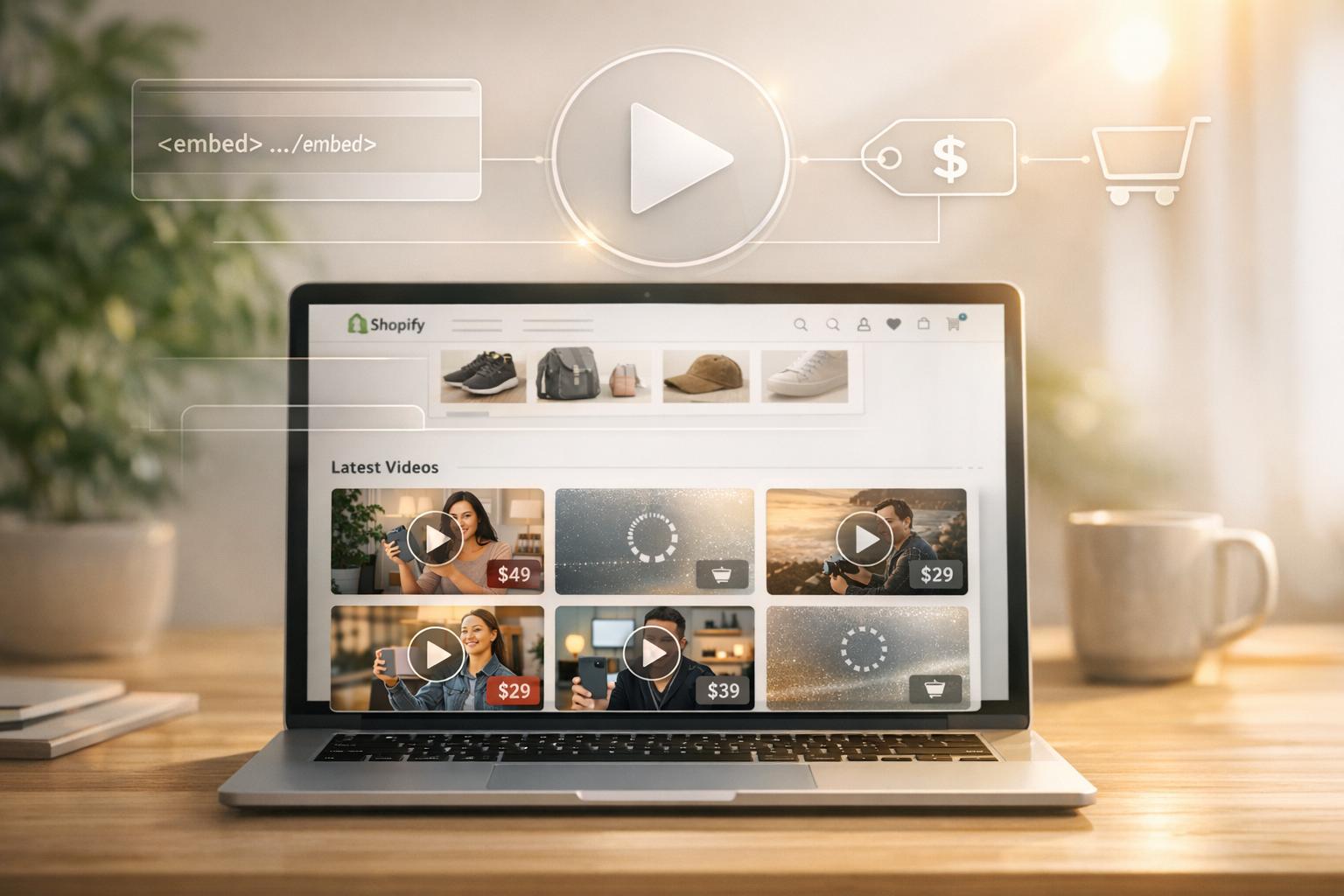
YouTube and Shopify integration is a powerful way to drive sales and connect with customers. Video content influences 89% of buyers, and YouTube's 30 billion hours of shopping-related views in 2023 prove its potential. By using YouTube to drive traffic to your Shopify store, you can showcase products directly in videos, enabling seamless shopping experiences without interruptions.
Key Takeaways:
- Video boosts sales: Product demos, tutorials, and testimonials build trust and reduce purchase hesitation.
- Direct shopping integration: Tag up to 30 products per video, allowing viewers to shop without leaving YouTube.
- In-app checkout (US only): Customers can complete purchases entirely within YouTube.
- Easy setup: Requires 1,000+ YouTube subscribers, monetization approval, and a synced Google Merchant Center.
- Analytics-driven improvements: Track watch time, audience retention, and conversions to refine your strategy.
This integration helps you meet customers where they spend time, blending discovery with purchase. Start small by syncing your Shopify catalog to YouTube and embedding shoppable videos on your store to boost engagement and conversions.
Google & YouTube App for Shopify - COMPLETE TUTORIAL!
Before setting up the app, ensure you are creating compelling video content tailored specifically for your Shopify audience.
Setting Up Your Shopify Store and YouTube Channel
How to Set Up YouTube Shopping Integration with Shopify Store
Account Requirements and Initial Setup
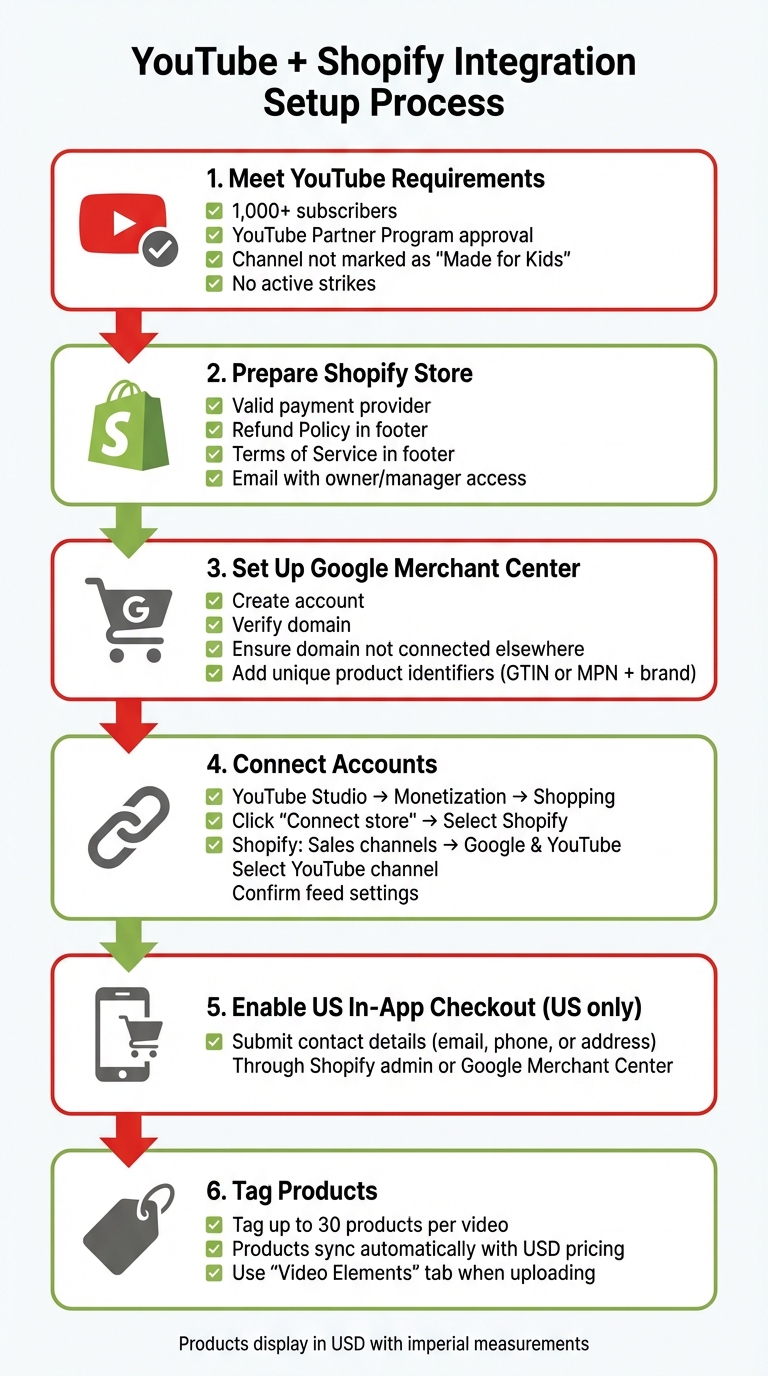
Before you can start tagging products, your YouTube channel needs to meet a few important criteria. First, you’ll need at least 1,000 subscribers and approval for monetization through the YouTube Partner Program. Additionally, your channel must not be marked as "Made for Kids", should have minimal flagged content, and must not have any active strikes.
On the Shopify side, your store must have a valid payment provider set up. Make sure to display both a Refund Policy and Terms of Service in the footer menu of your site. The email associated with your YouTube channel should have owner or manager access and must also match a Shopify staff account with full permissions. Don’t forget to set up a Google Merchant Center account with a verified domain that isn’t connected to another account.
For stores based in the U.S., enabling in-app checkout is crucial. You’ll need to submit visible contact details (such as an email address, phone number, or physical address) through your Shopify admin or Google Merchant Center.
Once these steps are completed, you’re ready to link your Shopify products to your YouTube channel.
Connecting Your Shopify Products to YouTube
To connect your Shopify store to your YouTube channel, start by navigating to Monetization > Shopping in YouTube Studio. From there, click Connect store and select Shopify. The next steps take place in Shopify: go to Sales channels > Google & YouTube, click Get started, select your YouTube channel, confirm your feed settings, and agree to the terms.
After connecting, your Shopify products will automatically sync with Google Merchant Center. They’ll be displayed with USD pricing and imperial measurements, where applicable. To avoid any syncing issues, each product must have a unique identifier, like a Global Trade Item Number (GTIN). If you don’t have a GTIN, you can use a Manufacturer Part Number (MPN) along with the brand name. Also, make sure all product options and variants are listed in English to ensure smooth syncing.
With your products now synced, you can take your store’s video integration to the next level using Fractal Apps.
Using Fractal Apps to Improve Your Store
Fractal Apps can help you seamlessly blend your YouTube content with your Shopify store. For instance, UWidget allows you to embed YouTube videos or playlists directly into your Shopify pages. You can create shoppable video galleries, carousels, or sticky videos, and it works with both standard YouTube videos and Shorts.
Another handy tool is DivideItUp, which helps you add clean visual dividers between videos and other content. Together, these apps make it easier to integrate your YouTube content into your Shopify store in a way that’s both functional and visually appealing.
Adding YouTube Videos to Your Shopify Store
Best Locations for Video Placement
Strategically placing videos on your Shopify store can make a big difference in driving conversions. Product pages are prime spots - embed demos, how-to guides, or customer testimonials here to help shoppers fully understand what they're buying. Your homepage is another excellent location. Use video banners or hero sections to instantly communicate your brand's identity and captivate visitors as soon as they land on your site.
Blog posts are another smart place to embed videos. They not only enhance the content but also improve your SEO, helping your posts rank better in search results. For collection pages, consider using video galleries to highlight products grouped by specific themes. Sticky banners are also effective, keeping promotional videos visible as customers scroll. You might even include interactive video widgets during the checkout process to keep shoppers engaged and reduce bounce rates. With consumer interest in video content at an all-time high, placing videos thoughtfully can have a direct impact on your store's success. Let’s dive into how UWidget can simplify these placements.
Using UWidget for Video Display Options
UWidget offers flexible tools for showcasing your YouTube videos without overwhelming your store’s design. You can create video carousels, allowing customers to scroll through multiple videos horizontally, or add sticky videos that stay visible as users browse your products. Whether it’s standard YouTube videos or Shorts, UWidget has you covered. You can even embed entire playlists, making it easy to build a comprehensive content library.
Customization features let you align the video presentation with your store’s aesthetic. And for mobile users - who represent a large share of US traffic - the app’s responsive design ensures videos look great on any device. By tailoring your video content and its presentation to meet the expectations of your audience, you can maximize its impact.
Creating Videos for US Customers
When targeting US customers, video quality is non-negotiable. Crisp audio, well-composed visuals, and clear shots are essential. Poor sound quality can lose a viewer’s attention in under 30 seconds, so invest in good lighting and a reliable microphone before worrying about high-end cameras. Aim to keep your videos between 3.5 and 4 minutes to maintain engagement.
"86% of US viewers reporting that they often use YouTube to learn new information." - Dayna Winter, Shopify
Focus on creating educational content that solves real problems. Tutorials, explainer videos, and how-to guides resonate strongly with viewers who turn to YouTube for learning. Use text overlays during the video to emphasize key points, and include clear calls-to-action in the descriptions - promo codes work particularly well. Consistency is also crucial. Successful channels often display their posting schedule (e.g., "New videos every Tuesday at 2:00 PM EST") prominently on their channel banner to build trust with subscribers. High-quality, well-planned videos not only engage viewers but also encourage them to transition seamlessly from watching to shopping.
sbb-itb-d9e5b3a
Making Your YouTube Videos Shoppable
Adding Product Tags to YouTube Videos and Live Streams
Before diving in, make sure your channel meets all the necessary requirements. Once you're set, connect your Shopify store through the "Monetization" section in YouTube Studio, under the "Shopping" tab.
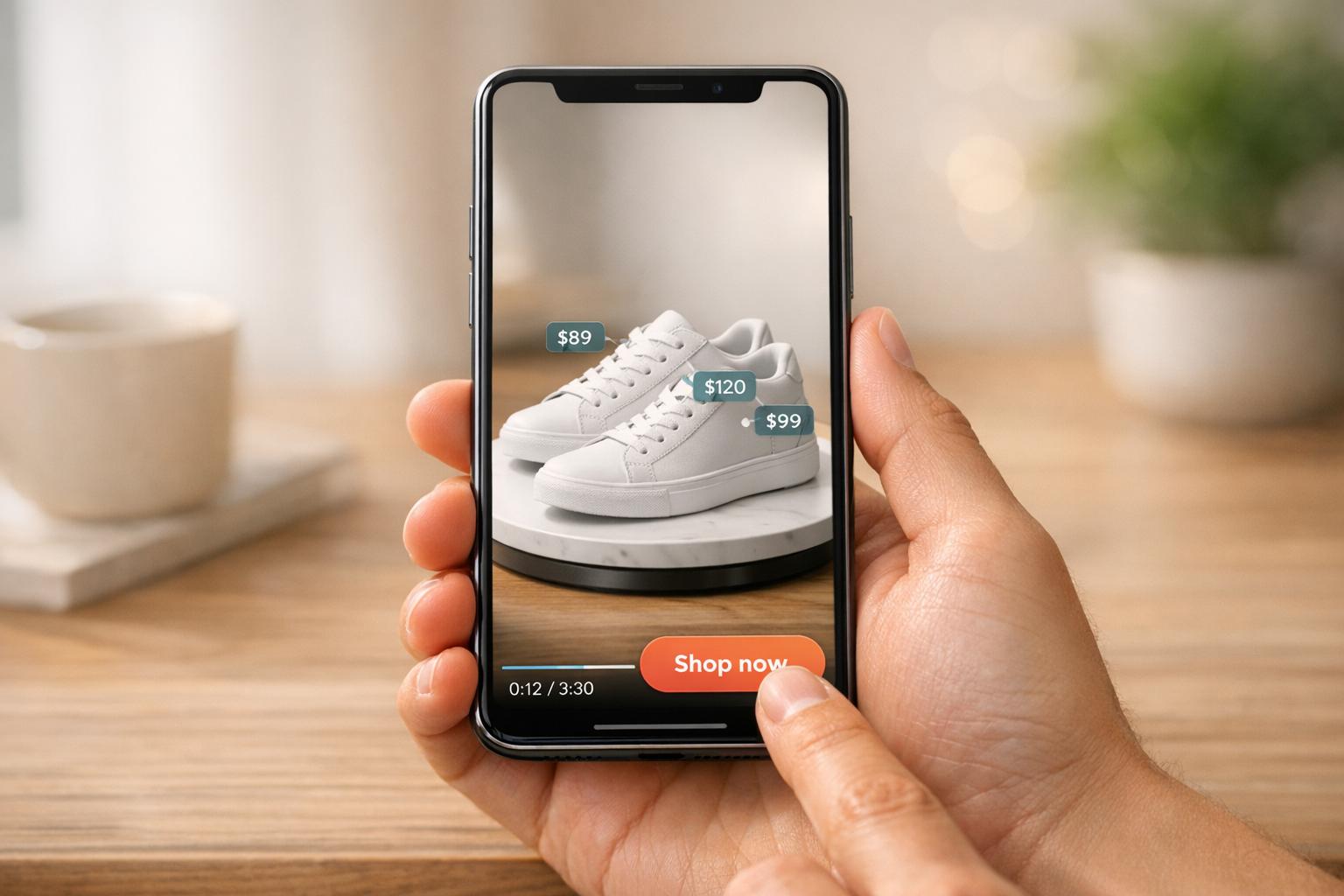
When uploading a new video, you can attach products from your Shopify catalog by selecting "Tag Products" in the "Video Elements" tab. For videos already uploaded, head to the "Content" section in YouTube Studio, choose a video, click on "Products", and add your tags. You can tag up to 30 items per video. For live streams, take it a step further by pinning products in real time, helping your audience discover items as you showcase them. Tagged products appear in a "View Products" tab, complete with pricing in USD and availability details.
"I was always the big believer that the sale takes place while the consumer is watching and consuming the content."
- Paul Jauregui, Co-founder, BK Beauty
If you're a US-based merchant, you can enable in-app checkout by submitting support contact details in the Google & YouTube sales channel. Keep in mind, though, that certain items - like personalized products, bundles, and subscriptions - aren't currently supported for this feature. Also, ensure the email linked to your YouTube channel matches a Shopify staff account with full permissions to avoid connection issues.
Once you've set up product tagging, you can take it a step further by embedding these shoppable videos directly on your Shopify store for a smoother shopping experience.
Creating Shoppable Videos on Your Store
Embedding your shoppable YouTube videos on your Shopify store helps keep your customers engaged on your site while shopping. You can use tools like UWidget to create customizable YouTube galleries for your homepage or product pages. For added functionality, apps like ILikeThat offer interactive buttons for $3.99/month (with a 5.0 rating) that build social proof and track customer preferences.
These on-site videos give you full control over the design, allowing you to add clickable hotspots or "Add to Cart" overlays that make the buying process smoother. Since mobile users make up a large portion of US traffic, ensure your video galleries are fully optimized for mobile. Use Shopify reports to track click-through rates and revenue, helping you pinpoint which types of videos - like demos, tutorials, or reviews - are driving the most sales.
YouTube Product Tags vs. On-Site Shoppable Videos
Once you’ve set up YouTube tagging, it’s worth comparing it to on-site shoppable videos to see how both can work together. Each approach serves a unique role in your sales funnel. YouTube Shopping helps you reach new audiences and spark interest, while on-site shoppable videos are great for converting visitors already exploring your store. To give you an idea of the potential, users spent 30 billion hours watching shopping-related videos on YouTube in 2023, and US livestream ecommerce sales reached an estimated $50 billion.
| Feature | YouTube Product Tags | On-Site Shoppable Videos |
|---|---|---|
| Platform Control | Managed via YouTube Studio with YouTube's interface | Full control over design and placement on your store |
| Data Access | YouTube Shopping analytics and YouTube Analytics | Shopify reports and Google Analytics 4 integration |
| Customer Session | Keeps viewers engaged on YouTube | Retains users on your website for further browsing |
| Interactive Tools | Native "Shopping" button and product shelf | Custom elements via apps like UWidget or ILikeThat |
You don’t need to pick one over the other. Use YouTube product tags to attract viewers searching for product information, then embed those same videos on your Shopify store with custom interactive features. This strategy lets you expand your reach while maintaining control over the shopping experience, with both approaches syncing smoothly with your Shopify catalog through the Google & YouTube sales channel.
Using Analytics to Improve Video Performance
Important YouTube Metrics to Monitor
When it comes to YouTube, watch time takes center stage. This metric, which measures the total minutes viewers spend watching your videos, is far more influential than simple view counts. YouTube's algorithm uses watch time as a key indicator of content quality. As Michael Keenan from Shopify explains, "From YouTube's perspective, watch time, or the estimated total minutes spent viewing your content, is more important than a raw view."
Another critical metric is audience retention, which highlights where viewers drop off during your videos. By using the "Key moments for audience retention" feature in YouTube Analytics, you can identify which segments hold attention and which ones might need improvement. Additionally, tracking traffic sources shows how viewers are finding your content - whether it's through YouTube search, suggested videos, or external links - helping you refine your SEO and promotional strategies.
To assess how well your videos turn casual viewers into loyal subscribers, calculate the subscriber ratio by dividing video views by net subscriber gains. Real-time reports, which track activity over the last 48 hours and 60 minutes, are also invaluable. These updates help you identify traffic spikes quickly, giving you a chance to engage with your audience in the moment.
| Metric | What It Tells You |
|---|---|
| Watch Time | Reflects content quality and ranking potential |
| Audience Retention | Pinpoints where viewers lose interest |
| Traffic Sources | Shows which channels drive the most traffic |
| Subscriber Ratio | Highlights videos that build a loyal audience |
| Impressions CTR | Measures how well thumbnails and titles attract clicks |
Connecting YouTube Data to Shopify Reports
Once you’ve identified your key YouTube metrics, it’s time to tie them to your Shopify data. One way to do this is by adding UTM parameters to your video descriptions and pinned comments. For instance, using a tracking code like ?utm_source=youtube&utm_medium=video&utm_campaign=product_demo allows Google Analytics to track sessions, conversions, and revenue generated from your videos.
Shopify’s Google & YouTube sales channel takes this a step further by syncing your product catalog and tracking shopping orders. This integration helps you see which tagged products are driving the most clicks and conversions through Shopify reports. A great example is Rothy’s, a shoe brand, which leveraged automation to distribute creative assets across video platforms in 2023–2024. The result? A 60% increase in conversions and a 59% boost in revenue.
Another valuable tool is YouTube’s demographics data, which provides insights into your viewers' age, gender, and location. Since research shows that 70% of viewers say YouTube introduces them to new brands, these insights can help you fine-tune your ad campaigns or adjust product recommendations to better connect with your audience. By analyzing these metrics, you can not only track how your videos perform but also plan your next moves more effectively.
Adjusting Your Strategy Based on Data
With real-time analytics at your disposal, you can fine-tune your approach. For example, the "When your viewers are on YouTube" metric in the Audience tab helps you schedule posts during peak activity periods. If your audience is most active on weekday evenings, consider publishing new videos between 6:00–8:00 PM EST to maximize engagement.
You can also use the Research tab in YouTube Analytics to uncover popular topics your audience is searching for. If you notice frequent queries like "how to style" or "product comparison", create content tailored to these interests. Don’t underestimate the power of your comments section either - pinning helpful comments that direct viewers to product pages or responding to questions can build trust and deepen connections with your audience.
For videos with strong watch time but lower conversions, try experimenting with placements on your Shopify site. Tools like UWidget allow you to embed videos on product pages or your homepage. Track the click-through rates in Shopify reports to see what works best. And since vertical videos on YouTube Shorts tend to drive 10% to 20% more conversions compared to landscape formats, consider repurposing your top-performing content into Shorts to attract new viewers and boost traffic to your store.
Conclusion
Connecting your Shopify store with YouTube creates a direct pathway to engage with customers on a platform they already love. With 62% of US YouTube users visiting daily and 89% of people saying video influenced their decision to buy, this integration can significantly boost your sales potential. The key is blending the right technical tools - like product tagging and embedded checkout - with continuous, data-backed adjustments.
For US-based merchants, the embedded checkout feature is a game-changer. It lets customers complete their purchases directly within the YouTube app, cutting out any extra steps that might cause drop-offs. Pair this seamless shopping experience with tools like UWidget, which allow you to strategically place videos on your store, and you’ve got a recipe for turning casual viewers into loyal customers.
To make the most of this integration, let analytics guide your approach. Keep an eye on metrics like watch time, audience retention, and UTM conversions to pinpoint your best-performing videos and refine your strategy. And don’t overlook the power of vertical videos - YouTube Shorts have been shown to drive 10% to 20% more conversions compared to traditional landscape formats.
Start small by experimenting with one or two video formats, then fine-tune your approach based on the data. As Mimi Ikonn from Luxy Hair demonstrated - growing her channel to over 3 million subscribers with educational content - consistent, relatable video marketing can elevate a startup into a multimillion-dollar brand. With YouTube’s massive audience and Shopify’s powerful conversion tools, you have everything you need to turn viewers into customers.
FAQs
What are the requirements to integrate YouTube with my Shopify store?
To connect YouTube with your Shopify store, you'll first need an active Shopify account and must meet YouTube Shopping's eligibility criteria. These requirements include being based in a supported country and following YouTube's merchant policies.
Once you're eligible, you can set up the integration right from your Shopify admin panel. This lets you display your products on YouTube videos, Shorts, livestreams, ads, and even in video descriptions - making it easier to engage your audience and boost sales.
What are the advantages of using UWidget to add YouTube videos to my Shopify store?
UWidget, developed by Fractal Apps, is a YouTube Widgets app designed to turn your Shopify store into a video-powered sales hub. With UWidget, embedding YouTube videos or Shorts on your store is effortless - no coding required. Simply paste a video or playlist URL, and you're ready to showcase your products, share tutorials, or build your brand with engaging video content.
The app offers flexible display options such as carousels, sticky videos, video galleries, and even banner backgrounds. These features make it easy to integrate videos into your store’s design, helping to build trust, increase customer interaction, and drive more sales. For just $5.99 per month (with a free trial available), UWidget provides a budget-friendly and straightforward way to add dynamic media to your Shopify store - without the hassle of technical setup.
How can I use YouTube Analytics to improve my video marketing strategy?
YouTube Analytics offers a treasure trove of insights into how viewers interact with your videos, making it an essential tool for fine-tuning your video marketing strategy. By diving into metrics like watch time, audience retention, and traffic sources, you can pinpoint what resonates with your audience and make smarter, data-backed adjustments.
Take a close look at audience retention graphs to understand which parts of your videos hold attention and where viewers tend to drop off. This information can help you tweak your video length or shift the content focus to keep people engaged. Check out playback locations to see if your videos are being watched on your Shopify product pages, your YouTube channel, or other embedded platforms. This can guide you in prioritizing formats that bring the most traffic to your store.
Don’t overlook demographic data like age, gender, and location, along with device usage stats. These insights ensure your videos are tailored to your audience’s preferences, especially for mobile users who make up a large portion of viewers. By consistently reviewing these analytics, you can create videos that not only captivate but also drive conversions and sales.