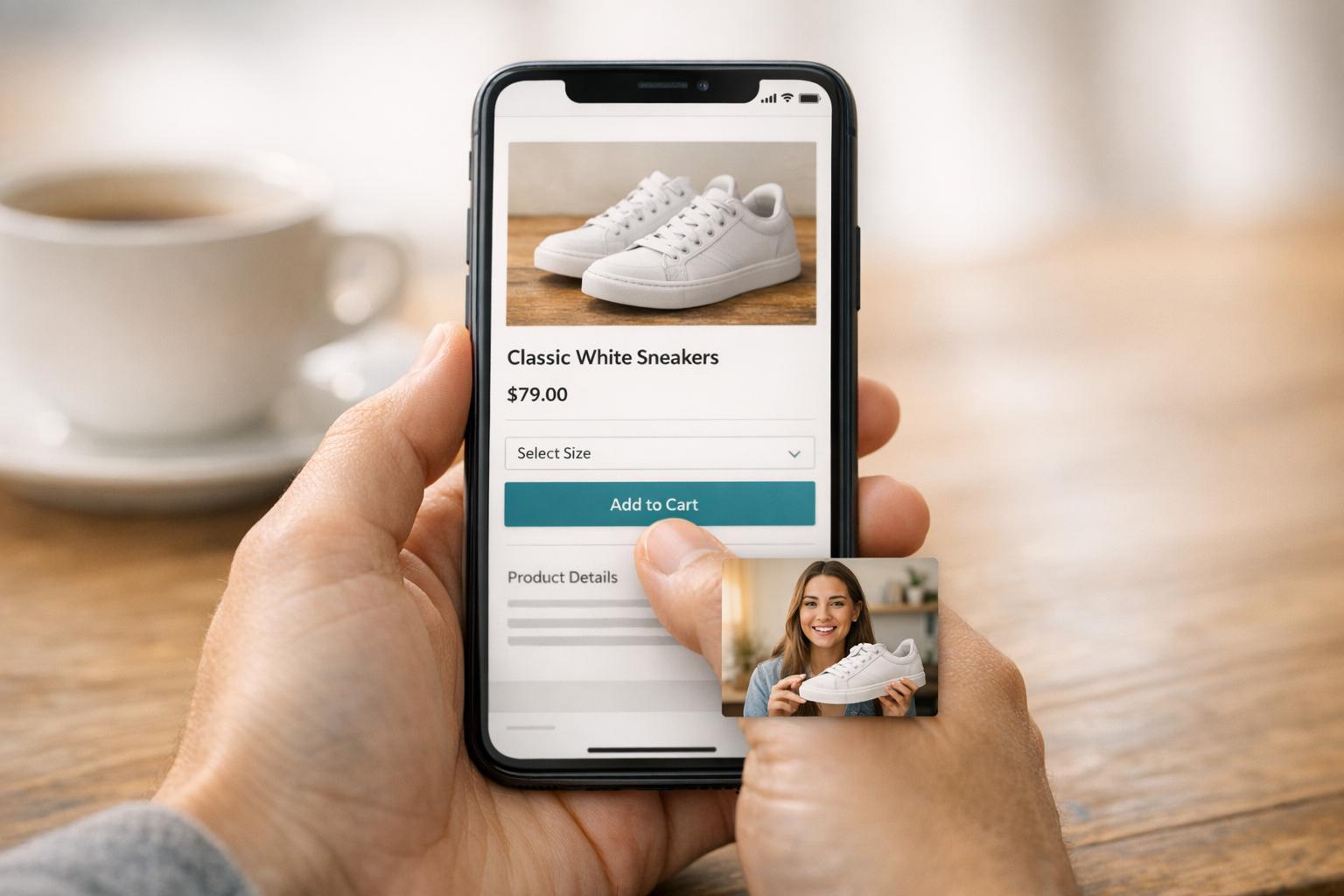
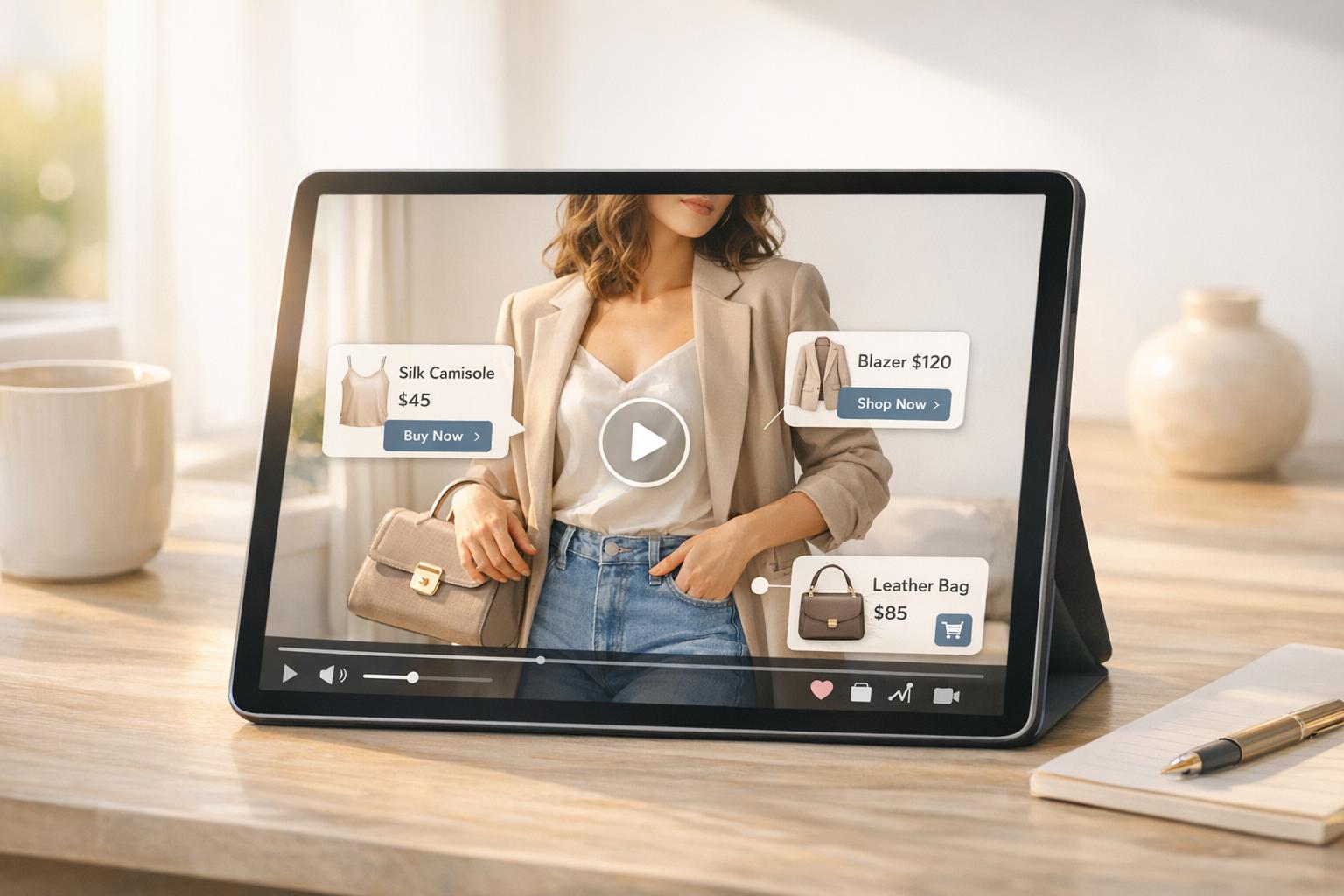
UWidget is a Shopify app that makes adding YouTube videos to your store simple and effective. With no coding required, you can embed unlimited videos or Shorts, create shoppable links, and customize layouts like carousels or sticky videos. Video content increases engagement, boosts conversions by up to 30%, and builds trust with testimonials. Starting at just $5.99/month, UWidget offers an affordable way to leverage video marketing strategies. Pair it with other tools from Fractal Apps for even better results. Need help creating compelling video content for your brand? Ready to turn YouTube views into sales? Install UWidget today.
Core Features of UWidget

UWidget brings three powerful tools to the table, turning YouTube videos into effective sales drivers. Here’s a closer look at what it offers:
Shoppable Video Links
One of the standout features is the ability to embed clickable product links directly into YouTube videos and Shorts. This creates a seamless shopping experience - customers can watch a product demo and immediately click to purchase, all without leaving your store. By simply pasting a YouTube video or playlist URL, you can transform your store into what Fractal Apps calls a “video-powered sales engine,” where every video works as a sales tool.
Customizable Video Layouts
UWidget offers multiple layout options to match your store’s style. Whether it’s galleries, carousel sliders, sticky videos, or video banners, you can choose what works best for your brand. Sticky videos keep product demos in view as customers scroll, while carousels are perfect for showcasing several products in a compact format. Galleries shine for stores with a large video library. All of this can be tailored to your branding - no coding needed.
Responsive and Mobile-Friendly Design
UWidget ensures that your videos look great and function perfectly on any device. Whether your customers are browsing on a desktop, tablet, or smartphone, the widgets adjust automatically. Shoppable links, play controls, and navigation features all work flawlessly, delivering a smooth experience for mobile shoppers.
Benefits of Using UWidget for E-commerce
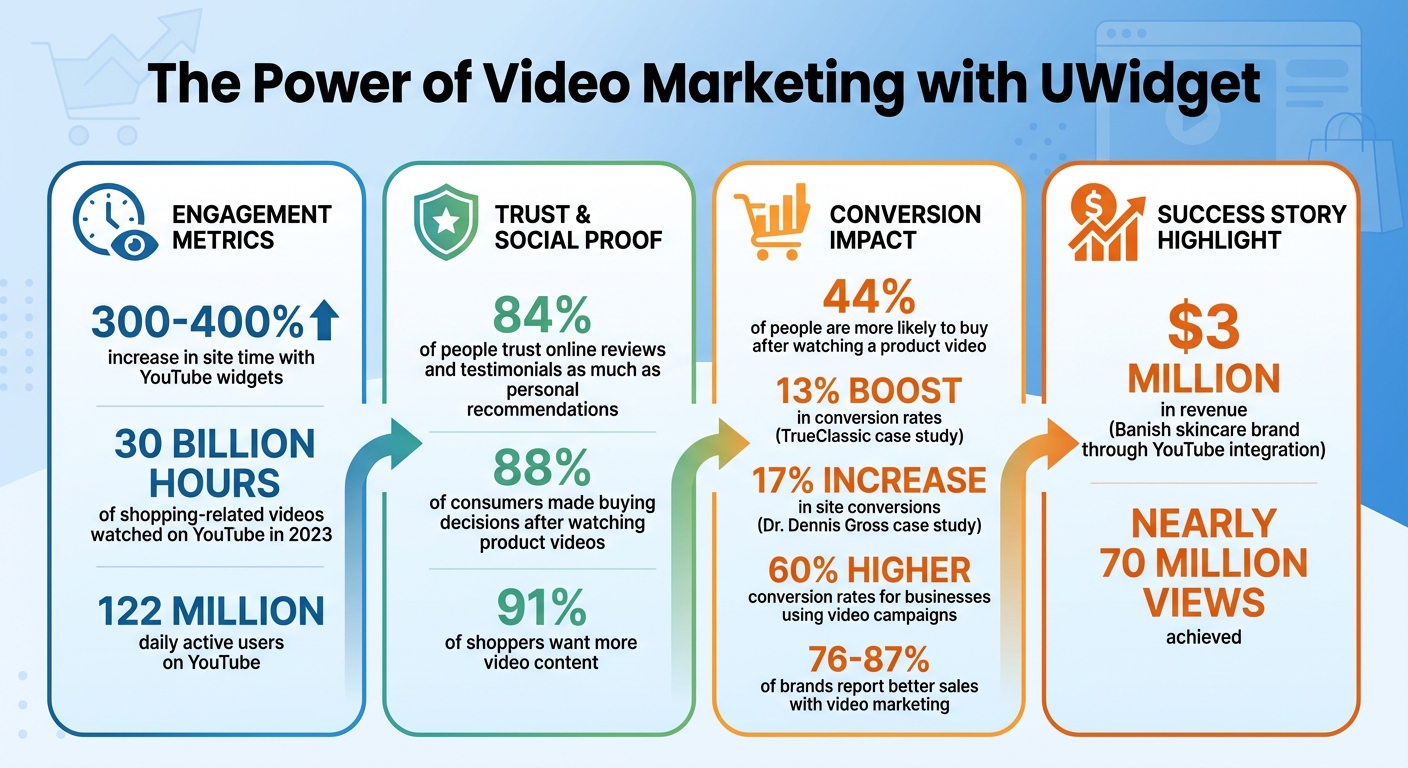
UWidget Video Marketing Impact Statistics for Shopify Stores
Boosting Customer Engagement
Video content grabs attention in a way that static images and text simply can't. By embedding YouTube videos through UWidget, you give visitors a reason to stay longer on your site. In fact, YouTube widgets can increase site time by an impressive 300–400%. This difference turns fleeting visits into meaningful interactions.
Videos are naturally interactive, making them ideal for showcasing product demos, tutorials, or customer testimonials. Instead of reading through lengthy descriptions, shoppers can get their questions answered visually and instantly. This kind of engagement not only keeps them exploring your products but also strengthens their connection to your brand. Ultimately, it sets the stage for smoother conversions.
Increasing Conversion Rates with Video Content
Shoppable videos simplify the buying process. By allowing customers to click directly on a video to purchase a featured product, you're cutting down the steps between interest and checkout. The results speak for themselves: 44% of people are more likely to buy a product after watching a video about it.
Take TrueClassic, for example. In 2023, they saw a 13% boost in conversion rates among shoppers who interacted with video content on their site. Similarly, Dr. Dennis Gross experienced a 17% increase in overall site conversions by incorporating shoppable videos that highlighted their skincare products in action. These aren't hypothetical scenarios - they're real-world successes from businesses leveraging video to drive sales.
Building Social Proof with YouTube Integration
Trust is one of the most powerful motivators for online purchases, and YouTube integration can deliver a level of authenticity that traditional branded content often lacks. Seeing real people use your products in tutorials, reviews, or testimonials builds instant credibility. In fact, 84% of people trust online reviews and testimonials as much as personal recommendations, and video testimonials carry even more weight than text-based ones.
A great example is Daisy Jing, CEO of the skincare brand Banish. By using a YouTube channel to share authentic stories and connect with her audience, she grew her e-commerce business to $3 million in revenue and garnered nearly 70 million views. Embedding these kinds of testimonials directly on your product pages not only builds trust but also helps reduce returns by setting clear expectations for customers.
How to Set Up UWidget on Your Shopify Store

Installing UWidget from the Shopify App Store
To get started, head over to the Shopify App Store and search for "UWidget: YouTube Widgets." Once you find it, click "Add app" and confirm the installation in your Shopify admin panel. The app is designed to integrate seamlessly with your store, so you don’t need any coding skills to set it up.
After installation, you'll find UWidget in the Apps section of your Shopify dashboard. The user-friendly interface is built for store owners who want feature-packed tools without the hassle of complexity. With a 5/5-star rating on the Shopify App Store, users frequently praise how simple it is to get started. The next step is connecting your YouTube content to unlock the app’s full potential.
Connecting YouTube Channels and Playlists
Once UWidget is installed, open its dashboard from your Shopify admin. Connecting your YouTube content is a breeze - just paste the URL of a video or playlist directly into the app.
The app supports both individual videos and playlists. Each piece of content you add is assigned a unique "Content #" in the dashboard. This number is important because you’ll use it later to link videos to specific widget blocks in your theme editor. If you’re showcasing multiple videos, adding a playlist URL is especially handy - it automatically updates your widget whenever you add new content to that playlist on YouTube. After linking your content, you can move on to customizing your video widgets to match your store’s look and feel.
Customizing and Embedding Video Widgets
UWidget is fully compatible with Shopify Theme 2.0, allowing you to add video widgets as App Blocks directly in the live Theme Editor. To do this, open the Theme Editor, click "Add block" under Apps, and select your UWidget element. Use the assigned "Content #" to link your videos to the block.
You can choose from various layouts like carousel, grid, slider, sticky video, or video banner, and then tweak colors, spacing, and display options to suit your store’s design. For those who want more control, the app also supports custom CSS. Plus, it comes with built-in lazy loading and thumbnail-first display options, ensuring your videos don’t slow down your page’s loading speed.
sbb-itb-d9e5b3a
Using UWidget with Other Fractal Apps Tools
Integrating UWidget with Other Fractal Apps
UWidget shines when combined with other tools from Fractal Apps, creating what the company calls a "video-powered sales engine." Together, these tools can help you address every stage of the customer journey.
For example, pairing UWidget with ILikeThat adds both visual and numerical social proof. By placing ILikeThat buttons next to shoppable video links, you can grab attention and encourage immediate interaction while the product demo is still fresh in the viewer's mind.
Another great partner is CheckIt, which keeps the momentum going after a customer clicks through from a video. Since video shoppers might still be on the fence, a checkout progress bar offers a clear path to purchase, helping reduce cart abandonment. This matters because businesses using video in their campaigns report 60% higher conversion rates at a lower cost.
You can also use DivideItUp to structure your site’s video content into distinct sections, such as testimonials, tutorials, or product grids. This creates a more focused and engaging browsing experience. By integrating these tools, you eliminate the hassle of manual updates across systems while ensuring a smooth flow of data for your e-commerce operations.
These combinations don’t just simplify workflows - they also deliver measurable improvements in conversion rates.
Conversion Benefits of Combined Tools
Here’s a breakdown of how combining UWidget with other Fractal Apps tools can impact your key metrics:
| Tool Combination | Primary Marketing Benefit | Conversion Impact |
|---|---|---|
| UWidget + ILikeThat | Social proof through video and "like" buttons | Builds buyer confidence and makes products more appealing with dual social proof |
| UWidget + CheckIt | Video content drives users to the cart with a clear checkout path | Reduces cart abandonment by smoothing the transition from discovery to purchase |
| UWidget + DivideItUp | Organized video sections for better content presentation | Increases time-on-site and lowers bounce rates by improving user experience |
| UWidget + All Tools | Full-funnel optimization from discovery to checkout | Maximizes ROI by capturing attention, building trust, and ensuring purchase follow-through |
With over 30 billion hours of shopping-related videos watched on YouTube in 2023 and the platform’s 122 million daily active users, integrating these tools gives your Shopify store a strong opportunity to tap into video-driven traffic. Plus, all Fractal Apps tools are designed for no-code integration, so you can roll out this strategy without needing any technical expertise.
UWidget Pricing and Implementation Tips
Custom Pricing Plans for UWidget
UWidget offers a free trial and tiered pricing starting at $5.99/month, making it accessible for businesses of all sizes. This setup lets you explore its full features without any upfront commitment. The pricing adjusts based on your video library and traffic, so you only pay for what you actually use. It's an efficient way to test its impact on conversions while keeping costs under control.
Best Practices for YouTube Integration
To get the most out of your YouTube content, place videos on pages that draw the most traffic - like your homepage, product pages, and blog posts. On your homepage, use presentation or promotional videos to strengthen your brand image. Near the "Add to Cart" button, include product demos or how-to guides to build customer confidence. For blog posts, embed shoppable videos to turn casual readers into buyers. On your "About Us" page, feature behind-the-scenes or company culture videos to foster trust with your audience.
To keep your site running smoothly, use compressed thumbnails or "lite" embeds. This ensures faster load times, which keeps both visitors and search engines happy.
Conclusion
UWidget makes it simple to bring video marketing directly into your Shopify store. With UWidget, Shopify merchants can turn YouTube views into actual sales. Considering that 88% of consumers say they’ve made buying decisions after watching product videos, this tool is a game-changer. Its no-code setup allows you to embed videos in just minutes, creating shoppable galleries, carousels, and even YouTube Shorts right on your store pages - all designed to drive conversions.
The stats are clear: 87% of brands report better sales with video marketing, with some seeing increases as high as 76%. UWidget’s shoppable links and auto-sync feature ensure your store stays engaging and up-to-date without requiring constant manual effort.
Starting at just $5.99/month and offering a free trial, UWidget is an affordable way to explore video-driven sales strategies. Its perfect 5/5 rating on the Shopify App Store reflects how user-friendly and effective it is. Whether you’re embedding tutorial videos on product pages or sharing your brand’s story on the homepage, UWidget adapts to your store’s style without adding technical headaches.
For even better results, pair UWidget with other Fractal Apps tools like ILikeThat and CheckIt to boost engagement and guide customers through checkout. With 91% of shoppers wanting more video content, there’s no better time to get started. Use UWidget to turn your video content into real sales growth.
FAQs
How does UWidget work with other tools from Fractal Apps?
UWidget, created by Fractal Apps for Shopify stores, makes it simple for merchants to showcase YouTube videos or playlists on their e-commerce sites. With no coding skills needed, you can present videos in various formats like customizable galleries, carousels, sticky videos, or even as eye-catching background banners.
Although UWidget is built to work effortlessly alongside other Fractal Apps tools within the same Shopify store - sharing the same admin interface and data layers - there isn't detailed documentation available on deeper technical integrations, such as shared settings or cross-app features. That said, its platform-level compatibility ensures a hassle-free experience when combining multiple Fractal Apps products.
What does UWidget cost, and are there any free options?
UWidget provides a free trial to help you dive in without any upfront commitment. Once the trial ends, the subscription starts at just $5.99 per month, offering a budget-friendly way to seamlessly incorporate YouTube into your e-commerce platform. Give it a try and discover how it can elevate your video marketing game.
How does UWidget help increase my store's conversion rates?
UWidget turns your store into a lively, video-powered shopping hub, boosting conversion rates in the process. Its features include shoppable YouTube videos, video galleries, carousels, and video backgrounds, all designed to bring your products to life. These tools not only let you show off your products in action but also help build trust with customers while simplifying the buying process with one-click purchase options.
By using interactive video content, UWidget creates a stronger connection between your customers and your products, making it easier for them to make purchasing decisions. Some users have even seen their conversion rates increase by as much as 5× after adding UWidget to their stores.