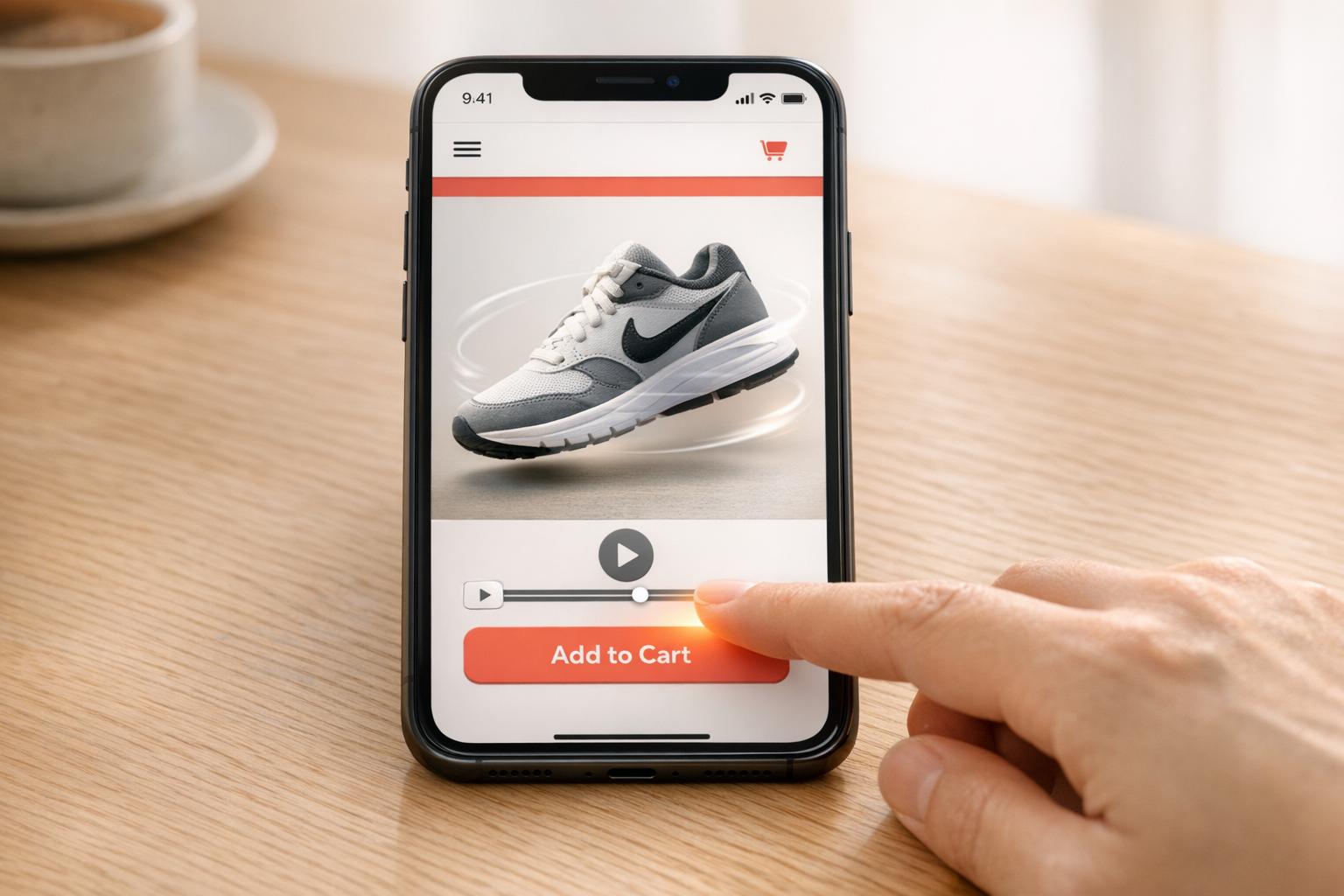
Shoppable videos combine engaging visuals with clickable product links, making it easier for customers to buy directly while watching. They’re especially effective during peak shopping seasons like Black Friday or Valentine’s Day, driving higher conversion rates and reducing cart abandonment. Here’s why they work and how to use them:
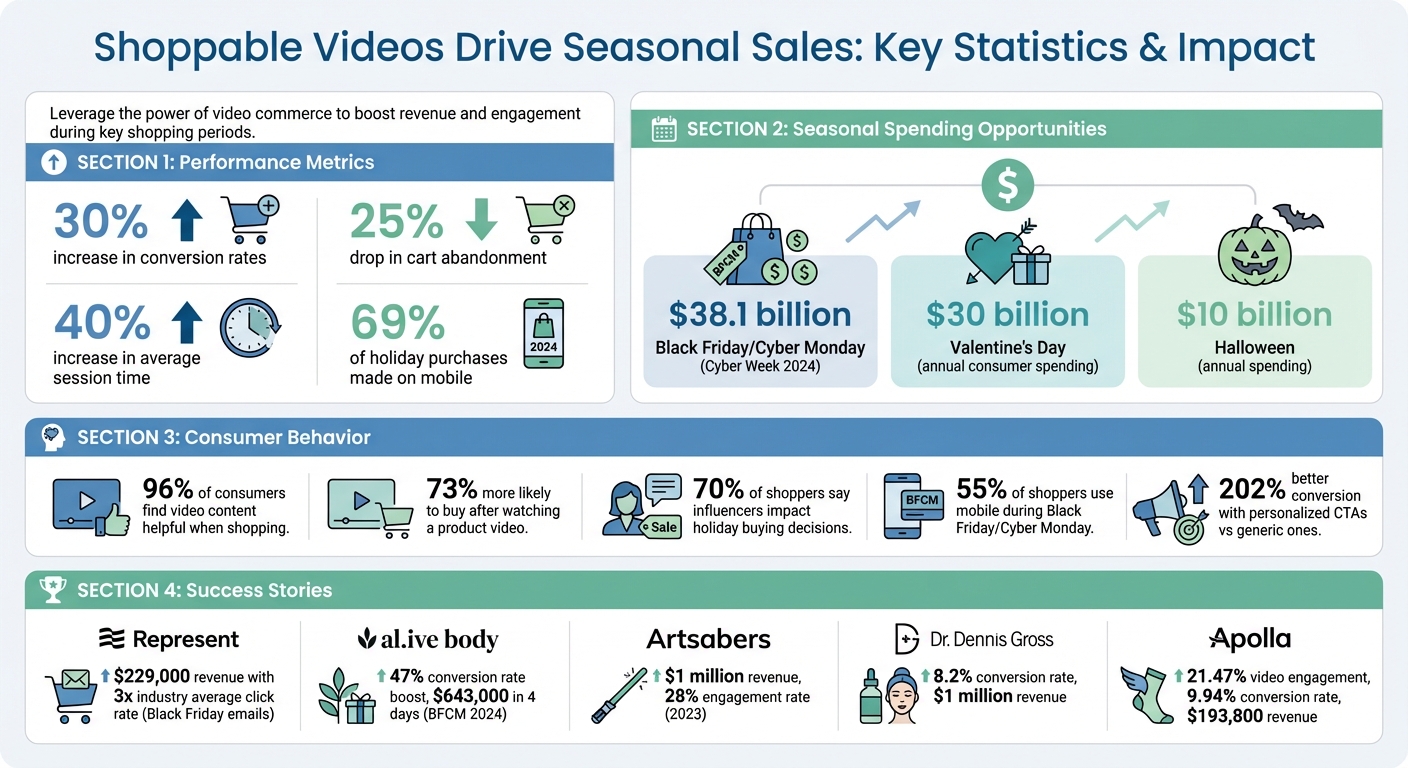
- Boosts Sales: Brands using shoppable videos report up to a 30% increase in conversions and a 25% drop in cart abandonment.
- Mobile-Friendly: With 69% of holiday purchases made on mobile in 2024, shoppable videos streamline the buying process for mobile users.
- Seasonal Focus: Tailor content to key shopping events like Cyber Monday or Valentine’s Day to maximize impact.
- Engaging Content: Use themes like gift guides, unboxing, or influencer reviews to grab attention and drive impulse purchases.
For best results, plan campaigns early, set clear goals, and use tools like UWidget to integrate shoppable videos into your Shopify store. Track metrics like click-through rates and conversion rates to refine your strategy and improve performance.
Shoppable Video Impact: Key Statistics for Seasonal Sales Success
How To Turn Product Images Into Interactive Shoppable Videos in Shopify Using Tolstoy AI

Planning Your Seasonal Shoppable Video Campaign
To make the most of shoppable videos during peak seasons, start with a well-thought-out strategy. Timing your campaigns around key events and setting clear goals will help ensure your efforts hit the mark.
Identifying the Right Seasonal Events
Pick holidays that naturally align with your products and audience. For example, fitness gear pairs perfectly with the "New Year, New You" mindset in January. Valentine's Day, with nearly $30 billion in annual consumer spending, is ideal for jewelry and home decor brands. Similarly, Halloween’s $10 billion in spending makes it a goldmine for costume shops, party supplies, and themed decor.
But don’t just stick to the obvious. While Black Friday and Cyber Monday dominate - US consumers spent $38.1 billion during Cyber Week in 2024 - smaller events like Earth Day are great for eco-friendly brands. Pride Month, too, offers a chance to stand out in a less saturated market.
"We normally plan for the big campaigns one tent pole at a time. In October, we're already doing Valentine's Day planning. We have our Valentine's Day emails laid out by then, so our creative team can start thinking about the messaging and the content."
- Adam Davis, Senior Marketing Manager at Magnolia Bakery.
Dive into your store's historical data to guide your choices. Which holidays have driven the most traffic and sales in the past? For example, January might be perfect for launching fitness gear, spring for outdoor essentials, and November for curated gift bundles.
Once you’ve chosen the right dates, set clear performance goals to guide your campaign.
Setting Campaign Goals and KPIs
Define measurable targets using metrics like Conversion Rate, Average Order Value, Add-to-Cart Rate, and Customer Retention Rate. These will help you gauge how well your shoppable videos are driving sales.
Follow a 90-60-30-day timeline to structure your campaign. For instance, start awareness-building videos in early November, increase posting frequency mid-month, and go all-in with multiple daily posts during the Black Friday/Cyber Monday weekend. On-site, focus on metrics like dwell time and conversion rates; on social channels, track click-through rates and subscriber growth .
Take inspiration from brands like Represent. In November 2024, the British streetwear label used countdown timers in Black Friday emails, generating $229,000 in revenue with a click rate three times the industry average. Their automated cart recovery emails delivered an 8.3% purchase rate, contributing to $1.5 million in total Black Friday sales.
Similarly, during the 2024 BFCM period, the premium personal care brand al.ive body optimized their Shopify checkout process, boosting conversion rates by 47% and earning over $643,000 in just four days.
Creating Your Shoppable Videos
During peak shopping seasons, shoppable videos should feel timely and create a sense of urgency. The right mix of seasonal themes, standout products, and smart tagging can turn casual viewers into buyers.
Selecting Seasonal Themes and Products
Tailor your video themes to match what shoppers are looking for at different times of the year. Gift guides are a great way to make decisions easier - organize them by categories like "For Him", "For Her", or even by price ranges like "Under $100". Unboxing videos and influencer reviews also work wonders, with 70% of shoppers saying influencers directly impact their holiday buying decisions. Add countdowns or flash sale alerts with phrases like "Ends Monday" or "Last Chance" to create urgency.
Highlight your best-selling products and items with big seasonal discounts. Feature them prominently on your homepage and create dedicated landing pages for them. Limited-time bundles can boost the average order value, and back-in-stock notifications are perfect for high-demand products during these busy periods.
Take notes from brands like Artsabers, which turned TikTok videos into shoppable content on their site. This approach added $1 million in revenue with a 28% engagement rate in 2023. Similarly, Busy Baby Mat used user-generated content from platforms like TikTok, Instagram, and YouTube to create engaging shoppable testimonials. This strategy led to over 451 hours of additional on-site engagement and conversion rate increases of up to 27%.
Once you’ve nailed down your themes and products, it’s time to focus on crafting engaging content and integrating interactive tags.
Planning Content and Tagging Products
To grab attention, structure your videos with a 3-second hook, clear branding, a solution to a problem, key product details, and a strong call-to-action. Keep product highlights brief - 30 to 60 seconds is ideal for holding attention.
Smart tagging is key to converting views into sales, especially on mobile devices (which accounted for 69% of Black Friday purchases in 2024). Use one clickable tag per frame as products appear, keeping the design simple and unobtrusive. For mobile users, ensure tags are large enough to tap and avoid covering important visuals. Seasonal CTAs like "Shop the Video", "Holiday Gift Pick", or "Tap to Buy Now" are far more engaging than generic buttons.
Prepare creators ahead of time with clear instructions, discount codes, and messaging. Add urgency with overlays like "Limited Stock" or "Ends Tonight". Record longer videos and edit them into shorter versions to test which hooks and lengths perform best through A/B testing.
"Product videos - when done correctly - are a highly successful and motivational tool for driving sales." - Chloe West, Shopify
Up next, let’s explore how to seamlessly integrate these videos into your Shopify store for maximum impact.
sbb-itb-d9e5b3a
Adding Shoppable Videos to Your Shopify Store
Got your videos ready? Now it’s time to make them work for you on your Shopify store. With the right setup, you can turn viewers into buyers seamlessly - no tech headaches required. Here's how UWidget simplifies the process.
Using UWidget to Upload and Tag Products
UWidget: YouTube Widgets makes it easy to integrate shoppable videos. To get started, head to the Shopify App Store, find the app, click "Add app", and enter your store URL. The app offers a 7-day free trial, with plans starting at $5.99/month for the Starter plan (1 widget, 25 videos), $13.99/month for Pro (3 widgets, 50 videos), and $19.99/month for Premium (unlimited).
Once installed, simply paste your YouTube video or playlist URL into the app dashboard. From there, connect products from your Shopify inventory to the video, creating clickable hotspots. These hotspots allow customers to view product details and make purchases directly within the video player. You can choose from several display formats - like video galleries, carousel sliders, video grids, sticky videos, or video banners - to match your store’s style. Plus, the app uses thumbnail-first and lazy-loading technology to keep your page speed intact.
UWidget boasts a 5.0/5 star rating on the Shopify App Store, with users highlighting its smooth integration of both standard YouTube videos and Shorts. Considering that 96% of consumers find video content helpful when shopping and that shoppers are 73% more likely to buy after watching a product video, adding shoppable videos can directly impact your seasonal sales. Once your video is live and products are tagged, you can ramp up engagement with interactive features.
Adding Interactive Elements with UWidget
UWidget takes things further by allowing you to add interactive elements to your videos. For example, you can include clickable product tags that appear as items are shown in the video, or add a "Subscribe" button to grow your YouTube audience right from your store. Seasonal campaigns? No problem. Use custom CSS to overlay discount codes, countdown timers, or text like "Holiday Gift Pick" or "Limited-Time Offer".
The app's sticky video feature ensures that product demonstrations stay visible as customers scroll, which is especially effective for mobile users. Speaking of mobile, UWidget’s compatibility with YouTube Shorts lets you create vertical, scrollable content similar to TikTok. Position shoppable videos above the fold or within image carousels to maximize visibility and drive purchases. Pair these placements with bold calls-to-action like "Tap to Shop" or "Add to Cart", and you could see conversion rates jump by as much as 80% when combined with real-time product links.
Tracking Performance and Improving Results
Once your shoppable video campaign goes live, it's essential to monitor its performance using key metrics. Start by examining engagement metrics like view count, view-through rate (VTR), and time spent watching the video. These will help you understand if your content connects with your audience and keeps them engaged. Next, dive into conversion metrics such as click-through rate (CTR), add-to-cart rate, and overall conversion rate to measure how effectively your video drives sales.
To assess your campaign's return on investment (ROI), focus on metrics like Average Order Value (AOV), Return on Ad Spend (ROAS), Revenue Per Click (RPC), and Cost Per Acquisition (CPA). It's also important to differentiate between direct in-video sales and influenced sales - those that occur after a brief interaction with the video. During major shopping events like Black Friday and Cyber Monday, pay special attention to mobile performance. With 55% of shoppers using their phones for purchases during these periods, ensuring fast loading times and a seamless mobile experience can make or break your sales. Use these insights to spot trends and fine-tune your campaign strategy.
Monitoring Seasonal Campaign Metrics
Seasonal campaigns require close attention to performance patterns to identify opportunities for improvement. For instance, if your video has high view counts but a low CTR, your call-to-action (CTA) might need better placement or timing. Experiment with different placements - like the bottom-right corner of the screen, which has been shown to increase CTR by 15%. On the other hand, if your CTR is solid but conversions are lagging, check for issues in the transition from video to checkout, particularly on mobile platforms.
Real-world examples highlight the impact of optimizing shoppable video strategies. In 2023, Dr. Dennis Gross tracked key metrics to refine their approach, achieving an impressive 8.2% conversion rate and generating $1 million in revenue. Similarly, Apolla, a compression sock brand, used user-generated content to create engaging shoppable tutorials after their Shark Tank appearance. This strategy resulted in a 21.47% video engagement rate, a 9.94% conversion rate, and over $193,800 in revenue. These cases underscore the importance of improving both video performance and on-site user experience to maximize seasonal sales.
Using CheckIt and ILikeThat to Increase Engagement
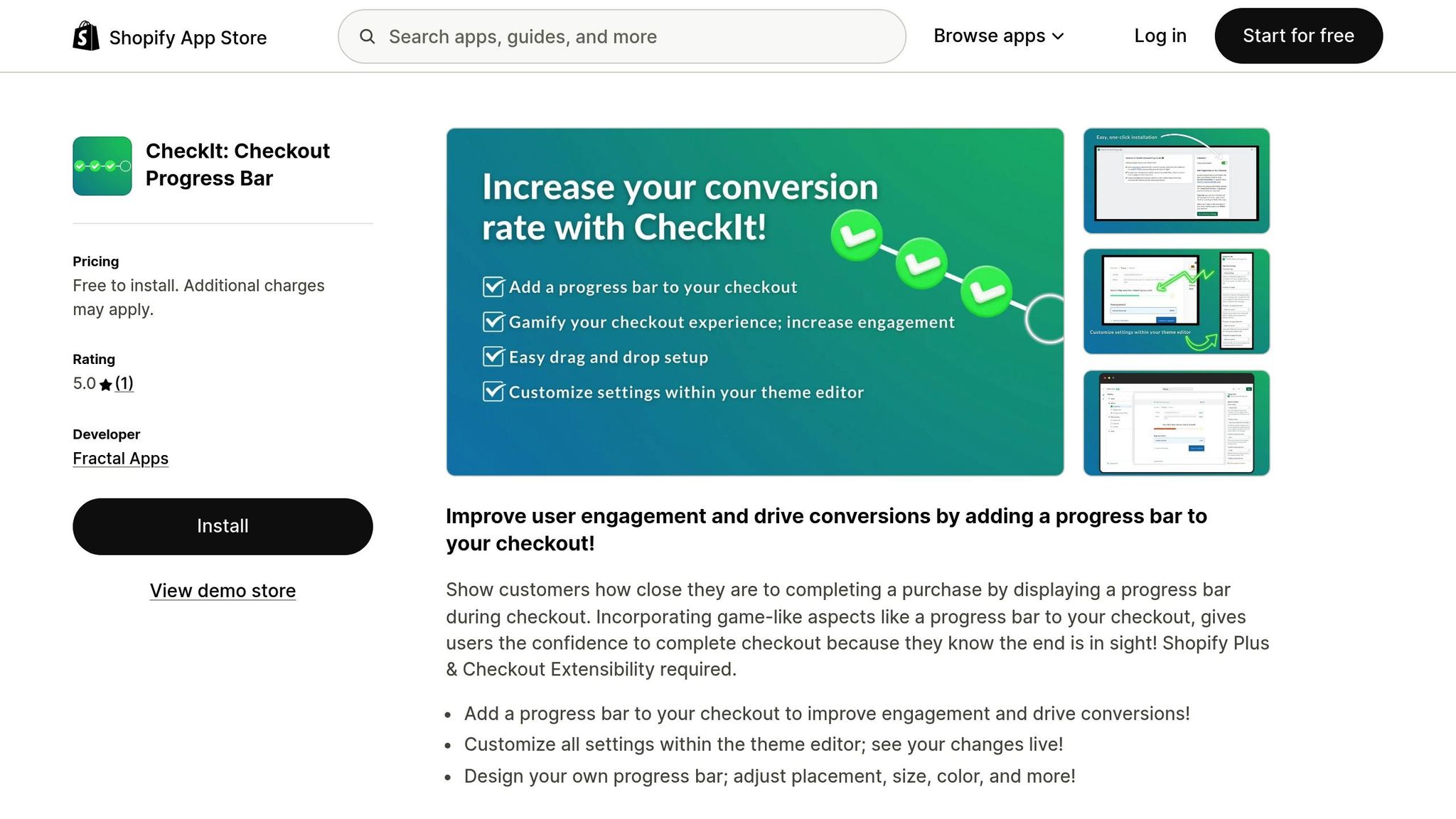
Beyond analyzing metrics, adding interactive features to your shopping experience can further boost engagement. The CheckIt: Checkout Progress Bar app, for example, provides a visual indicator during checkout. This helps reduce friction and encourages customers to complete their purchases, which is especially valuable during high-traffic shopping periods.
Another tool, the ILikeThat: Product Like Buttons, allows shoppers to "like" products directly from your shoppable videos. This feature creates a personalized wishlist experience and helps you identify which items resonate most with your audience. Since personalized calls-to-action convert 202% better than generic ones, integrating these interactive tools into your shoppable videos can significantly boost engagement and drive seasonal sales.
Conclusion
Shoppable videos bridge the gap between discovery and purchase by enabling instant cart additions. Instead of pulling shoppers away from engaging content, these videos let them add items to their cart with a single tap - making the buying process smoother when interest is at its peak. This ease of use becomes even more crucial during peak shopping periods like Black Friday and Cyber Monday, especially when 69% of purchases are made on mobile devices. The result? A more streamlined shopping experience that drives strong seasonal performance.
The impact of shoppable videos on key metrics is hard to ignore. Brands have reported a 30% rise in conversion rates, a 40% increase in average session time, and a 25% decrease in cart abandonment compared to traditional product pages. These results aren't just about using better tech - they reflect the power of offering content that feels engaging and interactive, rather than pushy or overly polished.
To integrate shoppable experiences seamlessly, consider tools like UWidget: YouTube Widgets, CheckIt: Checkout Progress Bar, and ILikeThat: Product Like Buttons. UWidget lets you upload seasonal videos, tag products, and add interactive features. CheckIt simplifies the checkout process, while ILikeThat helps capture customer preferences effortlessly.
As you gear up for your next seasonal campaign - whether it’s Valentine’s Day, back-to-school season, or the winter holidays - focus on creating concise, product-focused videos. Tag your top-selling items early in the clip, place the video prominently on your Shopify store, and monitor how shoppers interact with it. These insights will help you fine-tune future campaigns and maximize revenue when it counts the most.
FAQs
How do shoppable videos help reduce cart abandonment during seasonal sales?
Shoppable videos simplify the buying process, making it more convenient for customers to shop directly while watching engaging content. Features like clickable product tags, integrated checkout options, and direct links allow shoppers to purchase items instantly without leaving the video.
By cutting down the steps needed to complete a purchase, these videos address common issues like cart abandonment. Shoppers no longer have to navigate away from the page or manually search for products, which can often disrupt the buying flow. This streamlined experience is particularly useful during busy seasonal sales when ease and speed are crucial.
What are the best ways to use shoppable videos on mobile devices?
To get the most out of shoppable videos on mobile, focus on creating fast, engaging, and easy-to-navigate experiences. Hook viewers quickly by adding interactive elements within the first 5–15 seconds, and make sure purchase options are clearly visible and simple to tap. Keep your videos short - think 15–60 seconds - and format them for vertical or square layouts to make the most of mobile screens.
Equally important is ensuring seamless performance. Optimize loading times, use responsive design, and include touch-friendly features like larger buttons and swipe navigation. These steps minimize friction, encourage quick actions, and can significantly improve conversions, making your seasonal campaigns more impactful.
How can I evaluate the success of a shoppable video campaign?
To gauge how well your shoppable video campaign is performing, pay close attention to metrics like viewer engagement, conversion rates, and sales impact. These numbers reveal how successfully your videos are encouraging viewers to take action.
It’s also important to monitor your return on investment (ROI). This will give you a clear picture of the campaign's profitability. Leverage analytics tools to collect insights, which can help fine-tune your approach for upcoming seasonal sales campaigns.