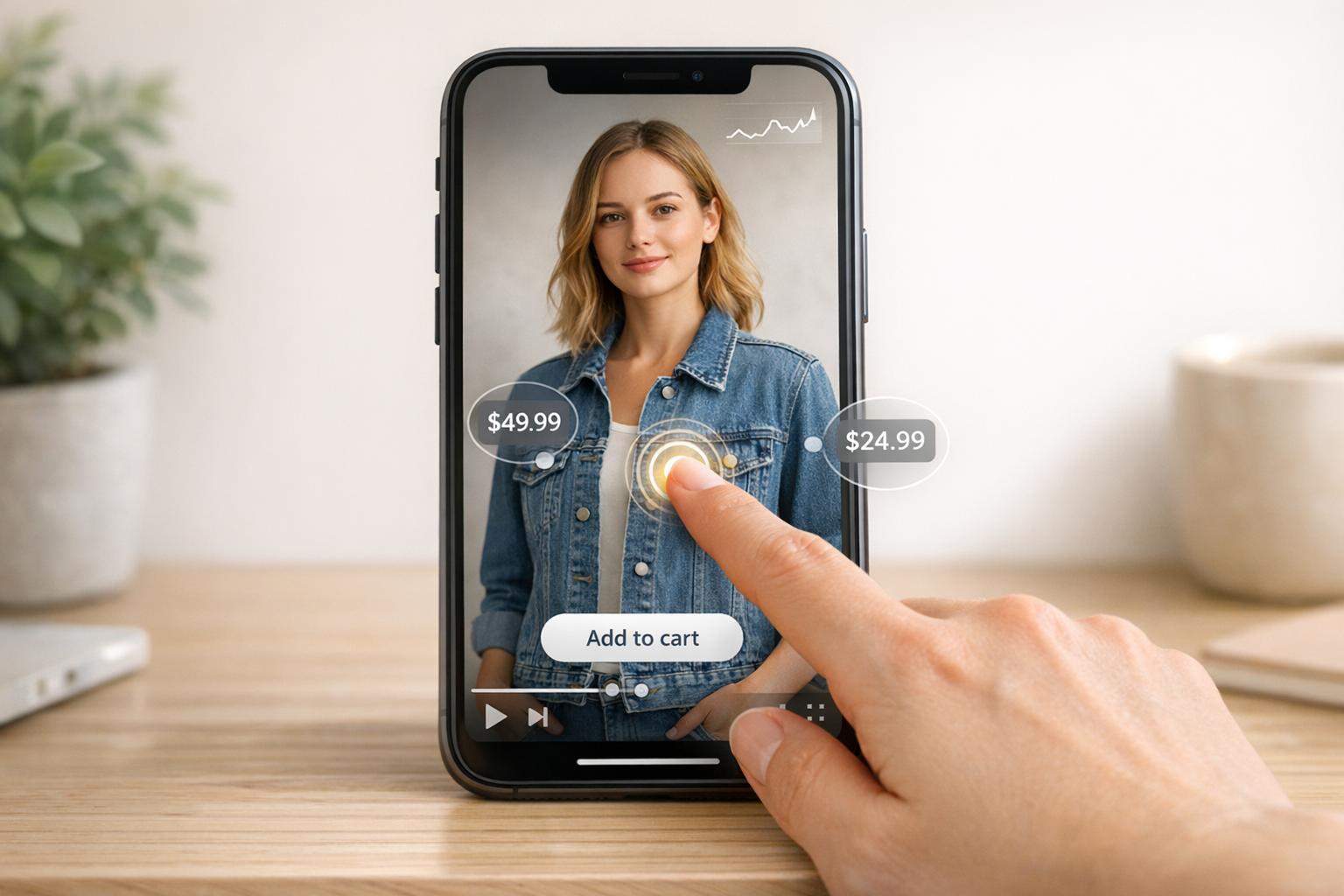
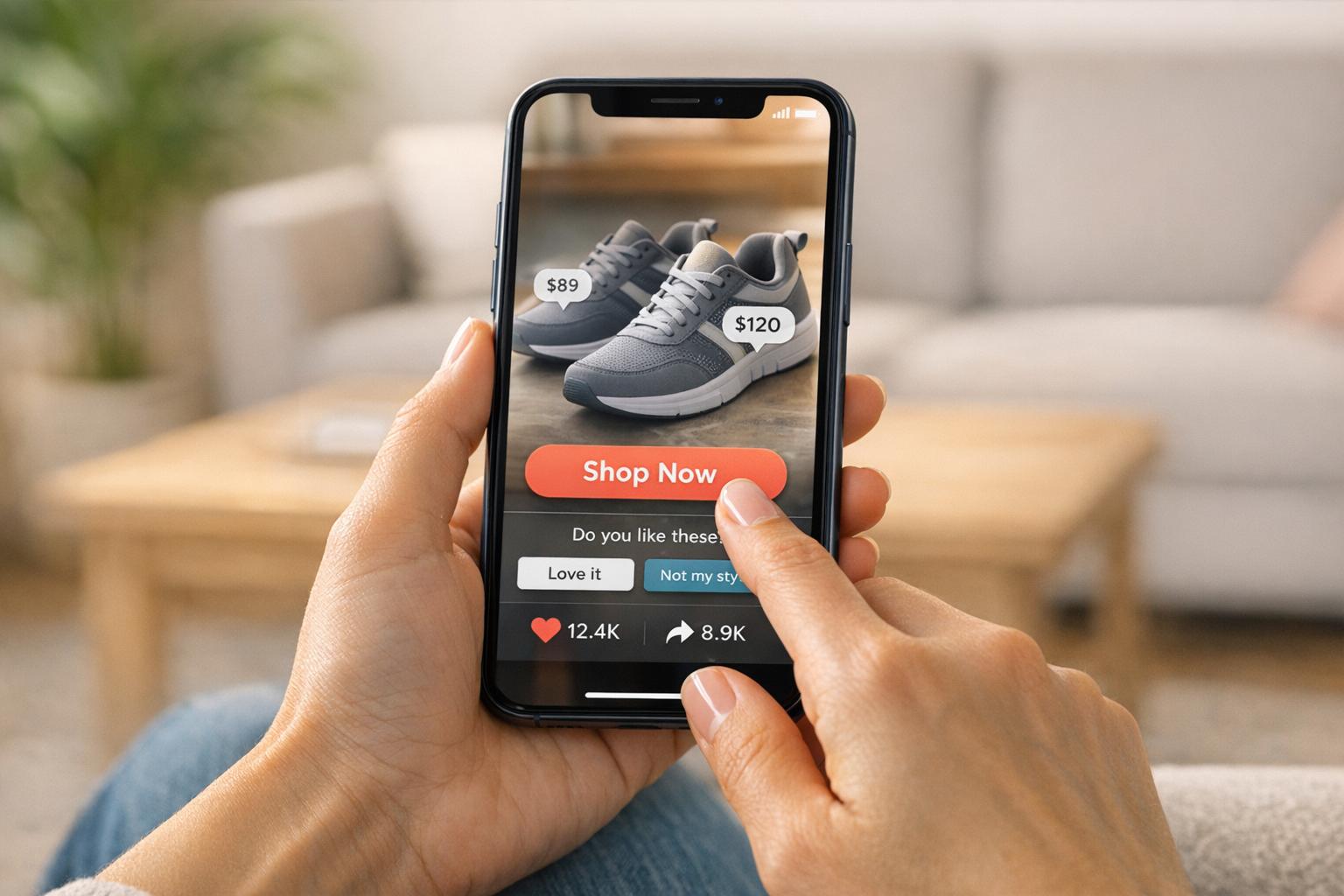
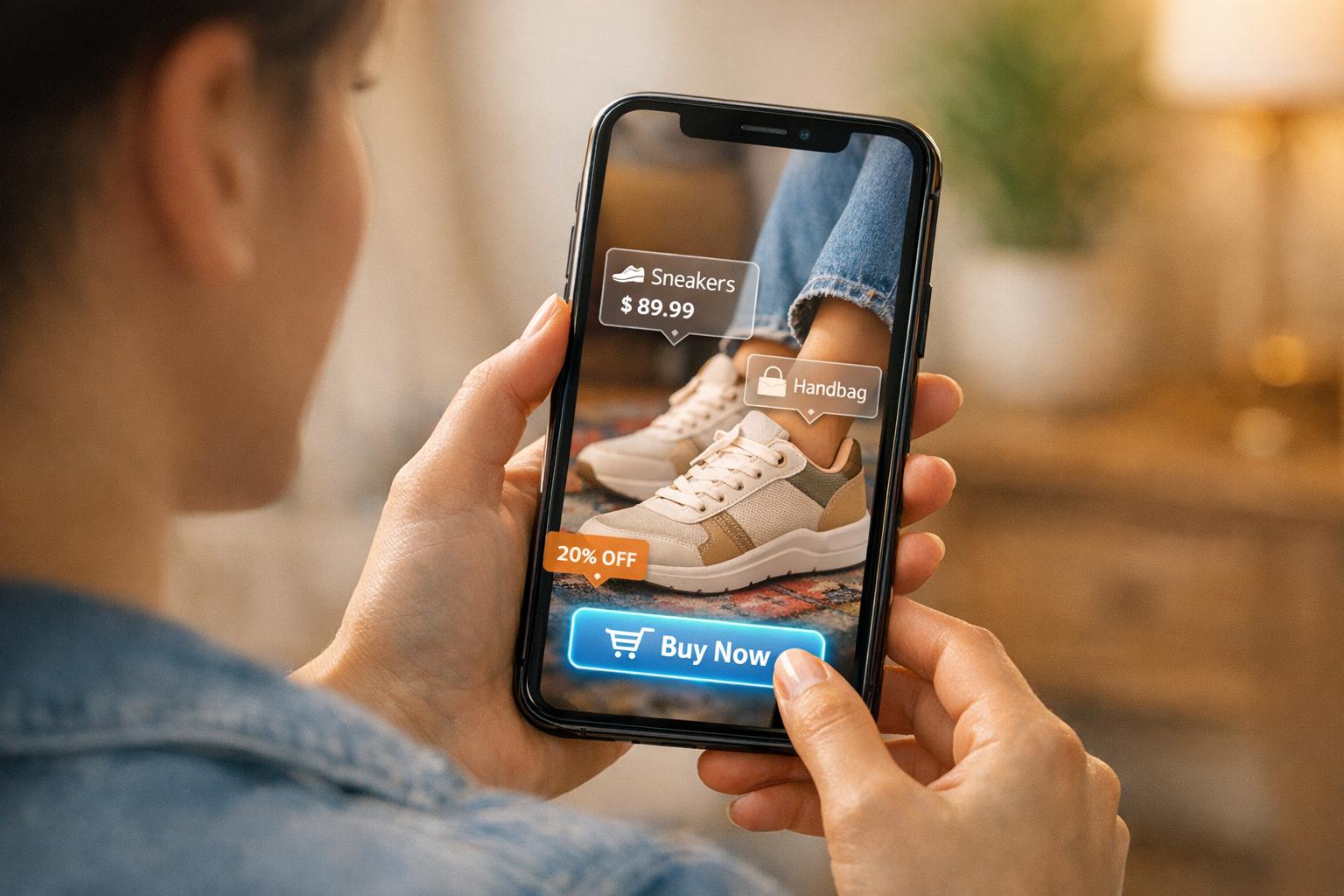
Shoppable videos are changing how online stores sell products. By embedding clickable product links directly into videos, customers can buy items without leaving the video player. Here's why this matters:
- Boosted Conversions: Brands using shoppable videos report conversion rate increases of up to 30%.
- Real-Time Updates: Product details like price and stock sync with your Shopify store, ensuring accurate info.
- Customer Engagement: Interactive videos keep viewers engaged longer and simplify the shopping process.
- Proven Success: Companies like SOSU Cosmetics and Dr. Dennis Gross have significantly increased revenue using these features.
Key features include product tagging, one-tap checkout, and mobile-friendly designs. Shoppable videos work best when placed on product pages, homepages, or collection pages. Use short, engaging content and track performance metrics like click-through rates and revenue to refine your approach. This technology makes shopping easier and drives more sales for your store.
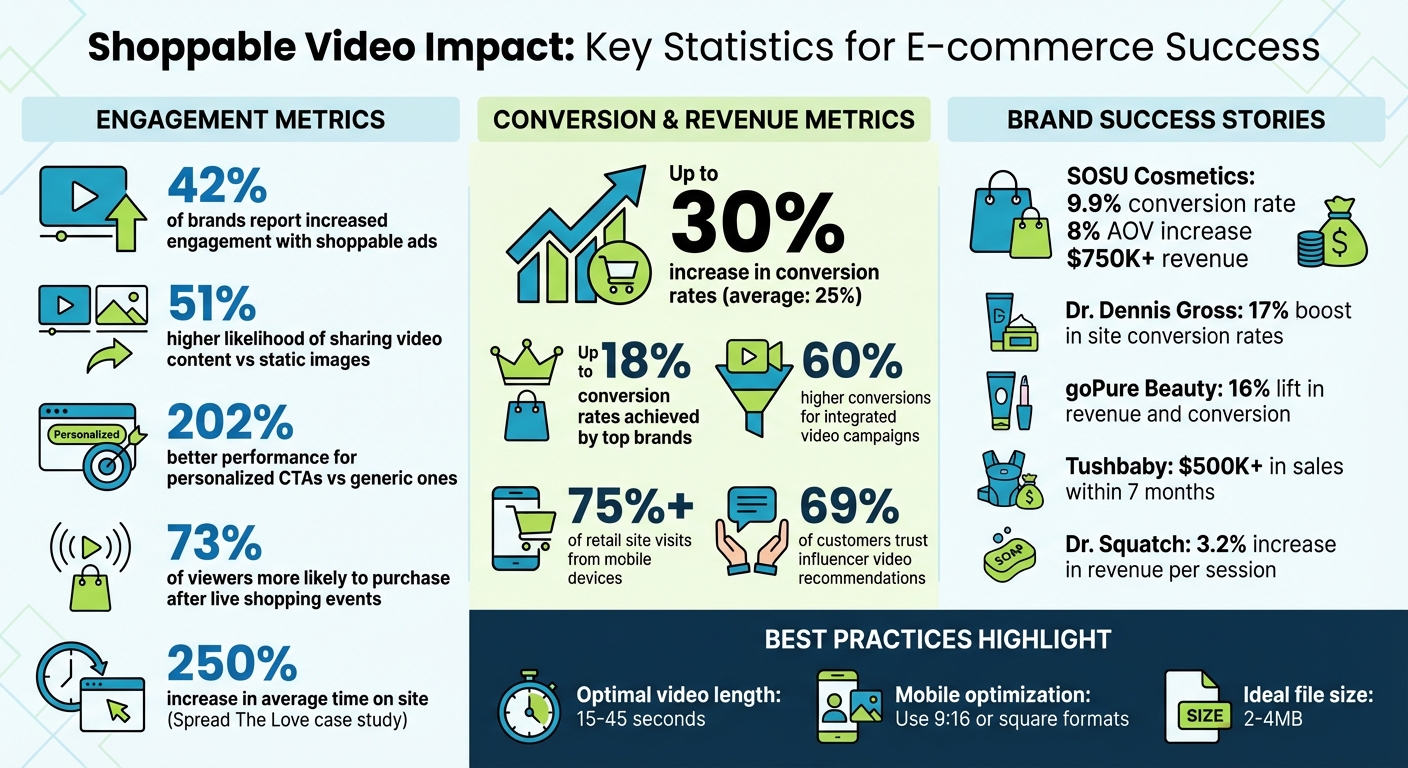
Shoppable Video Statistics: Conversion Rates and Revenue Impact for E-commerce
Benefits of Shoppable Videos for Shopify Stores

Better Customer Engagement
Shoppable videos combine entertainment with instant shopping, keeping customers engaged on your site longer. Instead of watching a video and then searching for products, viewers can click directly on items they see and explore them without leaving the video player. This setup mimics the in-store experience, where customers can physically interact with products.
The stats back this up: 42% of brands using shoppable ads reported increased engagement, and 51% of people are more likely to share video content compared to static images. Personalized calls-to-action like "Shop Now" or "Add to Cart" perform 202% better than generic alternatives.
Live shopping events take engagement to the next level. A stunning 73% of viewers are more likely to make a purchase after watching a live shopping event. These events allow for real-time interaction, creating a sense of urgency and community that boosts engagement even further.
This heightened engagement sets the stage for stronger conversion rates, especially when integrated with other video marketing strategies for Shopify.
Higher Conversion Rates
When customers stay engaged, they’re more likely to convert. Shoppable videos streamline the buying process by removing barriers that often lead to abandoned carts. Some brands have reported conversion rates as high as 18%, with an average increase of 25% after adopting shoppable videos.
Consider these success stories: In May 2024, SOSU Cosmetics introduced shoppable video clips and achieved a 9.9% conversion rate, alongside an 8% increase in average order value, generating over $750,000 in revenue. Similarly, Dr. Dennis Gross saw a 17% boost in overall site conversion rates in 2023 after launching shoppable video features. During the same period, goPure Beauty experienced a 16% lift in revenue and conversion rate, while Tushbaby co-founder Tammy Rant generated over $500,000 in sales within seven months by enhancing their mobile shoppable video experience.
The key lies in keeping shoppers "in context." When product tags appear at just the right moment in a video, customers can act on their impulse without second-guessing. This approach is especially effective on mobile devices, which account for over 75% of retail site visits.
Building Trust Through Product Demonstrations
Shoppable videos excel at showing products in action, addressing questions static images simply can’t answer. They offer insights into a product's scale, texture, movement, and fit, helping to ease buyer hesitation.
Interestingly, authenticity often outweighs high production quality. Videos featuring real customers using products tend to build stronger trust than overly polished studio ads. In fact, 69% of customers trust influencer recommendations in videos more than traditional advertising. Seeing real people with identifiable names and profiles using a product feels more like advice from a friend than a sales pitch.
"When uncertainty drops, conversion rises." - Moast Team
Take the example of Spread The Love, a food brand that used shoppable video content to engage its audience. Their efforts led to a 250% increase in the average time customers spent on their site. The longer customers watch these demonstrations, the more confident they feel about their purchases.
How To Setup Shoppable Videos For Shopify
Core Features of Shoppable Videos
Certain features can turn an ordinary video into a powerful sales tool. Let’s dive into the elements that make shoppable videos so effective at driving both engagement and conversions.
Product Tagging and Clickable Hotspots
Product tagging allows you to link specific items in your video directly to your Shopify inventory using specialized apps. It’s as simple as uploading your video, selecting the exact moments when products appear, and connecting those timestamps to your product catalog. When viewers watch, interactive overlays or "hotspots" pop up on the screen. Clicking these hotspots provides instant access to pricing, product descriptions, and availability - all without interrupting the video.
This feature replicates the tactile experience of in-person shopping. Imagine a cooking tutorial where the pan being used is tagged. Viewers can click on the tag and add that exact pan to their cart while following the recipe. Even better, these tags sync with your live inventory, ensuring customers see accurate stock levels and current prices.
"Shoppable video technology lets ecommerce businesses turn video content into a vehicle for direct conversions." - Shopify Staff
The data collected from these interactive hotspots is invaluable. It reveals which products get the most clicks and when viewers engage the most. With this insight, you can fine-tune your product offerings and adjust the timing of your videos to maximize engagement.
Click-to-Purchase Functionality
The standout feature of shoppable videos? One-tap checkout. Instead of forcing customers to search for products after watching a video, shoppable videos let them add items to their cart - or even buy them instantly - right from the video player. This streamlined process eliminates unnecessary steps, reducing cart abandonment and increasing conversions.
Businesses that integrate products directly into their video campaigns report over 60% higher conversions while spending less. On average, conversion rates increase by 30% because customers can act on impulse, purchasing before hesitation sets in. Calls-to-action like "Tap to shop" or "Add to cart" guide viewers seamlessly toward their next step.
For example, when someone watches a product demo and can immediately purchase the item without leaving the video, their buying momentum stays intact. This is especially critical on mobile devices, where even minor friction can lead to users dropping off. Ensuring your videos are optimized for mobile is key to maintaining this seamless experience.
Mobile Optimization and Responsiveness
With smartphones accounting for over 75% of retail site visits and nearly two-thirds of online shopping orders as of late 2024, shoppable videos must be mobile-friendly. This means using vertical (9:16) or square formats that fill the entire screen on mobile devices.
"Most viewers will likely watch your videos on their mobile devices. Ensure your videos are optimized for mobile by using a vertical or square format." - Sam Horton, Sr. Director, Strategic Ecosystem/Alliance Partnerships, Firework
Mobile optimization isn’t just about the video’s aspect ratio. Interactive elements like product tags and "Add to Cart" buttons should be perfectly positioned for thumb navigation. Text overlays need to remain legible without requiring zoom, and clickable hotspots should be large enough to tap easily without obscuring the product. Fast loading times are also crucial - compress video files and test playback across devices and browsers to ensure smooth performance.
A mobile-first approach mimics the endless scroll experience of platforms like TikTok or Instagram, making your Shopify store feel just as engaging and interactive. When your shoppable videos are responsive and intuitive on mobile, you’re meeting your customers where they spend the majority of their browsing time.
sbb-itb-d9e5b3a
How to Add Shoppable Videos to Shopify
Now that you know how shoppable videos can enhance conversions, let’s dive into how to set them up on your Shopify store. The process is straightforward and involves three main steps: installing the right app, uploading and tagging your videos, and embedding them in strategic locations on your site.
Installing Shopify Apps
Start by logging into your Shopify admin panel and navigating to the Shopify App Store. Search for "shoppable video" or specific apps that align with your needs. For instance, if you’re working with YouTube content, an app like UWidget could be a great option.
Once you’ve found the app that suits your goals, click "Add App" and follow the setup instructions. You’ll need to grant the necessary permissions for the app to sync with your Shopify account and product inventory. Most apps include a user-friendly dashboard, so you can manage everything without needing technical skills. Test the app across different devices and browsers to ensure smooth functionality. After installation, you’re ready to upload and tag your videos.
Uploading and Tagging Videos
Access the app from the "Apps" section in your Shopify admin. Upload your video files - compressed MP4 or WebM formats work best, ideally between 2–4MB. Once uploaded, tag specific moments in your video by linking them directly to products in your Shopify catalog. These tags create interactive hotspots that display product details like pricing, descriptions, and availability when clicked.
For best results, keep your videos short - 15 to 30 seconds is ideal. Tag products early in the video to immediately engage viewers and guide them toward making a purchase.
Embedding Videos on Store Pages
Placement is key when embedding your shoppable videos. Consider adding them above the fold on product pages or within image carousels for maximum visibility. On homepages, full-page video backgrounds or banners in the header can grab attention. For collection pages, carousel or grid layouts work well to showcase multiple products.
Apps like UWidget also offer sticky video players that follow users as they scroll, ensuring your products remain visible throughout their browsing session. Use vertical (9:16) or square formats to optimize for mobile screens, and make sure product tags are large enough for easy tapping. To streamline the shopping experience, include clear calls-to-action like "Shop Now" or "Add to Cart" directly within the video player.
Once your videos are live, focus on refining their performance to maximize their impact.
Best Practices for Shoppable Videos
Getting shoppable videos onto your store is just the beginning. To truly make an impact, you need to think about where they’ll work best, create content that feels natural and engaging, and keep an eye on performance metrics to fine-tune your approach.
Where to Place Videos
Strategic placement is key. On product pages, position videos above the fold near titles or pricing. This is where shoppers are making decisions, and a quick demo showing fit, texture, or how the product works can help ease doubts. Homepages are great for introducing your brand and spotlighting best-sellers for new visitors, while collection pages can help shoppers compare products without feeling overwhelmed.
For paid ads, use landing pages to keep the momentum going by showcasing the product in action right away. Blog posts work well for educational content like tutorials or “tips and tricks,” where product tags feel natural and not overly promotional. You can use a Shopify blog read time estimator to ensure these posts remain quick and digestible for your audience. After checkout, post-purchase pages can suggest complementary items, encouraging upsells and boosting your average order value.
| Placement | Primary Benefit | Recommended Video Type |
|---|---|---|
| Above the Fold (PDP) | Drives purchase decisions | Product demos, fit/sizing |
| Image Carousel | Integrates seamlessly | 360-degree views, unboxing |
| Homepage | Introduces your brand | Brand stories, seasonal features |
| Collection Pages | Simplifies product choices | Comparison videos, top reviews |
| Blog Posts | Builds trust and authority | Tutorials, "Tips & Tricks" |
| Post-Purchase | Boosts average order value | Upsell videos for related items |
Balancing Entertainment and Sales
The best shoppable videos tell a story while subtly showcasing product features. For instance, Solo Stove combines lifestyle shots with a clear voiceover, selling the experience of gathering around a fire pit rather than just the product itself.
Authenticity wins over polish. Overproduced videos can come across as overly commercial and may trigger skepticism. On the other hand, user-generated content (UGC) feels more genuine. SOSU Cosmetics, for example, used shoppable UGC videos featuring real customers, which led to an 8% increase in average order value and generated over $750,000 in revenue with a 9.9% conversion rate.
"When video feels like a recommendation from another customer, it carries more weight than polished marketing copy." - Moast Team
Keep your videos short and focused - 15 to 45 seconds is ideal. Each video should answer a specific question like “How does this fit?” or “How can I use this every day?” Tag products as they appear on-screen, and limit yourself to two clear calls-to-action to avoid overwhelming viewers. FluffCo, for instance, uses 5-second looping reels with customer reviews and simple overlays to drive instant sales.
Using Analytics to Improve Performance
Once you’ve nailed down your placements and content, it’s time to measure success. Start by tracking engagement metrics like watch time, completion rates, and interactions to see what resonates with viewers. If people drop off quickly, your content might be too long or not optimized for mobile.
Next, look at conversion metrics - click-through rates on product tags, add-to-cart rates, and how much conversion rates improve on pages with videos. These numbers tell you if your videos are actually turning views into purchases.
Finally, tie it all back to your bottom line with revenue metrics. Track total revenue from shoppable videos, the average order value of shoppers who engage with videos, and revenue per session. For example, Dr. Squatch saw a 3.2% increase in revenue per session after adding shoppable videos, and goPure Beauty reported an average 16% lift in revenue and conversion rates.
| Metric Category | Key KPIs to Track | Purpose |
|---|---|---|
| Engagement | Watch time, Completion rate, Interactions | Measures content quality and interest |
| Conversion | Tag CTR, Add-to-cart rate, CVR lift | Tracks buying intent |
| Revenue | Total Video Revenue, AOV, RPS | Gauges financial impact |
| Retention | Time on site, Repeat views | Shows how videos build brand loyalty |
Use this data to refine your approach. If product demos consistently outperform unboxing videos, focus more on creating demos. If engagement is strong but conversions lag, check that product tags are clear, placed early in the video, and lead to the right product pages. Refresh your content regularly - monthly or quarterly - to keep it relevant and highlight seasonal opportunities.
Conclusion
As highlighted in the sections on Benefits, Core Features, and Best Practices, shoppable videos are more than just a passing trend - they’re a proven way to drive revenue by bridging the gap between discovery and purchase. By allowing viewers to make purchases directly within videos, these tools streamline the buying process, reduce cart abandonment, and turn casual browsers into paying customers. In fact, brands leveraging shoppable videos have reported conversion rates as high as 18%, with companies like Dr. Squatch, Dr. Dennis Gross, and Tushbaby achieving impressive revenue growth through thoughtful implementation.
To replicate these results, focus on strategic placement and concise, impactful content. Position your videos where customers are most likely to make purchasing decisions - such as above the fold on product pages, within image carousels, or on collection pages. Keep videos short (15 to 45 seconds), tag products early in the video, and address common customer questions like "How does this fit?" or "How do I use this?" Content created by real customers often feels more like a trusted recommendation than a sales pitch, which can further boost conversions.
Track key metrics like engagement rates, click-through rates on product tags, and revenue per session to understand what’s working. Refresh your content monthly or quarterly to stay relevant and take advantage of seasonal opportunities. Align your shoppable video strategy with these performance insights and regular updates to maximize results.
For Shopify store owners, implementing shoppable videos is easier with tools like those offered by Fractal Apps: Exclusive Shopify Apps (https://fractalapps.dev). Pairing the right tools with these best practices ensures your videos not only engage viewers but also drive sales.
Your customers are already watching videos - why not make them shoppable? The technology is accessible, the results are trackable, and the potential to boost your revenue is within reach. Now is the perfect time to start creating a more engaging and profitable shopping experience.
FAQs
How can shoppable videos help boost sales on Shopify?
Shoppable videos have the potential to drive sales by integrating clickable product tags directly into the video content. These tags let customers add items to their cart instantly, eliminating the need to leave the video and streamlining the buying process.
This interactive approach not only keeps viewers engaged but also boosts conversion rates by as much as 7%. By blending entertainment with ease of shopping, shoppable videos turn casual watchers into active buyers, offering Shopify store owners a dynamic way to grow their sales.
What’s the best way to place shoppable videos on my Shopify store?
To make the most of shoppable videos on your Shopify store, put them in spots where customers are most likely to notice and engage. Prime locations include the homepage hero banner, the top of product pages, and collection pages. These areas ensure the videos are above the fold, meaning they’re immediately visible without the need to scroll - perfect for grabbing attention and boosting interaction.
On product pages, place a single, targeted video near the main product image or description. This placement helps reinforce the buying decision by showcasing the product in action. For collection pages, a carousel format works well, letting you feature short clips of multiple products. This setup makes it easy for customers to browse and quickly add items to their cart.
For better performance, keep video files small to avoid slowing down your site. Enable lazy loading to maintain quick page speeds and ensure the video player works seamlessly on mobile devices. Use straightforward product tags and clear calls-to-action, like "Tap to add to cart," to make the process simple and intuitive. Also, stick to one or two videos per page to keep the experience clean and avoid overwhelming shoppers.
What’s the best way to track the performance of my shoppable videos?
To measure how well your shoppable videos are performing, keep an eye on key metrics like click-through rate (CTR), conversion rate, video-influenced orders, average watch time, and revenue generated from video-driven purchases. These data points reveal how effectively your videos are grabbing attention, keeping viewers engaged, and ultimately driving sales.
By regularly reviewing these metrics, you can spot patterns, fine-tune your video strategy, and enhance your Shopify store's overall performance. Focusing on what connects with your audience will help you craft shoppable videos that not only engage but also lead to more sales.