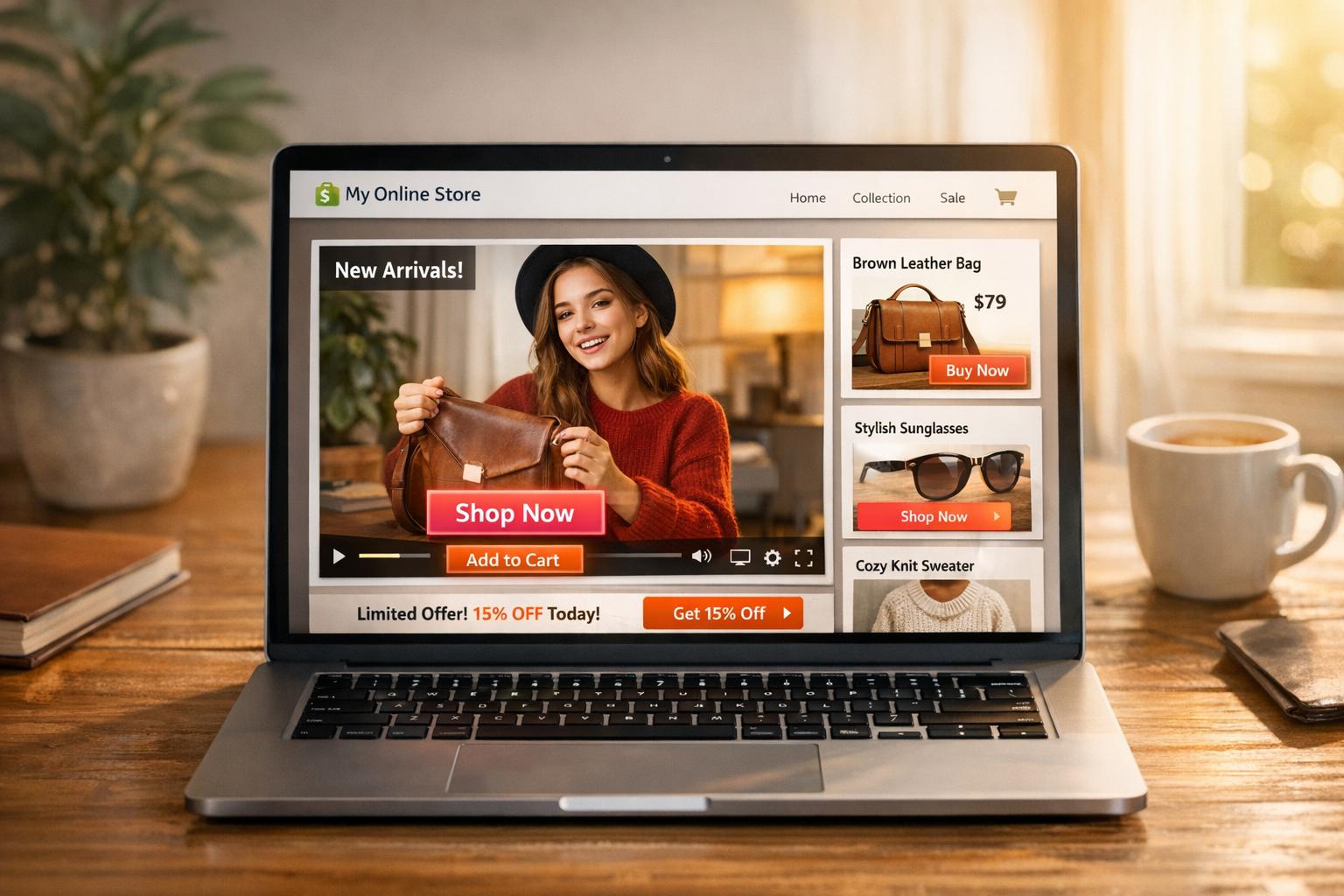
Shoppable videos let customers buy products directly from interactive video tags, reducing friction in the shopping process. On Shopify, this works by connecting your product catalog to video apps like Firework or VideoWise. These videos boost engagement and sales by simplifying the path to purchase and supporting impulse buying behavior.
Key steps include:
- Content Planning: Use formats like product demos, tutorials, or testimonials. Keep videos short (30–60 seconds) and vertical for mobile users.
- Tagging Products: Add clickable tags at precise moments using Shopify-compatible apps. Ensure tags are clear and don’t obstruct visuals.
- Embedding Videos: Place videos strategically on pages like the homepage or product pages. Use tools like UWidget for YouTube integration.
- Testing & Optimization: Check video load times, mobile responsiveness, and tag functionality. Tools like Google PageSpeed can help.
Track success using metrics like direct video sales, click-through rates, and viewer retention. Brands like True Classic and Ava Estell have seen significant revenue growth by incorporating shoppable videos effectively. Focus on concise, mobile-friendly content and leverage Shopify’s analytics to refine your approach.
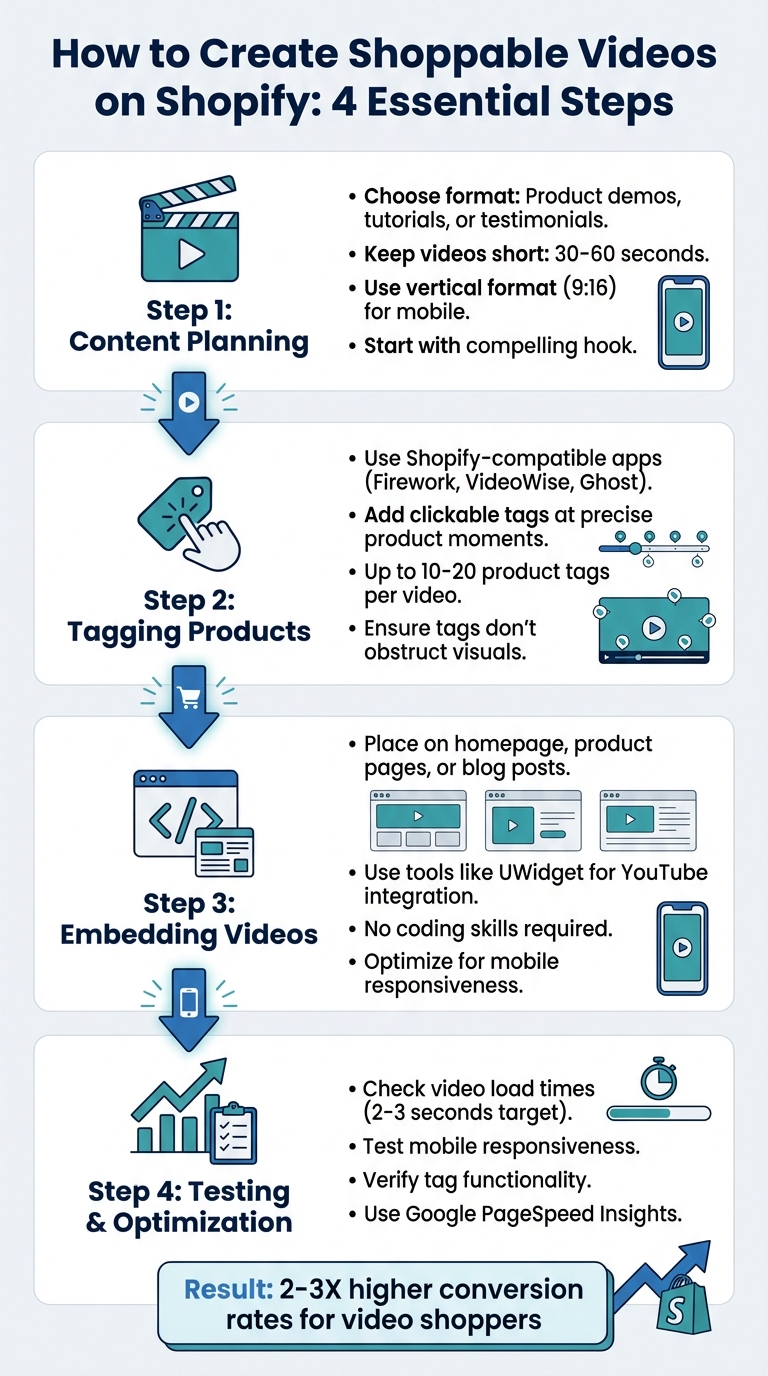
4-Step Process to Create Shoppable Videos on Shopify
How to Add Shoppable Videos to Shopify | TikTok, Instagram & YouTube UGC Integration
How to Create Shoppable Videos on Shopify
To craft effective shoppable videos on Shopify, focus on planning your content, tagging product moments, and ensuring functionality across devices. From there, refine your content choices and follow technical steps to make your videos engaging and interactive.
Choosing the Right Video Content
Pick a video format that suits your goal. For instance:
- Product demonstrations: Highlight features and functionality.
- Unboxing videos: Build excitement around new launches.
- Tutorials: Show practical, real-world applications.
- Testimonials or brand stories: Establish trust and connection.
Start each video with a compelling hook, keep your messaging clear and aligned with your brand, and address common customer concerns. Aim for a duration of 30–60 seconds for most videos, though tutorials can run up to 10 minutes. Always shoot vertically (9:16) and use an external microphone for professional-grade audio quality.
Adding Product Tags to Videos
Leverage Shopify-compatible apps like Firework, VideoWise, or Ghost Shoppable Video to upload and manage your video content. Stick to MP4 or WebM files under 2–4MB to ensure smooth performance. Identify key product moments in your video and link them to your Shopify inventory, creating clickable hotspots for viewers. For example:
- Ghost Shoppable Video: Allows up to 10 product tags per video.
- Instagram: Supports up to 20 product tags per post.
Once tagged, embed your videos on important pages using the code snippets or theme sections provided by these apps.
Testing and Optimizing Shoppable Videos
After tagging, test your videos thoroughly to ensure everything works as intended. Confirm that "Add to Cart" buttons link directly to Shopify’s checkout process. Use tools like Google PageSpeed Insights to verify that videos load within 2–3 seconds and perform well across different devices and internet speeds. For optimal quality and speed, export your videos as MP4 files (H.264 codec) at 1080p resolution with a bitrate of 2–5 Mbps. Additionally, enable lazy loading to minimize initial page load times.
A great example comes from True Classic, an apparel brand that, in February 2024, optimized over 700 product pages with shoppable videos using Videowise. By implementing lightweight asynchronous .JS scripts (just 37kb), adaptive bitrate streaming, and lazy-loaded widgets, they delivered high-quality video content without compromising page speed - even on slower mobile connections. Their approach balanced video quality with file size to maintain performance.
Embedding Shoppable Videos on Shopify
Once you've tagged your products, the next step is to embed your shoppable videos onto your Shopify store pages. The process is fairly straightforward: install a dedicated app, link your video source, tag products from your catalog, and then place the video using either a generated embed code or a theme app block. The best part? You don’t need any coding skills to make it happen. If you're specifically embedding YouTube videos, check out the next section for more details.
Using UWidget for YouTube Videos
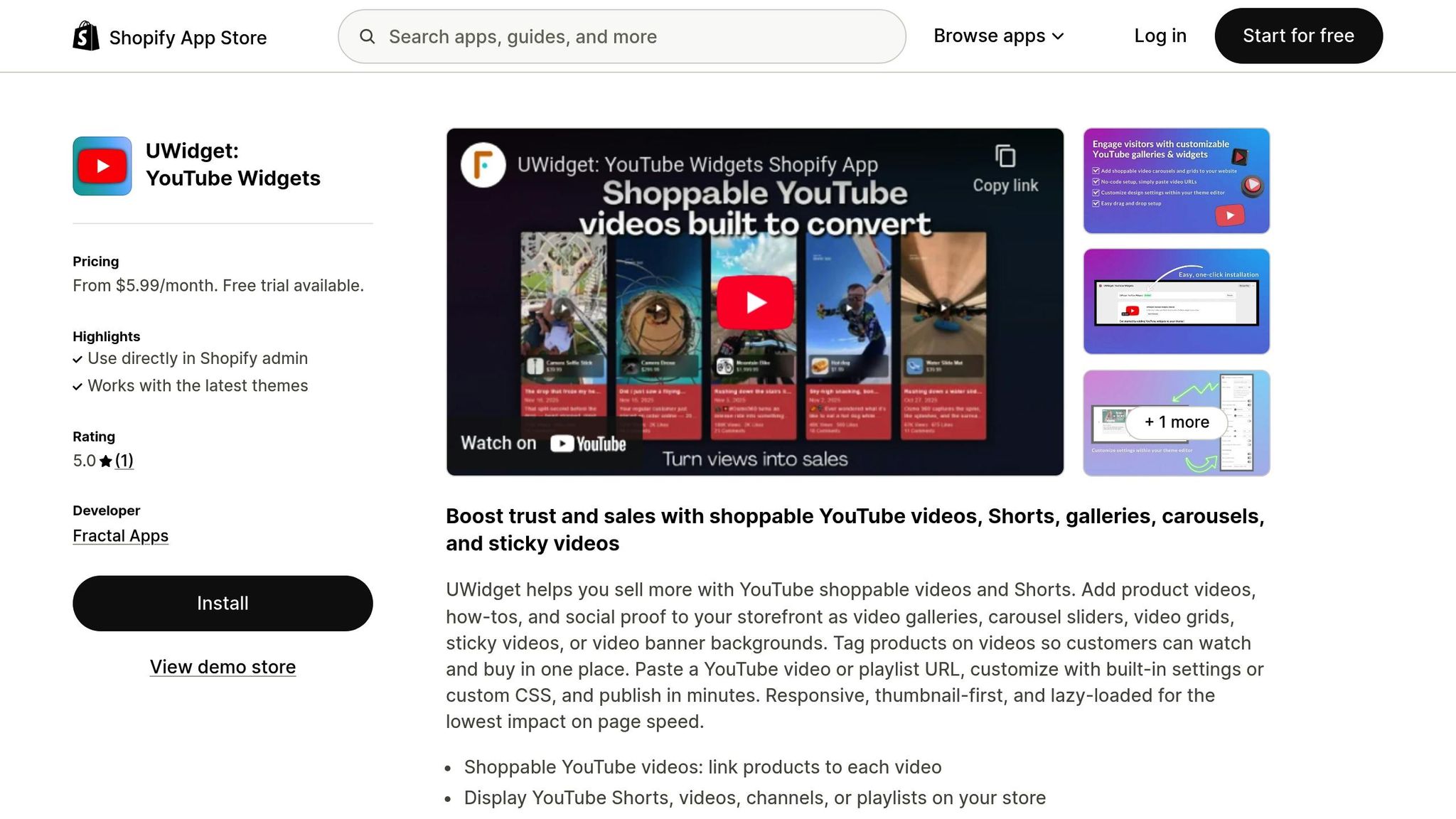
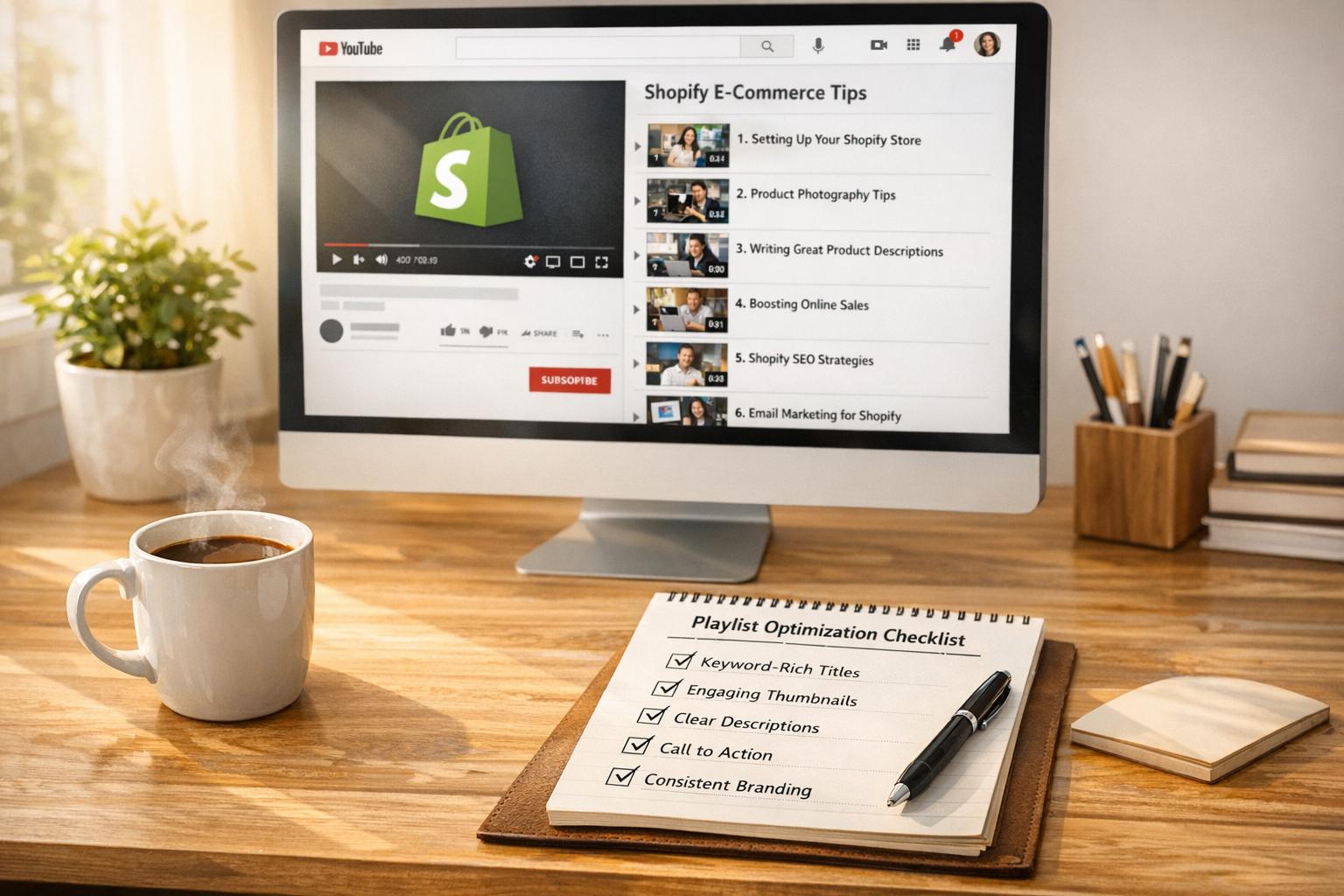
For those working with YouTube content, UWidget is a handy tool. It simplifies the process of adding shoppable videos to your Shopify store. All you need to do is enter a YouTube URL or playlist link, and the app generates customizable galleries, carousels, or sticky videos. With a 5/5 rating on the Shopify App Store, it supports both standard YouTube videos and YouTube Shorts.
If you prefer a manual approach, head to Shopify admin > Online Store > Themes > Edit Code, and paste the embed code into the appropriate liquid file or page section. This method gives you more control over exactly where your videos appear.
Placement and Layout Tips
Where you place your videos can significantly impact their effectiveness. Shoppers who engage with videos are 2X-3X more likely to convert compared to those who don’t. So, thoughtful placement is key.
- Homepage: Use the top section for brand introduction videos, a "Quickshop" carousel in the middle, and Instagram stories near the bottom.
- Product Pages: Place demo or "how-to" videos close to the "Add to Cart" button to address any last-minute buying questions. Unboxing videos work well at the top, while testimonials fit nicely toward the bottom.
- Blog Posts: Embedding shoppable videos within blog content can create a seamless transition from learning about a product to making a purchase.
Make sure all videos are mobile-friendly. Most apps are optimized for responsive layouts, ensuring a smooth experience for smartphone users.
Here’s a quick guide for video placement by page type:
| Page Type | Recommended Video Content | Ideal Placement |
|---|---|---|
| Homepage | Brand Story or Top Products | Top (Hero) or Middle Section |
| Product Page | Demos / How-to / Unboxing | Near "Add to Cart" or Top of Page |
| Blog Posts | Tutorials / Product Reviews | Embedded within relevant text |
| About Us | Company Culture / Founder Story | Center of page to build trust |
| Reviews Page | Testimonials / UGC | Grid or Carousel layout |
sbb-itb-d9e5b3a
Best Practices for Shoppable Videos
Once you've created and embedded your shoppable videos, following these best practices can help ensure they drive conversions. Shoppable videos are 66% more engaging than traditional, non-interactive ones, but only if they're optimized effectively.
Optimizing Product Tag Placement
Timing is everything. Add product tags within the first few seconds of the video, especially when the product is clearly visible. This approach captures impulse buyers and sparks immediate interest.
Place tags precisely when the product appears on screen. For example, if you're zooming in on a handbag's stitching or showcasing a watch's intricate design, that's the perfect moment for the tag to pop up. This creates a seamless link between what viewers see and what they can purchase.
Avoid letting tags block important visuals. They should blend naturally into the video without becoming a distraction. Use clear, contrasting colors, bold fonts, and subtle animations for buttons like "Shop Now" or "Add to Cart" to make them stand out. For longer videos, timestamps can ensure tags appear exactly when each product is featured.
Reinforce the tags by mentioning product names in the video itself. For instance, if you're showcasing three lipstick shades, say their names as they appear. This makes the tags feel intentional and aligned with the content.
Once you've fine-tuned your tag placement, it's crucial to ensure your videos are optimized for mobile users.
Ensuring Mobile-Friendliness
With 75% of global video consumption happening on mobile devices, failing to optimize for smartphones means missing out on a massive audience.
Start with the technical side. Keep video file sizes small - ideally between 5–10MB - and use the MP4 (H.264) format for smooth playback on mobile devices. These adjustments ensure fast loading, even on slower internet connections.
Make interactive elements, like product tags and "Add to Cart" buttons, easy to tap on touchscreens. Use vertical (9:16) or square video formats to take full advantage of mobile screen space. Test your videos on various smartphones and browsers to confirm they load quickly and function correctly.
You can also implement lazy loading, where videos load only as users scroll to them. This keeps your initial page load time fast, improving the overall user experience. Tools like Google PageSpeed Insights can help you confirm that your videos load within 2–3 seconds on mobile devices.
Measuring the Success of Shoppable Videos
To understand how effective your shoppable videos are, it's essential to track their performance. By analyzing key metrics, you can gauge their impact on sales and viewer engagement.
Key Metrics to Track
- Direct Video Sales: This measures revenue from customers who add items to their cart via the video player and complete the purchase in the same session. For instance, in 2022, Headphonezone.in reported $570,000 in revenue from video shoppers, achieving an impressive 20.2% conversion rate.
- Click-Through Rate (CTR): Tracking the CTR on product tags helps you see how many viewers engage with the tags. Combine this with monitoring Add-to-Cart actions to identify behaviors driven specifically by the video.
- Influenced Video Sales: These are purchases made later in the session after a viewer watches at least 5 seconds of a video. Ava Estell, for example, generated £589,200 in revenue from video shoppers and saw a 7% boost in conversion rates after introducing shoppable videos.
- Viewer Retention Metrics: Average Watch Time and Video Completion Rate are critical for understanding how long viewers stay engaged. Gosun, for example, earned $250,000 in 2022 from 52,000 video views, showcasing the value of viewer retention.
Here’s a quick overview of how these metrics can guide your strategy:
| Metric | What It Measures | Why It Matters |
|---|---|---|
| Direct Video Revenue | Sales directly from the video player’s "Add to Cart" button | Shows the direct impact of product tags on purchases |
| Click-Through Rate | Percentage of viewers clicking product tags | Highlights the relevance and appeal of your tags |
| Influenced Revenue | Sales following a 5+ second video view | Demonstrates the video's influence on buying decisions |
| Average Order Value | Spending by video viewers compared to non-viewers | Indicates whether videos encourage higher-value purchases |
Using Shopify's Built-In Analytics
Shopify offers built-in tools to help you dive deeper into the performance of your shoppable videos. With optimized tag placement and mobile-friendly designs, you can validate your efforts through clear metrics.
- Sales by Channel: Use Shopify’s analytics dashboard to compare revenue generated from different platforms like YouTube, TikTok, or Instagram. For example, if you're embedding YouTube videos with UWidget, you can evaluate how these videos contribute to your sales.
- Landing Page Reports: Navigate to Analytics > Reports to assess the performance of landing pages featuring shoppable videos. Compare conversion rates between pages with videos and those with static images, which can reveal how videos impact engagement.
- Device-Specific Insights: Use the "Sessions by device type" report to confirm that videos load quickly (within 2–3 seconds) on mobile devices, ensuring a smooth user experience.
- Live View: This feature tracks real-time visitor activity, making it particularly useful during video launches or livestream shopping events. For stores using YouTube Shopping integration, Shopify provides dedicated analytics to monitor the sales performance of tagged products directly in your dashboard.
To refine your strategy, use unique UTM-tagged URLs and run A/B tests on elements like video length, thumbnails, and calls-to-action (CTAs). Segment your data by video type - such as tutorials or unboxings - to identify what resonates most with your audience. These insights can help you make informed decisions and maximize the impact of your shoppable videos.
Conclusion
Shoppers engaging with video content are converting at rates 2 to 3 times higher than those who don’t, with brands seeing sales boosts in the five- or six-figure range. In fact, with 91% of businesses using video in their marketing strategies in 2023, shoppable videos have become a proven way to drive sales.
To make the most of this opportunity, it’s crucial to fine-tune your video content. Focus on short, engaging clips - ideally between 30 seconds and 2 minutes - and format them for vertical or square mobile screens. Strategically placed calls-to-action can guide viewers effectively. For instance, product demos placed near the "Add to Cart" button on product pages encourage immediate purchases, while homepage videos can keep users on your site up to four times longer.
If you're looking for tools to streamline this process, UWidget (rated 5/5) makes it easy to turn YouTube content into shoppable assets. With just a URL paste, you can create galleries, carousel sliders, sticky videos, and more. These formats are designed to be lightweight, with compressed scripts of about 100kb, ensuring they won’t slow down your site.
Don’t overlook the potential of repurposing your existing YouTube tutorials or product demos into shoppable videos. Experiment with different video lengths, eye-catching thumbnails, and compelling calls-to-action to see what resonates best with your audience. Use Shopify’s analytics tools to track key metrics like video-driven revenue, click-through rates on product tags, and sales influenced by video content. Then, refine your approach based on those insights to keep improving your results.
FAQs
How can shoppable videos help increase sales on Shopify?
Shoppable videos turn casual viewing into an interactive shopping journey by embedding clickable product tags directly within the video. With just a tap, shoppers can explore product details or add items to their cart - all without ever leaving the video. This frictionless process makes shopping quicker and encourages more immediate purchasing decisions.
Videos are already a powerhouse when it comes to grabbing attention, with over 50% of online shoppers watching product-related videos before they buy. By engaging viewers at the height of their interest, shoppable videos not only help boost conversions but also make it easier for customers to discover new products, increase their average order value, and spend more time on your site. Together, these advantages can lead to stronger sales results on Shopify.
What are the best ways to tag products in shoppable videos?
To make your shoppable video more engaging, start by tagging products at moments when they’re clearly visible or being used. Place these tags at the exact timestamp so viewers can immediately connect the tag to the product. Keep it simple - tag only the most relevant items to avoid overwhelming your audience.
Take advantage of Shopify's built-in tagging tools to ensure precise placement. Before publishing, test your video on various devices to confirm that tags display properly and load quickly. Double-check that the tagged products are in stock and that their prices are accurate (e.g., $49.99).
If you’re looking to streamline the process, tools like Fractal Apps: Exclusive Shopify Apps can help automate and simplify tagging, saving you time while keeping your videos polished and consistent.
How can I track the performance of my shoppable videos on Shopify?
To understand how your shoppable videos are performing, dive into the key metrics available in your Shopify analytics dashboard. Pay attention to stats like video-influenced orders, conversion rates, total watch time, and on-site engagement - these will show how your videos are contributing to sales and customer interaction.
You can also explore metrics such as added session time and total video orders for a closer look at how your videos are engaging shoppers and driving purchases. By regularly analyzing these numbers, you can fine-tune your video strategy to boost engagement and sales.