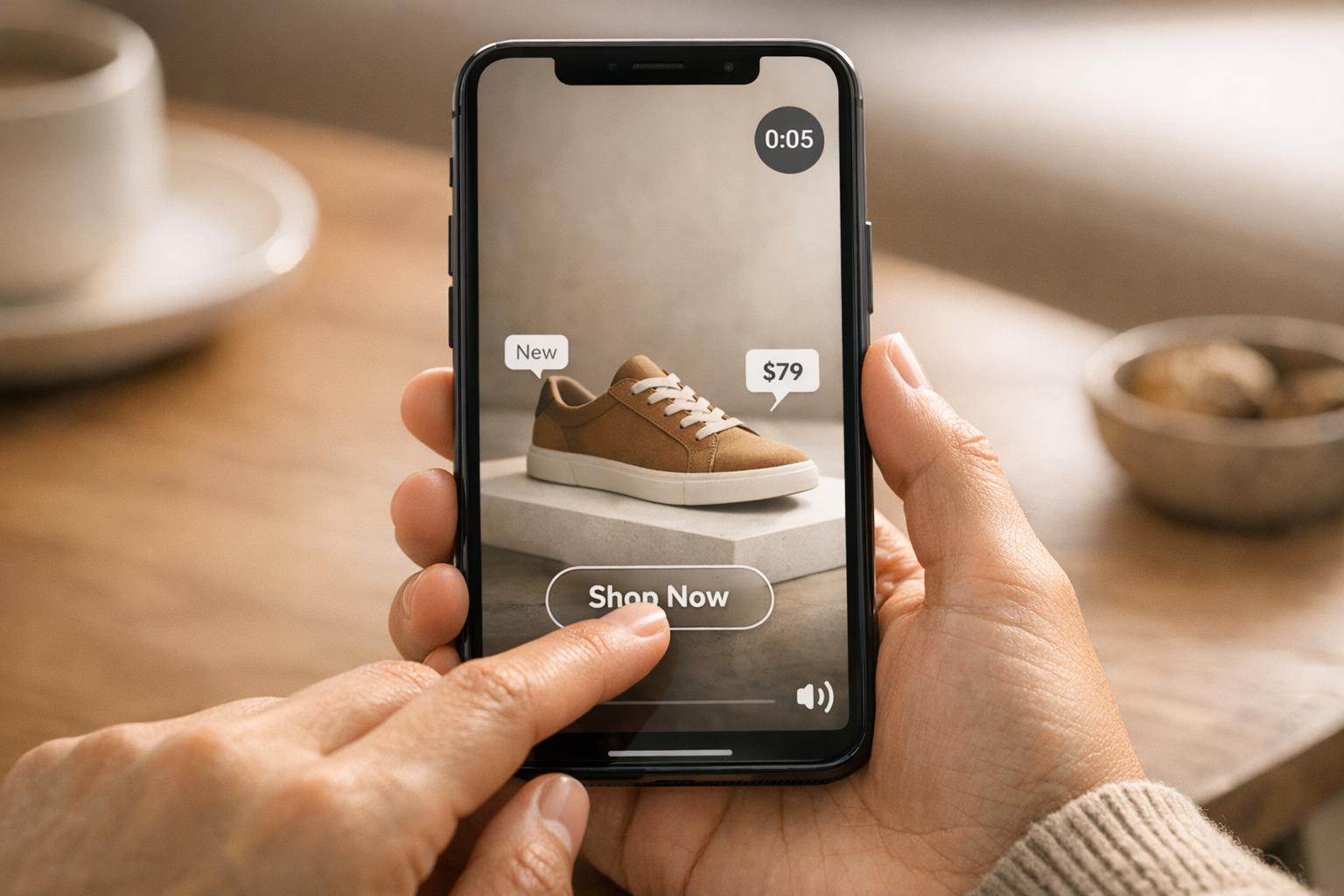
Video content is a game-changer for Shopify stores. It helps drive conversions, increase engagement, and build trust with potential buyers. Here’s why it works:
- Higher Conversions: Product pages with videos can see conversion rate increases of up to 80%. Shoppers are also 144% more likely to add items to their cart after watching a video.
- Better Engagement: Videos keep visitors on your site longer and reduce bounce rates by showcasing products in a way images can't.
- Stronger Trust: Testimonials and product demos make customers feel more confident about their purchases.
- Boosted Visibility: Pages with videos are 53 times more likely to rank on Google’s first page.
To get started, focus on creating product demos, adding video testimonials, and embedding YouTube videos using tools like UWidget. Optimize videos for mobile by including captions and ensuring fast load times. Track performance metrics like watch time, engagement, and conversion rates to refine your strategy. A single 30-second video could significantly increase your sales.
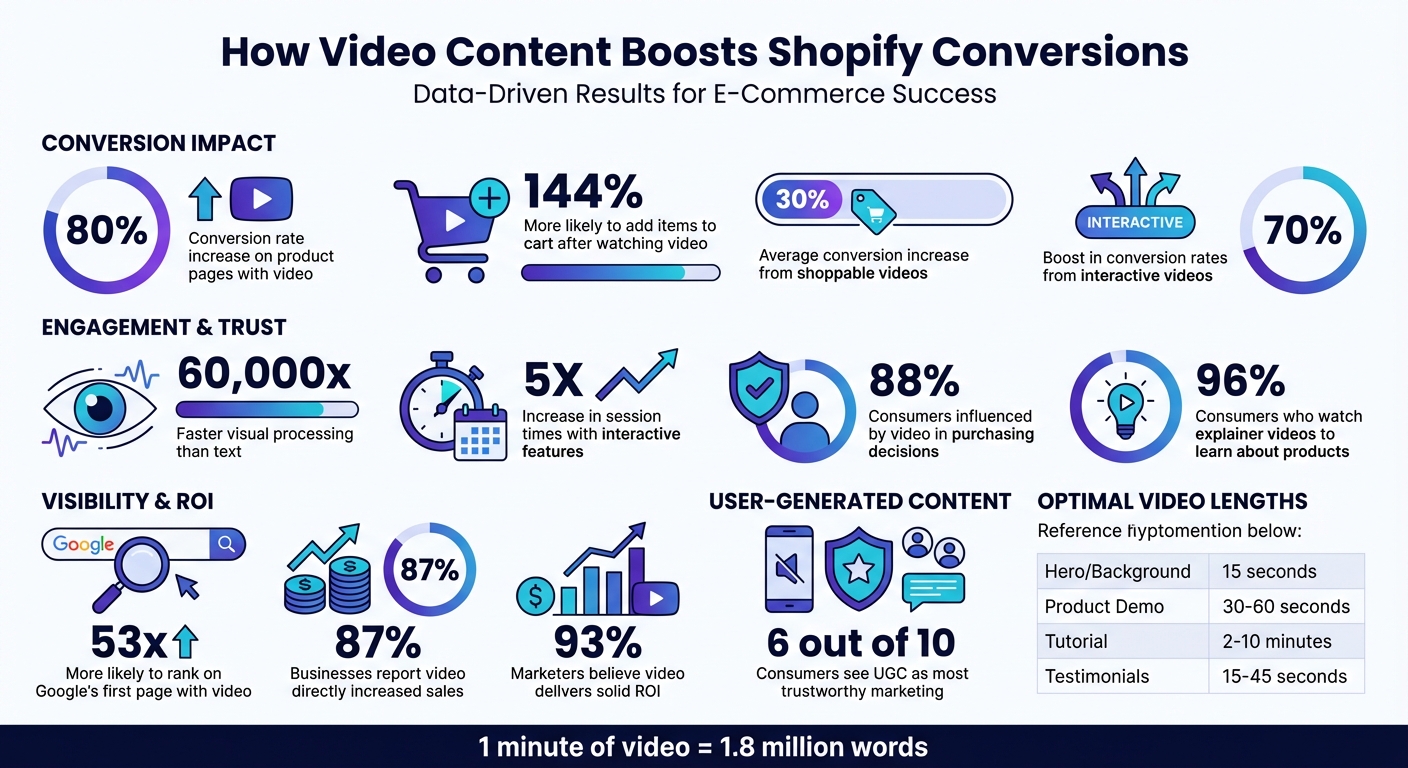
Video Content Impact on Shopify Conversions: Key Statistics
The Best Way To Use Videos To Increase Sales On Shopify

Why Video Increases Conversions on Shopify
Video content has a powerful impact on shopper behavior, directly driving more conversions. The stats speak for themselves: shoppers are 144% more likely to add products to their cart after watching a video, and product pages with video can experience conversion rate increases of up to 80%. These aren't small changes - they represent a major opportunity to turn casual visitors into loyal customers.
Better Engagement and Longer Site Visits
Our brains process visuals up to 60,000 times faster than text, making videos an incredibly effective way to communicate product details quickly and clearly. This rapid processing not only grabs attention but also keeps visitors engaged, reducing bounce rates.
Videos also bridge the gap between online shopping and the in-store experience. By showcasing product movement, texture, and size in real-world scenarios, videos offer a level of detail that static images simply can't match. For example, seeing how a jacket fits on a person or watching a gadget in action provides a more immersive experience. Add interactive features like polls, quizzes, or shoppable links, and you can increase session times by up to 5X.
Beyond visuals, videos excel at creating emotional connections. Storytelling through video shows how products fit seamlessly into a customer's life, leaving a lasting impression. 88% of consumers say videos influence their purchasing decisions, and pages with video are 53 times more likely to rank on the first page of Google search results. It's a win-win for engagement and visibility.
Building Customer Trust
One of the biggest challenges in e-commerce is overcoming purchase hesitation, and video is a game-changer here. By featuring real testimonials or in-depth product demos, videos build confidence and reduce uncertainty. This is especially important since 6 out of 10 consumers see user-generated content (UGC) as the most trustworthy form of marketing. Additionally, 96% of consumers have watched explainer videos to learn more about a product or service, highlighting how much shoppers depend on video to make informed choices.
Behind-the-scenes clips and founder stories also play a role in humanizing your brand. These elements make your business feel relatable and genuine, fostering trust. And trust is what drives conversions.
Quality matters, too. High-resolution visuals and crisp audio convey professionalism, while poorly produced videos can hurt your credibility. Since 85% of mobile videos are watched without sound, including subtitles and captions ensures your message is clear, no matter the viewing environment.
Driving Purchases Through Visual Stories
Videos are more than just a medium - they're a tool for storytelling. A well-crafted video takes viewers on a journey, showing how your product solves a problem and improves their life. This emotional connection is what turns interest into action. Interactive videos can boost conversion rates by up to 70%, while shoppable videos increase conversions by an average of 30%, allowing customers to buy directly from the video.
A single minute of video delivers a wealth of information - equivalent to 1.8 million words. This efficiency helps shoppers make quicker, more confident decisions. The key is aligning the video's tone with your brand. For example, use quick, high-energy pacing to create urgency, or a slower, more relaxed style for a calm, lifestyle-focused approach.
You can also shorten the path to purchase by embedding "Shop Now" buttons and clickable hotspots directly into your videos. This reduces friction, turning inspiration into an immediate sale. It's no surprise that 70% of sales teams report that videos outperform all other content types for driving conversions. For Shopify store owners, video isn't just a helpful addition - it's a must-have for maximizing revenue.
With these benefits in mind, it's clear that video should play a central role in your Shopify strategy.
How to Use Video Content on Shopify
Now that you know why video is so effective, let’s dive into how to use it effectively on your Shopify store. The trick lies in selecting the right types of videos and placing them strategically to boost conversions. Done right, video content can turn browsers into buyers.
Create Product Demo Videos with Shopping Links
Product demo videos are a must-have because they answer the one question every shopper has: “Will this work for me?” These videos highlight key features and show the product in action. For instance, in December 2025, Rare Beauty showcased its Soft Pinch Liquid Blush in a demo featuring five women, including Selena Gomez, to show how the shades look on different skin tones - addressing common concerns about fit and color.
Adding shoppable features takes these videos to the next level. Tools like embedded product links, clickable tags, or hotspots let viewers add items to their cart directly from the video. This streamlined shopping experience can boost conversion rates by around 30%. On platforms like Shopify, syncing your product catalog with YouTube, TikTok, or Instagram enables features like pinned products in livestreams or tagged links in short videos.
For demo videos, keep lengths between 30–60 seconds for product pages and around 15 seconds for hero banners. Start with a strong hook to grab attention, then clearly demonstrate how your product solves a problem. BioLite, for example, uses a video to show how its smokeless fire pit eliminates campfire smoke - a visual solution to a common issue.
Use 1080p resolution for key placements like product pages and 720p for background loops, ensuring videos load quickly by compressing files. Since many viewers watch without sound, always include captions or on-screen text so your message lands.
| Video Type | Ideal Length | Best Placement |
|---|---|---|
| Hero/Background Loop | 15 seconds | Homepage top section |
| Product Demo | 30–60 seconds | Product pages |
| In-depth Tutorial | 2–10 minutes | Support or "How-to" pages |
| Social Proof/UGC | 15–45 seconds | Testimonial or Gallery pages |
Add Video Testimonials for Social Proof
Video testimonials add a layer of trust that text reviews can’t match. Seeing real people share their experiences makes it easier for potential customers to picture themselves using your product. Video adds emotion, tone, and even physical demonstrations that resonate more deeply.
"Video reviews and testimonials are powerful because they show real people speaking about their experiences with a product or service. Customers can see themselves in these stories",
explains Dayna Winter from Shopify.
Placement is everything. Put testimonials on product pages where customers are making decisions, on landing pages to build trust, or near checkout to reassure hesitant buyers. A dedicated testimonial page can also address last-minute concerns about fit, function, or quality.
Collecting these videos is easier than you think. Keep an eye on Instagram, TikTok, and YouTube for organic mentions of your brand - authentic, user-created content often performs better than polished ads. You can also encourage submissions by running social media contests or offering promo codes in exchange for video reviews. Just set clear guidelines: keep videos between 15–45 seconds, specify phone orientation, and ask for the product to be shown in use.
While authenticity is key, make sure the audio is clear - viewers need to hear the message even if the video isn’t perfectly polished. Since many people watch with sound off, overlay captions to ensure the message gets across. Pair every testimonial with a clear call-to-action like “Shop Now” or “Learn More” to guide viewers toward the next step.
Use UWidget for YouTube Videos on Your Store
YouTube is a powerhouse for video hosting and search, and embedding its videos on your Shopify store gives you several advantages: better bandwidth management, built-in analytics, and improved visibility in search results.
UWidget simplifies this process. It lets you embed YouTube videos in various formats - carousels, sliders, sticky videos, shorts, playlists, or subscribe cards. This flexibility allows you to match video placement with your store’s design and goals. For example, you can use a carousel to showcase multiple product demos on a collection page or add a sticky video that stays visible as users scroll.
Strategic placement is key. Embed product demos on product pages to answer questions about assembly, fit, or functionality. Create video galleries featuring user-generated content to build credibility and show off your community. Use muted autoplay for hero background videos to grab attention without being disruptive.
Track metrics like watch time and engagement to see what resonates with your audience. Use these insights to refine your strategy and drive more conversions. By integrating YouTube videos with Shopify, you enhance your store’s visual appeal while creating a seamless shopping experience that encourages purchases.
sbb-itb-d9e5b3a
Improving Video Performance on Shopify
Getting the most out of your video content on Shopify means keeping an eye on its performance and adjusting your approach as needed. Well-optimized videos not only grab attention but can also lead to higher conversion rates. By focusing on the right data, you can uncover where viewers lose interest, which videos drive sales, and what changes might deliver better results.
Track Video Performance Metrics
One of the most important metrics to monitor is watch time - the total amount of time viewers spend watching your videos. This gives you a clear sense of how engaging your content is. Platforms like YouTube even use watch time to decide how often to recommend your videos.
"Watch time is the currency of YouTube. The longer you keep people watching, the more YouTube will push your content",
says Derral Eves, Founder of VidSummit.
Another key metric is completion rate, which reveals the percentage of viewers who stick around until the end. For short videos, completion rates often range from 60% to 90%, while longer videos typically see rates between 35% and 50%. If a lot of viewers drop off midway, it might mean your pacing needs work or your content isn't staying relevant.
For Shopify stores, tools like Videowise can provide deeper insights, such as tracking direct revenue from in-video purchases and influenced revenue from sessions where the video played a role. You can also measure session time added, which shows how much longer a shopper stays on your site after watching a video.
Pay attention to which pages or video placements perform best. For instance, if product page videos consistently outperform those on your homepage, it might be time to shift your focus. Use Shopify's built-in analytics alongside YouTube Studio and Google Analytics (with UTM tags) to get a full picture of how your videos affect traffic and sales.
Once you've identified trends, it's time to experiment with specific video elements to keep improving results.
Test Different Video Elements
The data you gather from performance metrics can guide you in testing and fine-tuning your videos. A/B testing is a great way to figure out what works best for your audience. For example, try testing thumbnails - compare ones with faces to those with text overlays to see which gets more clicks. Even a small boost in click-through rates (usually between 2% and 10%) can make a noticeable difference.
When it comes to video length, create a longer master video and then edit it into shorter versions - 15 seconds, 30 seconds, 60 seconds, and two minutes - to see which keeps viewers engaged. Product demos often perform best in the 30–60 second range, while detailed tutorials can stretch to 10 minutes if they remain engaging.
Experiment with call-to-action (CTA) placement. Try audio prompts, on-screen text, end screens with your logo, or platform-specific buttons like "Shop Now". Also, test different hooks in the first few seconds. Some audiences respond better to curiosity-driven intros, while others prefer content that jumps straight into problem-solving.
Since many mobile users watch videos without sound, adding captions can be a game-changer. Subtitles ensure your message is clear, even when audio is off. Use audience retention graphs to find the exact moments where viewers drop off, and refine your content by cutting out filler.
"Viewers are more likely to stay if they believe they'll see something new. Whenever they feel like the next minute is easy to predict, they may lose interest",
explains Mario Joos, CEO of Brightrock.
Make Videos Work on Mobile Devices
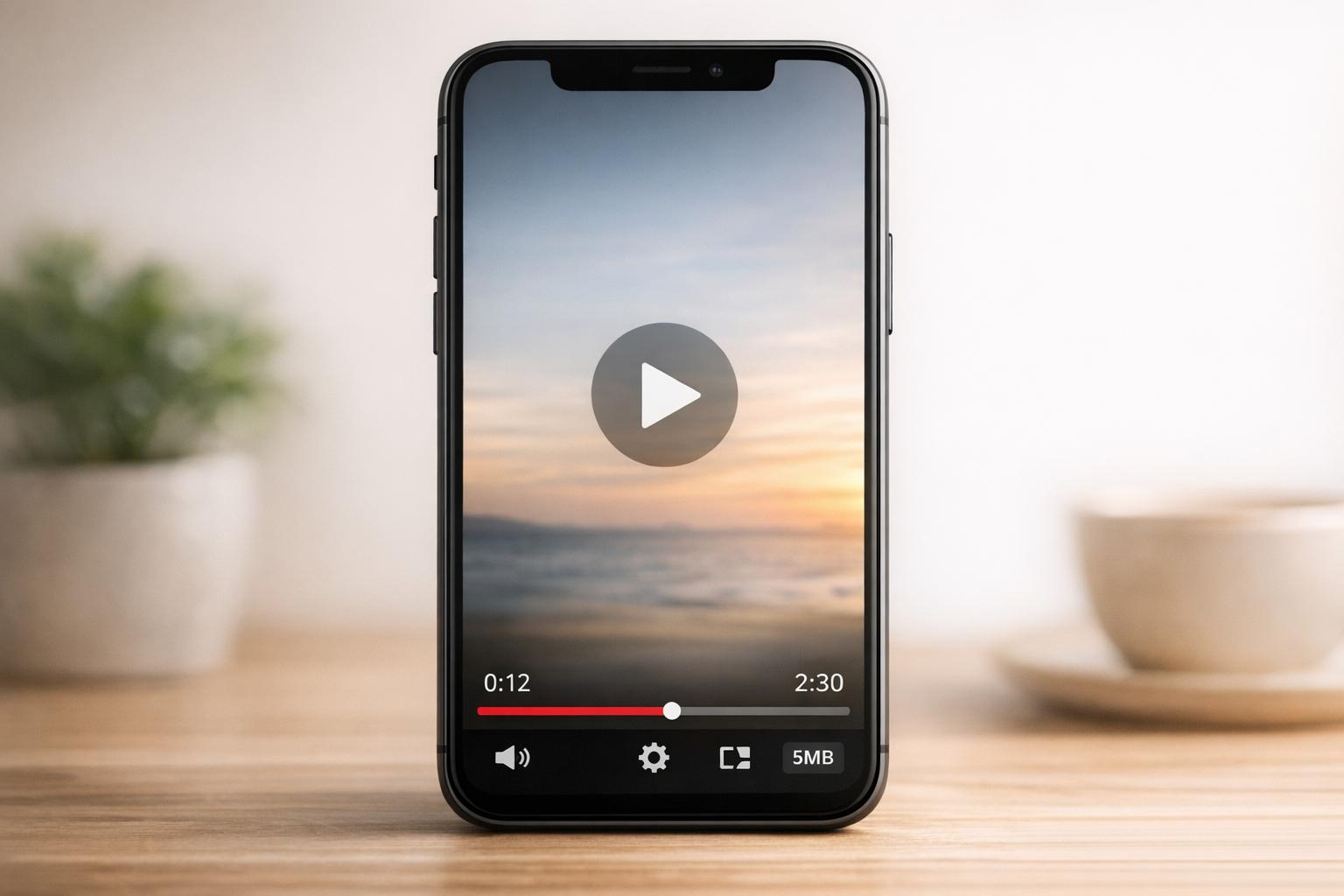
With mobile shoppers making up a large chunk of Shopify traffic, ensuring your videos are mobile-friendly is critical. Use MP4 (H.264) format for compatibility and manageable file sizes. Ideally, keep file sizes between 5MB and 10MB to ensure quick loading, even on cellular networks.
Stick to 1080p resolution for the best balance of quality and file size. While Shopify supports 4K, it's unnecessary for mobile screens and can slow down load times.
To speed up page loading, use lazy loading, which ensures videos only play when they’re visible on the screen. This is especially helpful if you have multiple videos on a single page. Test your site with tools like Google PageSpeed Insights to confirm videos load within two to three seconds.
Vertical video (9:16 aspect ratio) has become the norm for mobile viewing. It fills the screen and doesn’t require users to rotate their phones. When filming, zoom in on product details to ensure they’re easy to see on smaller screens. Also, make sure your video player is responsive and works correctly when users rotate their devices.
Optimized videos can significantly improve your store's performance - reducing bounce rates by 25%, increasing conversion rates on product pages by an average of 8.5%, and even improving page load speeds by up to 60%. Since mobile users are 1.5 times more likely to watch videos daily compared to desktop users, nailing mobile optimization is essential for driving conversions on Shopify.
Measuring Video Content Results
Once your videos are live, it’s time to evaluate their impact by tracking key metrics. Start by reviewing conversion data from the past one, three, and six months to establish a baseline. This baseline helps you measure detailed conversion and engagement metrics effectively.
Track Conversion Rates and Average Order Value
To calculate your video-specific conversion rate, use the formula: (Conversions / Video Views) x 100. Conversion rates for videos typically range from 1% to 5%, with top-performing videos reaching 5%–10%, and some e-commerce videos achieving rates as high as 10%–30%.
Besides conversion rates, keep an eye on your Average Order Value (AOV). Videos often help customers understand product value better, leading to upsells or cross-sells. Use UTM parameters in video descriptions and CTA buttons to accurately track sales attributed to specific video content. Segment your data by traffic source (like social media or organic search) and device type (mobile or desktop) to identify where your videos perform best.
Here’s an example of performance metrics before and after adding videos:
| Metric | Before Video Implementation | After Video Implementation | Industry Benchmark |
|---|---|---|---|
| Conversion Rate (CR) | 1.4% - 2.5% | Target: 3.2% - 5% | 2.5% - 3% (Avg Ecommerce) |
| Product Page CR | 1% - 2% | Target: 2% - 4% | 2% - 4% |
| Add-to-Cart Rate | Lower | Higher | 25% - 40% (Checkout completion) |
| Mobile CR | 1% | Target: 1.5% - 2.5% | 1% - 2.5% |
Monitor Customer Engagement Data
Engagement metrics provide valuable insights into how your audience interacts with your videos. For instance, adding video can increase average time on page by up to four times, signaling stronger customer interest and confidence.
A noticeable drop in bounce rate - say, a 25% reduction - after implementing video suggests visitors are staying longer to explore your products. You can also use funnel analysis to identify where customers drop off. For example, an improvement in the "Add-to-Cart to Purchase" rate after adding videos might indicate reduced hesitation during the buying process.
Tools like Hotjar and Lucky Orange offer heatmap analysis, showing exactly how users engage with your video content. These tools can help you see if users press play, watch until the end, or stop midway through.
Refine Your Video Strategy Using Data
Once you’ve measured your video performance, use the insights to adjust your strategy. Data-driven tweaks can directly improve conversion rates. For example, if videos for certain product categories have higher completion rates, consider creating more content for those items. Or, if shorter videos drive better results, adapt your production approach accordingly.
A/B testing is another powerful tool to refine your strategy. Experiment with different elements, like CTAs or video lengths, to determine what resonates most with your audience. Track both micro conversions (e.g., newsletter signups or "Learn More" clicks) and macro conversions (like completed purchases) for a complete view of your video's effectiveness.
If your results don’t meet industry benchmarks, revisit your optimization strategy. Check for issues like poor mobile performance, ineffective video placements, or unclear CTAs. The data will guide you in making adjustments that can significantly impact your bottom line.
Conclusion
Video content isn't just a nice addition to your Shopify store - it's a powerful tool for boosting conversions. In fact, 87% of businesses say video marketing has directly increased their sales. Whether it's product demos, customer testimonials, or shoppable videos, these formats help build trust and give shoppers the confidence to hit that "buy" button.
The strategies in this guide are designed to deliver measurable results. From creating product demos with clickable shopping links to embedding YouTube videos using tools like UWidget, these tactics make it easier to engage your audience and reduce hesitation. And the payoff is real: optimized videos can increase conversion rates on product pages by an average of 8.5%, directly impacting your bottom line.
Start small. Pick a high-traffic product page, add a video, and track the performance using the metrics we've discussed. Adjust your approach based on the data, and you'll see why 93% of marketers believe video delivers a solid return on investment.
Top-performing businesses are already using video to grab attention and boost sales. By adding even a simple 30-second product demo or a compelling customer testimonial, you can turn more browsers into buyers. The tools are available, the steps are straightforward, and the opportunity to grow your store is right in front of you. Dive in and start transforming your results today.
FAQs
How can I make my Shopify videos more mobile-friendly?
To make your Shopify videos more mobile-friendly, focus on making them quick to load and easy to watch on smaller screens. Start by compressing your video files to shrink their size without losing quality - this helps them load faster, even on slower internet connections. Stick with a web-friendly format like MP4 (H.264) for seamless playback on both iOS and Android devices.
Opt for a resolution like 720p. It’s sharp enough for mobile screens but avoids creating unnecessarily large files. Implement lazy loading so videos only load when they’re about to be viewed or played. This reduces the strain on page load times. Also, consider using a content delivery network (CDN) to cache video files closer to your audience, cutting down on delays.
Don’t forget to add captions or subtitles. Many mobile users watch videos with the sound off, and captions ensure your message still gets across. These tweaks can make your videos more accessible and enjoyable for mobile shoppers, encouraging them to stay engaged and make purchases.
What types of videos work best to increase conversions on Shopify?
If you're looking to boost sales on Shopify, certain video formats can make all the difference. Shoppable videos, product demos, brand-story videos, and customer testimonials are particularly effective at grabbing attention, building trust, and making the buying process easier.
- Shoppable videos: These interactive videos let viewers click on products directly within the video to learn more or add items to their cart. By removing extra steps, they make shopping quicker and more engaging, encouraging immediate purchases.
- Product demos: Showcasing your product in action helps customers visualize its use in real life. Whether it’s a workout gadget or a piece of furniture being assembled, these videos address concerns about quality and functionality, giving shoppers the confidence to buy.
- Brand-story videos: Sharing your brand’s mission or explaining how your product solves a problem creates a personal connection with your audience. These videos tap into emotions, making your brand more relatable and memorable.
- Customer testimonials: Featuring real feedback from actual users adds credibility. Whether it’s a glowing review or user-generated content, these videos show your product’s value through authentic experiences.
By addressing key factors like trust, convenience, and clarity, these video formats aren’t just engaging - they’re powerful tools for driving sales on Shopify.
How can I track the impact of video content on my Shopify store's sales?
To understand how video content impacts your Shopify store, start by establishing benchmarks for key metrics such as conversion rates, average order value (AOV), and total sales. Research consistently highlights the potential of video marketing to drive sales, making it crucial to monitor the right performance indicators.
Leverage Shopify’s analytics tools to evaluate your store’s performance before and after launching a video campaign. Pay close attention to metrics like:
- Video views and watch time, if your video hosting platform provides this information
- Click-through rates from video content to product pages
- Conversion rates and sales revenue generated through shoppable video links (trackable using UTM tags or Shopify’s referral reports)
By diving into these numbers, you can calculate percentage changes in performance and assess how effectively your video content boosts sales. This analytical approach helps you make smarter decisions to refine and enhance your video marketing strategy.