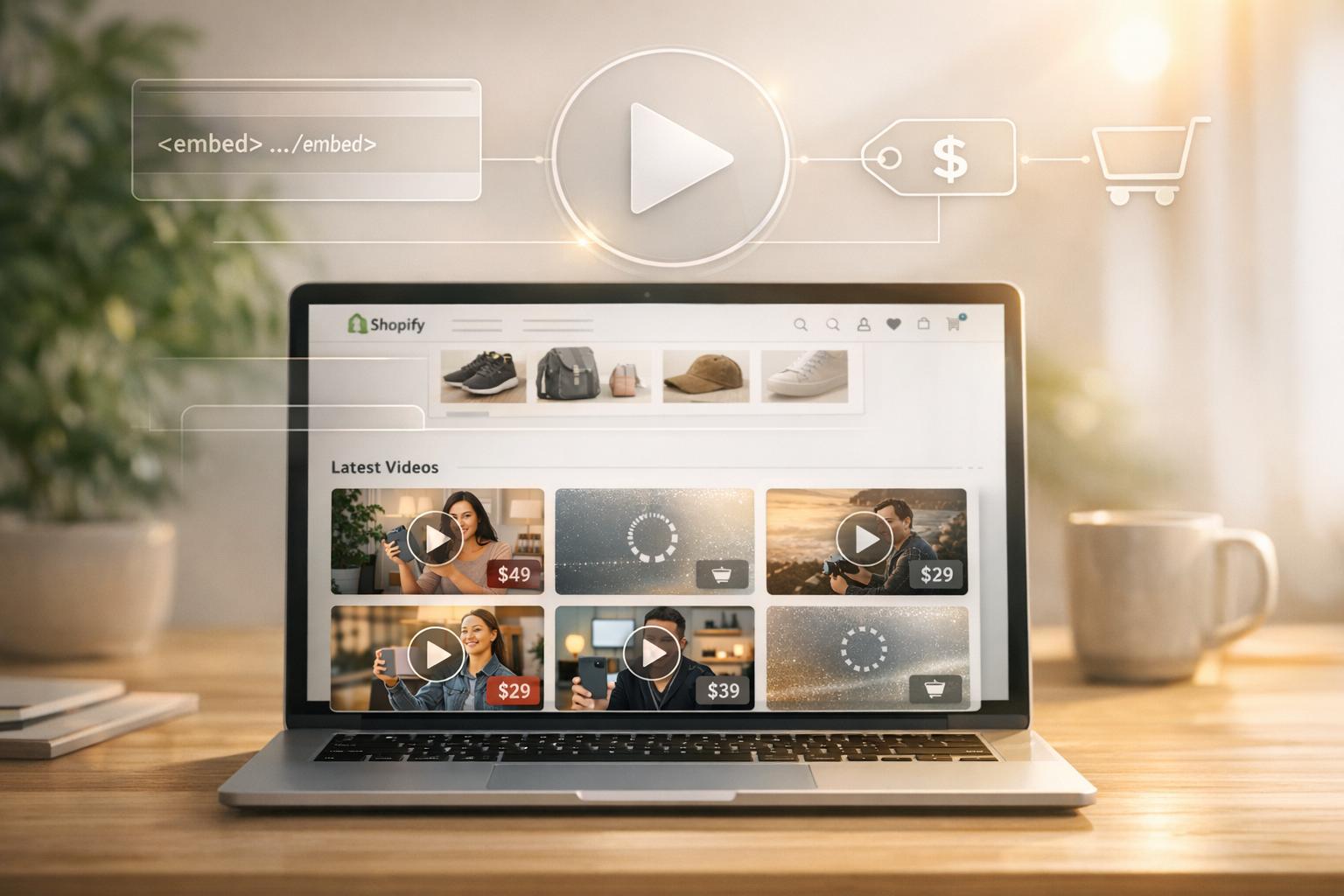
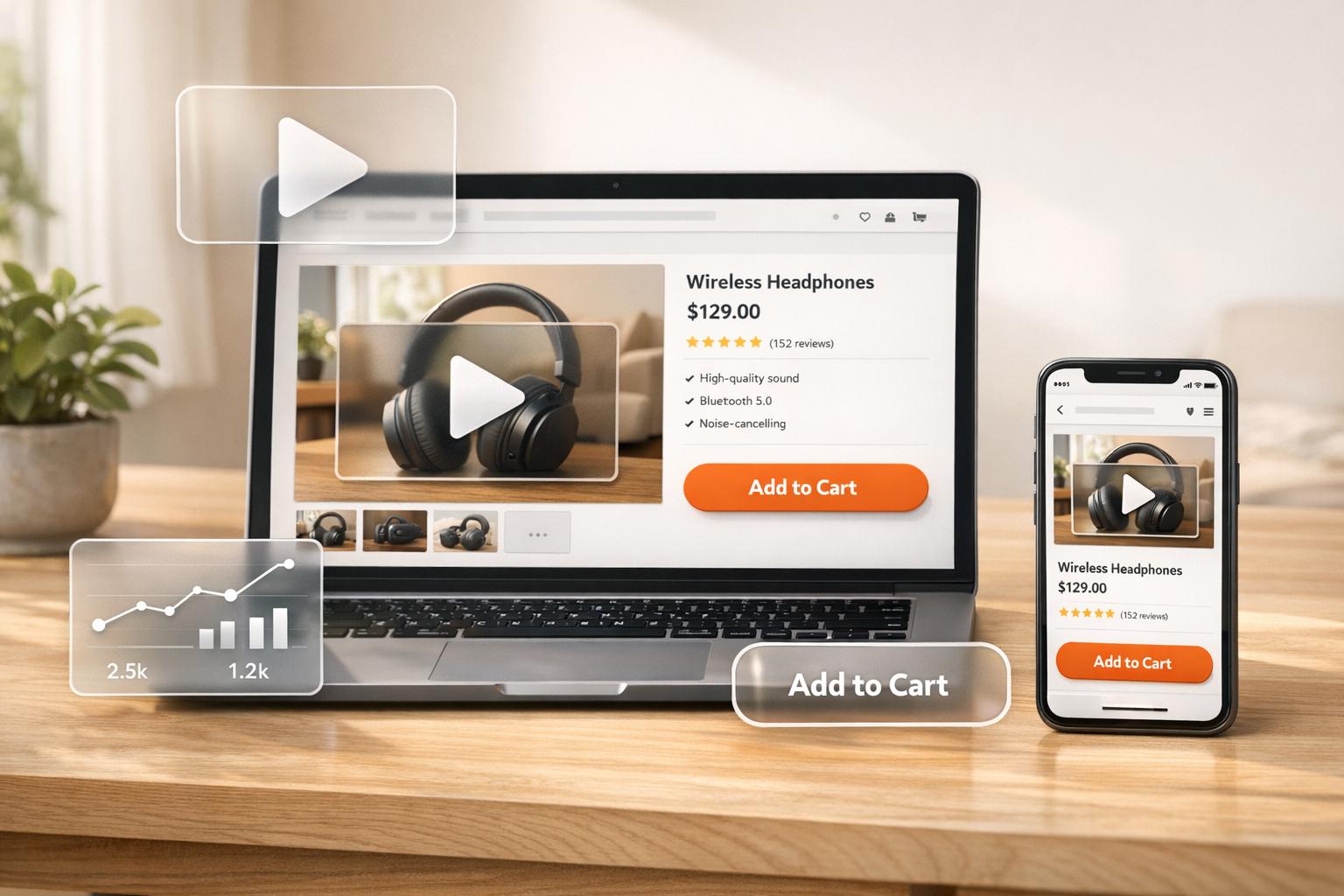
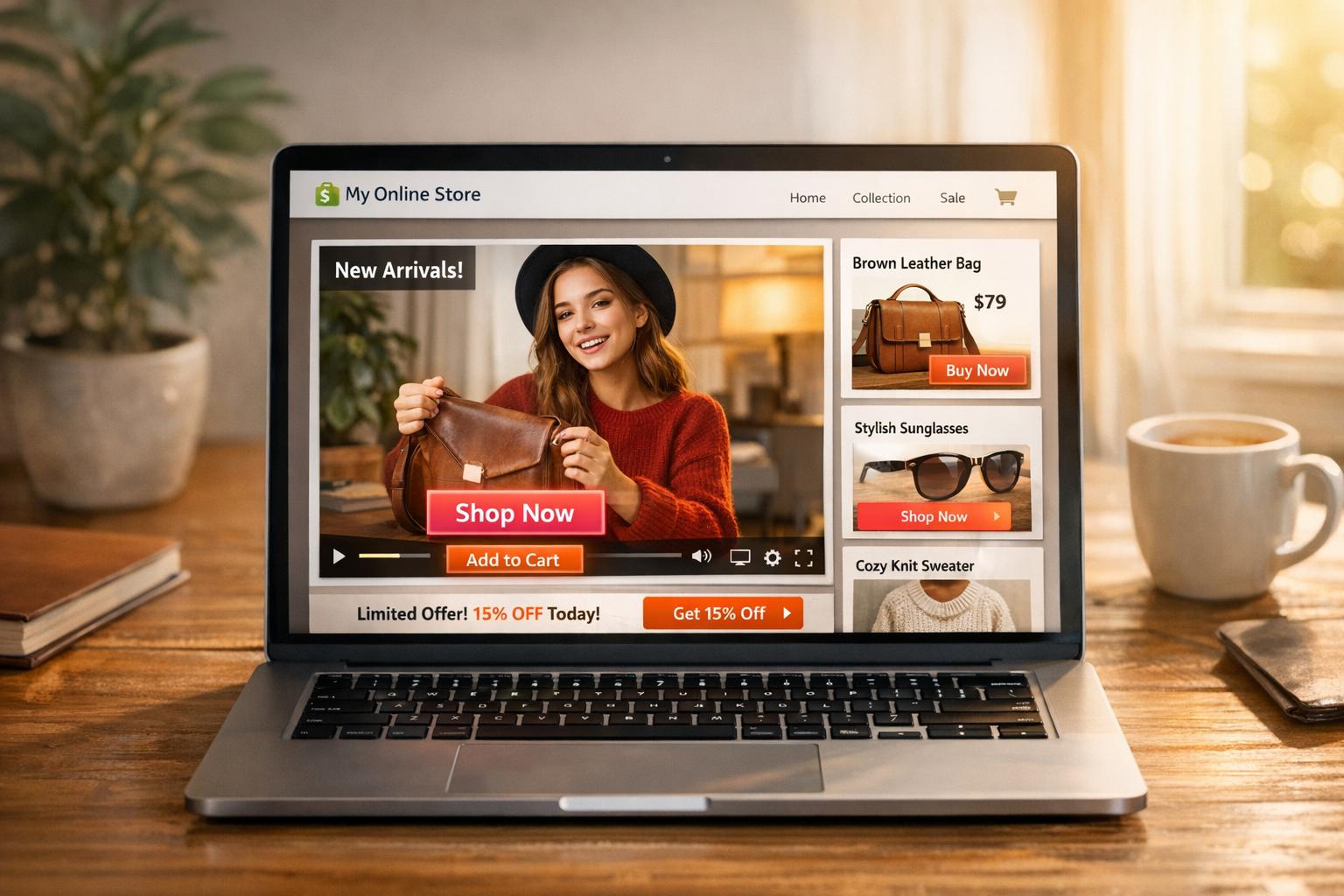
Shoppable videos simplify online shopping by allowing viewers to make purchases directly within the video. They reduce friction in the buying process, leading to higher conversions and engagement. Businesses using shoppable videos have seen measurable success, like an 8% increase in Average Order Value (AOV) and nearly 10% conversion rates.
Key Takeaways:
- What are Shoppable Videos? Interactive videos with embedded product links for direct purchases.
- Why Use Them? They reduce cart abandonment (average rate: 70.19%) and boost engagement (51% more likely to be shared than static images).
- Where to Use Them: Product pages, homepages, collection pages, checkout pages, Instagram Reels, TikTok, YouTube Shopping, and email campaigns.
- How to Make Them Work: Focus on clear calls-to-action, mobile-friendly formats, and strategic placement.
- Track Performance: Metrics like Click-Through Rate (CTR), Add-to-Cart Rate, and Average Order Value help measure success.
Shoppable videos are a powerful tool for Shopify merchants and other e-commerce platforms to drive sales and engagement by bridging the gap between product discovery and purchase.
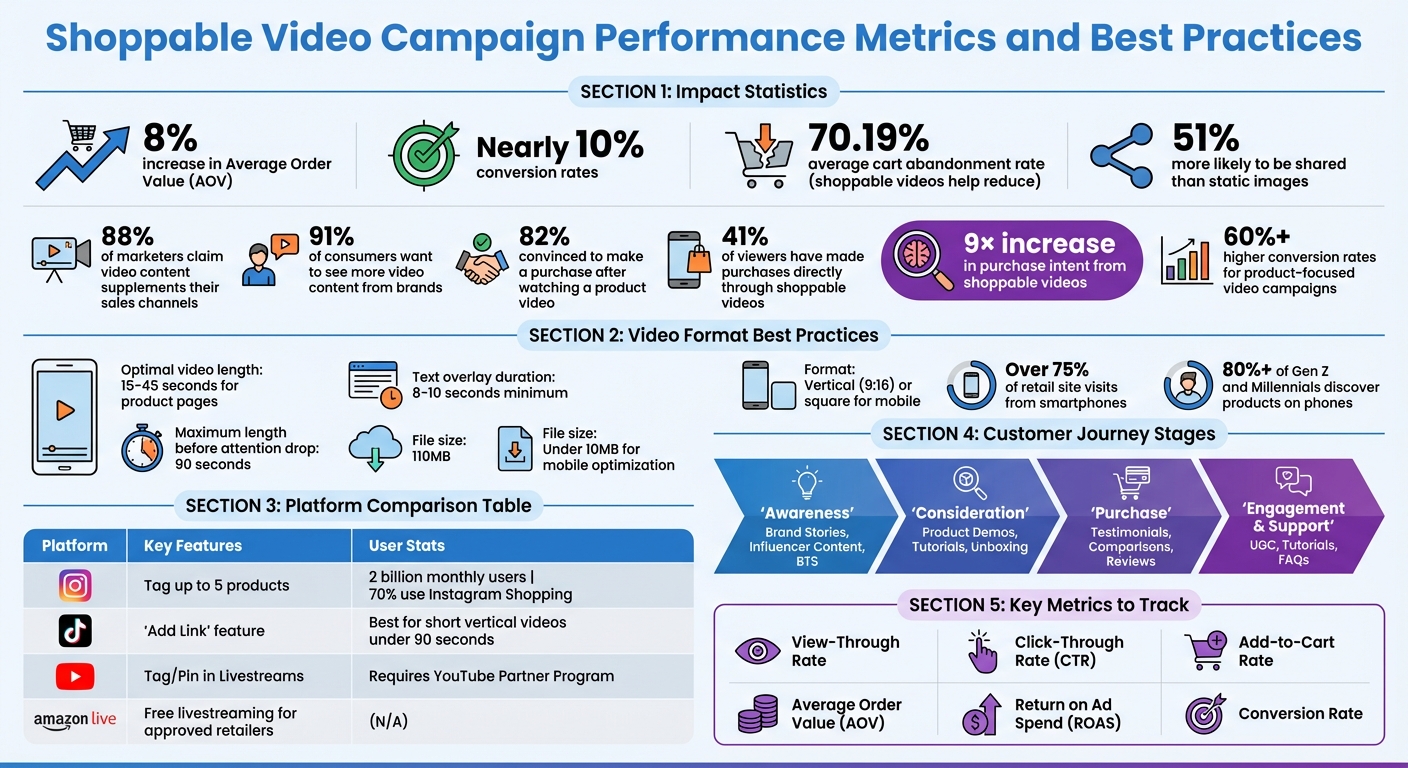
Shoppable Video Campaign Performance Metrics and Best Practices
Shoppable Videos: Story-Driven
Planning Your Shoppable Video Campaign
Creating a successful shoppable video campaign starts with careful planning. It’s about defining your goals, understanding your audience’s journey, and selecting the best platforms to showcase your content.
Setting Campaign Goals and KPIs
Start by identifying your video’s purpose - it will shape everything from the script to the platform. Whether you’re promoting a new product or encouraging cross-sells, your objective guides your strategy. For example:
- Sales-focused videos, like testimonials or product comparisons, are perfect for driving conversions.
- Explainer videos and live Q&As work well for generating leads.
- Brand awareness thrives on behind-the-scenes content or influencer collaborations.
- Tutorials and FAQs are ideal for boosting engagement.
"Roughly 88% of marketers claim that video content supplements their sales channels."
- Shreelekha Singh, Content Writer, Videowise
Focus on how your product solves problems instead of listing features. Show products in action, particularly if they’re complex or appeal to a specific audience. Bundling related items can also create an engaging story.
Here’s a quick guide to matching video formats with campaign goals:
| Goal Category | Recommended Video Formats | Key Metrics to Track |
|---|---|---|
| Sales & Conversion | Testimonials, Comparisons, Ads | AOV, Orders from video-engaged shoppers, CVR |
| Lead Generation | Explainers, Live Q&A, Snackable Ads | Link clicks, Sign-ups, Engagement time |
| Brand Awareness | BTS, Influencer Content, Demos | Total views, Shares, Watch time |
| Engagement & Support | UGC, Tutorials, FAQs | Completion rate, Watch time per viewer |
Next, align your video content with each stage of the customer journey.
Matching Videos to the Customer Journey
Each stage of the buying process calls for different types of videos. Your content should meet customers where they are - from discovering your brand to making a purchase and beyond.
- At the awareness stage, use brand stories, behind-the-scenes clips, or influencer content to introduce your brand and attract new audiences.
- In the consideration stage, product demos, unboxing videos, and “tips and tricks” help potential buyers see how your products fit into their lives.
- When customers are ready to purchase, testimonials, comparisons, and reviews provide the final nudge to convert.
- After the sale, engagement and support videos like tutorials, FAQs, and user-generated content keep the connection alive and add value.
| Customer Journey Stage | Recommended Video Format | Primary Goal |
|---|---|---|
| Awareness | Brand Stories, Influencer Content, BTS | Brand Discovery & Reach |
| Consideration | Product Demos, Tutorials, Unboxing | Education & Use-Case Visualization |
| Purchase | Testimonials, Comparisons, Reviews | Removing Doubt & Driving Conversion |
| Engagement & Support | UGC, Tutorials, FAQs | Retention & Community Building |
Choosing Video Placement and Shoppability Options
Where you place your videos can be just as important as the videos themselves. High-performing stores strategically position videos where buying intent is highest - like above the fold on product pages, near the product title or price, or within image carousels.
On homepages, video galleries or carousels can grab attention and guide product discovery. Product pages benefit from videos placed near pricing or titles to encourage immediate purchases. Sticky video players that follow users as they scroll can also keep engagement high. Blog posts are another great place to embed videos, offering seamless shopping opportunities within tutorials or guides.
Since over 75% of US retail site visits now come from smartphones, prioritize mobile-friendly formats. Use vertical or square videos with large, tappable product tags, and keep them short - 15 to 45 seconds is ideal.
Make sure your videos include clear calls-to-action, visible pricing, color options, and a streamlined checkout process. Avoid cluttering the screen with too many product tags; instead, highlight one product at a time with clear, contextual tags.
Different platforms serve different functions. TikTok is great for short-form discovery content, while on-site videos help convert serious buyers. Instagram allows tagging up to five products per video, and YouTube Shopping requires a connected store through the YouTube Partner Program.
For Shopify merchants, tools like UWidget from Fractal Apps can help create customizable YouTube galleries to boost engagement, starting at $5.99/month for the Starter plan.
Always include a shoppable link early in the video and at the end, and limit calls-to-action to two per video to avoid overwhelming viewers. Personalized CTAs can deliver 202% better results than generic ones.
How to Produce Effective Shoppable Videos
Creating videos that drive conversions is all about balancing quality with authenticity and clarity. Did you know that over 91% of consumers want to see more video content from brands? Even more compelling, 82% of them are convinced to make a purchase after watching a product video. With stats like these, it’s clear that every second of your video needs to count.
Creating High-Impact Content
The first three seconds are critical. This is when viewers decide whether to keep watching or scroll past. Start strong with eye-catching visuals, a dynamic product demo, or a relatable problem your product solves. Skip the long intros and get straight to the point - deliver value right away.
Authenticity is key. People connect better with real-world content than with overly polished productions. Show your product in action: how it fits, how it works, or how it solves a problem. Keep it focused - stick to showcasing one product or use case per video to avoid muddling your message.
"Shoppable video is a revenue system, not a feature."
- The Moast Team
Text overlays and offer graphics should stay on screen for at least 8 to 10 seconds so viewers have enough time to absorb the information. Keep your messaging clear and concise. Instead of listing generic features, address specific questions like fit, sizing, or functionality.
Once you’ve nailed the content, it’s time to optimize the viewing experience.
Optimizing Video Formats and User Experience
A mobile-first approach is essential since more than 80% of Gen Z and Millennials discover products on their phones. Vertical (9:16) or square formats work best for small screens. Aim for videos that are 15 to 45 seconds long - this is the sweet spot for product pages. Videos over 90 seconds risk losing your audience’s attention.
You don’t need a Hollywood budget to create high-quality videos. Smartphone footage paired with decent lighting can do the trick. When possible, upload videos in 4K or HDR to highlight textures and details.
Interactive elements should be easy to tap. Tiny product tags or buttons can frustrate mobile users and hurt conversions. Use lazy-loading to keep page speeds fast. Also, customize your video player, icons, and fonts to align with your brand. This creates a seamless experience from watching to purchasing.
With your technical setup in place, it’s time to integrate interactive shopping features that turn interest into sales.
Adding On-Screen Commerce Features
Timing is everything when tagging products. For example, if a jacket appears at the 10-second mark, make sure its product tag pops up at that exact moment - not earlier or later. This keeps the shopping journey smooth and intuitive.
Include "Add to Cart" or "Buy Now" buttons directly in the video overlay, so viewers can shop without leaving the video. Add relevant product details - like available sizes, colors, or variants - to the overlay to minimize friction. Keep the focus on one product at a time.
"Shoppable video collapses that distance [between interest and purchase]."
- Moast
Keep calls-to-action (CTAs) simple and direct. Avoid overly aggressive or "salesy" buttons, as they can make the video feel less trustworthy.
You can also use clickable hotspots that reveal extra product details when tapped. This interactive approach not only keeps viewers engaged longer but also gives them control over what they want to explore. The goal is to make shopping feel like a natural extension of the video experience.
Adding Shoppable Videos to Your Shopify Store

Incorporating shoppable videos into your Shopify store can be a game-changer, especially when placed strategically to maximize conversions.
Best Video Placements on Shopify
For the best results, product pages are your go-to. High-performing Shopify stores often position shoppable videos prominently - either right below the product title or price, or within the product image carousel. This ensures shoppers see the video immediately while considering their purchase. Other effective spots include homepage banners, collection pages, and blog posts, particularly for educating customers about your products.
The trick lies in aligning the placement with what the visitor is looking for. For instance, a shopper on a product page may be close to making a purchase and just needs a little extra push, while someone browsing a blog post might be searching for more detailed information.
To take these placements to the next level, you can use specialized Shopify apps by Fractal Apps.
Using Fractal Apps for Better Video Experiences
UWidget allows you to turn your YouTube videos and Shorts into shoppable galleries, carousel sliders, or sticky videos that stay visible as users scroll. With a 5.0/5-star rating on the Shopify App Store, UWidget offers plans starting at $5.99/month (Starter: 1 widget, 25 videos), $13.99/month (Pro: 3 widgets, 50 videos), and $19.99/month (Premium: unlimited). Features like sticky video, thumbnail-first display, and lazy-loading ensure your videos stay engaging without slowing down your site.
Pair this with ILikeThat, which adds "like" buttons to your videos. These buttons not only build social proof but also help track product interest. It’s priced at $3.99/month and comes with a 3-day free trial, maintaining a 5.0/5-star rating.
To make the checkout process smoother after customers engage with your videos, CheckIt adds a checkout progress bar. This free-to-install app helps guide shoppers through the final steps, reducing friction at checkout.
Additional UX Improvements
For a cleaner design, DivideItUp adds visual dividers between video content and product grids, keeping your pages organized.
If you're embedding videos in blog posts, Time2Read can display an estimated reading time. At just $1.99/month with a 7-day free trial, this tool has earned a 5.0/5-star rating. As Fractal Apps explains:
"Readers may be hesitant to commit to a long article, so displaying the estimated read time can reassure them that the time commitment will be shorter than they may have initially thought".
sbb-itb-d9e5b3a
Promoting Shoppable Videos Across Platforms
Once you've launched shoppable videos on Shopify, the next step is getting them in front of your audience. Social media platforms are a great place to start. For instance, Instagram has over two billion monthly active users, with 70% of them using Instagram Shopping. Each platform has unique features, so tailoring your approach is essential.
Adjusting Content for Different Social Platforms
Each social platform has its own style and requirements, so it’s important to adapt your videos accordingly:
- Instagram: You can tag up to five products in shoppable videos, making it perfect for showcasing multiple items in one post or Reel. With Instagram Reels, the algorithm can help your content reach users who may not already know about your brand.
- TikTok: Short, high-energy videos work best here. Use TikTok’s "Add Link" feature to tag products, even if you don’t have a full shop set up. Keep your videos under 90 seconds and use vertical (9:16) formatting to appeal to mobile users.
- YouTube: To use YouTube Shopping, you’ll need to join the YouTube Partner Program and connect your Shopify store. Once set up, you can tag and pin products during livestreams. This is ideal for longer content like tutorials or demonstrations. Syncing your Shopify catalog ensures accurate pricing and availability.
- Amazon Live: Approved U.S. retailers and influencers can livestream for free, giving them prominent video placements if their content performs well.
Here’s a quick comparison:
| Platform | Shoppable Feature | Best Practice |
|---|---|---|
| Product Tags (up to 5) | Use Reels for better reach | |
| TikTok | "Add Link" to Products | Focus on short, vertical videos |
| YouTube | Tag/Pin in Livestreams | Sync Shopify catalog for accuracy |
| Amazon Live | Livestreaming | Host events for more visibility |
Once your content is live on these platforms, repurposing it can extend its impact even further.
Repurposing Video Content
A single high-quality product demo can go a long way when repurposed for different platforms. Tools are available to help automate this process, allowing you to import videos from TikTok, Instagram Reels, or YouTube Shorts directly into your Shopify store using social-to-site integration tools.
User-generated content (UGC) is another goldmine. By using social listening tools, you can discover organic videos featuring your products. These can be enhanced with shoppable links, turning authentic customer content into powerful marketing assets.
When embedding these repurposed videos back onto your Shopify store, use "thumbnail-first" and lazy-loaded widgets to maintain fast page speeds. Tools like UWidget offer flexible layouts - carousel sliders, video grids, sticky videos, or even background banners - so you can display the same content in a variety of ways depending on the page.
The goal is to make your videos work harder for you while ensuring a smooth shopping experience.
Ensuring Consistent Shopping Paths
Consistency across platforms is crucial. If your pricing or product details differ between videos and product pages, it can damage customer trust. Syncing your product catalog across platforms ensures uniformity in pricing, availability, and product information.
Visual branding matters, too. When embedding shoppable social galleries on your Shopify store, customize the widgets to align with your site’s design. This creates a seamless transition from social discovery to checkout.
Additionally, simplify the shopping process by reducing the number of steps between video discovery and purchase. Use tools that allow viewers to add products to their cart directly from the video overlay.
In 2023, 91% of businesses used video in their marketing efforts, and consumers are 51% more likely to share video content compared to static images. By tailoring your videos for each platform, repurposing them effectively, and maintaining a smooth and consistent shopping experience, you can boost both your reach and conversions.
Measuring and Improving Video Performance
Once your shoppable videos are live, keeping an eye on the right metrics will help you figure out what's working and what needs tweaking. It’s helpful to separate engagement metrics from conversion metrics. For example, track the View-Through Rate to see how many people are watching your videos, the Click-Through Rate (CTR) on product tags to gauge interest, and the Add-to-Cart Rate to measure purchase intent. At the same time, monitor financial metrics like Average Order Value (AOV) and Return on Ad Spend (ROAS) to assess revenue impact.
For Shopify stores, it’s crucial to differentiate between Direct Sales (purchases made directly within the video player) and Influenced Sales (purchases made in the same session after watching at least five seconds of video). This distinction highlights how shoppable videos guide customers through the sales funnel. As Videowise explains:
"Direct sales revenue is the holy grail of on-site video marketing. A higher number indicates that your videos are compelling enough for visitors to take immediate action".
These metrics lay the groundwork for ongoing improvement.
Key Metrics to Track
To connect video performance to revenue, focus on these metrics:
- Engagement metrics: View Count, Time Spent, Average Watch Time
- Conversion metrics: CTR, Add-to-Cart Rate, Sales Conversion Rate
- Session Time Added
Here’s a compelling stat: 41% of viewers have made purchases directly through shoppable videos, and these videos can drive a 9× increase in purchase intent. When analyzing performance, break down your data by video type (e.g., tutorials vs. unboxing) and placement (e.g., homepage vs. product page) to uncover what works best. Using unique tracking URLs and UTM parameters for each video also helps you pinpoint traffic sources and evaluate campaign success.
Testing and Experimentation
To get even better results, embrace testing and experimentation. Use your KPIs to guide A/B testing and refine different elements of your videos. Test variables like the opening hook, video length, or call-to-action (CTA) placement, but focus on one change at a time. Run each test for at least a week to account for daily variations.
The opening seconds are critical. Experiment with styles such as "get ready with me" versus straightforward product demos. You can also test direct CTAs like "Shop Now" against more value-driven ones like "Transform your productivity" to see which resonates more.
Additionally, track metrics like Total Video Swipes and Average Video Complete Rate to identify where viewers might be losing interest. Tools like Facebook Ads Manager and TikTok Ads Manager can automate distribution and help you analyze which variations perform best.
Balancing Video Quality and Page Speed
Tracking performance is important, but don’t overlook the balance between video quality and page speed. A site that loads in one second can triple conversions compared to one that takes five seconds. For mobile optimization, keep video files under 10MB (even though Shopify allows up to 20MB) and use the MP4 format with the H.264 codec for efficient compression and compatibility. Implement lazy loading so videos load only when they’re visible on the screen, which helps maintain fast page speeds.
Here’s an example: In 2023, True Classic optimized videos across 700+ product pages by using asynchronous 37KB scripts and adaptive bitrate streaming. This approach maintained page speed while delivering top-notch video quality, resulting in over 115,000 views and a 13% average conversion rate. Similarly, in 2024, Ava Estell used lazy-loaded scripts, boosting conversions by 12%, with one shoppable video generating $124,000 in revenue.
Finally, use a Content Delivery Network (CDN) to store media on servers closer to users, reducing latency. Optimize video resolution for mobile devices without compromising load times.
Conclusion
Shoppable videos aren't just a trend - they're a game-changer for businesses looking to bridge the gap between product discovery and purchase. These videos make it seamless for viewers to move from watching to buying, with studies showing that businesses leveraging product-focused video campaigns experience over 60% higher conversion rates. With 91% of businesses already incorporating video into their marketing by 2023, the real question isn’t whether to use shoppable videos, but how to use them effectively.
The key to success lies in authenticity. The most effective Shopify merchants know that featuring real customers in everyday settings builds trust far better than overly polished, studio-produced ads. Short, focused content - 15 to 45 seconds answering a specific question - tends to perform better than lengthy, drawn-out videos. Make sure to tag products clearly and promptly when they appear, and always prioritize mobile-friendly design, especially since over 75% of retail site visits came from smartphones in Q3 2024.
Placement is just as important as production. Videos should be prominently displayed where purchase decisions happen. For Shopify users, tools like UWidget by Fractal Apps make it simple to embed YouTube videos or Shorts directly onto product pages, allowing customers to see products in action without sacrificing site performance.
Tracking and testing are crucial to maximizing the impact of shoppable videos. Focus on metrics that directly influence revenue - like conversion rate lift, tag click-through rates, and add-to-cart rates - rather than vanity metrics like view counts. When testing, adjust one element at a time, such as the video’s hook, length, or call-to-action placement. And don’t forget to balance video quality with page speed to ensure a smooth user experience.
Think of your video content as a dynamic asset. Refresh videos regularly to reflect seasonal trends and keep your store feeling current. The merchants who truly excel with shoppable videos are those who treat them as a core part of their customer journey, not just an added feature. By weaving these strategies into your Shopify approach, you can consistently refine your efforts and drive meaningful conversions.
FAQs
How can shoppable videos help increase sales?
Shoppable videos let viewers buy products right from the video through embedded clickable links. This seamless setup makes shopping faster and easier, taking customers from interest to purchase in just a few clicks.
By demonstrating products in use, these videos give shoppers a clearer idea of what they're buying, which can help build trust and confidence in their choices. Together, these features can lead to higher conversion rates and increased sales for your business.
What are the best platforms to create and share shoppable videos?
When it comes to creating and sharing shoppable videos, platforms like YouTube, TikTok, Instagram, and Facebook (Meta) lead the pack. These platforms provide powerful tools that let you embed interactive shopping features right into your videos, making it simple for viewers to explore and purchase your products.
For those running an online store, Shopify’s built-in video tools are another great option, allowing you to link your shoppable content directly to your shop for a seamless experience.
Thanks to their massive user bases and advanced capabilities, these platforms are popular choices for video commerce, helping businesses connect with audiences and drive sales effectively.
What’s the best way to track the success of my shoppable video campaign?
To gauge how well your shoppable video campaign is performing, keep an eye on some essential metrics. These include video-driven orders, revenue growth, conversion rates, and click-through rates. It’s also important to track average watch time, engagement levels, and on-site interactions, such as how long visitors stay on your site and how often they click on products.
Your analytics dashboard will be your go-to tool for gathering these insights and spotting patterns. Regularly reviewing this data allows you to make adjustments that can improve your campaign’s effectiveness and help drive better results for your Shopify store.