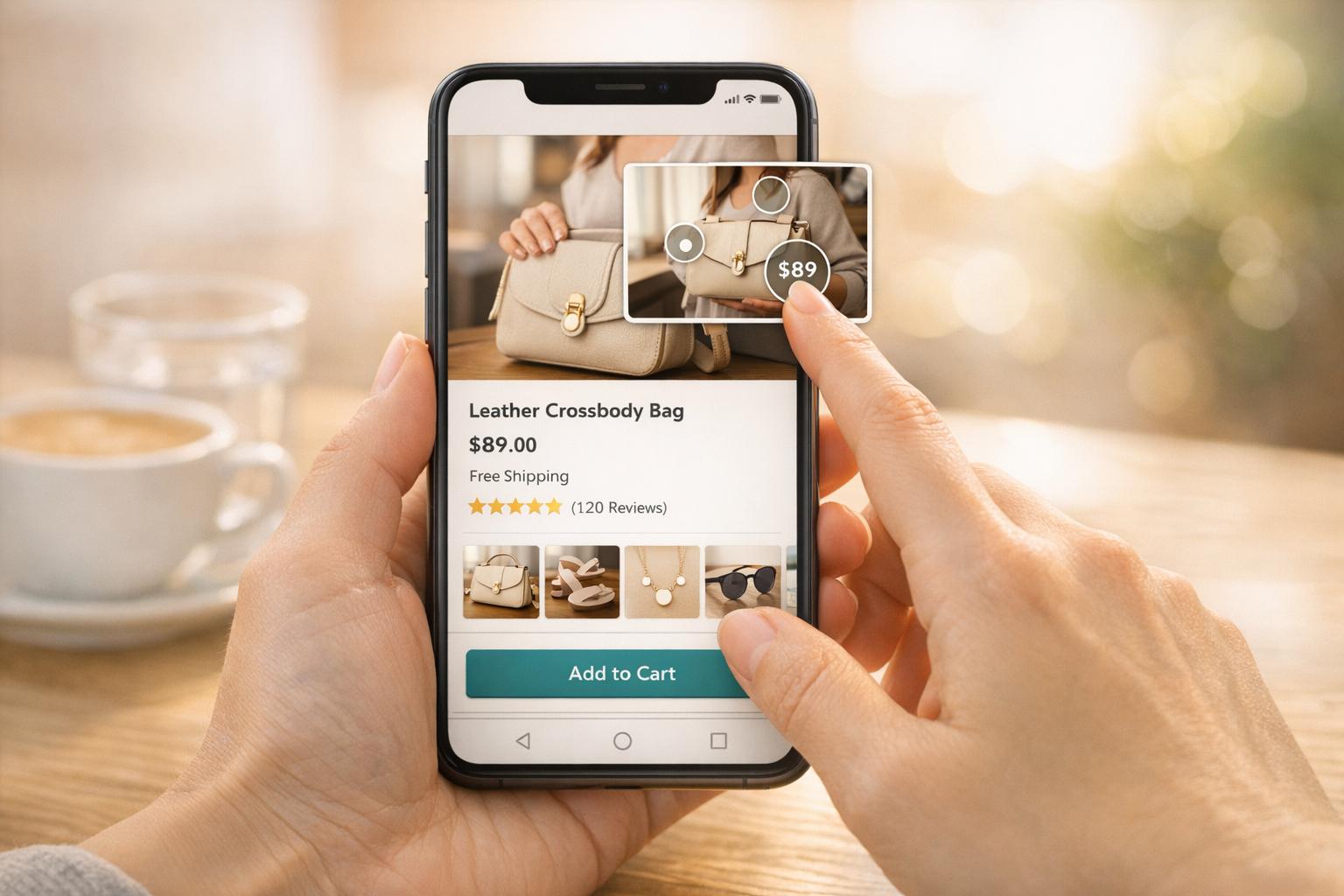
Shoppable videos simplify online shopping by letting viewers click directly on products within the video to add them to their cart. Unlike traditional videos, which often require extra steps to purchase, shoppable videos create a direct, frictionless shopping experience. Here’s what you need to know:
- Placement Matters: Position videos above the fold, inside image galleries, or as sticky widgets for better visibility.
- Mobile Optimization: Use vertical or square formats, avoid autoplay, and ensure clickable product tags are easy to tap.
- Engaging Content: Show products in use, tell relatable stories, and keep videos short (30–60 seconds).
- Clickable Tags: Add clear, concise product tags that appear at relevant moments in the video.
- Performance Tracking: Monitor metrics like watch time, click-through rates, and conversion rates to refine your strategy.
Tools like UWidget make it easy to embed and optimize shoppable videos on Shopify, ensuring fast load times and responsive design. With video influencing 87% of buying decisions, these practices can help boost conversions and improve the shopping experience.
How to Add Shoppable Stories to Shopify Product Pages (Step-by-Step)

Where to Place Shoppable Videos on Product Pages
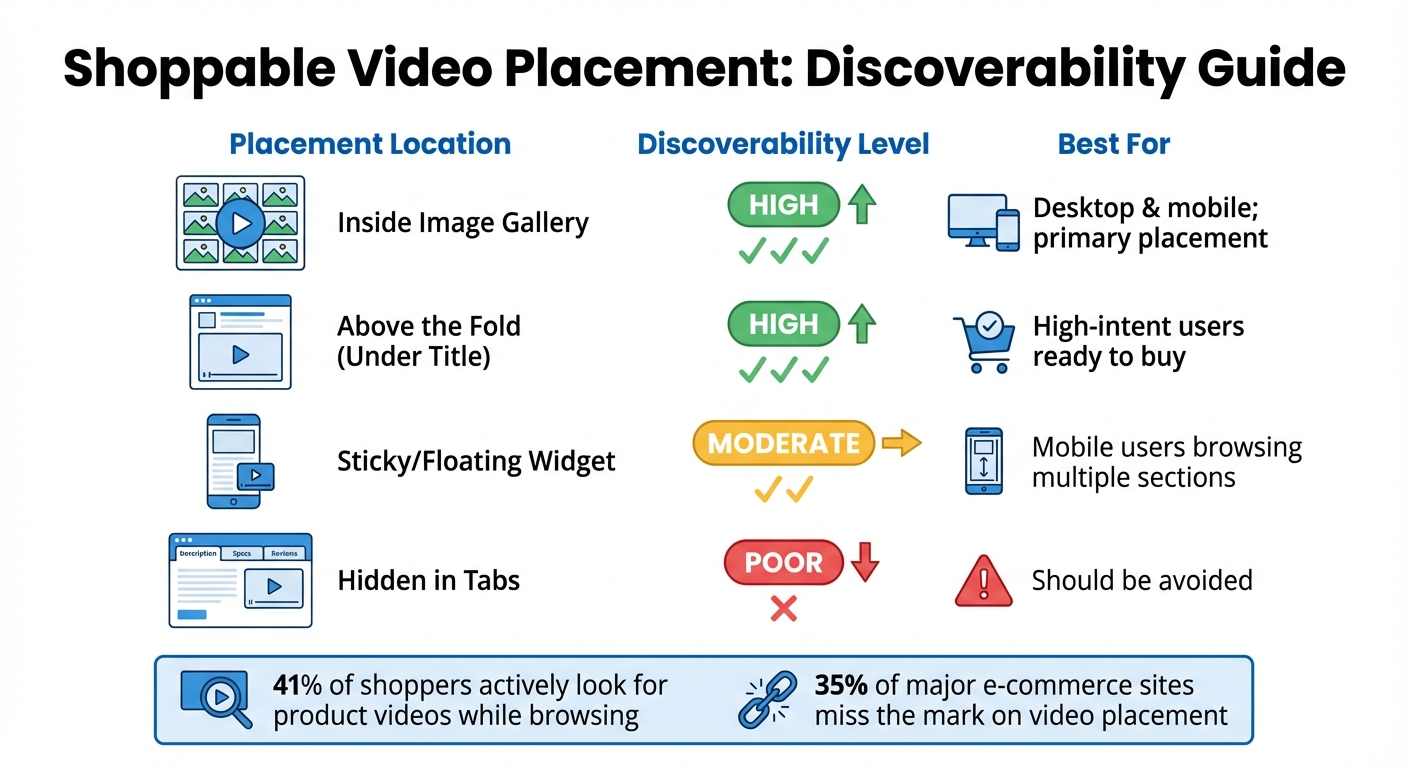
Shoppable Video Placement Guide: Discoverability Comparison for Product Pages
Placing videos strategically on your product pages can make a big difference in engagement and conversions. A surprising 35% of major e-commerce sites miss the mark on video placement, leading to poor visibility. Meanwhile, 41% of shoppers actively look for product videos while browsing. Since customers often view videos as part of the same visual story as product photos, burying them further down the page can mean they go unnoticed. One participant in a Baymard Institute study expressed their frustration:
"So there it is. Lots of scrolling down. That's not what I would have expected at all… I would think the video would be right in the overview" (Anonymous Test User, Baymard Institute).
Here’s how to ensure your shoppable videos grab attention across all devices.
Above the Fold Placement
Positioning videos at the top of your product page - above the fold - guarantees they’re seen immediately. This spot takes advantage of natural browsing habits since shoppers almost always glance at the image gallery first. Embedding a video in this area ensures it’s front and center when buying intent peaks. The Moast Team sums it up well:
"Put video where intent already exists".
Rather than creating a separate section for videos, integrate them directly into the main gallery to seamlessly grab attention.
Next to Product Images
Adding video thumbnails to the image carousel is another effective approach. Videos placed alongside product photos complement the visual story and can encourage conversions. To make them stand out, use a play icon overlay on the video thumbnails, signaling that they’re interactive. Avoid separating videos into horizontal tabs, as this can make them easy to miss. Keeping videos within the primary carousel ensures they stay in the shopper’s line of sight.
Mobile Screen Placement
Mobile users need special consideration due to limited screen space. Opt for vertical (9:16) or square video formats to take full advantage of the mobile viewing experience. Story-style videos work particularly well here since they align with how users interact with mobile content. To keep videos accessible without disrupting the browsing flow, consider sticky sections or floating widgets that follow users as they scroll. Just be sure not to autoplay videos on mobile - offer a "Play Video" button instead, giving shoppers control over when they engage.
| Placement Location | Discoverability | Best For |
|---|---|---|
| Inside Image Gallery | High – aligns with expectations | Desktop & mobile; primary placement |
| Above the Fold (Under Title) | High – immediate attention | High-intent users ready to buy |
| Sticky/Floating Widget | Moderate – consistent presence | Mobile users browsing multiple sections |
| Hidden in Tabs | Poor – often overlooked | Should be avoided |
To make implementation easier, tools like UWidget by Fractal Apps can help. This app supports responsive video formats and lazy-loading configurations. The Premium plan, priced at $19.99/month, offers unlimited video widgets and full mobile optimization, ensuring your videos shine no matter where they’re placed.
How to Create Engaging Video Content
Creating engaging shoppable videos hinges on making them feel relatable and genuine. When videos come across as honest recommendations rather than aggressive sales pitches, they build trust more quickly. The key is to help viewers imagine how your product fits into their daily lives while making it easy for them to take action. Let’s dive into a few proven strategies to showcase your product effectively.
Show Products in Use
Seeing a product in action helps customers understand its benefits. Instead of static images, opt for videos featuring real people using the product. This approach gives a clearer sense of fit, scale, and texture. For example, if you're promoting kitchen tools, show someone preparing dinner in their home kitchen. Short clips focused on addressing a single customer concern - like a 30-second video demonstrating how easily a backpack’s straps adjust - are often more impactful than lengthy overviews that try to cover every feature.
Tell a Story
Storytelling takes product videos to another level by creating emotional connections. A simple problem-solution structure works wonders: show someone facing a challenge, introduce your product as the solution, and demonstrate how it improves their situation.
Chloe West from Shopify explains:
"Video is a powerful tool that can strike an emotional chord and subconsciously tell customers how they should feel about your brand or products".
Consider highlighting real customer stories. For instance, a parent showing how a baby carrier makes grocery shopping easier can resonate far more than a polished, scripted ad. Authentic, user-driven testimonials not only feel more trustworthy but also reduce skepticism. With 96% of consumers having watched explainer videos to learn about products or services, the right story can turn casual interest into a purchase.
Use Quality Production
Good production values are essential, but that doesn’t mean your videos need to look like Hollywood productions. Clear visuals, stable footage, and natural settings often outperform overly polished studio work because they feel more relatable.
Audio quality is critical - poor sound can erode trust. Use external microphones, like lavaliers or boom mics, to ensure clear narration, and consider affordable stock music to add a professional touch. For lighting, natural light often works best, keeping the video authentic and approachable.
Keep your videos short and to the point: 30–60 seconds for product pages and 15–45 seconds for social media clips. As the Moast Team puts it:
"Real customers, real homes or environments, natural lighting, imperfect but authentic delivery".
The goal isn’t perfection - it’s creating a connection that feels real and relatable.
Video Design Best Practices
Creating engaging content is just the first step - smart design ensures your videos turn viewers into buyers. A well-designed video encourages shoppers to interact and make purchases. Here's how to craft shoppable videos that guide users effortlessly from watching to shopping.
Add Clickable Product Tags
Clickable product tags make it easy for customers to shop while watching. By allowing viewers to add items to their cart directly from the video, you remove unnecessary steps and boost conversions. Make sure tags appear at the exact moment the products do, enabling immediate purchase.
Keep tag names short and easy to recognize. For example, instead of "Premium Organic Cotton T-Shirt - Blue - Size M", go with something like "Blue Cotton Tee." Highlight only the primary products to avoid overwhelming viewers with too many choices. As the Moast Team puts it:
"The fewer steps between 'this looks good' and 'add to cart,' the higher the chance of conversion".
Since most e-commerce traffic comes from mobile devices, ensure product tags are large enough to tap easily. Test your videos on a smartphone to confirm that tags are user-friendly and not too small or awkward to click.
Keep Videos Short
Short videos perform better, especially for e-commerce. Stick to one clear objective per video, keeping the duration between 30–60 seconds. For social media clips embedded on product pages, aim for an even shorter length of 15–45 seconds. Each video should focus on one specific use case, like showing how a product fits, demonstrating a feature, or highlighting a before-and-after result.
Include Subtitles and Visual Prompts
For mobile users, where sound is often off, subtitles and visual cues are a must. Captions ensure your message gets across even when the audio is muted. This is especially important for people browsing while commuting or scrolling quickly through their feeds.
Add visual prompts like arrows, highlighted text, or animated calls-to-action to draw attention to key elements. These cues can guide viewers toward product tags or other important details without relying on sound. Make sure text is large enough to read on small screens and contrasts well with the background. Simple instructions like "Tap to shop" or "Swipe up" can significantly increase engagement.
sbb-itb-d9e5b3a
Optimizing Videos for Mobile Devices
Mobile shopping plays a massive role in e-commerce, which means your shoppable videos need to perform seamlessly on smartphones. With 87% of customers saying videos influence their buying decisions and shoppers being 64% more likely to purchase after watching a product video, getting the mobile experience right isn't just important - it's essential for driving sales. To make this happen, focus on fast-loading formats and intuitive tag placements that work perfectly on smaller screens.
Use Responsive Video Formats
Choosing the right video format can make or break the user experience. A smooth, frustration-free shopping journey keeps customers engaged, while slow-loading or incompatible videos can send them packing. MP4 (H.264) is a solid choice, as it works across all mobile browsers, delivers high-quality visuals, and keeps file sizes manageable. Rob LeFebvre from Shopify puts it perfectly:
"A format that works beautifully on desktop might choke on mobile... Picking a video format starts with knowing what you need. Is it crystal-clear resolution? Fast load times? Something lightweight that won't tank your mobile experience?"
For mobile, MP4 (H.264) and vertical (9:16) formats are ideal. They naturally fill the screen and draw 40% more attention. Keep file sizes under 20MB - preferably between 5-10MB - to ensure quick loading, even on slower networks. To further improve performance, implement lazy loading, which can speed up page load times by 40-60% and reduce bounce rates by 25%.
But optimizing file formats is just the start. Making sure interactive elements work well on mobile is just as important.
Position Tags for Small Screens
Once your video files are optimized, focus on making product tags user-friendly for mobile shoppers. Tags need to be easy to tap, so increase their size and space them out to avoid accidental clicks on the wrong element or video controls. Place tags at natural pause points in the video - moments when a product is clearly visible, and the action slows down - so they grab attention without disrupting the flow.
Be mindful of where tags appear on the screen. For example, if you're showcasing the texture of a jacket, don't place a tag over the fabric detail you're highlighting. Use a minimum font size of 16px and ensure a contrast ratio of at least 4.5:1 for easy readability, especially for users browsing outdoors in bright light. On platforms like Instagram, limit the number of product tags to five per video to avoid overcrowding the screen. Clear, actionable prompts like "Tap to Shop" guide users naturally and encourage them to make a purchase.
Using Customer Videos to Build Trust
Customer videos are a powerful way to connect with your audience, offering authentic and relatable experiences. Did you know that 79% of people have watched a video testimonial to learn more about a company, product, or service? Even better, 42% of viewers find these videos effective because they feature real people sharing their stories. Unlike text reviews, videos capture personality and tone, helping messages stick - 95% of information from a video is retained, compared to just 10% from written content.
This kind of authenticity makes a difference. When shoppers see products being used by people like themselves, it helps reduce doubts and builds emotional connections. In fact, product pages with videos can experience conversion rates that are up to 80% higher. Customer videos, combined with genuine product usage and high-quality production, show how real content can drive real results.
Let’s dive into how testimonial videos and social media clips can take trust to the next level.
Feature Customer Testimonials
Customer testimonials are most effective when they tell a story - what problem the customer faced, how the product solved it, and the results they achieved. Forget the scripts! Unscripted comments feel more natural and believable.
"People buy from people, not just companies".
Choose customers from a variety of backgrounds to ensure your audience can connect with their experiences. To boost credibility, mix interview footage with B-roll shots of the product in action. Keep these videos short and focused, ideally between 15 and 45 seconds, and highlight just one use case at a time. Don’t forget subtitles - many mobile users watch videos without sound.
Beyond testimonials, social media content plays a big role in showcasing real-life product use.
Add Social Media Content
Social media platforms are goldmines for authentic customer content. Tools can help you pull videos directly from Instagram, TikTok, or YouTube, turning them into shoppable content for your product pages.
Unboxing videos and honest reviews are especially effective because they highlight genuine first impressions and enthusiasm. Display this content in video galleries or carousel sliders with clickable product tags, making it easy for customers to add items to their cart straight from the video. A great example comes from Tortuga, a travel backpack brand. They created a shoppable video gallery featuring organic social media clips from real travelers. Their pop-up video player includes an integrated checkout cart, offering both social proof and a direct path to purchase. This smart approach ties directly into creating seamless shopping experiences on Shopify product pages.
How to Track Video Performance
Measuring how your videos perform is a must if you want to sharpen your shoppable video strategy on product pages. After all, you can’t improve what you don’t measure. Tracking performance gives you a clear picture of what’s working, what isn’t, and where to focus your time and budget. It’s no surprise that 81% of marketers say video content has directly boosted their sales.
One key area to focus on is connecting video engagement to sales. Modern analytics tools make it possible to track direct revenue, such as purchases made through the video player itself. Analyzing these numbers helps you fine-tune your product pages to maximize conversions.
Metrics to Monitor
Start by looking at engagement metrics to see if your videos are holding viewers’ attention. While view count shows how far your content is reaching, metrics like watch time and completion rate dig deeper into how engaged viewers are. For instance, if you notice a lot of viewers dropping off early, it may be a sign that your video’s opening isn’t grabbing attention effectively.
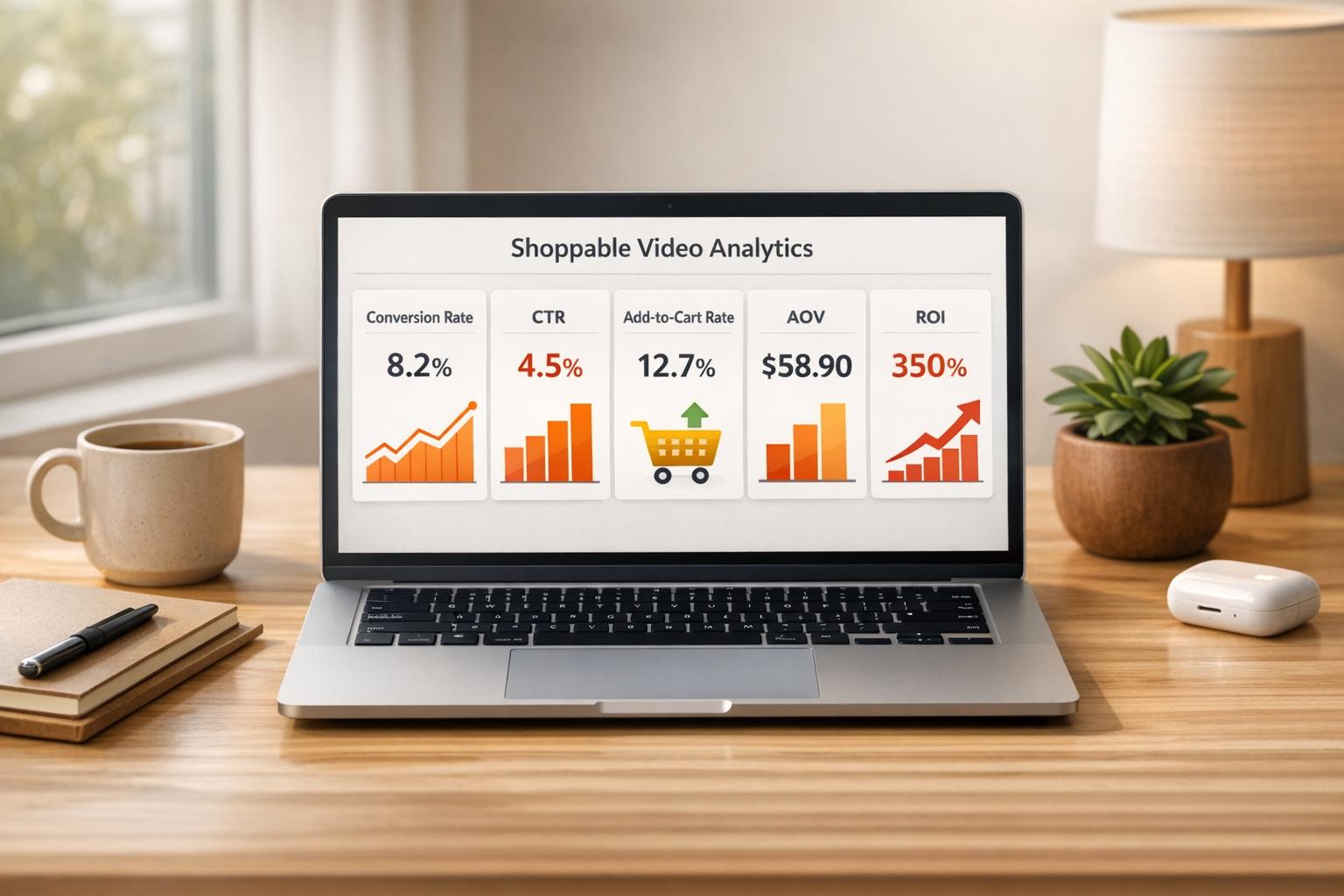
Next, track conversion metrics to understand how your videos are driving sales. Pay attention to data points like click-through rates (CTR) on product tags, add-to-cart actions, and overall conversion rates. If your numbers aren’t where you’d like them to be, consider experimenting with call-to-action (CTA) placements - like adding product tags within the first 15 seconds of the video - to improve performance.
Finally, focus on financial metrics to connect video performance directly to your revenue. Metrics like video-driven sales, return on ad spend (ROAS), and average order value (AOV) provide a clear picture of your return on investment (ROI). Businesses that use advanced analytics often see a 20–30% boost in results from their video campaigns.
Once you’ve identified the key metrics, specialized analytics tools can help you monitor them in real time.
Analytics Tools for Video Tracking
Shopify Analytics is a great starting point for real-time, sales-focused data like AOV, gross sales, and returning customer rates. For deeper audience insights, Google Analytics offers more detailed segmentation.
If you’re looking for tools built specifically for video, apps like Videowise and Firework are worth considering. These platforms provide dashboards that track influenced revenue - sales tied to customers who watched a video and then made a purchase during the same session. Videowise, for example, has earned a 5/5-star rating from over 250 reviews on the Shopify App Store. It even includes funnel visualizations, showing every step of the shopper’s journey from watching a video to completing a purchase. One brand using Videowise reported that visitors spent an extra 26.5 seconds on average per session and credited 60% of their revenue to its story widget.
Additionally, UTM parameters combined with Google Analytics can help you track how video traffic behaves after leaving the player. This allows you to pinpoint which videos are driving the most valuable traffic and refine your strategy accordingly.
Conclusion
Well-placed, high-quality videos can create a direct path to driving conversions. By showcasing products in action, sharing engaging stories, and ensuring top-notch production, you set the stage for success.
Considering that over 64% of global web traffic comes from mobile devices, designing with mobile users in mind is no longer optional - it's essential. Features like responsive layouts, clickable product tags tailored for smaller screens, and faster load times via lazy loading are key. Even a one-second delay can reduce mobile conversions by up to 20%, so speed matters.
Tracking performance is another critical piece of the puzzle. Metrics like watch time, click-through rates on product tags, and direct sales allow you to fine-tune your strategy. As Chloe West from Shopify points out:
"Product videos - when done correctly - are a highly successful and motivational tool for driving sales".
Once you’ve nailed the strategy, seamless integration becomes the next step. Tools like UWidget make it easy to embed YouTube videos into your Shopify store. With features like shoppable carousels and sticky video players, UWidget turns video engagement into sales. Plus, with lazy loading for speed and plans starting at just $5.99/month, it’s a budget-friendly option. The app even boasts a perfect 5.0/5-star rating on the Shopify App Store.
FAQs
How can I make sure my shoppable videos work well on mobile devices?
When creating shoppable videos for mobile users, both design and performance are key. Start by using vertical (9:16) or square (1:1) aspect ratios, as these formats naturally fit mobile screens and provide a seamless viewing experience. To keep load times in check, compress your videos using efficient formats like H.264, which balances quality and file size effectively. Additionally, enable lazy loading so videos load only when users interact with them, boosting page speed.
Another important tip: avoid autoplay. This not only conserves mobile data but also ensures a smoother experience for viewers. To further improve playback quality and reduce buffering, host your videos on platforms with strong content delivery networks (CDNs). By following these steps, you can create a mobile-friendly experience that encourages engagement and drives more conversions.
What are the best practices for adding shoppable videos to product pages?
To get the most out of shoppable videos on product pages, focus on where you place them and how easy they are to use. Position videos in spots that naturally grab attention, like near product images or within the product description. Embedding them at the top of the page or alongside essential product details can also draw users in and boost interaction.
Make sure your videos are quick to load and high-quality - nothing turns shoppers away faster than slow or grainy content. Use layouts that feel natural, such as carousels or galleries, to seamlessly integrate videos into the page. When you combine smart placement with a smooth, user-friendly design, you create an interactive shopping experience that makes it easy for customers to explore and buy products directly from your videos.
What’s the best way to measure the success of shoppable videos on product pages?
To gauge how well your shoppable videos are performing, keep an eye on key performance indicators (KPIs) like conversion rates, engagement levels, and video-influenced sales. These metrics help you understand how effectively your videos are turning viewers into customers.
Also, don't overlook other important data points such as view duration, click-through rates, and audience retention. These will give you a clearer picture of how viewers are interacting with your content and where you might need to make adjustments.
Leverage analytics tools to track these metrics consistently. By digging into the data, you can spot trends, pinpoint weak spots, and fine-tune your approach to create videos that captivate your audience and drive more revenue.