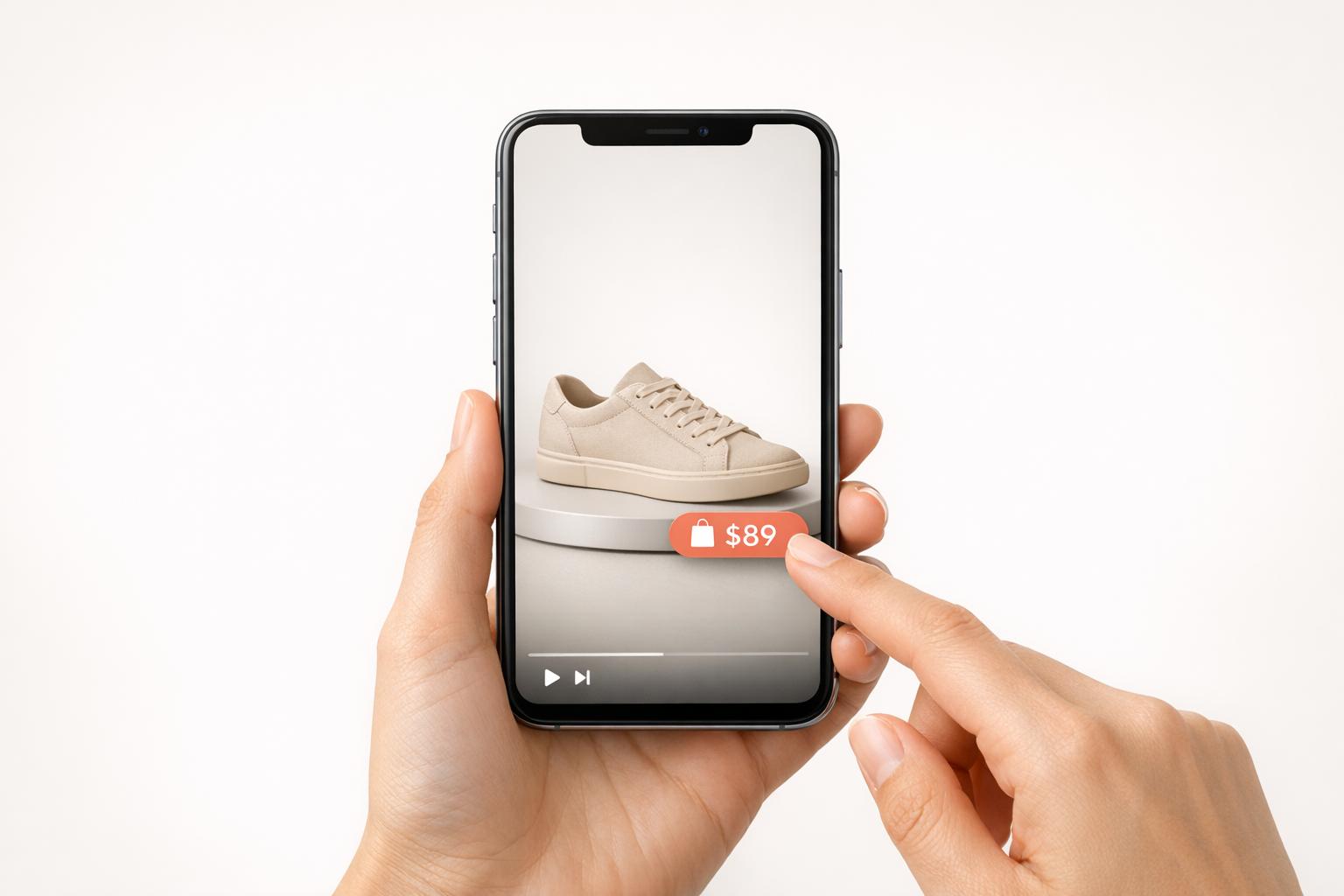
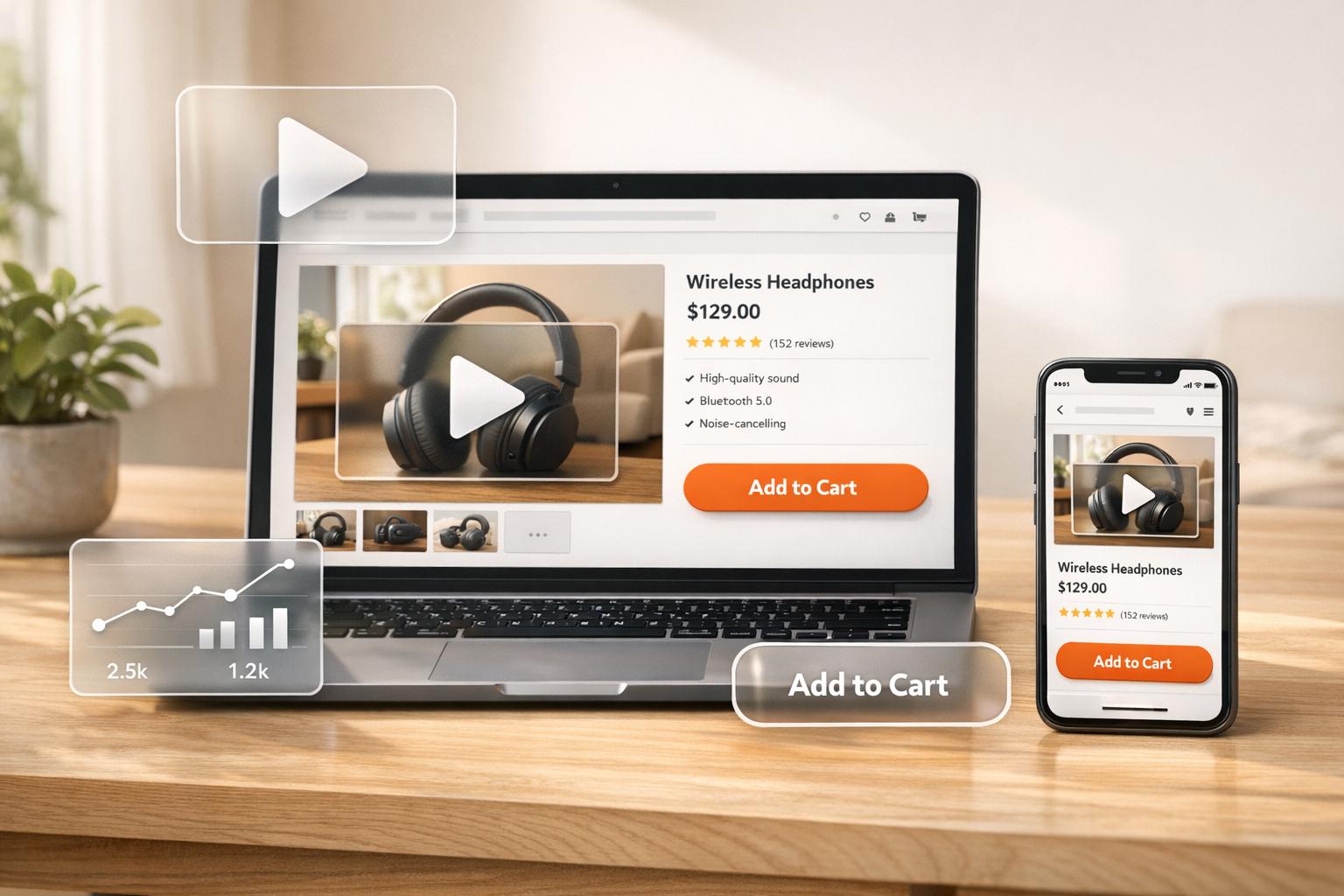
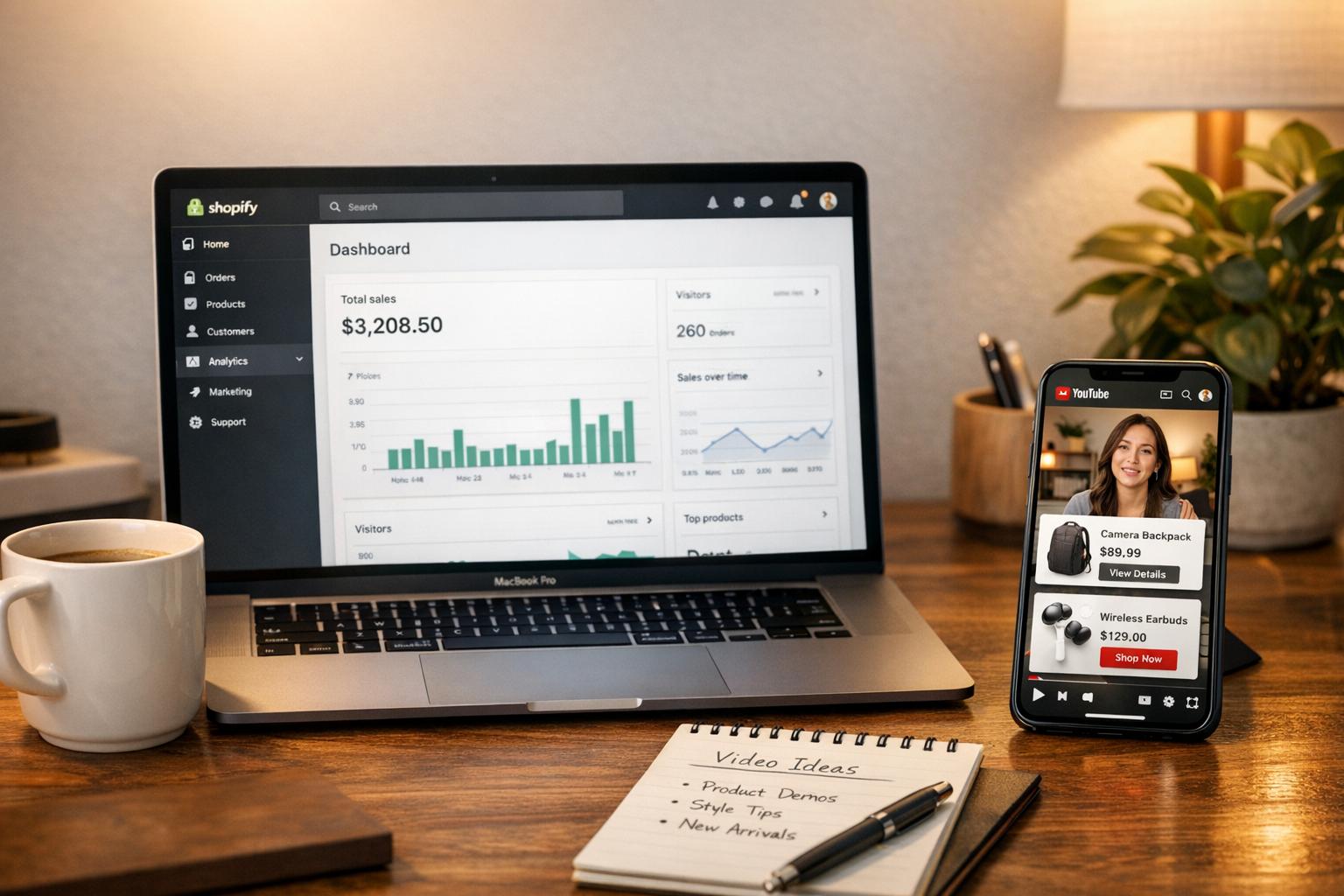
Shoppable video stories are transforming online shopping by making it easier for customers to buy directly from videos. These interactive videos outperform traditional formats, driving 3-4x higher engagement and conversions. For example, Shopify brands like Ava Estell and Busy Baby Mat have seen conversion rates of 21% and 11.49%, respectively, and significant revenue boosts by integrating shoppable features.
Here’s how you can create effective shoppable video content for your Shopify store:
- Plan your story: Focus on a simple structure - hook, emotional connection, and solution. Use relatable scenarios and highlight how your product solves problems.
- Choose the right format: Use vertical videos (9:16) for mobile users. Keep product highlights under 15 seconds and tutorials under 10 minutes.
- Feature products strategically: Limit to 1-3 products per video, and use clickable tags or CTAs like "Shop This Look" at key moments.
- Optimize for mobile: Test videos on actual devices, ensure fast load times, and add captions for silent viewing.
- Track performance: Use metrics like click-through rates and conversions to refine content and improve results.
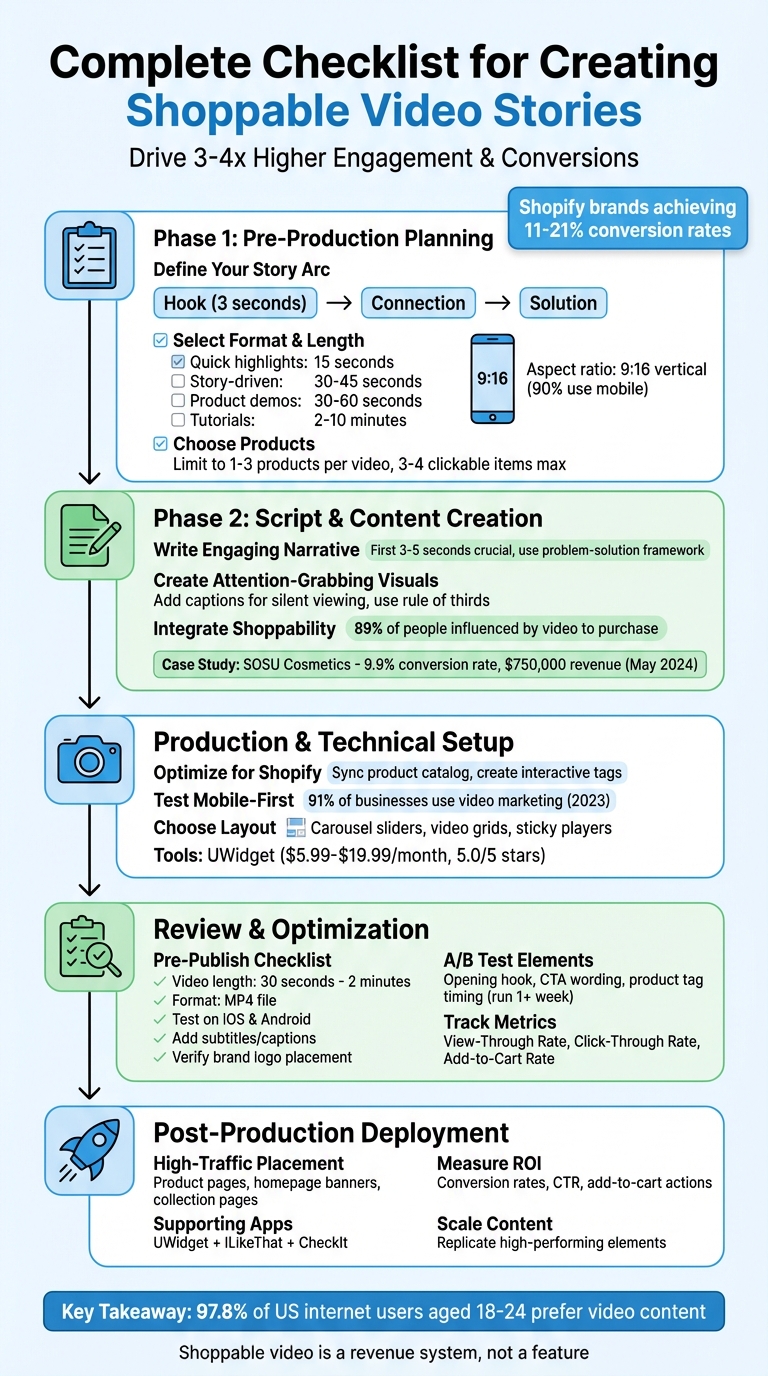
Complete Checklist for Creating Shoppable Video Stories - 5 Key Phases
Shoppable Videos: Step-by-Step Guide
Learn how integrating YouTube with your Shopify store can turn these videos into direct sales channels.
sbb-itb-d9e5b3a
Pre-Production Planning
Before you start filming, you need a solid plan. Pre-production planning is the backbone of any successful shoppable video, setting the stage for whether viewers engage and convert - or simply scroll past. This is where you map out your story, pick the right format, and decide which products will take center stage.
Define Your Story Arc
Every great shoppable video sticks to a straightforward structure: hook, connection, and solution. Your opening should grab attention immediately - whether that’s by addressing a specific need, sparking curiosity, or introducing an intriguing question. You’ve got just three seconds to convince viewers to stay.
Once you’ve hooked them, focus on building an emotional connection. This could mean tapping into nostalgia, presenting relatable everyday scenarios, or showcasing a lifestyle that resonates with your audience. Only after establishing this bond should you introduce your product as the solution to a clear problem. Use a before-and-after transformation or a similar approach to make the product’s value obvious. This method naturally leads viewers to that "Add to Cart" moment without feeling forced.
"A well-crafted story humanizes your brand and keeps viewers emotionally invested all the way to the checkout." - Tolstoy
Once your story arc is in place, the next step is deciding on the best format and length to deliver your narrative.
Select the Right Video Format and Length
The format and length of your video depend on two key factors: where you’ll post it and what you want it to achieve. Since 90% of consumers use mobile devices, it’s smart to prioritize a vertical 9:16 aspect ratio for a seamless viewing experience. Horizontal videos, which require users to rotate their phones, often lead to lost engagement.
- For quick product highlights, aim for 15 seconds and focus on showcasing one key benefit.
- If you’re telling a story-driven narrative with characters or transformations, keep it to 30–45 seconds.
- Product demos perform best in the 30–60 second range.
- Tutorials or in-depth content can stretch to 2–10 minutes, depending on the complexity.
"The sweet spot [for product videos] is around 30 to 60 seconds long." - Chloe West, Shopify
Make sure your video works for silent viewers, too. Add captions and on-screen text since many people browse with their sound off. This ensures your message gets across, no matter how they’re watching.
After nailing the format and length, it’s time to choose which products to feature and how to integrate interactive elements.
Choose Products and Plan Interactive Elements
Focus on 1–3 eye-catching products that solve specific problems or fit a particular theme, like "beach must-haves" or "winter essentials". Use Shopify analytics to identify top-performing or trending items. Avoid cramming too many products into one video - keeping it to 3–4 clickable products ensures viewers aren’t overwhelmed.
Plan the timing of interactive elements like clickable tags or product cards so they appear when the product is on screen. Place CTAs (calls to action) where they’re easy to tap - usually in the center or lower third of the screen on mobile devices. Text like "Shop This Look" can complement the video’s tone and style.
To keep viewers engaged, consider adding interactive tools like quizzes or polls to personalize their experience. You can also use countdown overlays to create a sense of urgency and encourage immediate action. These interactive features should align with the emotional and narrative beats of your video, turning passive viewers into active participants - and driving conversions in the process.
Script and Content Creation
Now that your planning is complete, it’s time to implement video marketing strategies for Shopify stores by crafting a script and designing visuals that grab and hold attention. This is where your story arc comes to life through words and imagery that feel genuine, visually appealing, and effortlessly shoppable. The aim? To create content that viewers want to watch - not something they’d click away from like a typical ad.
Write an Engaging and Relatable Narrative
Kick things off with a personal, relatable hook. Build your story around a "before and after" or "problem and solution" framework that resonates with your audience. Instead of diving straight into product features, start with a scenario people can connect with - like the struggle to find a reliable skincare routine or a bag that fits both a laptop and gym clothes.
The first 3–5 seconds are crucial. Use this time to establish a connection with your audience. Nostalgia, lifestyle moments, or curiosity-sparking questions work well here. For instance, asking, "Ever feel like your morning routine takes forever?" speaks directly to busy professionals. Once you’ve drawn them in, introduce your product as the natural answer to their problem.
Keep your narrative segments concise - 30–45 seconds is ideal for maintaining interest. Wrap things up with a call-to-action that feels like a natural part of the story, such as, "This is how I finally simplified my mornings", rather than a generic "Shop now." You can also incorporate interactive elements like, "Which color suits your vibe?" to encourage engagement through mid-video polls or quizzes.
"Think of interactive videos as a 24x7 sales rep. While creating these videos, ask yourself, 'How would I pitch this product to a customer?'" - Videowise
Create Attention-Grabbing Visuals and Text
With your narrative in place, enhance it with visuals and text that command attention. High-quality footage is a must, but it’s more than just about sharp resolution - it’s about showing your product in action. Highlight features that static images can’t, like the stretch of activewear, the texture of a fabric, or how a bag’s compartments keep everything organized. Action shots help viewers imagine owning the product and understanding its benefits.
Design your video for silent viewing by adding captions and on-screen text that emphasize key features as they’re shown. For example, phrases like "Water-resistant" or "Fits a 15-inch laptop" should appear at the exact moment those features are demonstrated.
Use quick cuts and dynamic camera angles to keep things visually interesting. Follow the "rule of thirds" when framing shots to naturally draw the eye toward your product. If you’re showcasing multiple items, make sure each one gets its moment to shine without overcrowding the screen.
Seamlessly Integrate Shoppability Into the Script
Once your narrative and visuals are set, it’s time to weave shoppability into the mix. Recall the 1–3 key products you’ve chosen to feature and position them naturally within your script. Plan scenes where products appear organically, and align interactive tags so they fit seamlessly into the flow.
Limit your video to 3–4 clickable items to avoid overwhelming viewers. For example, if you’re showcasing a skincare routine, demonstrate each step in sequence, tagging products as you go. Place shoppable links strategically: include one early on to capture initial interest and another at the end when viewers are ready to act.
Match the pacing and tone of your script to your video’s goal. Use a faster tempo to convey urgency for limited-time offers, or a slower, relaxed rhythm for lifestyle or wellness themes. Above all, your script should feel conversational - not like a hard sell. This approach matters, especially since 89% of people say watching a video has influenced them to make a purchase.
In May 2024, SOSU Cosmetics implemented shoppable e-commerce videos using Videowise. By focusing on authentic, story-driven content that included user-generated clips and product demonstrations, they achieved a 9.9% conversion rate and generated over $750,000 in revenue. They also saw an 8% increase in average order value among users who engaged with their videos.
Production and Technical Setup
With your script and visuals ready, the next step is ensuring seamless performance across devices. This phase is critical - your content needs to load quickly and function smoothly to turn viewers into buyers. A slow or clunky experience can drive potential customers away.
Optimize for Shopify Integration

Start by choosing a shoppable video app from the Shopify App Store that links directly to your store's URL. These apps typically sync with your product catalog, allowing you to tag items in your videos. You can import content by pasting YouTube URLs, syncing playlists, or pulling videos from platforms like TikTok and Instagram.
Once your videos are uploaded, link products from your Shopify catalog to create interactive tags. These clickable tags make it easy for customers to watch and shop simultaneously. Be strategic with placement - keep the interface clean by limiting the number of clickable items to avoid overwhelming viewers.
The layout you choose matters too. Carousel sliders are great for homepages, video grids work well on collection pages, and sticky players ensure your content stays visible as users scroll through product details. Placing videos in high-traffic areas can significantly boost visibility and engagement, turning your story into a direct path to purchase.
After perfecting Shopify integration, focus on optimizing your videos for mobile users.
Test Mobile-First Design and Load Times
Mobile optimization is non-negotiable. With 91% of businesses using video in their marketing strategies in 2023, your videos need to load quickly and look great on smaller screens. Techniques like thumbnail-first and lazy loading can help improve page speed and save mobile data.
Testing on actual mobile devices - not just resized desktop browsers - is crucial. Make sure clickable tags are easy to tap, text is readable, and video players adapt to different screen sizes. A smooth mobile experience ensures your audience can interact with your content effortlessly.
To further enhance engagement while keeping load times in check, consider using specialized tools.
Enhance Engagement with Tools Like UWidget
Tools like UWidget can help you integrate YouTube content efficiently. UWidget supports features like thumbnail-first loading, lazy loading, and multiple display formats, including carousels, grids, sticky players, and banners.
The sticky player is especially useful for keeping shoppable videos in view as customers scroll through product pages.
"Tag products on videos so customers can watch and buy in one place." – Fractal Apps
UWidget is easy to set up. Simply connect your YouTube content, choose your layout, and add product tags directly within the player. Pricing starts at $5.99/month for the Starter plan (1 widget, 25 videos) and goes up to $19.99/month for unlimited widgets and videos. With a 5.0/5 star rating on the Shopify App Store and a 7-day free trial, it’s an affordable way to turn your YouTube videos into conversion tools.
Review and Optimization
Once your production setup and content strategy are in place, it's time to ensure every detail is polished before launch. Start with a thorough quality check. Your video should ideally run between 30 seconds and 2 minutes and be exported as an MP4 file for maximum compatibility across platforms. Make sure your call-to-action (CTA) is easy to spot, appearing in the first few seconds and again at the end. Double-check that all interactive elements - like clickable hotspots, product tags, and "add to cart" buttons - are fully functional. Test the video on actual mobile devices to confirm that vertical formats display correctly and text remains legible. Adding subtitles or captions is a must, not only for accessibility but also for viewers who prefer to watch without sound. Lastly, verify that your brand logo is included at both the beginning and end of the video, and ensure that your colors and fonts stay consistent throughout.
Complete a Pre-Publish Checklist
Before hitting publish, test your video on both iOS and Android devices. Ensure product tags are easy to tap and don’t obscure important visuals. Check that the lighting is bright, the audio is clear, and the footage looks sharp - no grainy or blurry shots allowed. Optimize your video for search by including keywords in the title, description, and captions. For your CTAs, use straightforward language like "Shop Now" to drive action.
A/B Test Video Elements
A/B testing is a powerful way to pinpoint exactly what works. Test one variable at a time to see what impacts conversions. Start with your opening hook - those first few seconds are critical to keeping viewers engaged. For example, compare a "Get Ready With Me" intro to a traditional product demo to determine which grabs attention better. Experiment with different CTA wording, such as "Shop Now" versus "Get the Look", to see which generates more clicks. You can also test product tag timing, showing tags early or waiting until the product is mentioned on-screen. Run these tests for at least a week to gather reliable data. Platforms like TikTok Ads Manager and Facebook Ads Manager offer built-in A/B testing tools to automate this process and track results. Use the insights you gain to refine your approach and improve performance.
Track Performance and Iterate
Keep a close eye on specific metrics to understand how your video is performing. Monitor the View-Through Rate (VTR) to assess if your video length is hitting the mark, track Click-Through Rate (CTR) on product tags to measure how effective your CTAs are, and review the Add-to-Cart Rate to identify any friction points. For instance, if your video gets a lot of views but a low CTR, you may need to reposition your CTA. On the other hand, a high CTR but low conversions might indicate a mismatch between the video’s message and the product page.
A real-world example: In May 2024, SOSU Cosmetics used the Videowise platform to implement shoppable videos. This effort led to an 8% increase in Average Order Value (AOV) among video-engaged users, generating over $750,000 in revenue with a 9.9% conversion rate. Use performance data to update your content regularly. Videos that perform well should be given prominent placement, while those that underperform may need tweaking or replacement.
Post-Production Deployment
Deploying your polished shoppable video in the right places can significantly boost revenue and engagement.
Place Videos in High-Traffic Areas
Strategically embedding videos in high-visibility spots is key to capturing attention and driving conversions. For instance, placing videos on product detail pages (PDPs) - near the price or within image carousels - can tap into purchase intent directly. On your homepage, videos can serve as banner backgrounds or appear in carousels to strengthen brand identity and spark product discovery.
Collection pages also benefit from video grids, offering a dynamic browsing experience. For mobile users, sticky or full-screen swipeable video players keep the content front and center, mimicking the familiar Instagram Reels or TikTok format. These placements ensure your videos stay visible throughout the shopping journey.
Once your videos are in place, you can enhance their impact by integrating supporting apps.
Boost Engagement with Supporting Apps
While videos grab attention, supporting apps can guide shoppers toward checkout. Tools like UWidget make YouTube videos directly shoppable on your storefront. This app provides layouts such as video galleries, carousel sliders, and sticky players, with pricing starting at $5.99/month for one widget and up to 25 videos.
To deepen engagement, pair UWidget with ILikeThat, which adds "like" buttons to products, fostering brand loyalty. Additionally, CheckIt introduces a checkout progress bar, helping reduce cart abandonment. Together, these apps create a seamless path from video interaction to purchase completion.
Measure ROI and Scale Content
Once your videos are live, tracking their performance is vital. Metrics like conversion rates, click-through rates (CTR), and add-to-cart actions can reveal which videos are driving results. For example, if a video has high watch time but a low CTR on product tags, consider repositioning the call-to-action. On the other hand, strong CTR but weak conversions may indicate a mismatch between the video’s message and the product page.
Look for high-retention segments in your most successful videos and replicate those elements in future content. Regularly update underperforming videos and expand formats that work - like product demos or unboxings - across other high-traffic pages.
"Shoppable video is a revenue system, not a feature".
To keep the momentum going, develop a streamlined process for collecting customer-generated video content. Treating video production as an ongoing effort, rather than a one-off task, will ensure a steady flow of engaging content.
Conclusion
This checklist highlights key strategies to turn passive viewers into active buyers through shoppable video stories.
Success hinges on three main factors: careful planning, genuine storytelling, and ongoing refinement. Start by setting clear goals and choosing products that shine in a visual format. Then, focus on crafting stories that connect emotionally - especially since 97.8% of US internet users aged 18-24 prefer video content, making it a powerful tool to engage younger audiences.
Technical execution is just as critical as creativity. Stick to the recommended video lengths to maintain viewer interest. Add clickable product tags within easy reach and ensure your videos load quickly by using lazy-loading techniques.
For seamless integration, tools like UWidget can help incorporate shoppable video content into your Shopify store.
Keep a close eye on metrics like watch time, engagement, and conversion rates to identify what works. Formats such as product demos, unboxings, and tutorials are particularly effective when paired with smart placement, interactive features, and data-driven adjustments. By following these steps, you can blend storytelling with technical precision to boost conversions on your Shopify store.
FAQs
Which products should I feature in a shoppable video first?
Start with bestsellers, new arrivals, or high-margin products that catch the eye. These types of items tend to draw attention faster and can boost customer interest and interaction right away.
What’s the best way to add product tags without hurting the story?
To include product tags without interrupting the story, make sure they are relevant and blend naturally into the content. Place them close to product mentions or weave them into the video itself in a way that feels organic. The goal is to boost discoverability while keeping the narrative smooth and engaging. Steer clear of excessive tagging or clutter that might pull attention away from the story.
How do I troubleshoot low clicks or sales from my shoppable videos?
To improve clicks or sales, focus on making your videos engaging. Start by telling a story that grabs attention, keep the content short and to the point, and use visuals and sound that draw people in. Adding interactive elements, like clickable product tags or polls, can encourage viewers to participate more actively.
Pay attention to video performance metrics, such as watch time and conversions, to see what’s working. Make sure your videos are optimized for mobile viewing and load quickly - no one likes waiting for a video to buffer. Finally, include a clear and persuasive call-to-action (CTA) to guide viewers on what to do next.