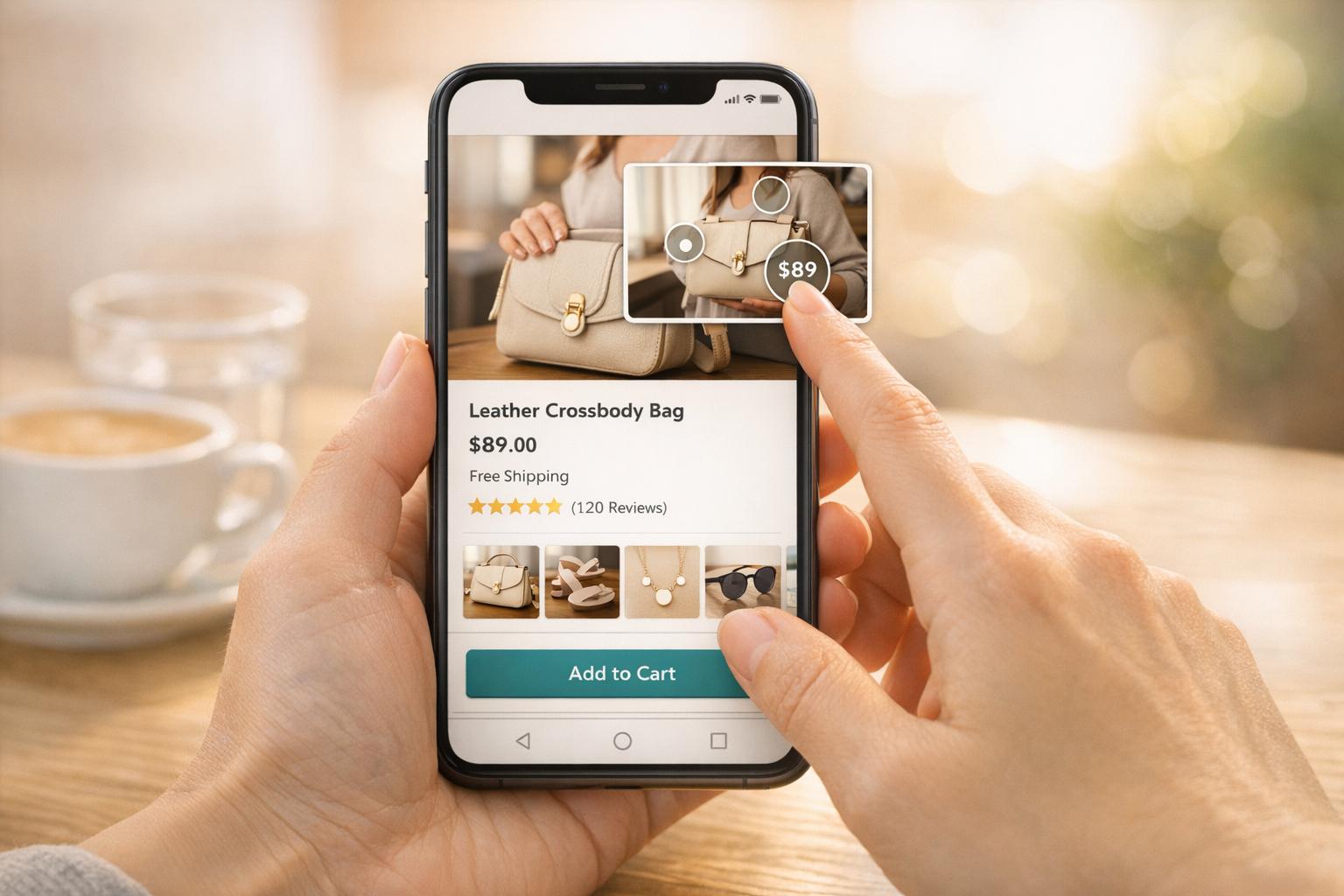
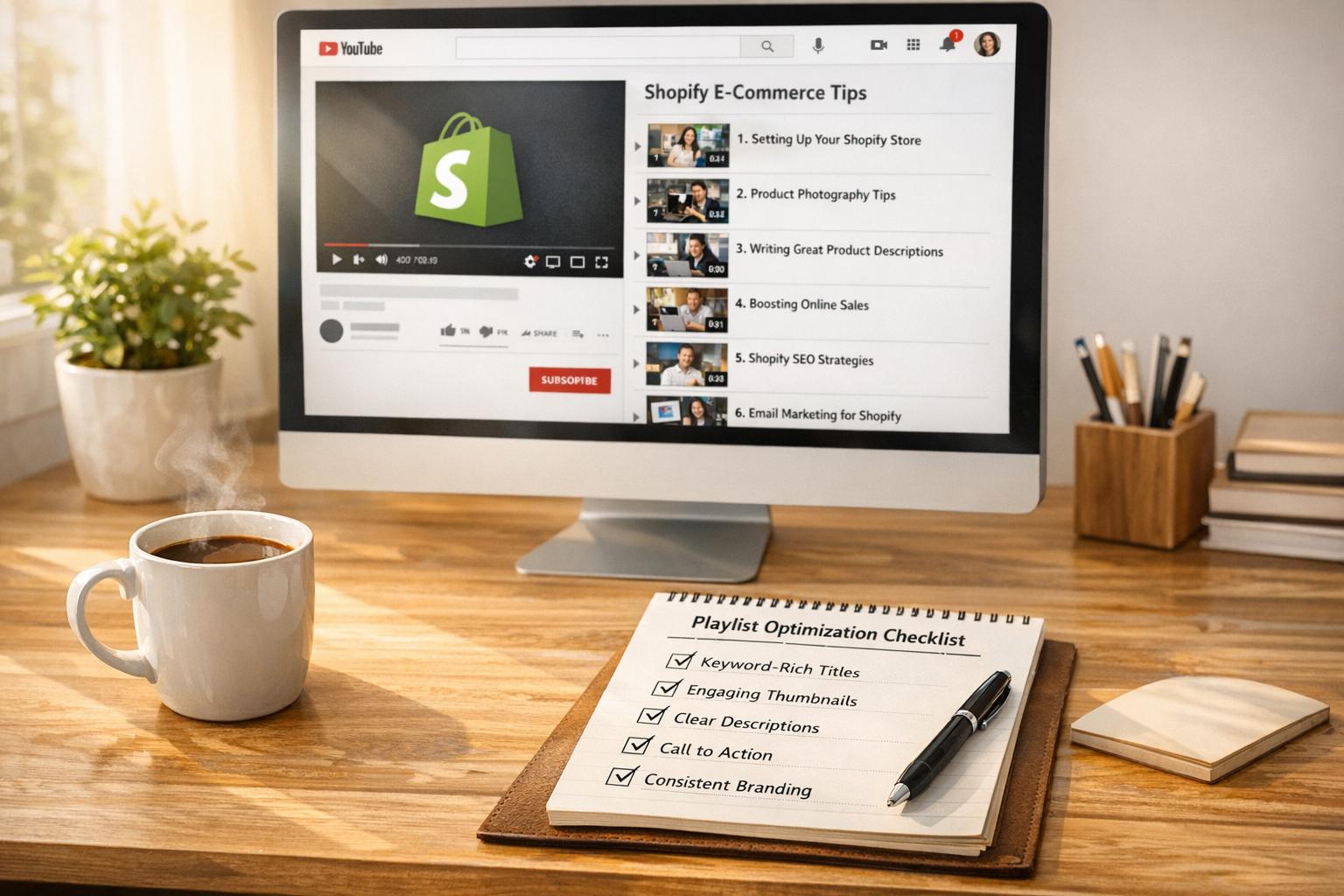
Interactive video playlists are reshaping how Shopify stores engage shoppers. These playlists allow users to interact directly with videos through clickable hotspots, shoppable tags, and branching paths, simplifying the journey from browsing to purchasing. With features like "Add to Cart" buttons embedded in videos, they reduce friction and improve conversion rates.
Key takeaways:
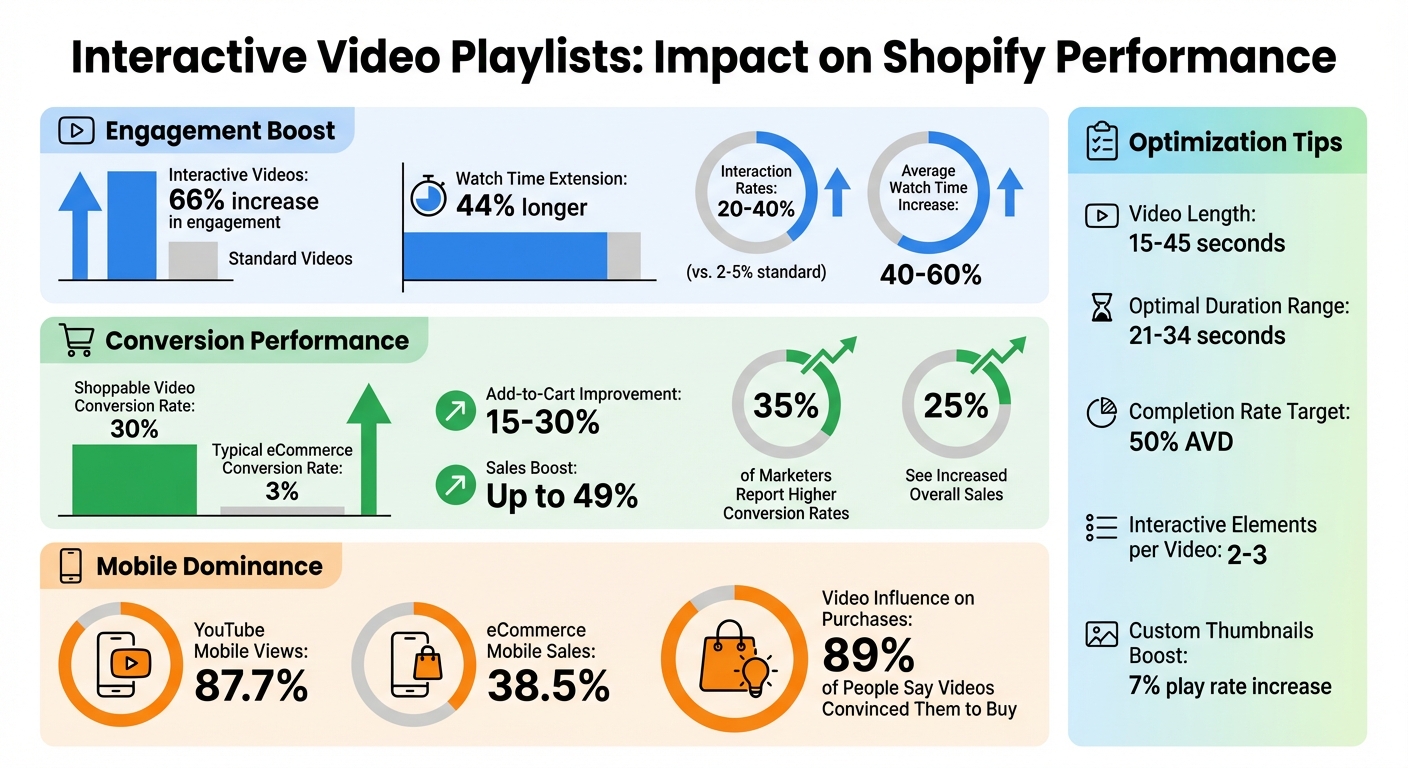
- Engagement Boost: Interactive videos increase engagement by up to 66% and extend watch times by 44%.
- Higher Conversions: Shoppable videos achieve nearly 30% conversion rates, compared to the typical 3% for eCommerce.
- Simplified Shopping: Features like product tags and AJAX-powered "Add to Cart" buttons streamline the buying process.
To implement, use tools like UWidget to embed YouTube playlists on Shopify. Place playlists strategically on pages like the homepage or product pages, and focus on concise, mobile-friendly videos. Track metrics such as engagement rates and click-through rates to refine your strategy and improve results.
Interactive playlists transform passive viewing into active shopping, driving more sales and enhancing the customer experience.
Interactive Video Playlists Performance Metrics for Shopify Stores
Benefits of Interactive Video Playlists for Shopify Stores
Interactive video playlists are changing how customers interact with your Shopify store. Instead of passively consuming content, shoppers actively engage - clicking, exploring, and even purchasing - without ever leaving the video. This shift from passive to active interaction leads to measurable improvements in three key areas: customer engagement, a smoother shopping experience, and higher conversion rates. Let’s dive into how these playlists can elevate your store's performance.
Increased Customer Engagement
Interactive videos create a deeper connection between viewers and your brand. Unlike traditional videos, these experiences keep customers hooked by letting them interact directly with the content. Whether it’s clicking hotspots, taking quizzes, or navigating through branching storylines, shoppers stay engaged longer and absorb more information. The numbers tell the story: interactive video campaigns see interaction rates of 20% to 40%, compared to just 2% to 5% for standard videos. Plus, average watch times increase by 40% to 60% when interactive elements are added.
The magic lies in giving viewers control. They can choose options like “Shop Men” or “Shop Women,” jump to specific product demos, or explore items tailored to their preferences. Tools like UWidget make it simple to integrate interactive features into YouTube playlists on your Shopify store, turning ordinary product videos into dynamic shopping experiences.
To maximize engagement, include interactive elements within the first 30–60 seconds of the video. But don’t overdo it - stick to 2–3 interactive features per video to avoid overwhelming viewers. For mobile users, who dominate Shopify traffic, ensure buttons and hotspots are large enough for easy tapping.
Simplified Shopping Experience
Interactive playlists eliminate the usual friction between discovering a product and making a purchase. Clickable tags appear right when products are featured in the video, showing details like price, variants, and stock availability. With embedded "Add to Cart" buttons powered by Shopify's AJAX API, customers can add items to their cart without interrupting the video or reloading the page. This seamless process keeps shoppers immersed in the content while building their orders. Add-to-cart conversion rates for interactive videos typically improve by 15% to 30%.
"Buyers can purchase items without needing to navigate away from the video content and search for the product themselves." - Shopify Staff
Branching narratives further simplify the shopping journey by guiding customers to the most relevant products, cutting down on unnecessary browsing. This streamlined approach not only enhances the customer experience but also sets the stage for increased conversions.
Higher Conversion Rates
The combination of heightened engagement and a frictionless shopping experience leads to more sales. Interactive videos capture customers’ interest at its peak, allowing them to act on impulse. When a product appears on screen alongside a clickable purchase option, hesitation is minimized. Interactive video marketing can boost sales and conversions by up to 49%, with 35% of marketers reporting higher conversion rates and 25% seeing increased overall sales.
How to Set Up Interactive Video Playlists on Shopify
You can set up interactive video playlists on Shopify in just three steps: create your video content on YouTube, install a widget app, and embed the playlist where it will catch your customers' attention.
Create and Organize Your Video Playlist
Start by creating a YouTube playlist that highlights your products and engages shoppers at different stages of their buying journey. Fill it with a mix of content - think unboxings, product demos, comparisons, and helpful tips. This variety ensures your videos resonate with a broad audience.
Once your playlist is ready, grab its URL. To do this, right-click the playlist name on YouTube and copy the link. Look at the URL in your browser's address bar, and find the part after "?list=". Copy everything following that string - this is the playlist ID you'll need to paste into your widget app to display your video collection.
When your playlist is set, move on to integrating it with your Shopify store using a widget.
Install and Configure UWidget
Go to the Shopify App Store and search for "UWidget: YouTube Widgets." Click "Add app", enter your store URL, and complete the installation process.
Next, paste your YouTube playlist URL into UWidget and choose your preferred display format. The app offers various layout options, including video galleries, carousel sliders, grids, sticky players, and even video banner backgrounds. Pick a format that complements your store's design and engages your audience. For example, sticky videos work great on product pages because they stay visible while customers scroll through details.
Want to make your videos shoppable? Add product tags. These allow customers to click on hotspots within the video to view product details, prices, and variants, and even add items to their cart - all without leaving the video. To keep your site running smoothly, UWidget uses lazy loading, which means only video thumbnails load initially, ensuring fast page speeds. You can also customize the widget's appearance with built-in settings or custom CSS to match your store's branding.
| Plan | Price | Features |
|---|---|---|
| Starter | $5.99/month | 1 widget, 25 videos, shoppable carousels/grids, sticky videos, CSS customization |
| Pro | $13.99/month | 3 widgets, 50 videos, includes all Starter features |
| Premium | $19.99/month | Unlimited widgets, unlimited videos, includes all Starter features |
All plans come with a 7-day free trial.
Embed Playlists on Shopify Pages
Once your widget is configured, embed it strategically on your Shopify pages to maximize interaction. Open Shopify's theme editor, select the page where you'd like the playlist to appear, and use UWidget to place it seamlessly.
For example, embed playlists on your homepage to showcase brand stories or feature product galleries - this grabs attention right away. On product pages, include tutorials, unboxings, or reviews directly below product descriptions to help customers make informed decisions. For collection pages, you can display playlists for specific collections or across all collections to highlight related videos.
Sticky videos are particularly effective for keeping viewers engaged as they scroll. And since 87.7% of YouTube views come from mobile devices, ensure your interactive elements are mobile-friendly and easy to navigate.
For best results, avoid enabling autoplay. This not only keeps your page load times fast but also aligns with better SEO practices. Let visitors choose when to start a video by interacting with the playlist instead.
Interactive Video Playlists: Best Practices for Shopify
Once your interactive video playlist is live, the way you organize, position, and customize it can significantly impact how well it connects with your audience and drives conversions. These practices help you maximize engagement while making the buying process smoother.
Video Ordering and Content Selection
Select video formats that align with the product and its purpose. For example, product demos work well for functional products, unboxings are ideal for showcasing new items, comparisons suit competitive markets, and "how-to" videos are great for instructional content. Think of your script as a virtual sales assistant, highlighting standout features, addressing common questions, and crafting a narrative that resonates with viewers.
Arrange your videos thoughtfully. Start with your most engaging content, such as a standout demo or an impactful customer testimonial, then follow with videos that provide additional details or explore various use cases. Include videos that work seamlessly with interactive features like clickable hotspots, branching options (e.g., "choose your color"), or embedded polls.
Keep each video concise - aim for 15 to 45 seconds. Focus on a single product or message per video to maintain clarity and hold attention.
Once your videos are ready and ordered, the next step is placing them strategically to capture customer interest.
Where to Place Video Playlists on Shopify Pages
Positioning your playlists in high-visibility areas is key. Place them above the fold on your homepage, where they can immediately grab attention. Use this space for brand storytelling, showcasing featured products, or sharing customer success stories - this positioning can boost engagement by over 50%.
On product pages, embed videos near the main product image to directly influence purchase decisions. Include content like 360° views, usage tutorials, and testimonials. With 89% of people saying videos have convinced them to buy, this placement can turn browsers into buyers. For collection pages, integrate short videos into the product grid to help shoppers compare and decide. Keep these videos between 10 seconds long and 3–10 MB in size, limiting the number to 4–6 per page to ensure fast loading times.
Consider using sticky video players that stay visible as users scroll through long pages. This format works especially well on product pages, where customers may need to review details while watching demos. Since 38.5% of e-commerce sales now come from mobile devices, make sure your videos are mobile-friendly with touch-responsive features.
Customization for Better User Experience
Tailor your video player to match your store’s branding. Use tools like UWidget or custom CSS to create a cohesive design that keeps the focus on your products.
Custom thumbnails with bold, relevant visuals can increase play rates by 7%. Highlight clickable hotspots with contrasting colors, animations, or icons to ensure they stand out. Keep your design clean and maintain consistent placement of interactive elements to make navigation intuitive.
For mobile users, stick to vertical (9:16) or square video formats. Ensure product tags are large enough for easy tapping, and tag products early in the video to reduce clutter. Keep product names short and provide captions or transcripts to make your content accessible to all viewers. Every video should end with a clear call-to-action, like "Buy Now" or "Add to Cart", to guide viewers seamlessly from watching to purchasing.
Sometimes, less polish can be more effective. Videos that feel natural - such as those created by real customers - often build more trust than heavily produced content. Authentic, relatable videos feel like personal recommendations, which today’s shoppers tend to trust more.
sbb-itb-d9e5b3a
Measuring and Improving Performance
To make the most of your video playlists, it's crucial to measure their impact using the right metrics. Start by focusing on Direct Revenue (purchases made directly through the video player) and Influenced Revenue (sales from viewers who watched at least 5 seconds of your video). These figures help demonstrate your playlist's return on investment (ROI).
But revenue isn't the only indicator of success. Keep an eye on Average View Duration (AVD) to see how long viewers stay engaged and track your Engagement Rate, which measures interactions with interactive elements like hotspots or product tags. Use Audience Retention Graphs to spot where viewers lose interest, and monitor your Click-Through Rate (CTR) on thumbnails. If fewer than 10% of viewers are clicking to watch, A/B test your thumbnail designs - try bold colors and expressive faces to grab attention. Another key metric is Session Time Added, which shows how much longer shoppers stay on your site due to video interaction.
"Analyzing retention graphs helps pinpoint weak points in your videos, enabling data-driven improvements to content flow and storytelling."
- The Moast Team
Track Key Metrics
Platforms like Shopify analytics and apps such as UWidget can provide the insights you need. One important metric to monitor is Completion Rate - the percentage of viewers who watch your entire video. Short-form videos, especially those under 15 seconds on platforms like TikTok, often achieve completion rates above 70%, while a 50% AVD is a solid benchmark for engagement.
Dig deeper by analyzing performance by widget and page placement. For instance, if your homepage playlist performs well but videos on product pages don't, factors like placement, video length, or content relevance might be affecting viewer behavior. Remember, high view counts mean little without strong engagement.
"Direct sales revenue is the holy grail of on-site video marketing. A higher number indicates that your videos are compelling enough for visitors to take immediate action."
- Videowise
Use these metrics to refine your video strategy, and rely on systematic A/B testing to make targeted improvements.
A/B Testing for Continuous Improvement
Testing is essential for understanding what works. Focus on one variable at a time to pinpoint what drives results. For example, experiment with the opening hook in the first 15 seconds to reduce viewer drop-off.
"The first few seconds of your video can be make or break before someone scrolls... Test creative elements like your opening hook and the pacing or length of your video."
- Shopify Staff
Try different video lengths, as the 21–34 second range often performs well for mobile viewers. Test thumbnail designs by using custom thumbnails with brand colors and concise text to boost play rates. Experiment with CTA placements - options like "Shop Now" or "Add to Cart" can influence clicks. Run each test for at least one week to account for daily traffic variations and ensure reliable data.
The table below outlines key testing variables and goals:
| Variable to Test | Metric to Monitor | Goal |
|---|---|---|
| Opening Hook | Watch Time / Drop-off Rate | Increase initial engagement |
| Video Length | Completion Rate | Find the optimal duration |
| CTA Text | Click-Through Rate (CTR) | Drive more product page traffic |
| Thumbnail Design | Play Rate | Increase video starts |
| Widget Placement | Engagement Rate | Optimize visibility |
Placement testing can also be revealing. Compare videos positioned above the fold versus below it on your homepage or collection pages. If video playlists slow down your page, try lazy loading - videos load only when scrolled into view - to maintain both speed and engagement. Interactive features like clickable hotspots and shoppable tags can also benefit from ongoing testing. Be sure to separately track direct and influenced sales during these tests to fully understand the impact of each tweak.
Conclusion
This guide has shown how interactive video playlists can make shopping on Shopify more engaging and efficient. By transforming passive viewers into active shoppers, these playlists deliver 66% more engagement and boost viewing time by 44% compared to static content. The secret lies in smart placement - like above the fold or near product titles - and creating authentic, helpful content that addresses common customer concerns such as fit, size, and usage.
The goal is to simplify the buying process. Allowing customers to add products to their cart directly from the video player removes unnecessary clicks that often derail conversions. Tools like UWidget make it easy to integrate YouTube playlists with direct product tagging, creating a seamless shopping experience.
"The fewer steps between 'this looks good' and 'add to cart,' the higher the chance of conversion. Shoppable video collapses that distance." - The Moast Team
This streamlined approach reduces friction, paving the way for better results.
Improvement is an ongoing process. Keep an eye on direct and influenced revenue, analyze engagement metrics, and use A/B testing to fine-tune your strategy. Pair engaging content with easy purchasing options to enhance the shopping experience consistently. Focus on short-form videos (15-45 seconds), ensure mobile-friendly designs, and update your content quarterly to keep things fresh. With interaction rates ranging from 20-40%, compared to just 2-5% for traditional videos, the potential for boosting your revenue is clear.
Start small - try embedding a single playlist on your homepage or a top-performing product page. Use the resulting data to expand strategically. By combining thoughtful placement, genuine content, and regular optimization, you can maximize both customer engagement and conversions.
FAQs
How can interactive video playlists help boost conversions on Shopify?
Interactive video playlists are a game-changer for Shopify stores, offering a more engaging and tailored shopping experience. These videos let customers dive deeper into products, showcasing their features and benefits in a way that's both immersive and informative.
By simplifying the buying process and keeping shoppers interested, interactive videos can lead to happier customers and a measurable sales boost - sometimes as much as 20%. It's an effective way to improve the shopping journey while driving revenue growth.
What are the best tools for adding interactive video playlists to my Shopify store?
To effortlessly add interactive video playlists to your Shopify store, consider using tools like UWidget: YouTube Widgets. This app allows you to showcase unlimited YouTube videos and playlists in various customizable formats, including galleries, carousels, and sticky videos. Best of all, no coding skills are required. It’s an excellent option for highlighting products, sharing tutorials, or promoting content in an engaging, visual way.
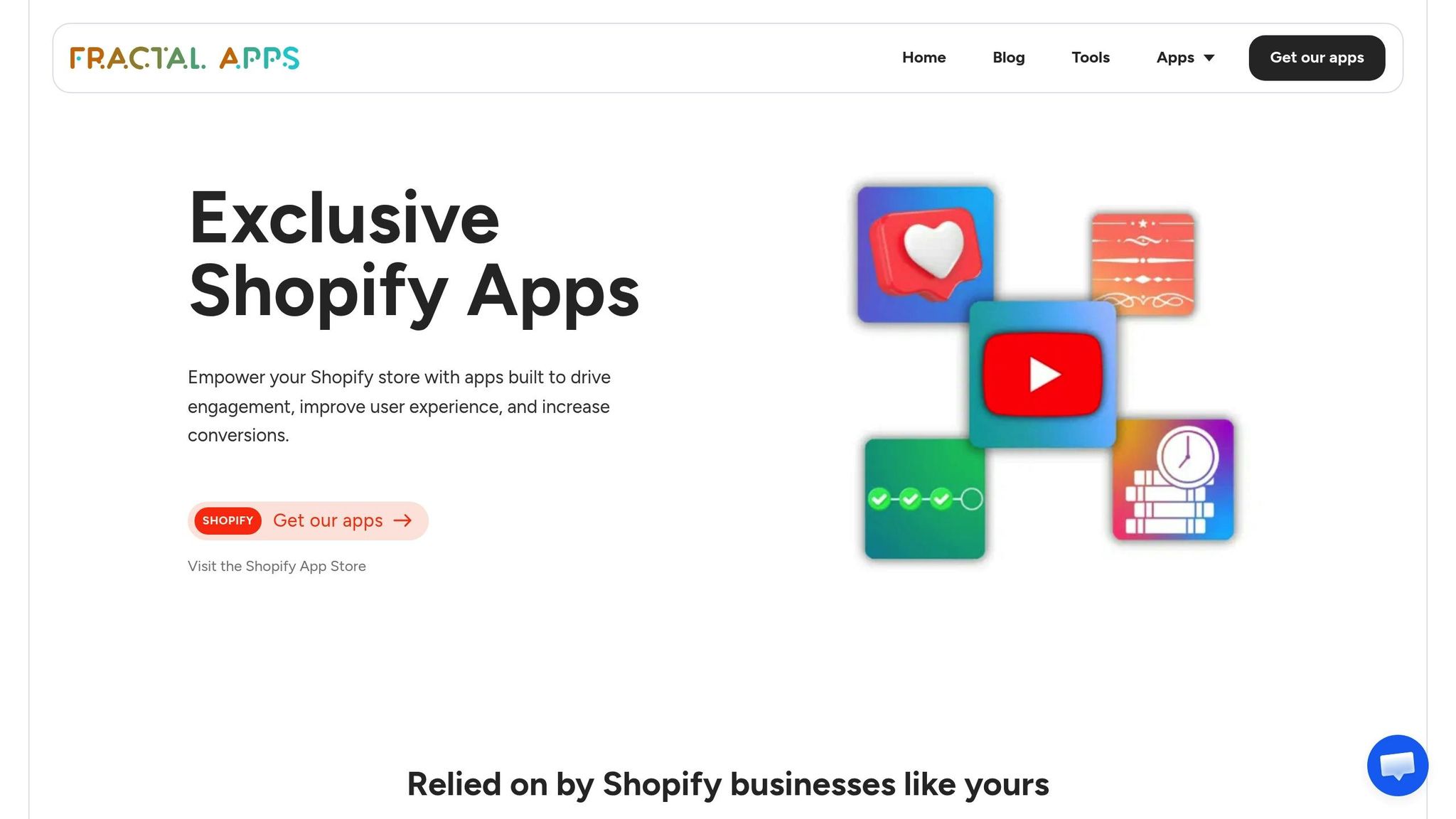
Another great option is the suite of apps from Fractal Apps, which includes UWidget. These tools can turn your store into a video-centric experience with tailored playlist displays. By incorporating dynamic, interactive content, you can not only capture your audience’s attention but also drive higher conversions.
What are the best practices for adding interactive video playlists to Shopify pages?
To make the most of interactive video playlists on your Shopify store, focus on blending them seamlessly into your site and prioritizing user engagement. Place these videos thoughtfully - on product pages, the homepage, or in dedicated media sections - so they align with your store's overall design. Features like thumbnail previews or on-demand video loading can help keep your page speeds fast and ensure a smooth browsing experience.
Take it a step further by incorporating shoppable elements into your videos. This allows customers to explore and buy products directly from the video without navigating away from the page. You can also embed interactive playlists using options like customizable galleries or sticky video players, ensuring the content remains accessible as shoppers move through your site. These strategies not only make your store more engaging but can also lead to higher satisfaction and better conversion rates.