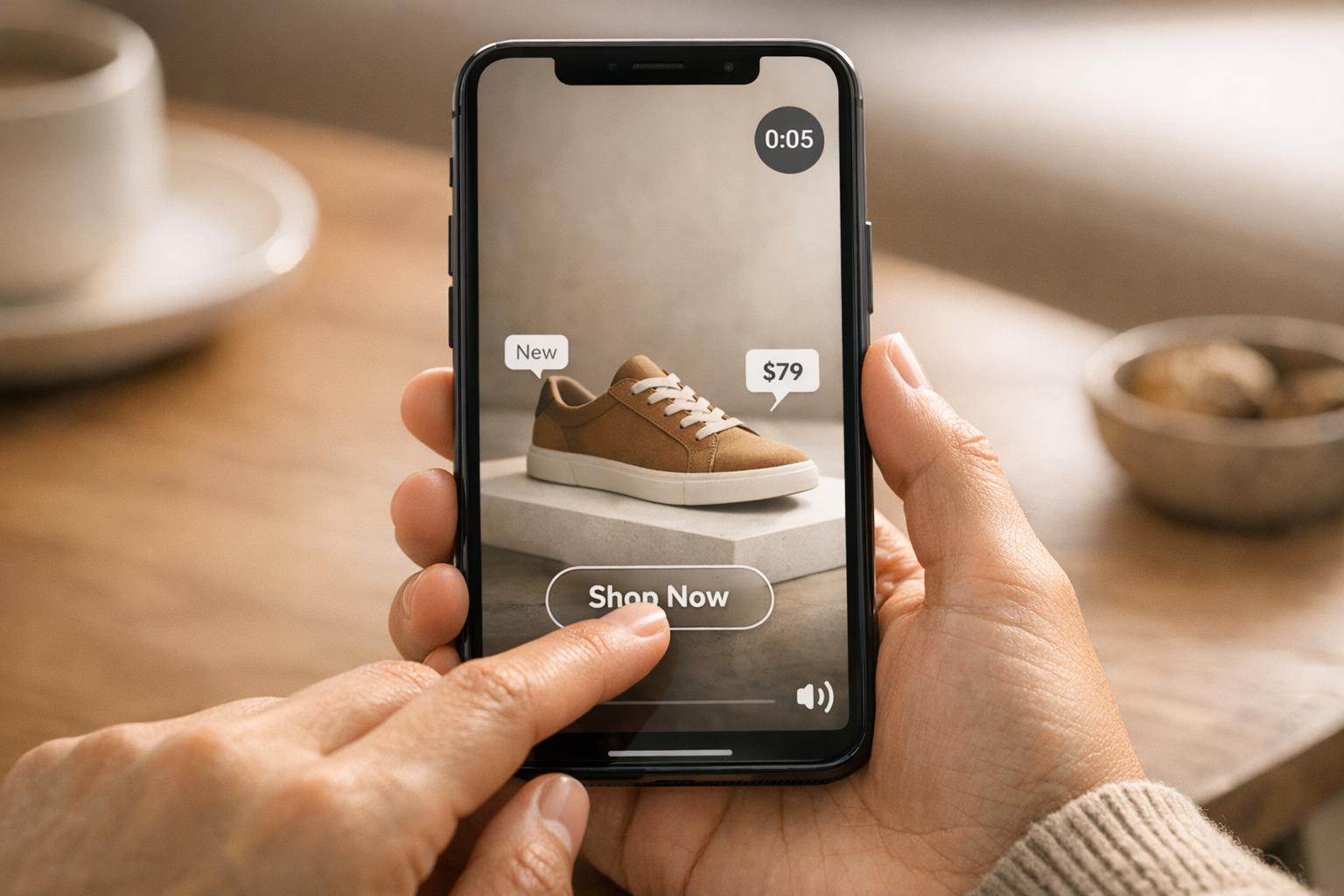
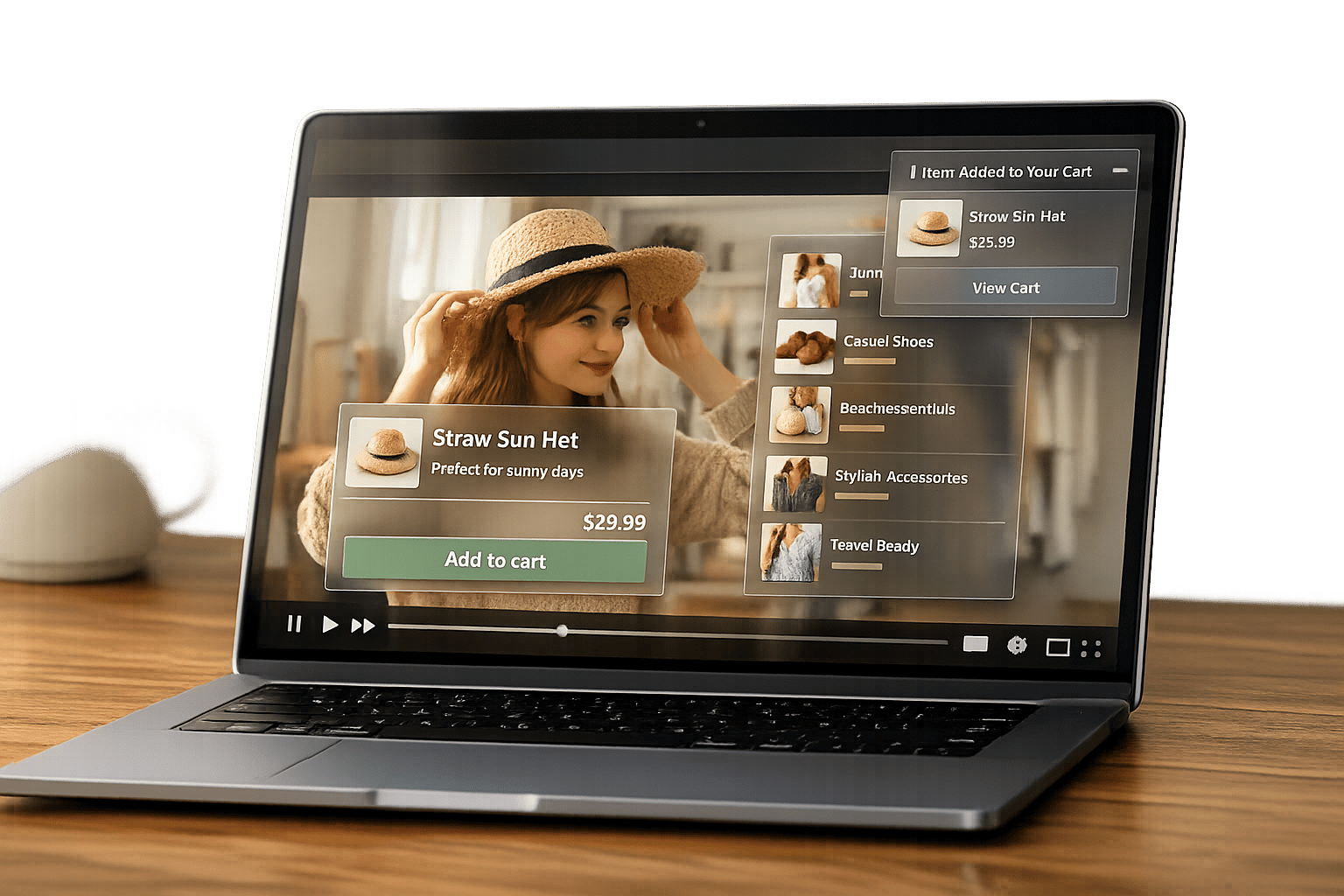
Interactive videos are a powerful way to engage viewers, increase social shares, and drive conversions. By incorporating features like clickable hotspots, polls, and shoppable links, these videos transform passive watching into active participation. For Shopify store owners, this means higher engagement, longer viewing times, and improved sales. Some key takeaways:
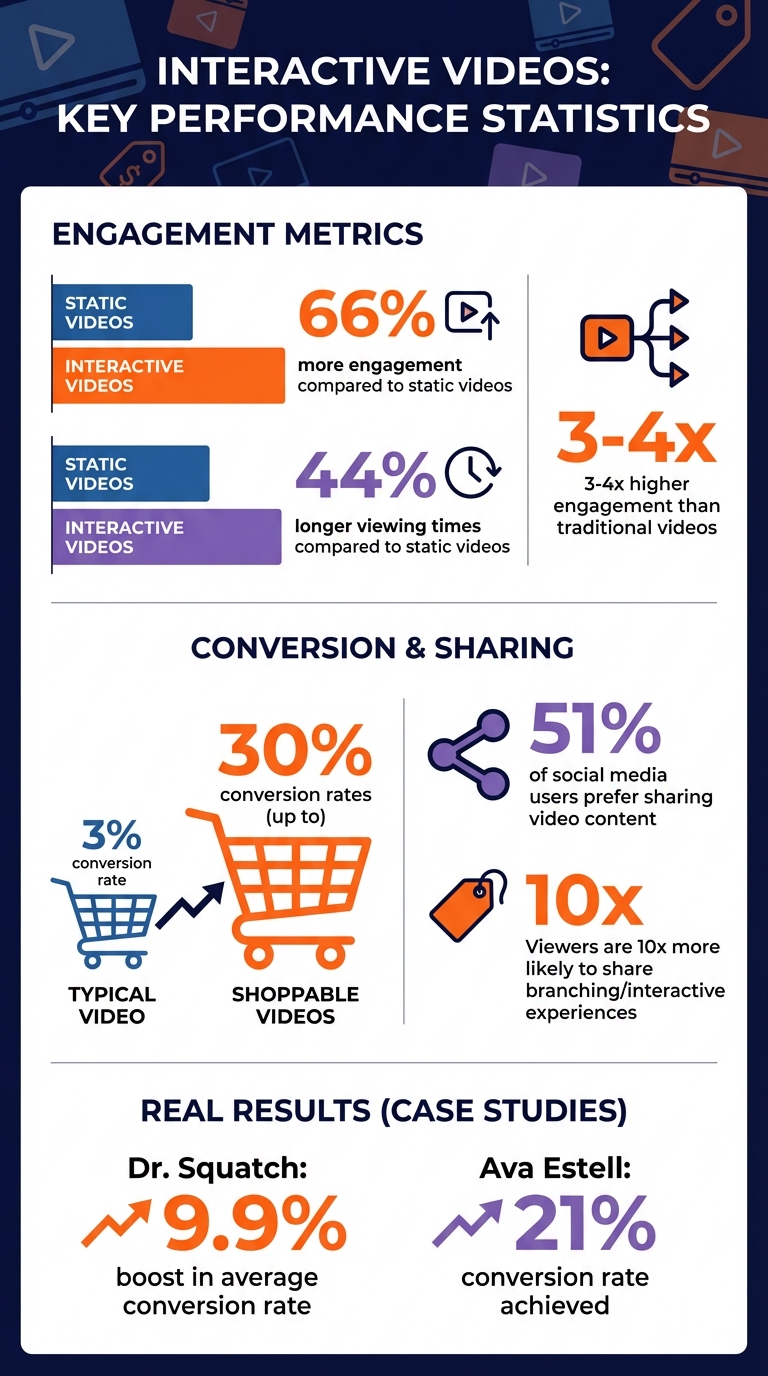
- 66% more engagement and 44% longer viewing times compared to static videos.
- Shoppable videos can achieve up to 30% conversion rates, far exceeding the typical 3%.
- Tools like UWidget and ILikeThat make it easy to add interactive videos and like buttons to Shopify stores.
- Features like clickable CTAs, polls, and branching storylines encourage interaction and sharing.
Interactive videos are not just content - they're a tool for creating a dynamic, engaging shopping experience that keeps viewers coming back and sharing.
Interactive Video Engagement Statistics and Performance Metrics for Shopify
Watch and Shop: How to sell direct through interactive video
Examples of Interactive Videos That Drive Likes and Shares
Interactive videos are a fantastic way to grab attention and encourage viewers to engage with your content. Below are some strategies that can help boost likes and shares.
Interactive Timestamps in Product Demo Videos
Timestamps make long product demos easier to navigate. Instead of forcing viewers to sit through an entire video, clickable chapter markers let them jump straight to the sections they care about - like "unboxing", "setup instructions", or "key features." This convenience not only keeps viewers engaged but also makes it easier for them to share specific parts of the video with friends.
For Shopify stores selling products that need detailed explanations, timestamps can be a lifesaver. For example, segments like "how to assemble", "cleaning tips", or "recipe ideas" can help viewers find exactly what they need. Plus, interactive call-to-action (CTA) buttons can turn interest into action on the spot.
Clickable CTA Overlays in How-To Videos
Embedding CTAs directly into how-to videos is another effective way to drive engagement. These overlays create a smooth transition from learning to buying. Picture this: you're watching a makeup tutorial, and a "Shop This Look" button pops up just as the featured product is shown. That instant connection between the content and the product makes it easy for viewers to act on their buying impulses.
Apps like UWidget allow Shopify store owners to create YouTube galleries and sticky video players with product tags that link directly to product pages. Starting at just $5.99/month for one widget and 25 videos, it's a budget-friendly tool for stores new to interactive video content. To make the most of these overlays, time them carefully - introducing the clickable element about 1–2 seconds after the product appears gives viewers a moment to process what they’re seeing before prompting action.
Polls and Hotspots in Lifestyle Videos
Adding polls and hotspots to lifestyle videos turns passive viewers into active participants. For instance, a furniture brand could include a poll asking, "Which room style do you prefer?" while showcasing different living room designs. When viewers vote, they feel more connected to the content.
Hotspots offer another layer of interactivity. Imagine a viewer clicking on a lamp in the background of a video, triggering a pop-up with pricing details and an "Add to Cart" button. Dr. Squatch used this approach with shoppable videos on their Shopify store and TikTok, achieving a 9.9% boost in their average conversion rate. These features not only keep viewers engaged but also encourage them to share the content.
Branching Storylines in Customization Videos
Branching videos let viewers create their own experience by choosing different paths. Honda’s "The Other Side" campaign for the Civic launch is a great example - viewers could switch between two parallel stories (a father and a getaway driver) by holding down the "R" key.
For Shopify stores offering customizable products, this format is a game-changer. Nike’s "Style It Yourself" experience allowed users to design shoes and assemble outfits in the video before exploring the full collection. When viewers have a hand in shaping their experience, they’re 10 times more likely to share it. This approach works especially well for products like custom apparel, gift registries, or tech gadgets with multiple configurations.
Sticky Videos with Like Buttons
Sticky video players ensure your content stays visible as users scroll through your site. Pair these floating players with like buttons, and you’ve got a recipe for easy engagement.
ILikeThat integrates like buttons directly into Shopify product pages, letting customers favorite items without needing to create an account. By combining a sticky video with like buttons, you keep your content in view while giving users simple ways to interact, like, and share - all without disrupting their browsing experience. This setup minimizes friction and maximizes engagement opportunities.
Metrics and Optimization Methods for Likes and Shares
Tracking how people interact with your content is essential for improving the strategies outlined earlier.
To fine-tune your interactive video approach, focus on key metrics like social media shares, likes rate, and engagement rate. Social media shares reveal how often viewers are spreading your content across platforms like Instagram, Facebook, or TikTok. The likes rate measures the percentage of viewers who hit the like button compared to total views, giving insight into how well your content connects emotionally. Engagement rate, which combines likes, shares, and comments divided by total impressions, provides a broader view of how your audience is interacting with your videos.
Interactive videos are powerful tools, generating 66% more engagement and keeping viewers watching 44% longer than static media. Plus, over 51% of social media users prefer sharing video content. By focusing on these metrics, you align your strategy with what audiences naturally enjoy - engaging and sharing content.
Comparison Table: Metrics and Optimization Tips
| Metric | Measurement Focus | Optimization Tip for Shopify |
|---|---|---|
| Social Media Shares | Share count and platforms | Add share buttons at key moments and create "shareable moments" like memorable quotes or tips |
| Likes Rate | Likes per view | Use emotional or visually striking content; apps like ILikeThat can add product-specific like buttons |
| Engagement Rate | Likes + shares + comments / impressions | Monitor with Shopify analytics and respond to comments promptly - ideally within a few hours |
| Video Completion Rate | % of viewers watching to the end | Keep intros short and use "pattern interrupts" (e.g., sudden visual or audio shifts) to sustain interest |
To maximize results, prioritize mobile optimization, as most users browse on their smartphones. Ensure share buttons and interactive features are easy to use on smaller screens. Quick responses to comments - within the first few hours - can significantly boost engagement, which platforms reward by showing your content to a wider audience. Experiment with calls-to-action (CTAs) like "Shop Now" versus "Learn More" to see which ones encourage more interaction.
sbb-itb-d9e5b3a
How to Add Interactive Videos to Shopify Stores
Embedding interactive videos into your Shopify store doesn't require advanced technical skills, but it can significantly enhance customer engagement. Here's how to get started.
Use UWidget for YouTube Galleries and Widgets
UWidget is a handy app for showcasing YouTube videos on your storefront. It lets you create shoppable videos by linking products to your YouTube content, enabling customers to watch and shop seamlessly. You can choose from various layouts like galleries, carousel sliders, video grids, sticky video players, or video banner backgrounds to complement your store's look.
In December 2025, Wholesale Nursery Co, a U.S.-based merchant, integrated UWidget into their store to display YouTube Shorts and videos. The setup took just 15 hours and provided a smooth way to feature video content effectively. One standout feature is the Sticky Video, which keeps videos visible while customers browse product pages - a great option for product demos. All you need to do is paste your YouTube URL, tweak the settings or custom CSS, and publish. Plus, UWidget’s lazy loading and thumbnail-first loading ensure fast page speeds, which is essential for mobile shoppers.
Pricing:
- Starter: $5.99/month (1 widget, 25 videos)
- Pro: $13.99/month (3 widgets, 50 videos)
- Premium: $19.99/month (unlimited videos)
All plans come with a 7-day free trial and boast a 5-star rating.
Once your videos are live, you can further enhance engagement by adding product like buttons with ILikeThat.
Add ILikeThat for Product Like Buttons
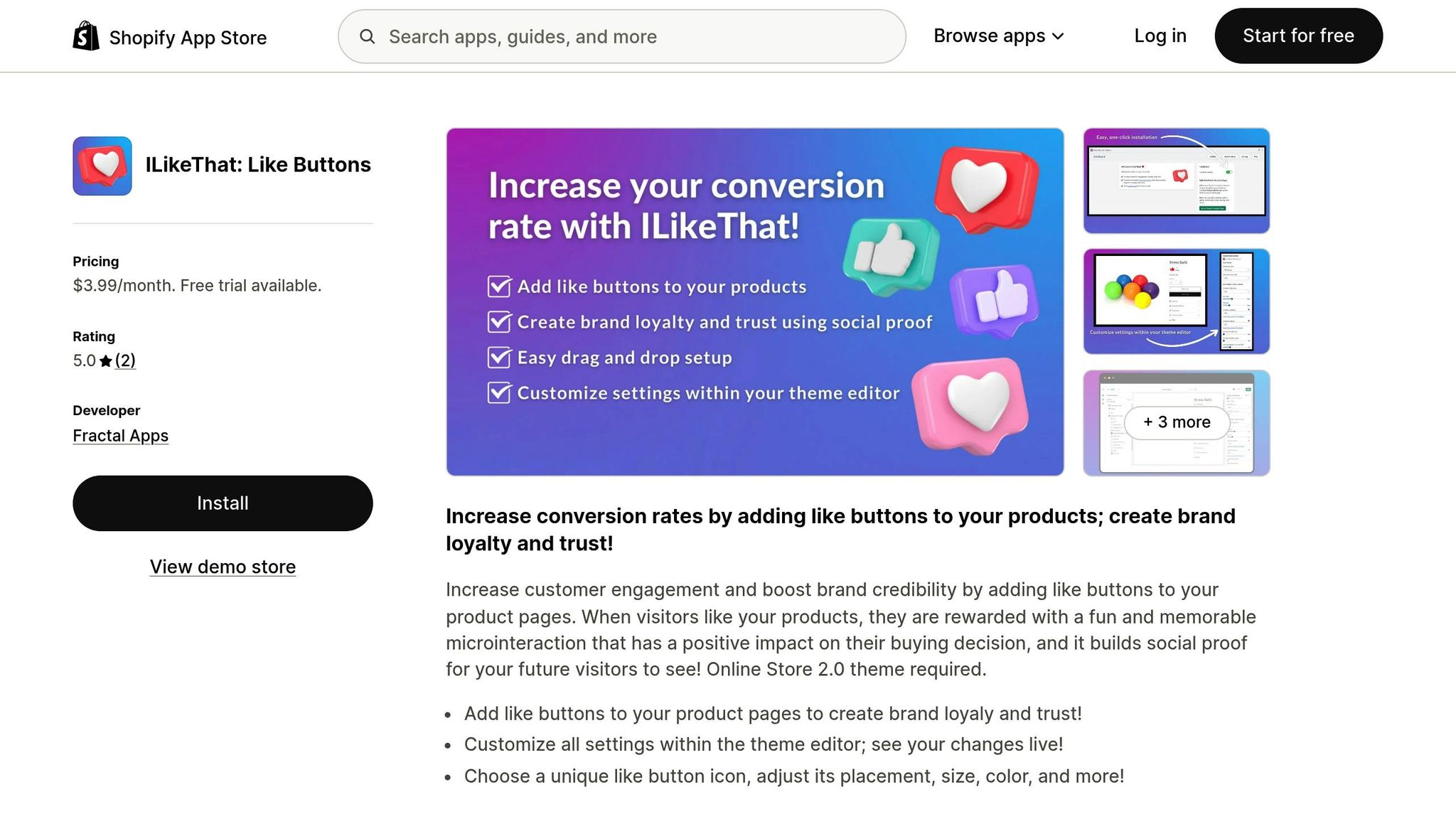
ILikeThat introduces customizable like buttons to your product pages, adding an interactive layer that builds social proof. When paired with videos, these buttons show how many people appreciate a product, encouraging more customer interaction. In June 2023, Lindquist Lane used ILikeThat to add social proof and track customer preferences.
"Great way for me to track what my customers like and adds social proof. Easy to use, install, and adds a nice touch."
– Lindquist Lane
This app allows full customization of the button’s design - icon, placement, size, and color - directly in Shopify’s theme editor, ensuring it blends seamlessly with your video widgets. At just $3.99/month with a 3-day free trial, it’s an affordable way to boost engagement. Note that it requires an Online Store 2.0 theme.
Optimize Placement and Design of Interactive Features
Where and how you place interactive elements can turn passive viewers into active customers. For example, positioning CTAs, polls, or hotspots at the bottom of the video player keeps the main content in focus while making interactive features easily accessible. Use contrasting colors and clear icons to make these elements stand out against the video background. Keeping the design simple is key - too many features can overwhelm users and hurt engagement.
For mobile users, ensure buttons and interactive elements are easy to tap on smaller screens. Interactive videos tend to deliver three to four times higher engagement compared to traditional videos. Consistency is also crucial: use a uniform design across all your videos so customers can intuitively interact with your content. UWidget’s custom CSS field can help align video galleries with your Shopify theme, while its thumbnail-first loading keeps your site fast and responsive.
Conclusion
Interactive videos are a game-changer for driving likes, shares, and tangible business results. They boost engagement by an impressive 66% and increase viewing time by 44% compared to static content. By incorporating features like clickable hotspots, polls, and branching storylines, they transform passive viewers into active participants, naturally encouraging more social sharing and customer interaction.
To make the most of these metrics, having the right tools is key. Shopify store owners can easily integrate interactive video strategies using tools from Fractal Apps: Exclusive Shopify Apps. For instance, UWidget allows you to showcase YouTube content in dynamic formats, such as sticky videos or galleries. Meanwhile, ILikeThat adds customizable like buttons to enhance social proof. These tools work together to capture buying impulses and convert viewers into loyal customers.
Take Ava Estell as an example - this brand achieved a 21% conversion rate using interactive videos. With data showing that consumers are 51% more likely to share video content than static images, adding interactive elements is a proven way to boost organic reach and social traction.
Getting started is simple. Embed a YouTube gallery, add like buttons to your product pages, and ensure your interactive features are mobile-friendly. Affordable tools with straightforward setups can deliver significant increases in likes, shares, and conversions.
FAQs
How do interactive videos help increase engagement and sales on my Shopify store?
Interactive videos are a game-changer when it comes to grabbing attention and keeping viewers engaged. Unlike static content, these videos actively involve the audience by incorporating features like clickable hotspots, quizzes, and calls to action. This creates a more engaging experience that holds attention longer and encourages participation. Research even shows that interactive videos lead to much higher engagement and viewing times compared to traditional formats.
Take shoppable videos, for instance. These allow customers to click directly on products featured in the video to learn more or even make a purchase right then and there. This seamless shopping experience eliminates unnecessary steps, making it easier for customers to act on their interest. By reducing hesitation and building trust through personalization, interactive videos not only enhance customer engagement but also drive conversions. For Shopify store owners, this is a smart way to connect with your audience and boost sales.
What are the best tools to make Shopify videos more interactive?
To create more engaging and interactive Shopify videos, try tools like UWidget, which helps you design customizable YouTube video displays that match your store's look and feel. Another option is ILikeThat, which lets you add product "like" buttons to your videos. These features can increase social proof, encourage interaction, and improve the overall user experience on your store.
How do interactive videos perform compared to static videos for boosting conversions?
Interactive videos are a game-changer compared to static ones when it comes to boosting conversions. Research reveals they can deliver 66% more engagement and 44% longer viewing times, proving their ability to grab and hold audience attention.
What makes them so effective? They invite viewers to participate - whether it’s through clickable elements, quizzes, or product showcases. This interactive approach doesn’t just make the experience more engaging; it feels tailored to the viewer. And that extra involvement often leads to better results, like increased purchases or more shares.