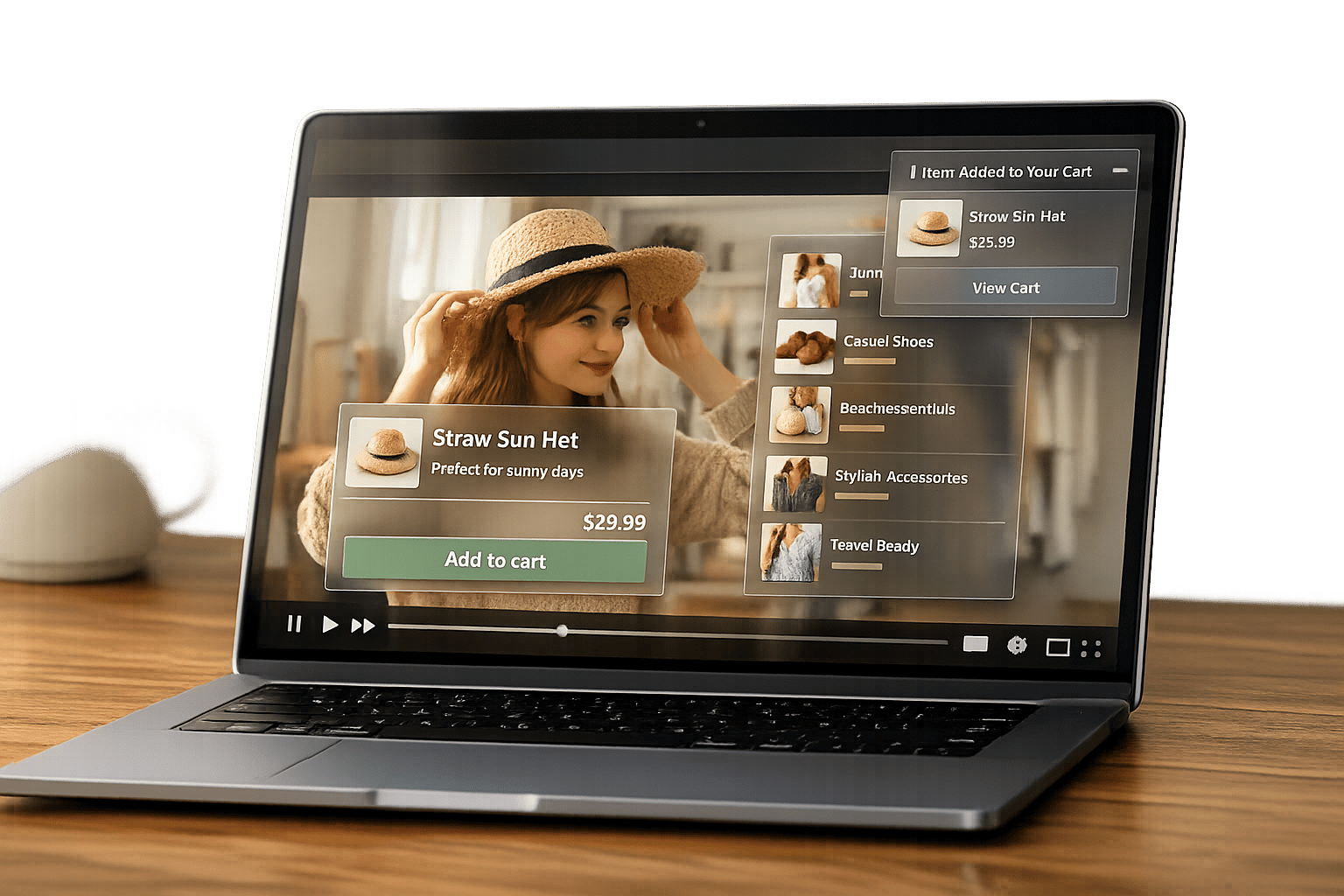
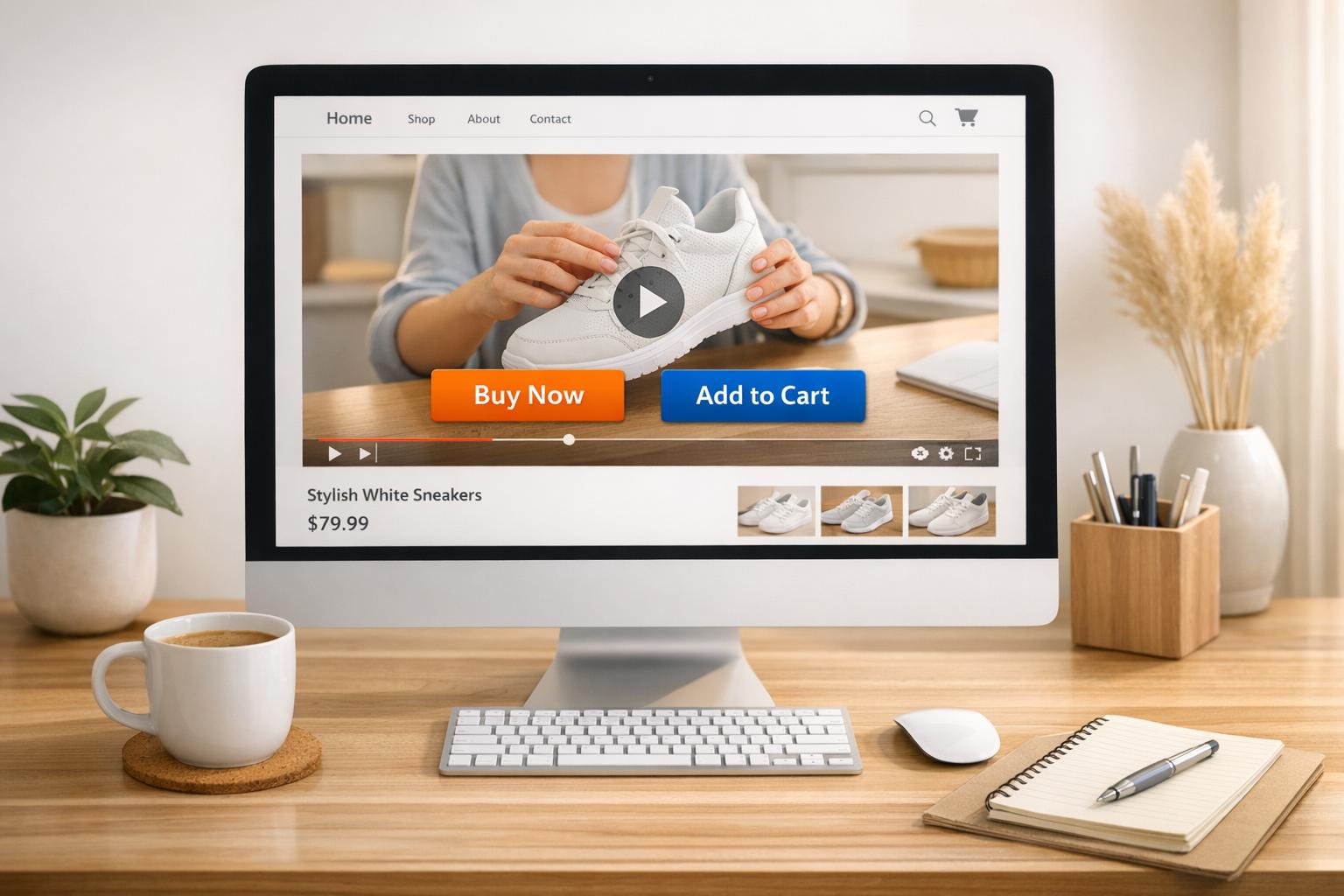
Shoppable videos are transforming how online stores convert visitors into buyers. By embedding purchase options directly into videos, they eliminate extra steps, making it easier for customers to shop. These videos improve engagement, boost conversions by up to 34%, and keep viewers watching 47% longer than traditional videos. Here’s a quick breakdown of where to place them for maximum impact:
- Above the Fold: Catch attention immediately with a short, autoplay video. Boosts engagement by 127%.
- Below Hero Section: Showcase product value after the headline. Increases CTA clicks by 89%.
- Mid-Page: Address customer questions with detailed demos or reviews.
- Before Final CTA: Reinforce purchase intent near the "Buy Now" button.
To make them effective, keep videos short (15–45 seconds), include clickable product tags early, and ensure mobile optimization with vertical formats. Tools like UWidget simplify adding shoppable videos to Shopify stores without coding.
Shoppable videos don’t just enhance the shopping experience - they drive results. Start using them to turn passive viewers into active buyers.
Where to Place Shoppable Videos on Landing Pages
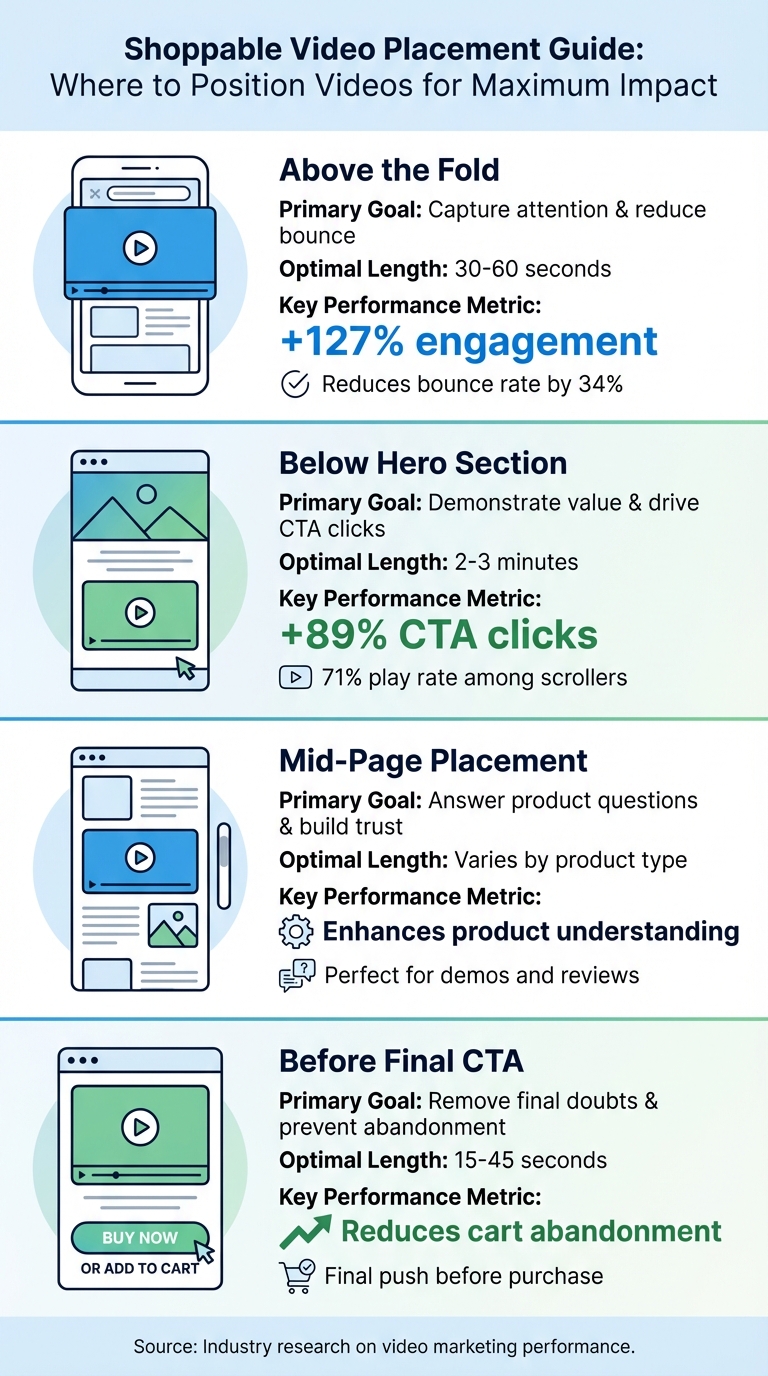
Shoppable Video Placement Guide: Optimal Positions and Performance Metrics
The placement of shoppable videos plays a key role in guiding visitors through their buying journey. Smart positioning at different stages can significantly boost conversions by streamlining decision-making.
As Healsha, Founder of VibrantSnap, says: "Video placement matters more than video quality".
A well-placed shoppable video can transform casual browsers into paying customers. But if it's positioned poorly, it may fail to capture attention altogether.
Above the Fold Placement
Positioning a shoppable video at the very top of your landing page - before visitors even need to scroll - ensures it grabs attention within the first 8 seconds. This "hero section" placement serves as a powerful first impression, encouraging visitors to explore further.
Videos in this spot can boost engagement by 127% and reduce bounce rates by 34%. Additionally, pages with such videos keep visitors 2.6 times longer. For maximum impact, keep these videos short - 30 to 60 seconds - with a strong 5-second hook that presents a problem and solution. Using muted autoplay with captions can further increase play rates by 23% compared to click-to-play.
If you're looking to extend engagement, consider placing videos just below the hero section.
Below the Hero Section
After catching a visitor's eye with your headline and main call-to-action, placing a shoppable video directly below the hero section allows for a seamless transition into showcasing your product. This position is ideal for demonstrating the value of your offering to those who are already intrigued enough to scroll.
In this spot, videos achieve a 71% play rate among users who scroll past the hero section and can increase CTA clicks by 89%. Unlike the shorter videos above the fold, these can run 2 to 3 minutes, allowing you to fully highlight your product’s key features and benefits.
For a deeper dive into product details, mid-page placement works especially well.
Mid-Page Placement for Product Features
Embedding shoppable videos mid-page, near product descriptions or reviews, targets visitors who are actively comparing options and seeking more details. This is the perfect place to showcase specific features, provide visual context, or address common questions about your product.
For example:
- Fashion brands might use short try-on clips or "Get Ready With Me" videos featuring real customers.
- Electronics brands could feature in-depth demos with interactive elements highlighting key specifications.
- Home goods retailers might showcase room transformations or practical "how it fits" content.
The goal here is to eliminate doubts about how the product works or fits into the buyer's life before they reach the final call-to-action.
Before the Final Call-to-Action
Placing a shoppable video just above the "Buy Now" button can be the final push a hesitant customer needs. This placement captures attention at a critical moment and helps address lingering doubts about product details.
As the Moast Team explains, "Shoppable video collapses that distance [between interest and purchase]".
Keep these videos concise - 15 to 45 seconds - focusing on practical information like sizing, assembly, or usage. Sticky video players that follow the user’s scroll can be particularly effective, keeping the content visible as they approach the checkout button. This strategy keeps momentum going and reduces the overthinking that often leads to abandoned carts.
| Placement | Primary Goal | Optimal Length | Key Metric |
|---|---|---|---|
| Above the Fold | Capture attention & reduce bounce | 30–60 seconds | +127% engagement |
| Below Hero Section | Demonstrate value & drive CTA clicks | 2–3 minutes | +89% CTA clicks |
| Mid-Page Placement | Answer product questions & build trust | - | Enhances product understanding |
| Before Final CTA | Remove final doubts & prevent abandonment | 15–45 seconds | Reduces cart abandonment |
sbb-itb-d9e5b3a
How to Create Effective Shoppable Videos
Creating shoppable videos that drive sales takes more than just showing off your products. To succeed, your video needs to grab attention right away, make shopping feel effortless, and remove any obstacles along the way. Here’s how to craft videos that turn viewers into buyers.
Keep Videos Short and Focused
People’s attention spans are short - especially on mobile devices, where 75% of all video plays happen. Stick to videos that are 15 to 45 seconds long for the best results. Longer videos can lose viewers before they even engage.
Highlight one product at a time to avoid overwhelming your audience. Show the product in action within the first 3 to 5 seconds to capture attention immediately. For instance, if you’re promoting a coffee maker, open with steam rising from a freshly brewed cup instead of a static shot of the box.
User-generated content and authentic demonstrations often perform better than overly polished productions because they feel more relatable and trustworthy. Once your product is front and center, add interactive elements to make the shopping experience seamless.
Add Interactive Elements Early
Place clickable product tags early in the video so they appear right when the product is shown or mentioned. This approach works hand-in-hand with keeping the video focused, ensuring every interactive step feels natural and easy.
As the Moast Team puts it, "The fewer steps between 'this looks good' and 'add to cart,' the higher the chance of conversion".
Keep these interactive features simple and uncluttered. Focus on one product at a time, and make sure call-to-action buttons are always visible and easy to find throughout the video.
Since most shopping happens on mobile, use vertical or square video formats. Also, keep product names on tags short and clear - something like "Blue Denim Jacket" is much more effective than a long, overly detailed description.
Enable Direct Add-to-Cart Functionality
If viewers have to leave the video to make a purchase, you risk losing them. Direct add-to-cart functionality solves this problem by letting users shop without interruptions. Include in-video options for selecting product variants like size or color so viewers don’t have to leave the player. For example, if someone loves a dress they see, they should be able to pick their size and add it to their cart with just a couple of taps.
In 2024, apparel brand True Classic partnered with Videowise to optimize videos across 700 product pages. They used lightweight asynchronous scripts and adaptive bitrate streaming to keep page speeds high while ensuring a smooth shopping experience for mobile users. These techniques eliminate friction and directly increase conversions.
Make sure your "Add to Cart" or "Shop This Look" buttons are easy to spot. They should stand out visually and stay accessible throughout the video, so viewers can act the moment they’re ready.
How to Add Shoppable Videos to Shopify Landing Pages

Adding shoppable videos to your Shopify landing pages is easier than you might think. You don’t need any coding skills - most apps handle the technical setup for you, so you can focus on connecting your video content with your products. Here’s a quick guide to getting started.
Using UWidget for Video Integration
UWidget makes it simple to embed interactive YouTube videos into your Shopify store. You can display these videos in galleries, sliders, carousels, or as sticky videos. Sticky videos are especially effective for shoppable content because they stay visible as customers scroll through your page.
Once you install the app from the Shopify App Store, you can import your YouTube videos and choose how to display them. Galleries work well for showcasing multiple products or user-generated content, while a sticky video is great for spotlighting a single product demonstration. Keep in mind that 90% of consumers watch videos on mobile devices, so mobile-friendly formats are a must.
The app integrates directly with Shopify’s theme editor, making it easy to position videos anywhere on your landing page. Place them above the fold for maximum visibility or just below the hero section to complement your main message. No manual coding is needed. After embedding your videos, link them to your product catalog to create a smooth shopping experience.
Connecting Videos with Product Catalogs
Once your videos are embedded, the next step is to connect them to your product catalog. This means tagging products directly within the video. Most Shopify video apps allow you to pull items from your live inventory and add clickable tags to the exact moments when products appear on screen. This ensures that customers always see up-to-date product details.
When tagging, it’s best to align interactive elements with natural pauses or when a product is clearly visible. For example, if you’re showing a jacket in three different colors, tag each color variant as it appears instead of grouping all options in one frame. Use short, clear product names like “Navy Bomber Jacket” to make it easy for viewers to identify items. These clickable tags reduce friction and make the shopping process more intuitive - no wonder 87% of customers say videos influence their buying decisions.
Optimizing for Mobile and Load Speed
Mobile optimization is key. Use vertical (9:16) or square (1:1) video formats, as vertical videos capture 40% more attention than landscape formats. To keep your page loading quickly, compress video files. If a page takes more than 6 seconds to load, about 50% of visitors will leave. Most apps handle compression automatically, but if you’re uploading directly, stick to MP4/H.264 formats and keep file sizes under 100MB.
For mobile users, place interactive elements in the lower third of the screen - this “thumb reach” zone makes it easier for viewers to tap. Since 85% of video views happen with the sound off, adding captions or on-screen text ensures your message gets across, even in silent mode. These small adjustments can make a big difference in how your videos perform on mobile devices.
Conclusion
Shoppable videos are changing the game for online shopping. When placed thoughtfully on landing pages, they allow customers to transition effortlessly from watching a video to making a purchase. This smooth process keeps the shopping experience flowing without interruptions.
The numbers speak for themselves: purchase intent jumps 9x with interactive shoppable videos compared to standard video content, and e-commerce sites see a 34% boost in conversions when using video. But it’s not just about where you place these videos - it’s also about how they perform. Ensure your videos load quickly (aim for file sizes under 20MB), work flawlessly on mobile devices with vertical or square formats, and include captions since many viewers watch with the sound off.
To make the most of your shoppable videos, keep them short and engaging. Stick to 15–45 seconds, and limit interactive hotspots to 2–3 products per scene to avoid overwhelming viewers. Capture attention fast by showing your product in action within the first 3–5 seconds. Tools like UWidget make it easy to integrate these videos into your Shopify store - no coding required.
FAQs
How do I pick the best spot for a shoppable video on my landing page?
The ideal spot for a shoppable video largely hinges on your objectives and the structure of your page. Prime locations include near product galleries, within product descriptions, or beside the "Add to Cart" button. Positioning videos above the fold is another smart move to grab attention right away. The key is to place the video where it can highlight your product effectively and engage visitors during critical decision-making moments.
What should I track to know if shoppable videos are working?
To see how well your shoppable videos are performing, keep an eye on a few key metrics. Look at video-influenced orders, which show how many purchases stem from viewers interacting with your videos. Track session duration and engagement rates to understand how long viewers stick around and how actively they interact. Don't forget to measure conversion rates - this tells you how many viewers are turning into customers. Lastly, analyze the overall video performance to get a full picture of what's working and what might need tweaking. These metrics will give you a clear sense of your ROI and whether your videos are delivering results.
How many product tags should I include in one shoppable video?
Including up to 30 product tags in a shoppable video can help boost engagement and make it easier for viewers to shop directly without leaving the platform. By tagging a variety of products, you create a more convenient and interactive shopping experience while showcasing multiple options in one place.