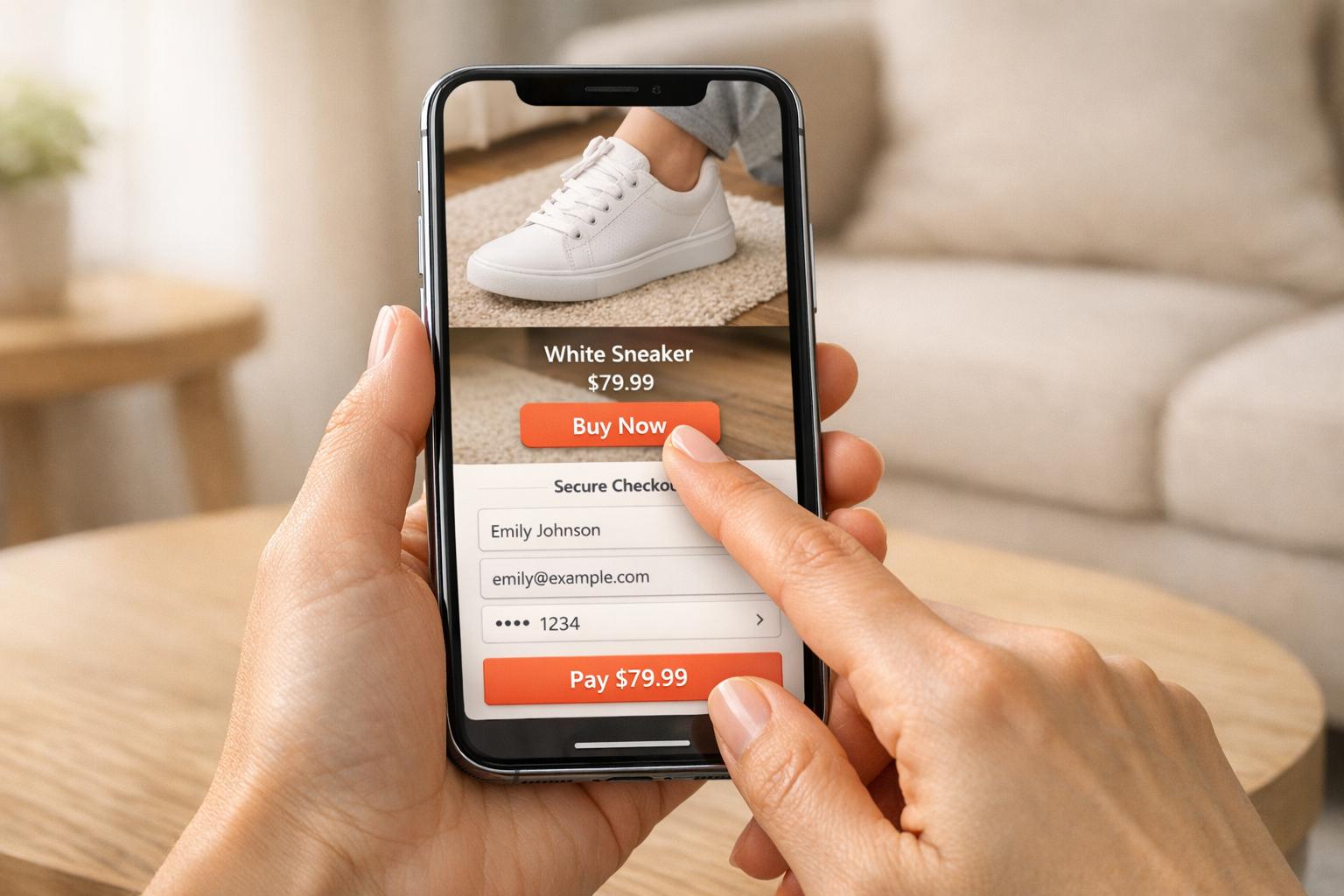
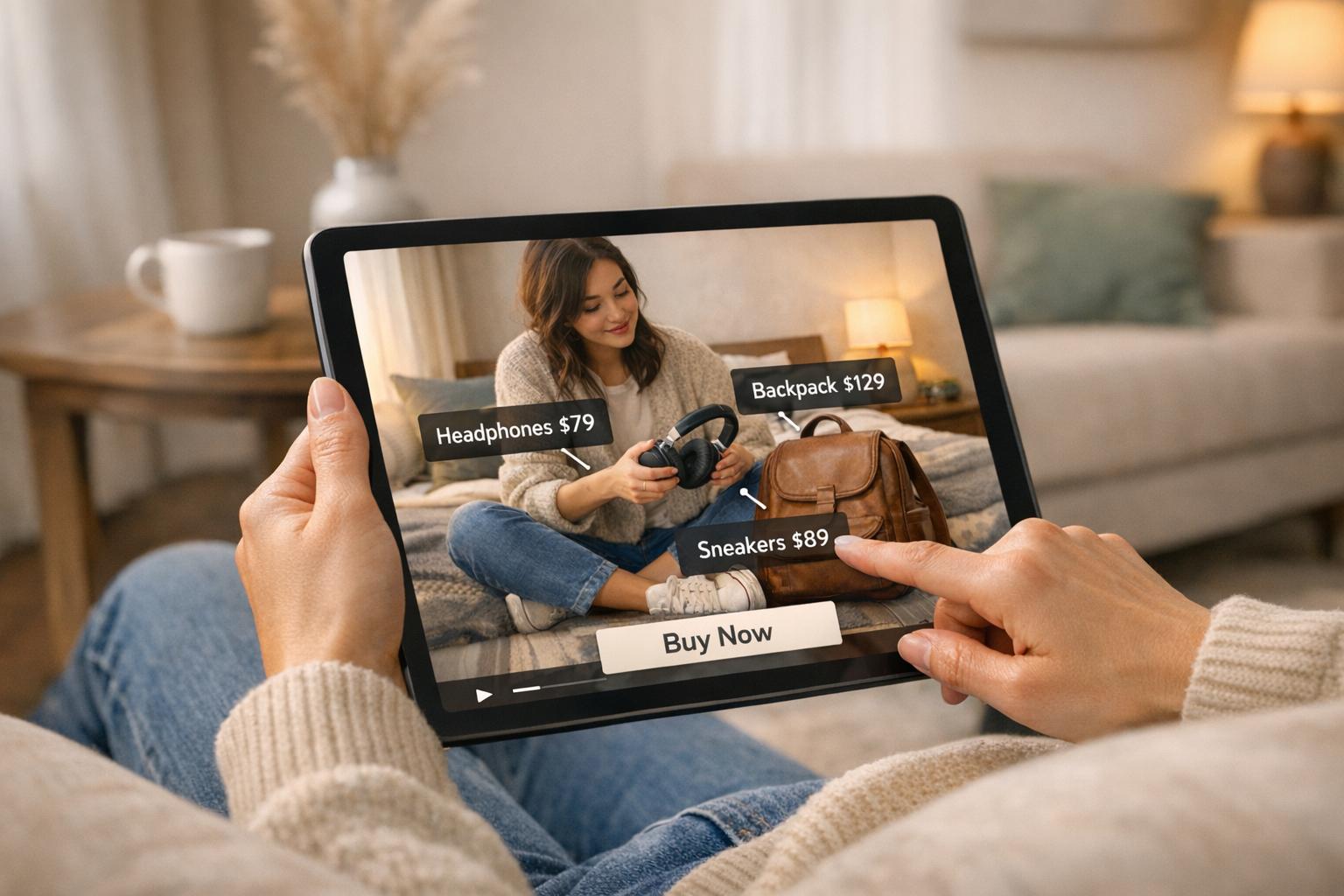
Shoppable videos are transforming mobile shopping by blending storytelling, clickable product tags, and shoppable embeds and integrated checkout systems. With 75% of video views happening on mobile and 82% of viewers making purchases after watching, these videos are a powerful tool for boosting conversions. To maximize their impact, proper placement is key. Here’s a quick summary of where and how to use them:
- Above-the-Fold on Product Pages: Place videos in the hero section for instant visibility. Keep product titles, prices, and “Add to Cart” buttons nearby for easy purchases.
- Inside Product Image Galleries: Add videos after the first 2–3 images in carousels. Use vertical or square formats and include captions for silent viewing.
- On Collection and Homepage Sections: Use autoplay loops on homepages and scrollable video carousels on collection pages. Keep file sizes small to maintain fast load times.
For optimal results, focus on lightweight video formats like MP4, lazy loading, and interactive features such as hotspots. Brands like Dr. Squatch and True Classic have seen conversion rates jump to nearly 10% by implementing these strategies. Testing and analyzing video performance ensures continuous improvement and better engagement.
Key takeaway: Place videos where they’re most visible, optimize them for speed and interactivity, and track performance to convert more mobile shoppers into buyers.
The secret to a mobile optimized Shopify store [no-code tutorial]

sbb-itb-d9e5b3a
Where to Place Shoppable Videos on Mobile
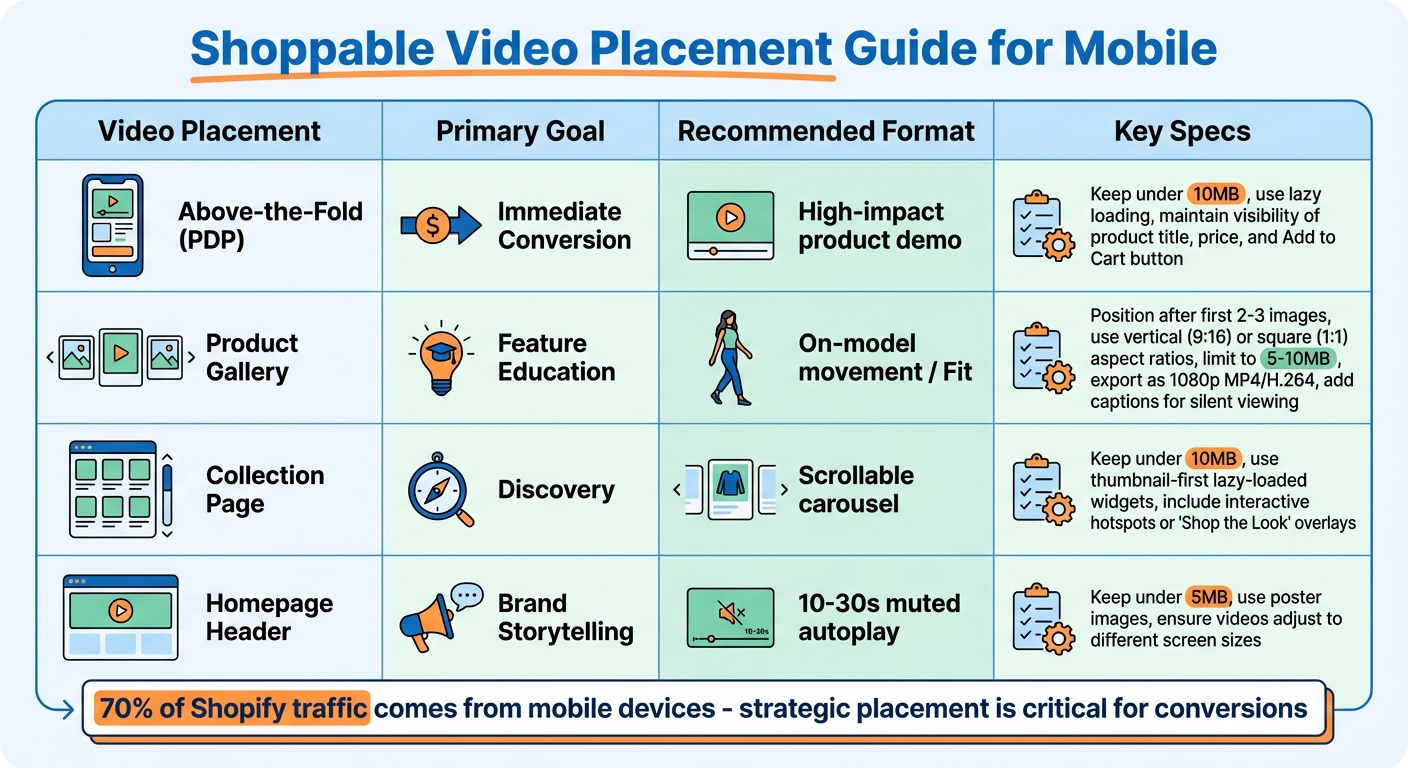
Shoppable Video Placement Guide for Mobile: Locations, Goals, and Formats
With 70% of Shopify traffic coming from mobile devices, where you place your shoppable videos can significantly influence your conversion rates. Mobile users browse quickly and expect instant engagement, so thoughtful placement is just as crucial as the content of the video itself.
Above-the-Fold on Product Pages
The hero section of your product page is the best place to grab attention. Placing shoppable videos above-the-fold ensures they’re seen immediately, which is especially important since mobile users tend to browse faster than desktop users.
Take True Classic as an example. In 2026, they implemented shoppable videos on over 700 product pages using lazy-loading technology and a lightweight 37kb script. This approach maintained excellent page speed with no measurable slowdown. To achieve similar results, keep your video files under 10MB and use lazy loading to protect Core Web Vitals like LCP.
To drive conversions, make sure essential elements like the product title, price, and “Add to Cart” button remain visible alongside or just below the video. The goal is to show the product in action while keeping the buying process simple and accessible.
Inside Product Image Galleries
Integrate shoppable videos into your product image carousel so users can easily swipe between static images and video content.
Position videos after the first 2–3 images. This allows shoppers to first understand the product through static visuals before exploring deeper via video. Use clear play icons or subtle cues to indicate that the carousel contains interactive, shoppable content. For mobile, stick to vertical (9:16) or square (1:1) aspect ratios to make the most of the screen space.
Artsabers saw impressive results with this strategy, generating $1.1 million in attributed revenue by using multiple videos on product pages to address specific customer concerns. Videos in galleries can showcase important details like fit, application, or how the product performs in everyday scenarios.
To ensure smooth performance, limit video sizes to 5–10MB and export them as 1080p MP4/H.264 files. Since many mobile users watch without sound, add captions or on-screen text to highlight key product features.
On Collection and Homepage Sections
The homepage and collection pages are ideal for introducing videos that catch attention and guide users toward products. To maintain fast load times, use lightweight video files and poster images. On homepages, employ 10–30 second autoplay loops (muted) to showcase your brand’s energy and make a strong first impression. For collection pages, scrollable video carousels or grids can help your products stand out compared to static images.
"Shoppers are conditioned by TikTok, YouTube, and Instagram to expect video-first product experiences." - Kent Willson, Videowise
Make sure videos adjust seamlessly to different screen sizes without interfering with navigation. Thumbnail-first, lazy-loaded widgets work well for homepage carousels, as they prevent heavy video files from slowing down the initial load. Always include a lightweight poster image that displays immediately while the video loads, avoiding blank spaces on slower mobile networks.
On collection pages, scrollable carousels are particularly effective - they allow users to browse visually without disrupting their flow. Keep homepage videos under 5MB and collection page videos under 10MB to ensure quick loading times. Features like interactive hotspots or “Shop the Look” overlays can turn casual browsing into active shopping by allowing users to add items to their cart directly from the video player.
| Video Placement | Primary Goal | Recommended Format |
|---|---|---|
| Above-the-Fold (PDP) | Immediate Conversion | High-impact product demo |
| Product Gallery | Feature Education | On-model movement / Fit |
| Collection Page | Discovery | Scrollable carousel |
| Homepage Header | Brand Storytelling | 10–30s muted autoplay |
Video Techniques for Better User Experience
Background and Sticky Video Formats
When it comes to mobile, advanced video techniques can take user experience to the next level. One effective approach is using background videos in mobile headers. These videos can immediately showcase your brand's personality. The secret? Muted autoplay. Mobile browsers like Safari on iOS and Chrome on Android block videos with sound to avoid annoying users or consuming too much data. To ensure autoplay works, videos must always be muted.
Use the HTML5 <video> element with attributes like autoplay, muted, playsinline, and loop. The playsinline attribute is particularly crucial - it keeps the video embedded within the page layout rather than forcing a disruptive fullscreen experience. Also, keep homepage header videos under 5MB to maintain a strong Largest Contentful Paint (LCP) score.
To avoid blank placeholders and improve load times, implement lazy loading along with a responsive <picture> poster image. For an even more engaging experience, consider sticky video formats that stay visible as users scroll.
"Mobile shoppers are more impatient and more distracted. You have only seconds to catch their attention - and autoplay video can do that faster than static imagery or text." - Angela Sokolovska, Ecommerce Expert, Shogun
Sticky video formats are another powerful tool. These floating players keep your content in view without interfering with navigation. For instance, they should never block key UI elements like the cart icon or search bar. Export videos in 1080p MP4/H.264 format at 24-30 fps for smooth playback and manageable file sizes. And since most mobile users browse with their sound off, always include visual aids like captions, on-screen text, or other visual cues to ensure your message comes across clearly.
If you're looking for an easy way to add sticky video functionality to your mobile store, check out the UWidget app by Fractal Apps: Exclusive Shopify Apps (https://apps.shopify.com/uwidget-youtube-widgets?utm_source=fractal_apps_blog&utm_medium=internal&utm_campaign=seobot). It simplifies the integration process and helps you enhance your store’s video experience effortlessly.
How to Optimize Shoppable Videos for Mobile
Building on earlier placement strategies, fine-tuning both technical aspects and interactive features ensures shoppable videos work seamlessly on mobile devices.
Video Format and Loading Speed
For the best balance of quality and compatibility, stick with MP4 (H.264). This format offers excellent quality, manageable file sizes, and works across virtually all browsers and devices. Although formats like WebM and AV1 can produce smaller files, they often lack consistent support on older iOS devices and Safari browsers.
"Picking a video format starts with knowing what you need. Is it crystal-clear resolution? Fast load times? Something lightweight that won't tank your mobile experience?" - Rob LeFebvre, Shopify
Here’s how to optimize your videos for mobile:
- Resolution: Stick to 1080p for sharp visuals without inflating file sizes.
- Frame rate: Keep it between 24-30 fps. While 60 fps might sound appealing, it significantly increases file size without adding noticeable quality improvements for product videos.
- Bitrate: Aim for 5,000-8,000 kbps when using 1080p resolution to maintain a solid balance between quality and file size.
Remember, heavy files can hurt mobile conversions - each second of extra load time can reduce conversion rates by up to 20%. For example, in early 2026, the apparel brand True Classic implemented shoppable videos across over 700 product pages. By using Videowise's lightweight 37kb script and lazy-loading technology, they avoided any measurable impact on page speed despite the large volume of video content.
To further enhance speed, use lazy loading paired with responsive poster images (via the <picture> element). For videos above the fold, add attributes like fetchpriority="high" and loading="eager" to the poster image to ensure a quick and smooth visual load.
These adjustments ensure your videos not only look great but also load quickly - key for keeping mobile shoppers engaged.
Interactive Hotspots and Touch-Friendly Controls
Interactive elements can make or break the mobile shopping experience. Design these features with mobile users in mind by enlarging touch targets and ensuring text readability on smaller screens.
Introduce interactive hotspots within the first 5 to 15 seconds of the video to capture attention early. Consistency is essential - make sure all interactive elements share a unified visual style so users can easily identify clickable areas, even without audio cues.
Here are some best practices for interactive design:
- Use large touch targets to accommodate all users [[15]](https://shopable-videos.evlop.com/articles/Mobile-First Strategy for Shoppable Videos).
- Keep on-screen choices minimal - three options at most - to avoid overwhelming viewers.
- Add dismissible product information windows that can be activated with simple gestures [[15]](https://shopable-videos.evlop.com/articles/Mobile-First Strategy for Shoppable Videos).
- Use larger-than-normal text to ensure readability on screens ranging from 4 to 6 inches [[15]](https://shopable-videos.evlop.com/articles/Mobile-First Strategy for Shoppable Videos).
The results speak for themselves: In 2026, Dr. Squatch saw a 9.9% conversion rate among visitors who interacted with their video content on product detail pages (PDPs). This was a significant jump compared to the 3.2% conversion rate for non-engaged visitors - a 3.1× increase driven by well-designed interactive features.
Testing and Analyzing Video Placement
Once your shoppable videos are live, it's time to test how they perform in various locations and analyze their impact. The goal? Pinpoint the placements that drive the most engagement and sales.
A/B Testing and Performance Metrics
Testing is key to understanding where users interact most with your videos. Experiment with different placements - like comparing above-the-fold spots to lower-page positions - and try out display formats such as carousels versus grids to see which grabs more attention and drives engagement.
"Since producing many versions of the video can be expensive, most of the focus should go on getting more people to play the video."
- Peep Laja
The potential here is huge. For instance, product pages featuring videos often experience impressive results: up to a 74% boost in "add-to-cart" click-through rates. Brands like Ariat have reported a 160% increase in conversion rates, while Zappos has seen improvements ranging from 6% to 30%.
Instead of creating multiple versions of the same video, focus on testing elements that encourage more plays. This could include trying out different thumbnails, tweaking play button colors, or experimenting with placement strategies. These adjustments are often more cost-effective and impactful. Keep an eye on key metrics such as click-through rate (CTR), video completion rate, and conversion lift (the difference in conversions between sessions with and without video engagement).
| Metric Category | Key Performance Indicators | Purpose |
|---|---|---|
| Sales | Direct Revenue, Influenced Revenue, Average Order Value | Assess financial impact |
| Engagement | Click-Through Rate, Video Swipes, Average Watch Time | Measure user interaction |
| Retention | Video Completion Rate, On-site Added Time | Determine content relevance |
| Conversion | Add-to-Cart Rate, Direct vs. Influenced Conversion Rate | Evaluate sales funnel effectiveness |
These insights provide a foundation for using analytics to fine-tune your video placements.
Using Analytics to Improve Placement
Once you've gathered A/B testing data, analytics can help you zero in on the most effective placements. Differentiate between direct revenue (purchases made directly from the video) and influenced revenue (purchases made after watching at least 5 seconds of a video).
Dive deeper by analyzing widget performance to identify which interface elements drive the most engagement. Focus on "Top Pages" with high video interaction and prioritize adding videos to these high-traffic areas. Also, segment your data by device type to ensure your mobile experience is optimized.
Another key metric to track is "total on-site added time", which shows how much longer shoppers stay on your site due to video engagement. For example, if viewers tend to drop off around the 30-second mark, you might want to shorten your videos to under 90 seconds for better retention. Tools like UWidget from Fractal Apps can help you monitor these metrics while maintaining quick page load times through features like thumbnail-first and lazy-loading techniques (starting at $5.99/month).
"For best results, you'll always want to have at least one test running on your website."
- Sujan Patel
Looking ahead, video commerce benchmarks for 2026 project conversion rates of 9% to 17%, providing a helpful baseline for evaluating your own performance. Regularly compare the behavior of shoppers who engage with videos against those who don't. This data will justify continued investment in video content and help you refine your strategy to maximize mobile conversions.
Conclusion
Shoppable videos can significantly boost mobile store performance when you focus on three critical areas: strategic placement, technical optimization, and ongoing analysis. With 82% of consumers making purchases after watching product videos and video-engaged visitors converting at rates 2–3 times higher than non-viewers, the potential is undeniable.
Strategic placement is key to driving conversions. For example, a leading brand saw substantial revenue growth by strategically placing videos in carousels on product detail pages (PDPs). Similarly, creator videos on PDPs have achieved conversion rate increases of over 26%. This approach works hand-in-hand with technical improvements to create a smooth user experience.
Technical performance plays a crucial role in keeping users engaged. With 53% of visitors abandoning slow-loading pages, optimizing video performance is non-negotiable. True Classic successfully implemented shoppable videos across 700+ product pages by using advanced compression and lazy loading to maintain fast load times. To ensure a mobile-friendly experience, keep videos under 10MB, use vertical (9:16) or square (1:1) formats, and design them to work effectively without sound.
Continuous analysis and refinement are essential for maximizing results. Dr. Squatch's cohort analysis revealed that video-engaged visitors converted at 9.9%, compared to just 3.2% for non-viewers - a 3.1× improvement. A/B testing can help you determine the best placements, while metrics like view rates (target above 40%) and revenue per session provide actionable insights. Tools like UWidget from Fractal Apps (https://fractalapps.dev) offer affordable solutions, starting at $5.99/month, to help maintain fast load times while tracking performance.
Although the mobile video landscape is always changing, the core principles remain constant: place videos where customers make decisions, optimize them for speed and interactivity, and use data to refine your strategy. Brands that embrace these practices don’t just add videos - they create immersive experiences that turn browsers into buyers.
FAQs
Which pages should get shoppable videos first?
When it comes to product-related pages, start with areas like the Product Detail Page (PDP) gallery and product description sections. Adding videos to the gallery, right alongside hero images, allows shoppers to see the product in use, which can significantly increase engagement.
Placing videos beneath the Add to Cart button or embedding them within the product descriptions is another smart move. This approach draws attention to the product's standout features and benefits, giving customers the confidence they need to make a purchase. These strategic placements are perfect for driving both impact and conversions.
How do I add shoppable videos without slowing mobile speed?
To include shoppable videos on your mobile store without sacrificing speed, focus on smart optimization. Techniques like lazy loading and asynchronous scripts help videos load only when necessary, keeping your store quick and responsive. Avoid using self-hosted, uncompressed videos that auto-play, as they can slow things down significantly. Instead, compress your videos to reduce their file size while keeping the quality intact. These strategies allow you to offer engaging shoppable videos while maintaining smooth performance and a great user experience.
What metrics prove shoppable videos are increasing sales?
Shoppable videos have a clear impact on consumer behavior, as shown by metrics like engagement and conversion rates. For instance, 84% of consumers say they’ve been persuaded to buy a product after watching a brand’s video. The interactive nature of this content speeds up the shopping journey by prompting immediate engagement and purchase decisions, proving to be an effective way to boost sales.