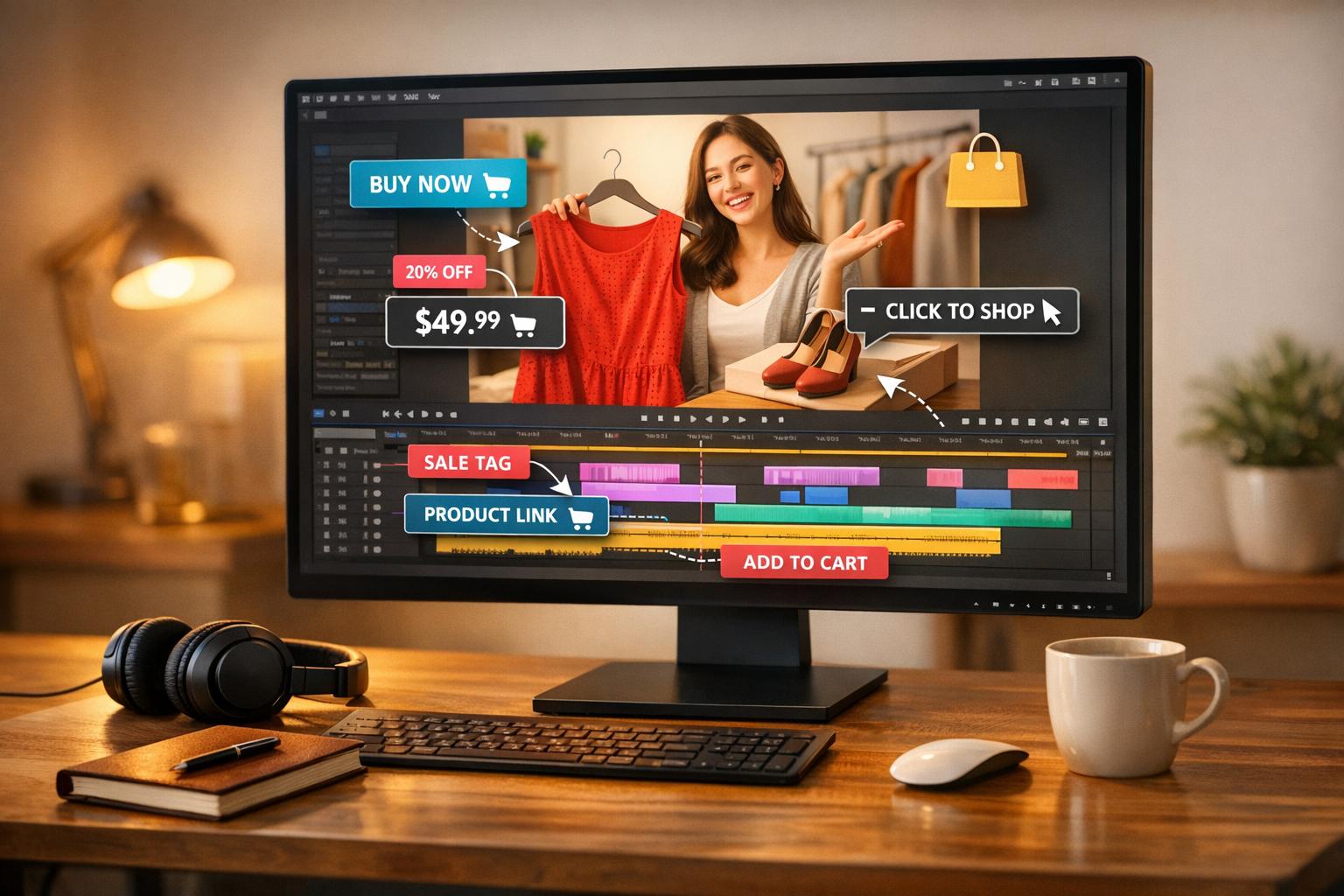
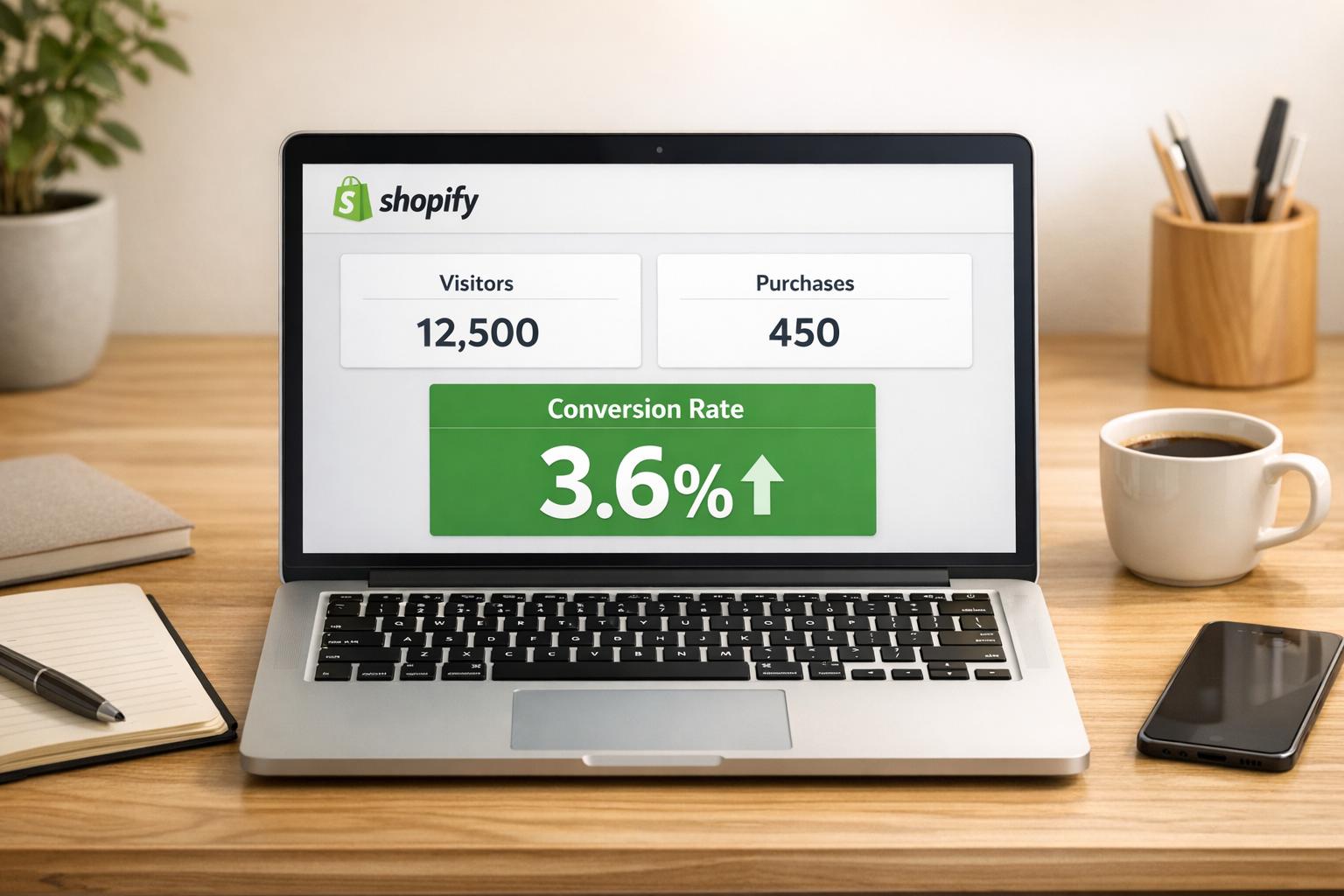
Shoppable videos make online shopping faster and easier by letting users buy products directly from videos without leaving the content. Instead of navigating through multiple pages, viewers can click on product tags within the video to learn more or add items to their cart instantly. This reduces abandoned carts and boosts sales. You can track these improvements using a Shopify conversion rate calculator.
Key Points:
- Direct Shopping: Products are tagged in the video with clickable links for immediate purchase.
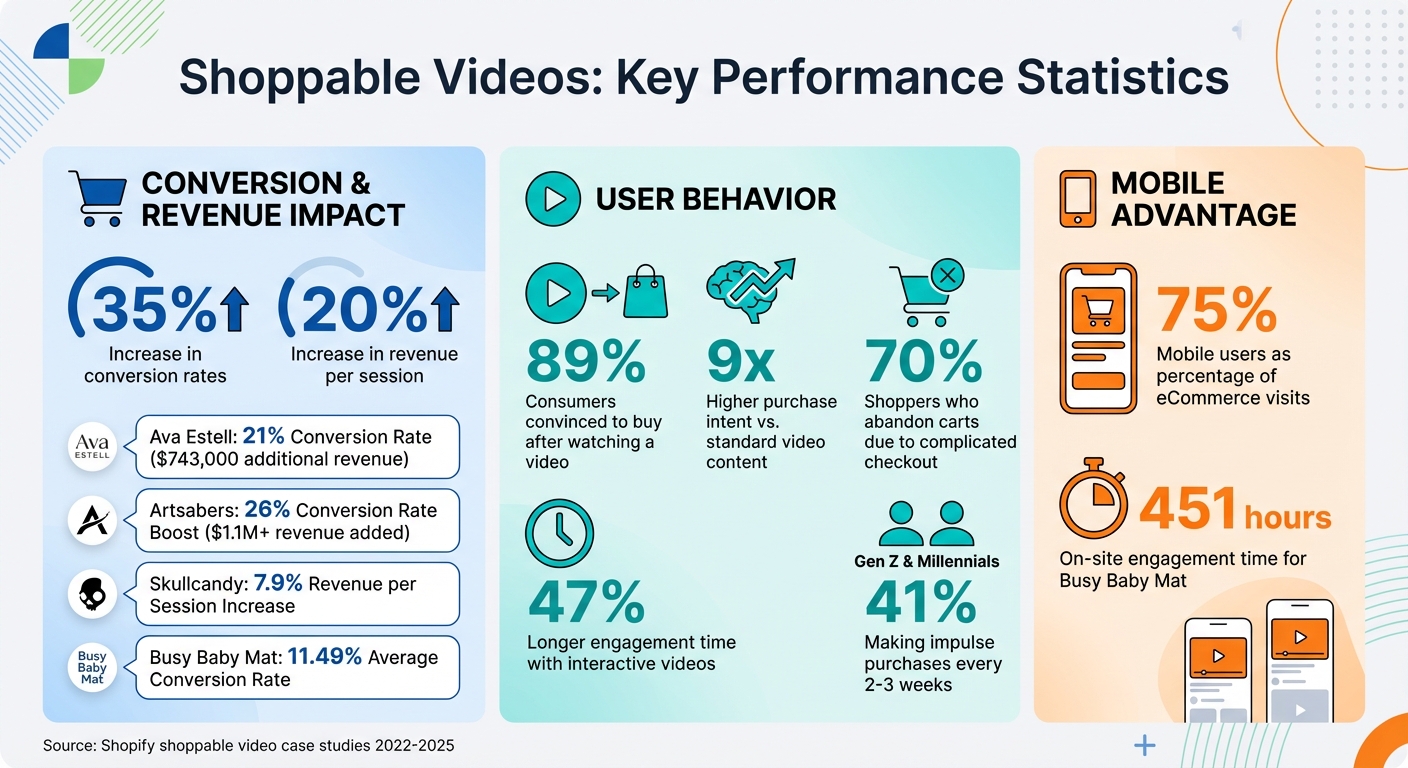
- Higher Conversions: Shoppable videos increase conversion rates by up to 35% and revenue per session by 20%.
- Mobile-Friendly: Perfect for mobile users, offering a smooth, scrollable experience similar to TikTok or Instagram Stories.
- Easy Integration: Shopify apps like UWidget allow merchants to tag products in videos and place them strategically on their store.
By simplifying the buying journey, shoppable videos keep users engaged and encourage quick purchasing decisions. This approach is particularly effective for mobile shoppers and brands looking to improve their online sales.
Shoppable Videos Impact on E-commerce Conversion Rates and Revenue
What Are Shoppable Videos?
The Basics of Shoppable Videos
Shoppable videos are a type of interactive content that allows viewers to shop directly from the video itself, without pausing or navigating away. Unlike traditional videos, these include embedded product links and clickable tags - often called "hotspots" - that appear as the video plays. When a product is shown, a tag pops up, providing details like price, options, and even an "Add to Cart" button.
On Shopify, merchants can use specialized apps to connect their product catalog with video content. These tools allow you to tag specific products at precise moments in the video. For example, if a model showcases a jacket at the 15-second mark, the tag for that jacket will appear right then. This seamless integration keeps viewers engaged and eliminates distractions, encouraging them to stay focused on the video.
"Shoppable video technology lets ecommerce businesses turn video content into a vehicle for direct conversions." - Shopify Staff
How Shoppable Videos Reduce Navigation Steps
Traditional online shopping can feel like a maze - watching content, clicking through pages, and navigating menus to find what you want. Shoppable videos simplify this process, turning it into a smooth, one-step experience.
When viewers see a product they like in a shoppable video, they can click the tag and purchase it immediately - no need to leave the video or search elsewhere. This streamlined approach is crucial, especially when 70% of shoppers abandon their carts due to complicated checkout processes. A great example is skincare brand Ava Estell, which used shoppable videos featuring "Real Reviews from Real Customers." This strategy, with direct product links, brought in over $743,000 in additional revenue and achieved a 21% conversion rate between 2022 and 2023.
This format is particularly effective on mobile devices, where convenience is key. In fact, 41% of Gen Z and millennials make impulse purchases online every 2–3 weeks. By offering a TikTok-like scrolling experience with instant buy options, shoppable videos appeal to those who want to purchase exactly what they see, exactly when they see it. This makes integrating shoppable videos into your Shopify store a smart move for engaging modern shoppers.
sbb-itb-d9e5b3a
How to Add Shoppable Videos to Your Shopify Store

Step 1: Pick the Right Shopify App for Shoppable Videos
Start by choosing an app that can bring your shoppable video vision to life. Think about where your videos will come from - YouTube, TikTok, Instagram, or even user-generated content. For stores focused on YouTube, UWidget is a solid option. It syncs seamlessly with your Shopify inventory, letting you tag products at specific moments in your videos. Plus, it offers flexible layouts like carousel sliders, video grids, and sticky players that stay visible as customers scroll through your site.
When comparing apps, look for features that prioritize speed, like lazy loading and thumbnail-first widgets. These keep your pages running smoothly. Also, check for "One-Click Add to Cart" functionality, which simplifies the buying process by skipping unnecessary steps. Many top apps, including UWidget, offer a 7-day free trial and start at $5.99/month, giving you time to see how well they fit with your store's design and mobile experience.
Step 2: Upload Videos and Add Product Tags
Once you've installed your app, it's time to bring in your videos. You can upload them directly, sync them from social media, or import them via URLs. The app will connect to your Shopify Admin and display your product catalog, making it easy to create interactive hotspots in your videos.
Tagging products is straightforward. Simply pick an item from your inventory, set the timestamp where it appears in the video, and the app will automatically sync the product's price and availability. This integration ensures that customers can buy exactly what they see, without having to hunt through menus or product listings.
With your videos tagged, the next step is deciding where they’ll make the most impact on your store.
Step 3: Strategically Place Shoppable Videos
Placement is key to making your videos effective. On product detail pages, position videos near the top - above the fold - so they’re instantly visible. For homepages, consider using video banners or carousels to feature collections or tell your brand’s story. On collection pages, video grids work well, allowing shoppers to compare multiple products at once.
For added convenience, try floating or sticky widgets that stay visible as customers browse. On mobile, story-style formats perform best. Keep videos short - under 90 seconds - and use vertical formats for better mobile viewing. Don’t forget captions, as many users watch videos with the sound off.
Step 4: Test and Improve Your Videos
After your videos go live, it’s time to dive into performance testing. Use analytics to track views, clicks, and conversions. Experiment with different tag placements - sometimes moving a tag by just a few seconds can make a big difference in engagement. Replace any underperforming videos with ones that are more likely to drive purchases.
Mobile performance deserves special attention. Many customers will interact with your videos on their phones, so ensure the video player is fully responsive. Test the entire process, from clicking a video tag to adding an item to the cart and completing checkout. By fine-tuning your videos and their placement, you can maximize their impact and make shopping on your site as seamless as possible.
How To Add Shoppable Videos to your Shopify Store | Videeo

Why Shoppable Videos Work for Shopify Stores
Once set up, shoppable videos bring a range of benefits that can elevate the shopping experience.
Better User Experience
Shoppable videos streamline the buying process by taking customers directly from discovery to checkout. Instead of navigating through menus or search bars, shoppers can tap a product within the video and add it to their cart instantly.
These videos also add context to the shopping experience. Unlike static product pages, videos can showcase a product's movement, texture, or fit - whether it's the snug feel of compression socks or the silky finish of a skincare product. This allows customers to make informed decisions without leaving the video player, reducing clicks and frustration. For example, skincare brand Ava Estell used shoppable videos to feature "Real Reviews from Real Customers", generating over $743,000 in additional revenue and achieving a 21% conversion rate.
Increased Engagement and Sales
Interactive videos grab attention longer than traditional video marketing strategies - 47% longer, to be exact. This extended engagement creates more opportunities for sales. When Artsabers introduced shoppable videos on their Shopify store in 2023, they saw a 26% boost in conversion rates and added over $1.1 million in revenue.
The stats back it up: 89% of consumers say watching a video has convinced them to buy a product, and purchase intent is nine times higher for shoppable videos compared to standard video content. Skullcandy’s use of shoppable videos across their site led to a 7.9% increase in revenue per session in 2024.
"Competition fuels innovation, and one of the areas where we can expect to see growth is in shoppable video, reducing the friction on the Internet users' journey between the point of engagement and the point of transaction".
Vincent Flood, Editor-in-Chief at Video Ad News
Mobile-Optimized Navigation
Mobile shoppers often deal with small screens, limited attention spans, and a tendency to leave sites quickly. Shoppable videos address these challenges by adopting vertical (9:16) or square (1:1) formats that naturally fit smartphone screens. They simplify navigation with tappable product tags, creating an experience similar to Instagram Stories or TikTok.
The mobile advantage is undeniable: these videos let users watch, tap, and buy without switching tabs, making the process seamless. In November 2025, baby product retailer Busy Baby Mat embedded Instagram and TikTok reels as shoppable videos in their store. The results? An average conversion rate of 11.49% and over 451 hours of on-site engagement.
"Shoppable videos offer an immersive experience for shoppers as they get to watch product demonstrations while being able to make purchases without leaving the page or having to search through complex menus".
Jamie Irwin, Director & Founder at Straight Up Search
Conclusion
Shoppable videos eliminate extra steps, taking customers directly from discovery to checkout on your Shopify store. Instead of making users sift through menus or juggle multiple tabs, these videos let shoppers tap on a product and add it to their cart - all within the video player itself. This seamless process boosts user engagement while cutting down on cart abandonment, as highlighted earlier in this guide.
Brands have reported conversion rates climbing by up to 21% and impressive revenue growth. By showcasing products in action and offering immediate purchasing options, shoppable videos help customers make quick, confident decisions.
For mobile shoppers - who now make up nearly 75% of eCommerce visits - this format feels intuitive, mirroring the swipe-and-scroll behavior of platforms like TikTok and Instagram Stories. This familiarity keeps users engaged longer, leading to more sales.
Ready to add shoppable videos to your store? Tools like UWidget make it simple. With a 5.0/5 rating on the Shopify App Store, UWidget offers features like galleries, carousels, and sticky videos that integrate effortlessly without slowing down your site. Start now to create a shopping experience that’s both engaging and optimized for conversions.
FAQs
Where should I place shoppable videos on my Shopify store for the best results?
Shoppable videos work best when placed in areas where they’ll grab attention and make navigation easier. Think about showcasing them on your homepage - like in a hero carousel - to spotlight seasonal collections or fresh arrivals. Product pages are another smart choice. Pairing videos with add-to-cart buttons can boost trust and encourage quick decisions. You can also embed these videos in explainer sections or use carousel widgets to keep users engaged and steer them toward making a purchase.
How do I tag products in a video so clicks go straight to the right product page?
To make your videos interactive and link viewers directly to product pages, use a shoppable video platform with product tagging capabilities. Here's how it works: you tag specific moments in the video by selecting the featured products and placing clickable tags. These tags allow viewers to instantly access product details or navigate to the product page, creating a smooth and engaging shopping experience.
How can I measure if shoppable videos are reducing navigation drop-offs on mobile?
To measure how well your shoppable videos are performing, focus on metrics like click-through rate (CTR), conversion rate, and add-to-cart rate. These numbers provide insight into both engagement and how effectively viewers are converting into customers.
In addition, leverage analytics tools to track viewer retention and overall video performance. For example, a higher CTR combined with fewer drop-offs during critical moments suggests that your videos are successfully driving users to product pages and making mobile navigation smoother.