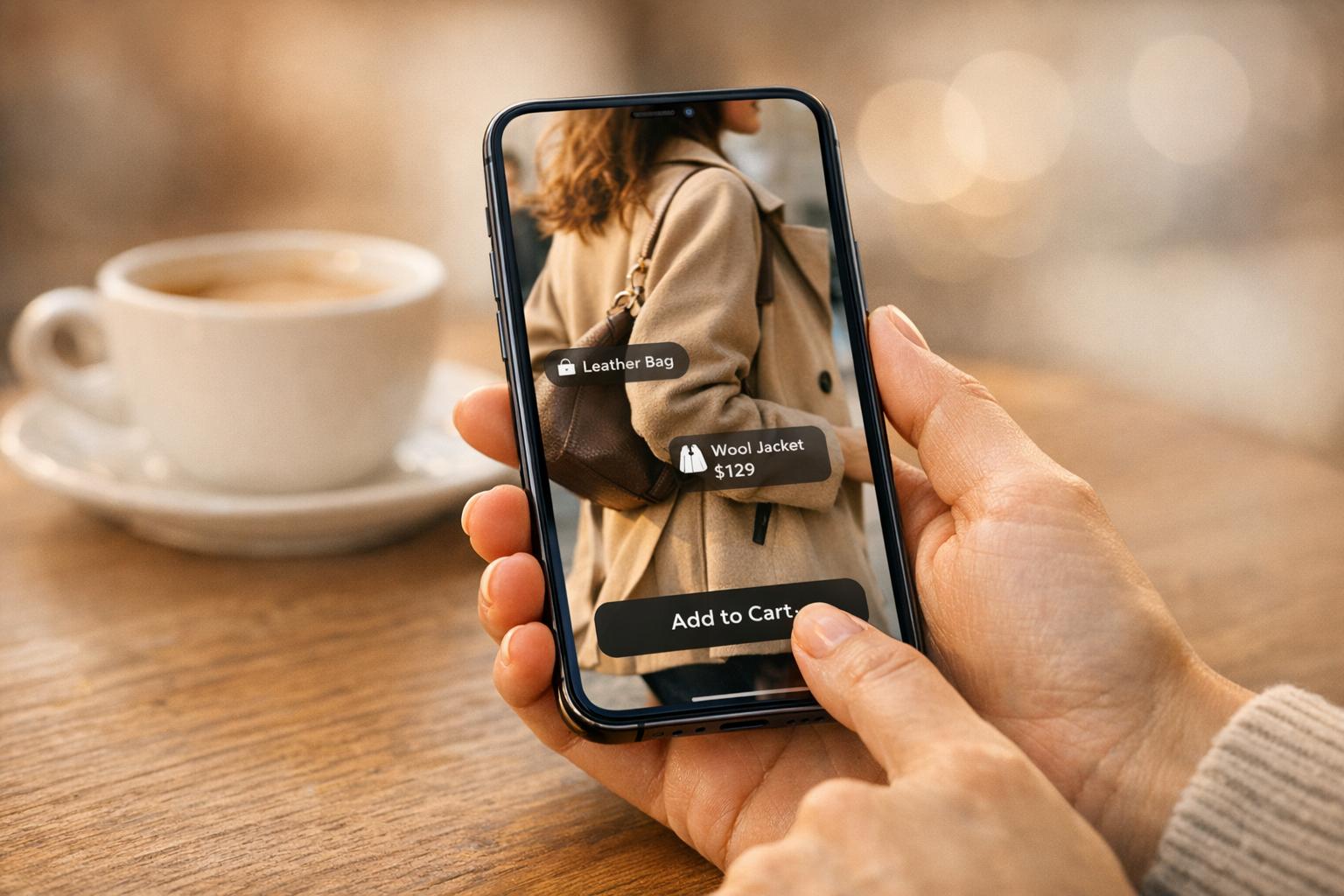
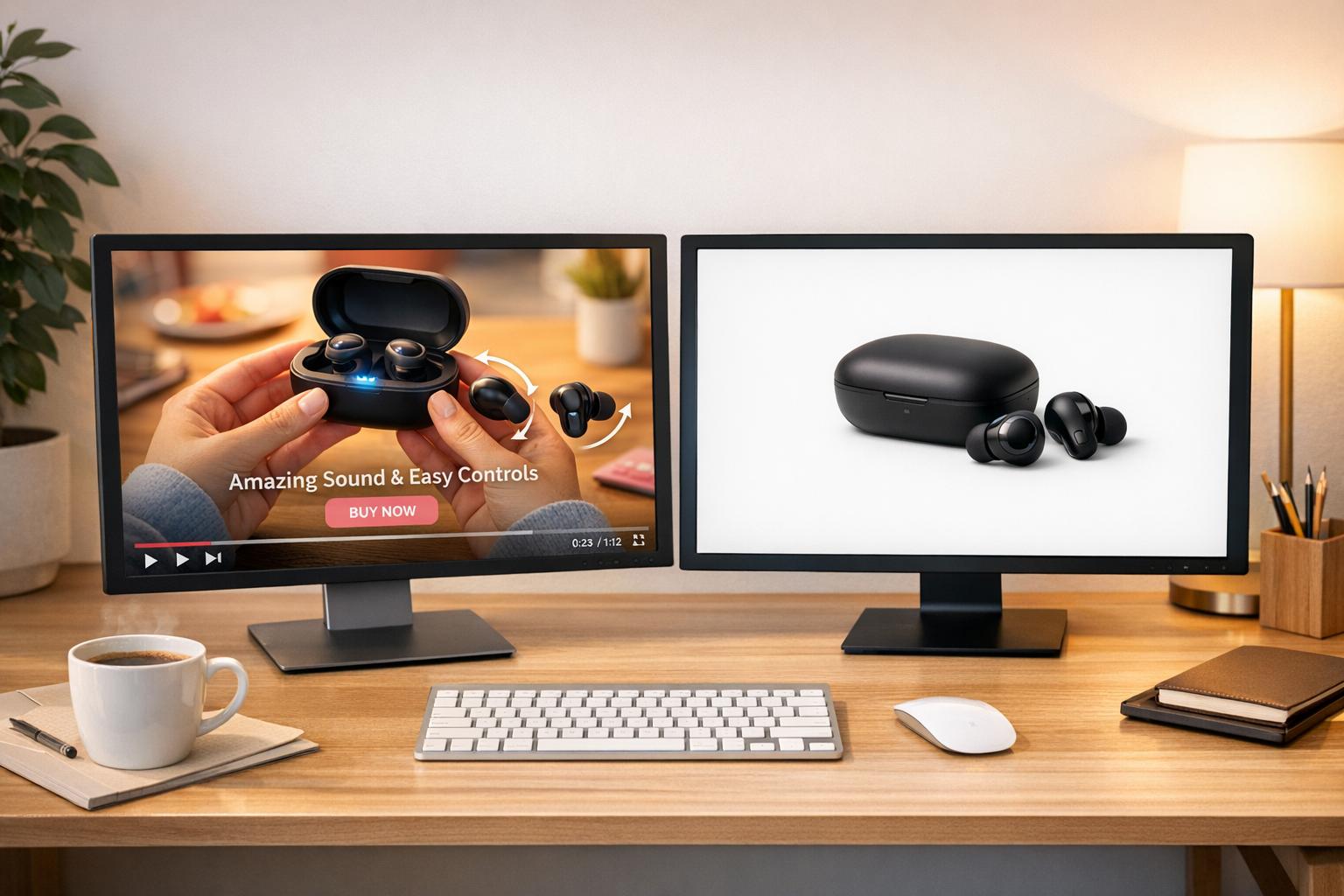
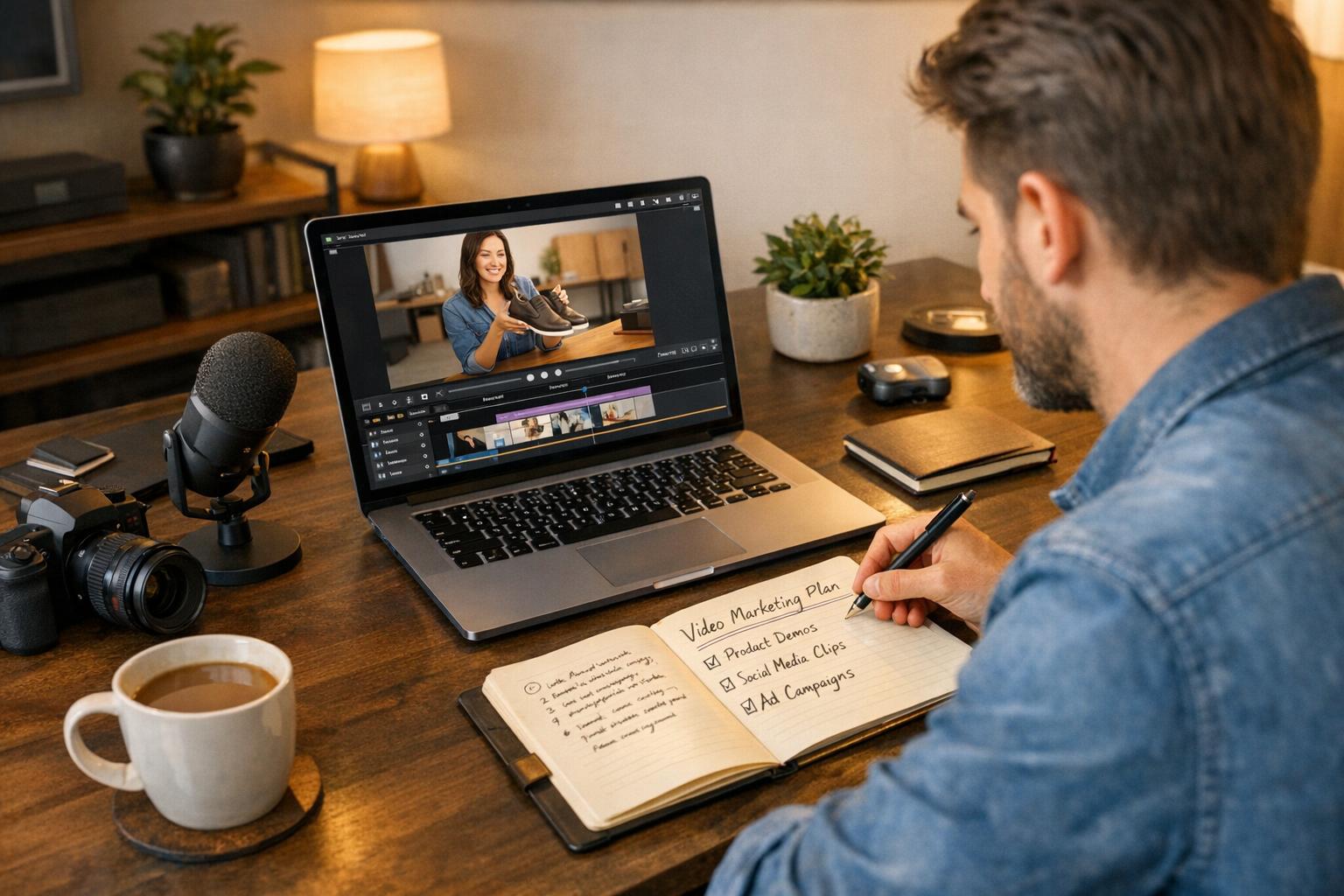
Shoppable videos are transforming e-commerce. They allow viewers to purchase products directly within the video, eliminating extra steps and boosting conversions. In fact, 81% of marketers say video content directly increases sales, and brands report conversion rates as high as 9.9% using this strategy. Here's what you need to know:
- What are shoppable videos? Interactive videos with embedded product links or tags for direct purchases.
- Why do they work? They simplify shopping, encourage impulse buys, and drive engagement on platforms like Instagram, TikTok, and YouTube.
- Key editing tips:
- Start with a strong hook (grab attention in the first 3 seconds).
- Use clear product tags and "Shop Now" buttons at optimal moments (21–34 seconds).
- Include subtitles, bold visuals, and mobile-friendly formats (9:16 vertical works best).
- Platform strategies: Customize videos for TikTok (short, trendy), Instagram (visual, lifestyle), and YouTube (longer, detailed). Each platform has unique formats and tools for shoppable content.
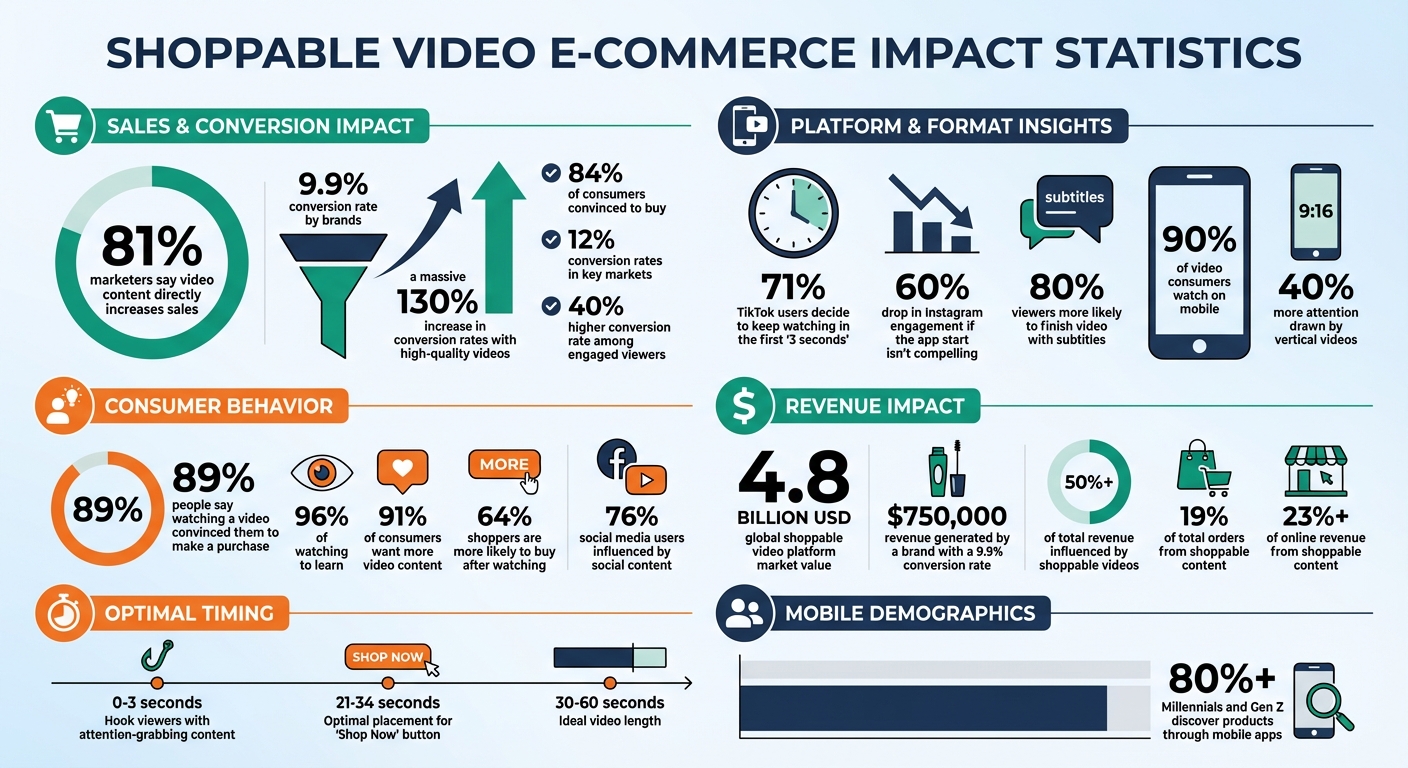
Shoppable Video Statistics: Impact on E-Commerce Conversion Rates and Sales
EDIT TikTok Shop Affiliate Videos Like a PRO for Maximum Conversions
Planning Your Shoppable Video Edits
Before diving into your editing software, take a moment to plan. A well-thought-out storyboard is your blueprint, guiding product placements, interactive elements, and the overall narrative. Skipping this step could lead to hours of frustration rearranging clips and repositioning tags later on.
Storyboarding for Shoppable Videos
A strong storyboard takes your audience on a journey - from sparking curiosity to driving a purchase. Start with an attention-grabbing hook in the first 0–3 seconds. This could be a striking visual, a relatable moment, or an unexpected product demo. Since many viewers watch on mute, make sure to include on-screen text or captions to keep them engaged.
Next, highlight your product’s best features. Use close-ups to showcase details like skincare textures or offer multiple angles for apparel. Follow this up with proof points - customer testimonials or before-and-after shots work great here to emphasize your product’s appeal.
Timing is everything when it comes to your call to action. Research shows that placing a “Shop Now” button or shoppable link between 21 and 34 seconds captures the most engagement. In fact, 64% of shoppers are more likely to buy after watching a product video.
Here’s a real-world example: In 2024, a cosmetics brand used this storyboard strategy to increase their Average Order Value by 8%, generating over $750,000 in revenue with a 9.9% conversion rate.
Once your storyboard is ready, shift your focus to integrating interactive elements seamlessly into your visuals.
Preparing Visuals for Interactive Overlays
Interactive features like price tags, product bubbles, and “Add to Cart” buttons need their own space in your video. Plan your shots with safe zones to ensure these overlays don’t block important product details. This approach makes sure the shopping experience is smooth and visually appealing.
Vertical videos (9:16 format) are especially effective, drawing 40% more attention than other formats. This is key in a mobile-first world, where over 80% of Millennials and Gen Z discover products through mobile apps. Using techniques like the rule of thirds can help you position subjects in a way that leaves room for text and interactive elements.
Each video format requires unique planning. While square and vertical videos naturally leave space for overlays, horizontal videos can be less effective on mobile screens, where most shoppable video engagement happens.
For example, a fashion brand saw major success by organizing user-generated content with clear safe zones. This strategy helped their shoppable content account for 19% of total orders and over 23% of online revenue.
Organizing Assets for Efficient Editing
With your storyboard and visuals in place, it’s time to streamline your editing process. Start by sorting your footage into “good” and “bad” takes immediately after filming.
To stay organized, create folders for different types of assets:
- Primary footage: Main product demonstrations
- B-roll: Supplemental shots like close-ups or lifestyle scenes
- Brand elements: Logos, fonts, and official color codes
- Product metadata: Pricing, stock details, and variant options
Reusable templates for intros, transitions, and outros can save you time and reinforce your branding. Incorporating supplemental B-roll footage also helps break up static shots, keeping viewers engaged during longer product explanations.
Core Shoppable Video Editing Techniques
With your assets organized and your storyboard in place, it’s time to dive into the editing process. This is where you turn a basic product video into a shoppable experience that grabs attention and drives conversions. The key lies in nailing those crucial opening moments, efficiently using on-screen space, and layering text and audio in a way that enhances the viewer's experience.
Engaging Viewers in the First Few Seconds
The first three seconds of your video can make or break its success. Statistics show that 71% of TikTok users decide whether to keep watching within those opening moments, while Instagram engagement drops by 60% if the start isn’t compelling enough [14, 17]. Long intros with brand logos or generic greetings? Skip them - they’re practically an invitation for viewers to scroll away. Instead, jump straight into the action. If you’re showcasing cookware, start with the sizzle of food hitting the pan. Selling apparel? Begin with a dramatic outfit transformation.
Incorporate pattern interruptions to spark curiosity. This could mean using unexpected camera angles, sudden cuts, or even starting mid-story to create intrigue without giving too much away.
"The first three seconds are the new headline. They do the job that titles once did: convince people to give you more of their time." – Maya Johnson, Digital Strategist
Don’t forget to place your shoppable link early in the video. Frequent visual changes also help maintain momentum and keep viewers engaged. And since 80% of viewers are more likely to finish a video when subtitles are included, always add text overlays for those watching on mute.
Once you’ve hooked your audience, the next step is to optimize your on-screen layout for shopping elements.
Optimizing On-Screen Space for Shopping UI
A well-crafted shoppable video strikes a balance between showcasing products and integrating interactive shopping features. Using the rule of thirds - dividing your frame into a 3x3 grid and positioning key elements at the intersections - creates natural "dead space" for placing product tags or add-to-cart buttons [5, 7].
Keep the interface clean and simple. Limit your video to no more than two calls to action to avoid overwhelming viewers. If you’re featuring multiple products, consider linking to a main catalog page instead of tagging every item individually. Use B-roll footage strategically to create pauses, giving product tags space to appear without overcrowding the screen [5, 7].
For mobile viewers, who account for about 90% of video consumers, a vertical 9:16 format is essential. This mobile-first approach ensures that shopping overlays are thumb-friendly and positioned where they’re visible but not intrusive [7, 15].
Adding Text, Graphics, and Audio
To enhance your video further, text overlays can play a pivotal role. They allow you to communicate key messages even when viewers have the sound off, highlight product features, and reinforce calls to action. Stick to concise, impactful text that aligns with your brand’s font and color scheme. Adding subtle sound effects to emphasize text can also boost engagement [3, 5].
When it comes to audio, focus on clarity. Use high-quality microphones to capture dialogue, and edit out any unnecessary pauses or filler words [5, 18]. Background music should complement your brand’s vibe without overshadowing the main message. Thoughtful sound design, like well-timed sound effects, can elevate your video’s overall impact.
"89% of people say watching a video has convinced them to make a purchase." – Shopify
Always include closed captions with high-contrast fonts to ensure accessibility. Wrap up your video with a clear call to action - both visually and audibly. Whether it’s “Shop Now” or “Add to Cart,” make sure your audience knows the next step. Experiment with different placements and formats to see what resonates most [5, 18].
For Shopify users looking to embed shoppable YouTube videos directly into their stores, tools like UWidget from the Fractal Apps suite offer a seamless solution. Starting at $5.99/month, this app includes features like lazy loading to keep your site running smoothly and boasts a perfect 5/5 rating on the Shopify App Store [4, 19].
sbb-itb-d9e5b3a
Adapting Videos for Platforms and Shopify Stores

Once your shoppable video is ready, the next step is to make sure it works smoothly across all platforms and your Shopify store. Each platform has its own technical requirements and audience preferences, so adjusting your video format is essential.
Editing for Platform-Specific Formats
Different platforms call for different video formats. For example:
- Vertical (9:16): Perfect for TikTok and Instagram Reels.
- Square (1:1): Best suited for Instagram feed posts.
- Horizontal (16:9): Ideal for YouTube and Facebook.
Keep your key visuals centered so they remain visible, even when cropped. Tools like Filmora can help with this, offering AI-powered auto-reframe features to resize your video for various platforms effortlessly.
To ensure compatibility across web browsers and social platforms, export your videos in MP4 format using the H.264 video codec and AAC audio codec. Adding subtitles or closed captions is another smart move, as many users watch videos without sound. This not only makes your content more accessible but also keeps viewers engaged.
Embedding Shoppable Videos into Shopify
Once your videos are formatted, embedding them into your Shopify store is the next step. This creates a seamless shopping experience, allowing customers to watch and shop without leaving the page.
The UWidget app is a great tool for integrating videos into your Shopify store. It lets you add interactive features, making it easy for customers to engage with your content. Make sure your video's design - fonts, colors, and logos - matches your store's branding for a cohesive look. Place these videos strategically on product or landing pages, paired with clear calls to action like "Shop Now" or "Add to Cart."
Customizing Videos for Social Commerce Platforms
Every social platform has its own vibe, and your videos should reflect that. Customizing your content to match the platform's style and user behavior can make a big difference.
On TikTok, for instance, authenticity is everything.
"On TikTok, authenticity wins. Aim to make creative content that uses trending TikTok sounds... Incorporating your products organically into content like this will always perform better than a direct sales pitch" – Dayna Winter from Shopify
TikTok Shop has seen explosive growth, with its gross merchandise value jumping from $1 billion in 2021 to $33 billion in 2024. Use TikTok's "Add Link" feature to connect videos directly to product pages, and consider syncing your product catalog using TikTok’s official Shopify app. This allows you to manage ads and product listings directly from your Shopify dashboard.
Instagram Shopping is another powerful tool, letting you tag up to five products per video in organic posts or paid ads. With 70% of Instagram's two billion monthly users engaging with Instagram Shopping, focusing on visually appealing and lifestyle-driven content can increase engagement.
YouTube Shopping, on the other hand, thrives on longer-form content. Use multiple camera angles and optimize your videos for SEO to reach a broader audience. Features like product tagging during livestreams and built-in sales analytics make it easier to track performance. To grab attention, create eye-catching thumbnails using tools like Canva.
Here’s a stat to consider: 81% of marketers say video content has directly boosted their sales, and 76% of social media users admit that social content influenced a purchase in the past six months. By tailoring your shoppable videos to fit each platform’s unique features and audience preferences, you can amplify your brand’s reach and drive more sales.
Systematizing and Optimizing Shoppable Video Editing
Once you've nailed the basics of editing and adapting videos for various platforms, the next step is to create a system that allows you to scale efficiently. By building reusable templates and refining your videos based on performance data, you can save time and boost results without sacrificing quality.
Building Reusable Video Editing Templates
Templates are a game-changer for consistent and efficient video production. Instead of starting from scratch, set up standardized timelines for popular formats like unboxings, tutorials, or product demos. Configure your editing software with your brand’s fonts, colors, and logos so every video naturally aligns with your store’s branding. Using the same intro sequence and transition style across all your videos helps build instant brand recognition while cutting down on repetitive creative decisions.
These templates speed up editing by letting you quickly rearrange clips within pre-set timelines. You can also repurpose existing assets like blog posts, infographics, or product photos into video slideshows or explainer clips. Tools like Vimeo Create even allow you to turn product images and text into polished video ads in minutes using AI. Don’t forget to include a standard “outro” clip with a clear call-to-action - such as “Shop Now” or directing viewers to a specific Shopify collection - to wrap up every video.
For example, in 2024, the video commerce platform Smartzer streamlined its processes with Mux’s infrastructure. Before automation, manual workflows consumed 20% of their engineering team’s time. By implementing automated video processing features, they managed livestream shopping events for up to 175,000 viewers while freeing up resources for other projects.
Once your templates are ready, use performance data to fine-tune your edits and maximize conversions.
Refining Videos for Better Conversion Rates
Data is your best friend when it comes to improving video performance. Record extra footage and create multiple versions of your videos for A/B testing. Experiment with different hooks, visuals, and calls-to-action (CTAs) to see what resonates most with your audience. For instance, try opening with an intriguing question, a bold statement, or directly addressing a common problem. Then, track metrics like impressions, play time, click-through rates, and average order value to identify what works best.
In October 2025, Rojaprofessional.de revealed that over 50% of their total revenue was influenced by shoppable videos, with a 40% higher conversion rate among viewers who engaged with their content. To further boost conversions, integrate interactive elements like “Add to Cart” buttons, countdown timers, or sales badges directly into your videos. Use pricing strategies like showing $19.99 instead of $20.00 or displaying the original price crossed out next to the discounted price to encourage purchases.
Placement matters too. Embed shoppable video widgets on product detail pages, ideally just below the “Add to Cart” button, to make the buying process feel more personal. Since 96% of consumers watch explainer videos to learn about a product, ensure your videos clearly demonstrate how your product solves a specific problem.
Adding tailored apps can further enhance the shopping experience, making it even easier for customers to move from watching to buying.
Improving E-Commerce UX with Apps
Shoppable videos truly shine when integrated into a well-designed store experience. Apps can enhance this journey by improving engagement and simplifying navigation. For instance, the ILikeThat app adds "like" buttons, allowing customers to save their favorite products while watching videos, fostering both engagement and brand loyalty. The CheckIt app introduces a checkout progress bar, helping reduce cart abandonment by keeping customers informed during the purchase process. Meanwhile, DivideItUp creates visual dividers that organize your store’s content, making it easier to navigate.
These small but impactful features create a smoother path from video viewing to purchase. When customers can save products they like, track their checkout progress, and navigate a clean, organized store, they’re far more likely to complete their purchase. By combining engaging shoppable videos with thoughtful user experience enhancements, you can build a shopping environment that feels seamless and trustworthy.
Conclusion and Key Takeaways
Shoppable video editing has become a game-changer for driving e-commerce success on platforms like Shopify. The numbers speak for themselves: 84% of consumers say they’ve been convinced to buy a product after watching a brand’s video, and adding high-quality e-commerce videos can lead to a 130% increase in conversion rates. With the global shoppable video platform market now valued at $4.8 billion, it’s clear this is shaping the future of online shopping.
The secret lies in eliminating friction between discovery and purchase. As Moast puts it:
"Shoppable video collapses the customer journey. By allowing a purchase at the peak of interest, it dramatically reduces friction and captures sales that would otherwise be lost to distraction or a complicated checkout process".
To succeed, focus on creating engaging video content paired with smart editing strategies. Prioritize mobile-first formats, grab attention in the first few seconds, and include strong calls-to-action. This approach aligns perfectly with the earlier discussion on efficient editing and asset management, ensuring your videos not only captivate viewers but also drive action.
Streamline production with reusable templates, fine-tune performance with data-driven insights, and use tools like UWidget to embed YouTube videos directly into your store. Most modern shoppable video tools are plug-and-play, making integration simple and eliminating the need for developer assistance.
Keep videos short - 30 to 60 seconds is ideal - and optimize for vertical mobile viewing. Don’t forget subtitles for those watching without sound. By combining these mobile-first techniques with interactive overlays, you’ll maximize customer engagement. With 91% of consumers wanting more video content from brands and conversion rates nearing 12% in key markets, mastering shoppable video editing today positions your brand to capture tomorrow’s sales.
FAQs
What’s the best way to incorporate shoppable videos into my e-commerce strategy?
To make shoppable videos a key part of your e-commerce strategy, start by defining the goal of each video. Are you aiming to boost sales, attract leads, or strengthen brand recognition? Once you know the purpose, focus on creating engaging content that puts your products in the spotlight. Think product demos, customer testimonials, or simple explainer videos. Keep your message straightforward and plan where interactive elements like “buy now” buttons or clickable hotspots will appear.
When it comes to editing, prioritize high-quality visuals and aim for videos under 2 minutes to hold your audience's attention. Tools like Fractal Apps’ UWidget can make embedding shoppable features a breeze, turning your videos into clickable experiences that lead directly to your Shopify product pages.
After publishing, share your videos widely - on your website, social media platforms, and even in email campaigns. Make sure they’re optimized for mobile viewing, as that’s where many customers will interact. Use Shopify’s analytics to track metrics like click-through rates, average order value, and conversions. Keep improving by experimenting with different video lengths, product placements, and calls to action to get the most out of your investment.
What are the best tips for creating engaging shoppable videos?
Shoppable videos blend storytelling with the convenience of instant purchasing, making it easy for viewers to buy products directly while watching. To create videos that grab attention and drive action, start by setting a clear goal - whether it’s boosting sales, introducing a product line, or increasing brand awareness. Then, pick a format that aligns with your objective. For example, product demos or influencer-led features work well for showcasing items in an engaging way.
Keep your videos short and optimized for mobile. Aim for 15-30 seconds for ads or under 2 minutes for more detailed demonstrations. Since many viewers watch without sound, use captions and ensure the visuals are sharp and clear. Incorporate interactive elements like product tags and include a strong call-to-action early on - think a "Buy Now" button or clickable overlay. Show the product in action with close-ups or real-life scenarios, and use high-quality lighting and stable shots to maintain a polished, professional appearance.
For better performance, make sure your videos load quickly by compressing files and provide transcripts to improve accessibility. Track key metrics like click-through rates and conversions to fine-tune your future content. Tools like Fractal Apps: Exclusive Shopify Apps can make the process easier, offering features such as embedding shoppable YouTube videos directly into your online store to boost engagement and sales.
How can I optimize shoppable videos for different social media platforms?
To make your shoppable videos perform their best, you need to adapt them to the specific needs of each platform where they’ll be shared. Start by checking the platform’s technical requirements, like resolution, aspect ratio, and video length limits. For example, Instagram Reels typically require vertical videos (1080×1920 pixels), while YouTube works well with a 16:9 ratio. Adjust your video’s format accordingly and make sure the file size is small enough to upload without any hiccups.
Incorporate interactive features, such as product tags or "Shop Now" buttons, but be mindful of placement - keep them within the safe zone to avoid interference from platform overlays. Design elements should also align with the platform’s layout. For instance, use larger text for vertical formats like TikTok or Instagram, and space out tags evenly for landscape or square formats, such as those on YouTube or Facebook.
Before posting, test the video on both mobile and desktop to ensure all links function properly and lead viewers to the correct product pages. Once live, keep an eye on how it performs so you can fine-tune future videos for even better results.