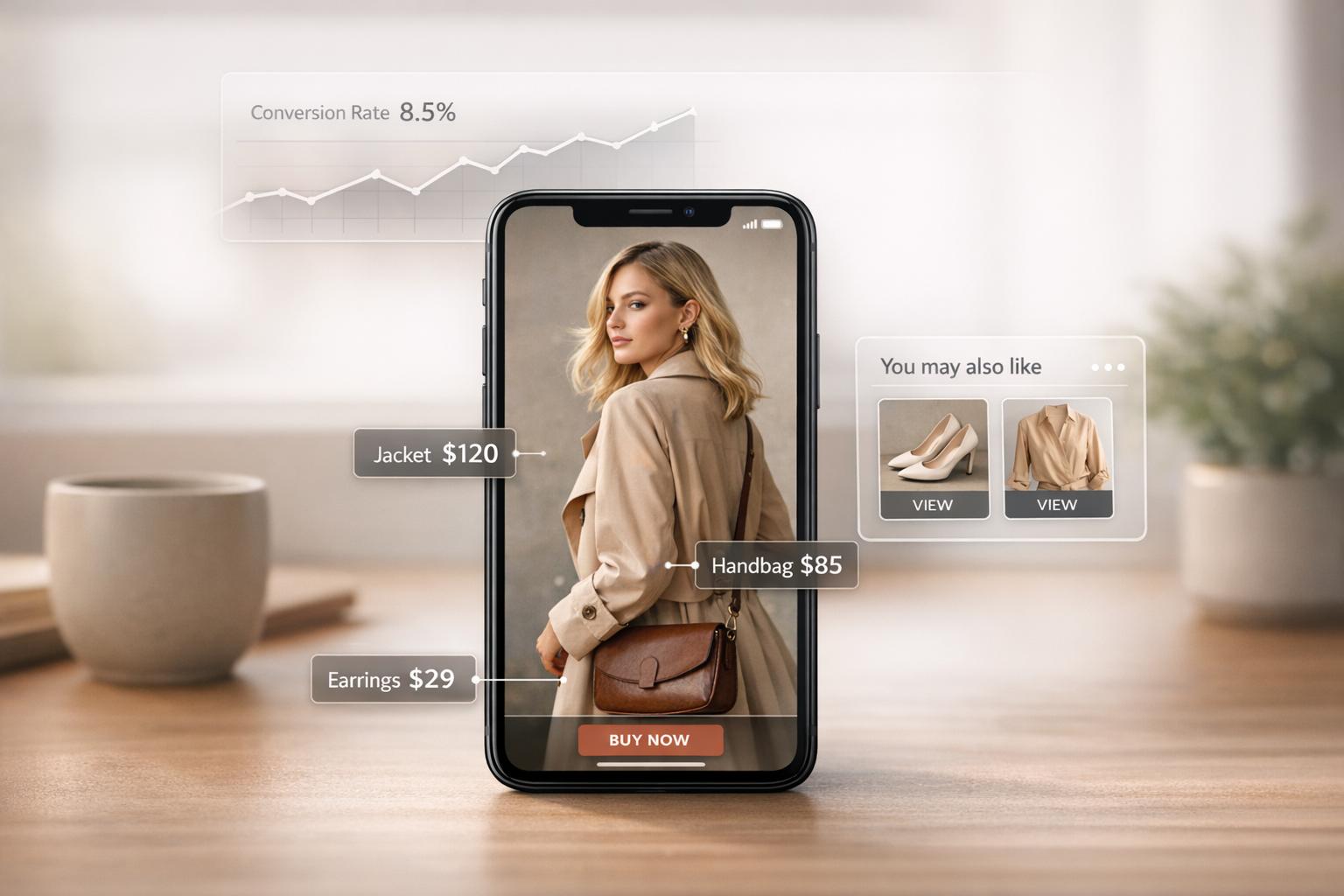
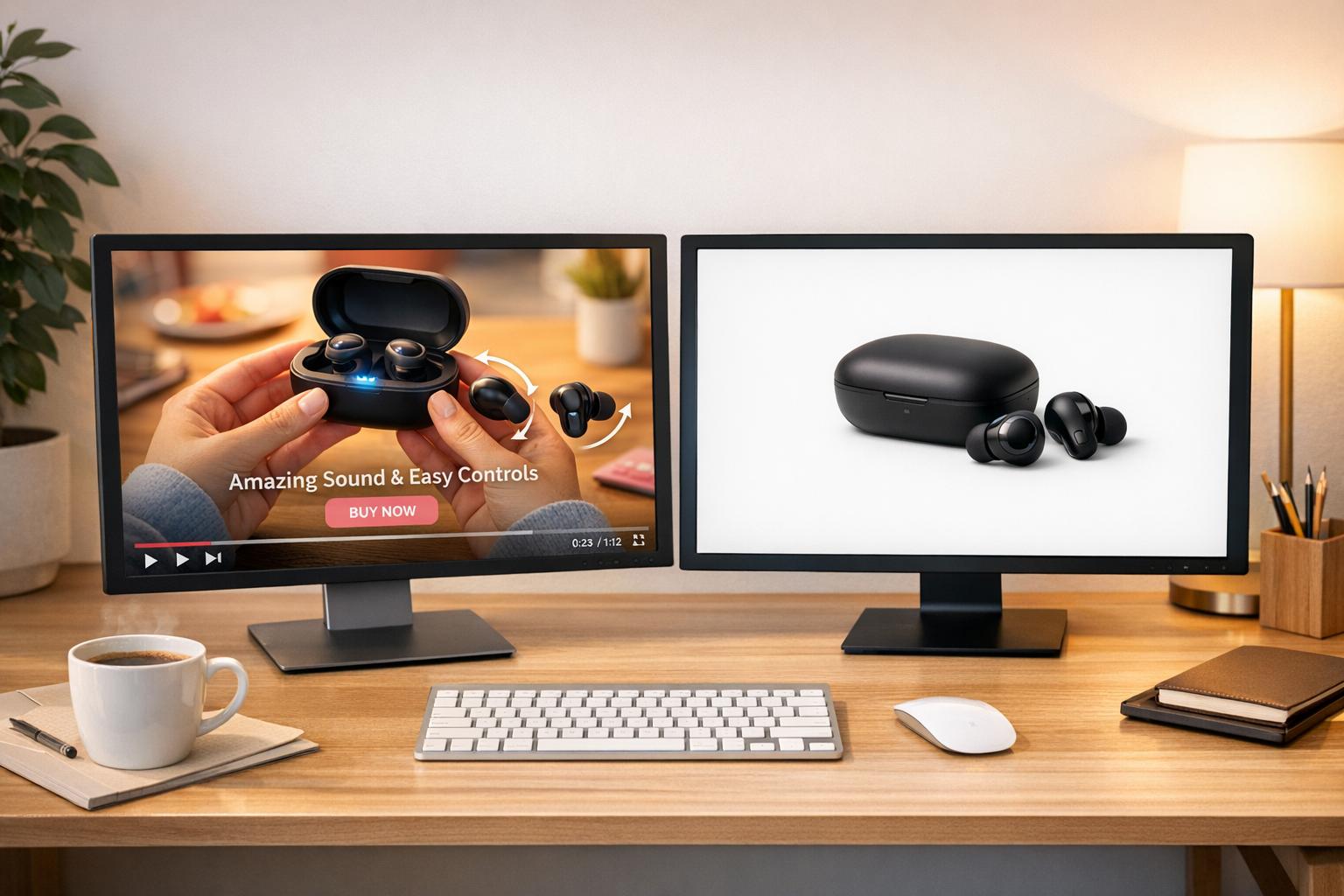
UWidget is a Shopify app that turns YouTube videos into shoppable experiences. By embedding clickable product tags directly into videos, it allows customers to purchase items without leaving the content. This reduces friction in the shopping process and keeps viewers engaged.
Here’s what you need to know:
- What it does: Links Shopify products to YouTube videos or playlists.
- How it works: Paste a YouTube link, tag products, and customize the display (grids, carousels, sticky videos).
- Why it matters: Shoppable videos can increase conversions by up to 30% and boost on-page time by 88%.
- Pricing: Starts at $5.99/month with plans for different needs, including a 7-day free trial.
Launched in December 2025, UWidget simplifies video-based shopping for businesses of all sizes. It supports YouTube Shorts, lazy loading for speed, and custom CSS for branding. Whether you’re showcasing product demos or tutorials, this tool integrates seamlessly into Shopify stores to drive sales directly from video content.
How UWidget Makes Shoppable YouTube Playlists Easy
Shoppable video content might sound like a daunting task, but UWidget simplifies the process entirely. Officially launched on December 1, 2025, this Shopify app turns any YouTube video or playlist into a seamless shopping experience - no coding or complex setup required. Let’s dive into what makes this tool so effective.
UWidget Features for YouTube Playlists
UWidget operates on a straightforward URL-based system. All you need to do is paste a YouTube video or playlist link into the app, and it automatically tags relevant products from your Shopify catalog. This creates an interactive "watch and buy" experience that connects content with commerce.
The app offers multiple display options to suit your store’s needs, such as video galleries, carousel sliders, grids, sticky video players, and even video banner backgrounds. The sticky video player is particularly handy for product pages, ensuring the video stays visible as users scroll. UWidget also supports YouTube Shorts, which is perfect for engaging mobile shoppers.
To maintain fast page speeds, UWidget uses lazy loading, displaying video thumbnails initially and loading full videos only when necessary. Plus, the app includes customization tools and custom CSS options, so you can align the widget’s design with your brand.
"Tag products on videos so customers can watch and buy in one place." - Fractal Apps
Why Shopify Store Owners Need UWidget

UWidget solves a common pain point for Shopify store owners: connecting video content directly to sales. Many stores already create YouTube content like product demos, how-to guides, or unboxing videos, but without a proper integration, customers often have to search for the featured products themselves. This extra step can break the flow of the shopping journey.
By streamlining the process, UWidget helps store owners turn video views into sales. The app has earned a perfect 5.0/5 rating on the Shopify App Store. Wholesale Nursery Co, a U.S.-based store, shared their experience: "I am pleased with this app. It allows shorts and videos to be displayed and easily integrated on my e-commerce store." UWidget addresses challenges like limited design options and the technical complexity of making videos interactive. By embedding customer reviews and tutorial videos directly on product pages, the app boosts buyer confidence at the most crucial moment - when they’re ready to make a purchase.
Pricing is straightforward: the Starter plan costs $5.99/month (1 widget, 25 videos), the Pro plan is $13.99/month (3 widgets, 50 videos), and the Premium plan is $19.99/month (unlimited widgets and videos). All plans include a 7-day free trial and features like shoppable layouts, Shorts compatibility, and custom CSS options, making it a fit for businesses of all sizes.
sbb-itb-d9e5b3a
How to Set Up a Shoppable YouTube Playlist with UWidget
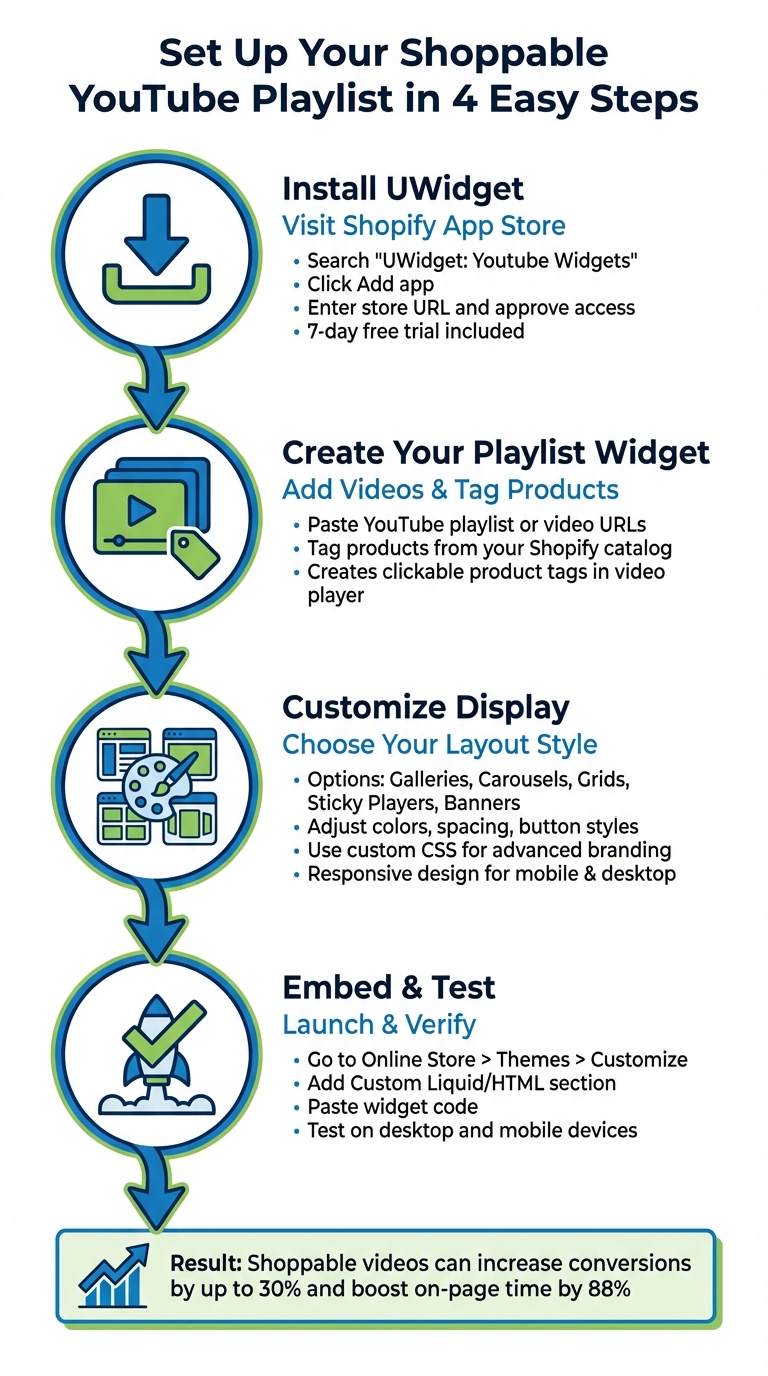
How to Set Up Shoppable YouTube Playlists with UWidget in 4 Steps
Setting up a shoppable YouTube playlist using UWidget is straightforward. Here’s how you can get started and integrate it seamlessly into your Shopify store.
Step 1: Install UWidget on Your Shopify Store
Start by visiting the Shopify App Store and searching for "UWidget: Youtube Widgets." Click the Add app button, enter your store URL, and confirm the installation. Once you approve access to your catalog, collections, and theme, UWidget will appear in your Shopify Admin dashboard. You’ll also get a 7-day free trial to test it out.
Step 2: Create Your Playlist Widget
Access UWidget through your Shopify Admin. Paste your YouTube playlist or individual video URLs directly into the app. Then, tag your products to these videos. This creates clickable product tags within the video player, allowing customers to shop without leaving the video.
Step 3: Customize the Widget Display
UWidget gives you plenty of layout options to match your store’s design. You can choose from video galleries, carousel sliders, grids, sticky video players, or video banner backgrounds. For example, grids are great for dedicated video sections, while sticky players keep videos visible as users scroll through product details.
You can also tweak colors, spacing, and button styles to align with your branding. For advanced customization, use the custom CSS field to adjust every visual detail. UWidget’s responsive design ensures your widget looks great on both desktop and mobile.
Step 4: Embed and Test the Widget
To embed the widget, navigate to Online Store > Themes > Customize in your Shopify Admin. Add a Custom Liquid or Custom HTML section where you want the playlist to appear, and paste the widget code generated by UWidget. For product pages or blog posts, switch to HTML view in Shopify’s editor and insert the code into the content area.
After saving, refresh your store to see the widget live. Test it on both desktop and mobile devices to ensure the responsive design works as expected and that product tags are clickable. If the widget doesn’t show up, double-check that the code was added to an HTML or Liquid field.
How to Optimize Shoppable Playlists for Better Results
Launching a shoppable playlist is just the start. To turn views into purchases, it’s crucial to refine your video content. You can also estimate blog reading time to ensure your written guides remain concise. Thoughtful video selection, smart organization, and careful performance tracking can make all the difference.
Choosing and Organizing Your Videos
Focus on videos that encourage buying decisions. Product demos, how-to guides, and customer testimonials are particularly effective because they address common shopper questions. Mix in YouTube Shorts for quick product highlights alongside longer videos for more in-depth tutorials.
Structure your playlist to follow the buyer's journey. Start with engaging lifestyle or introductory videos to grab attention, then transition to product-specific content that highlights key features and benefits. Tag multiple products within the videos to make shopping seamless. For example, in 2025, TrovaTrip saw a 12% jump in booking conversions within just four weeks by incorporating customer testimonials that built trust with viewers.
Placement is key. Feature playlists prominently on homepages, product pages, and in dedicated video galleries. Use carousel sliders on homepages, video grids in galleries, and sticky players on product pages to ensure the videos stay visible as users scroll. Leverage UWidget Analytics to turn these placement strategies into actionable insights for improvement.
Tracking Performance with UWidget Analytics
After organizing your videos, use UWidget Analytics to measure their impact. Track metrics like:
- Click-through rates: See how many viewers interact with product tags.
- Watch time: Identify which videos keep viewers engaged the longest.
- Conversion rates: Measure how many purchases follow after watching.
Use this data to fine-tune your playlist. Remove videos with high drop-off rates and push top-performing ones to the front. Experiment with layouts, such as grids or carousels, to find what drives the most clicks. These adjustments help ensure every video contributes to sales.
And it works: websites featuring shoppable videos report an 88% increase in time spent on-page compared to those without. Even better, shoppable videos can boost conversion rates by up to 30% compared to non-interactive content.
UWidget Pricing Plans
UWidget offers Shopify store owners a way to turn video engagement into sales with flexible pricing and powerful features. The app provides three pricing tiers tailored to video strategies and business needs. Every plan includes a 7-day free trial and a 17% discount for annual billing.
The key differences between the plans lie in widget limits and video capacity. The Starter Plan is perfect for smaller stores, allowing 1 widget with up to 25 videos - great for showcasing a single playlist. The Pro Plan supports up to 3 widgets, each with 50 videos, making it ideal for stores that want different playlists on various pages, like product collections or landing pages. For those who need complete flexibility, the Premium Plan offers unlimited widgets and videos.
No matter the plan, all users get access to core features like shoppable carousels, video grids, sticky videos, YouTube Shorts support, and custom CSS options. This means even the Starter Plan includes the same essential functionality as the higher tiers - your choice depends on how many videos or placements your store requires.
Plan Comparison Table
| Feature | Starter | Pro | Premium |
|---|---|---|---|
| Monthly Price | $5.99 | $13.99 | $19.99 |
| Annual Price | $59.90 (Save 17%) | $139.90 (Save 17%) | $199.90 (Save 17%) |
| Widget Limit | 1 widget | 3 widgets | Unlimited widgets |
| Video Limit | 25 per widget | 50 per widget | Unlimited videos |
| Shoppable Features | Included | Included | Included |
| YouTube Shorts Support | Included | Included | Included |
| Custom CSS | Included | Included | Included |
| Free Trial | 7 days | 7 days | 7 days |
Start with the free trial to see how UWidget impacts your sales and site performance. If it delivers results, consider annual billing to secure the discount. With a 5.0-star rating on the Shopify App Store, UWidget is celebrated for its easy setup and seamless YouTube integration, making it a smart choice for any Shopify store looking to boost engagement through video.
Other Fractal Apps for Shopify Stores
Fractal Apps Overview
The Fractal Apps suite offers tools that work alongside shoppable playlists to boost sales and improve the shopping experience at every stage of the customer journey. Each app complements the others, helping you create a smoother, more engaging user experience.
- ILikeThat: Like Buttons: This app adds interactive "like" buttons to product pages, providing instant social proof and insights into customer preferences. It’s priced at $3.99/month, includes a 3-day free trial, and has a 5.0-star rating. Lindquist Lane, a merchant using the app, shared: "Great way for me to track what my customers like and adds social proof. Easy to use, install". Customers not only enjoy the feedback they receive when liking a product but also help you identify trending items.
- CheckIt: Checkout Progress Bar: This app displays a customizable progress bar during checkout to reduce cart abandonment. The first 100 orders are free, with a $0.02 per order charge after that. It’s designed for Shopify Plus users with Checkout Extensibility enabled. Tammy Sons from TN Nursery praised the app: "This app has significantly improved our conversions. The app developer Sean is one of the most skilled and seasoned developers I've also worked with". By using gamification, the progress bar encourages customers to complete their purchases.
Other helpful tools include DivideItUp for adding visual dividers, Time2Read for showing estimated reading times, and Varco for displaying product variants in collection views. All these tools are compatible with Online Store 2.0 themes, enabling you to refine every step of the customer experience - from product discovery to checkout.
How Fractal Apps Work Together
When used together, these apps create a cohesive shopping experience that guides customers from discovery to purchase. UWidget draws shoppers in with engaging, shoppable video content. Once they’re on your product pages, ILikeThat provides social proof and collects data on popular items. You can use this data to feature liked products in your UWidget playlists, increasing their visibility and boosting conversions. Finally, CheckIt ensures customers stay on track during checkout with its progress bar, minimizing drop-offs after traffic reaches your store.
These apps work seamlessly together, keeping your branding consistent while maintaining strong site performance.
Conclusion
UWidget changes the game for Shopify merchants by connecting video content directly to sales. By tagging products within YouTube videos, it allows viewers to make purchases without ever leaving the video. This streamlined approach reduces friction and captures customer interest at the perfect moment.
With features like thumbnail-first design and lazy-loading, UWidget ensures fast page speeds - something every store needs for better conversions. It strikes a balance between offering engaging video content and maintaining optimal store performance, creating a win-win for both merchants and shoppers.
Since its launch in December 2025, UWidget has earned a 5.0-star rating, highlighting its popularity among merchants. Its flexible display options, such as sticky video players and carousels, provide creative ways to showcase product demos, unboxings, and tutorials, all of which help build trust and influence buying decisions.
Priced at just $5.99 per month with a 7-day free trial, UWidget is an affordable solution for merchants looking to enhance their stores. When paired with other Fractal Apps like ILikeThat and CheckIt, it creates a seamless system that guides customers from discovery to checkout. UWidget bridges the gap between video content and sales, turning viewer engagement into a smooth shopping experience.
FAQs
Will UWidget slow down my Shopify store?
UWidget is crafted to be lightweight and tailored for Shopify, making it easy for store owners to embed shoppable YouTube videos - no coding required. While its impact on your store's performance is minimal, multimedia content like videos can influence load times based on factors such as video size and the number of videos added. To keep your store running smoothly, it's a good idea to check your site's speed after installing UWidget and ensure your videos are optimized for web use.
Can I tag multiple products in one YouTube video or playlist?
Absolutely! With UWidget, you can tag multiple products in a single YouTube video or even an entire playlist. This feature lets you add clickable product tags at specific points in your video, making it more interactive and shoppable.
This is especially useful for product demos, how-to tutorials, or curated playlists. By streamlining the shopping experience, viewers can explore and purchase products directly from the video - without needing to leave YouTube or visit your store separately. It’s a great way to keep your audience engaged while boosting sales at the same time.
Where should I place shoppable playlists for the best sales lift?
To drive more sales, position shoppable playlists on high-traffic areas of your website, such as the homepage or product pages. These spots are perfect for grabbing attention, highlighting products, and prompting purchases. Tools like UWidget simplify the process by allowing you to embed interactive, shoppable YouTube playlists - no coding needed. Prioritize placing these playlists where visitors are most likely to interact and make purchase decisions to boost conversions effectively.