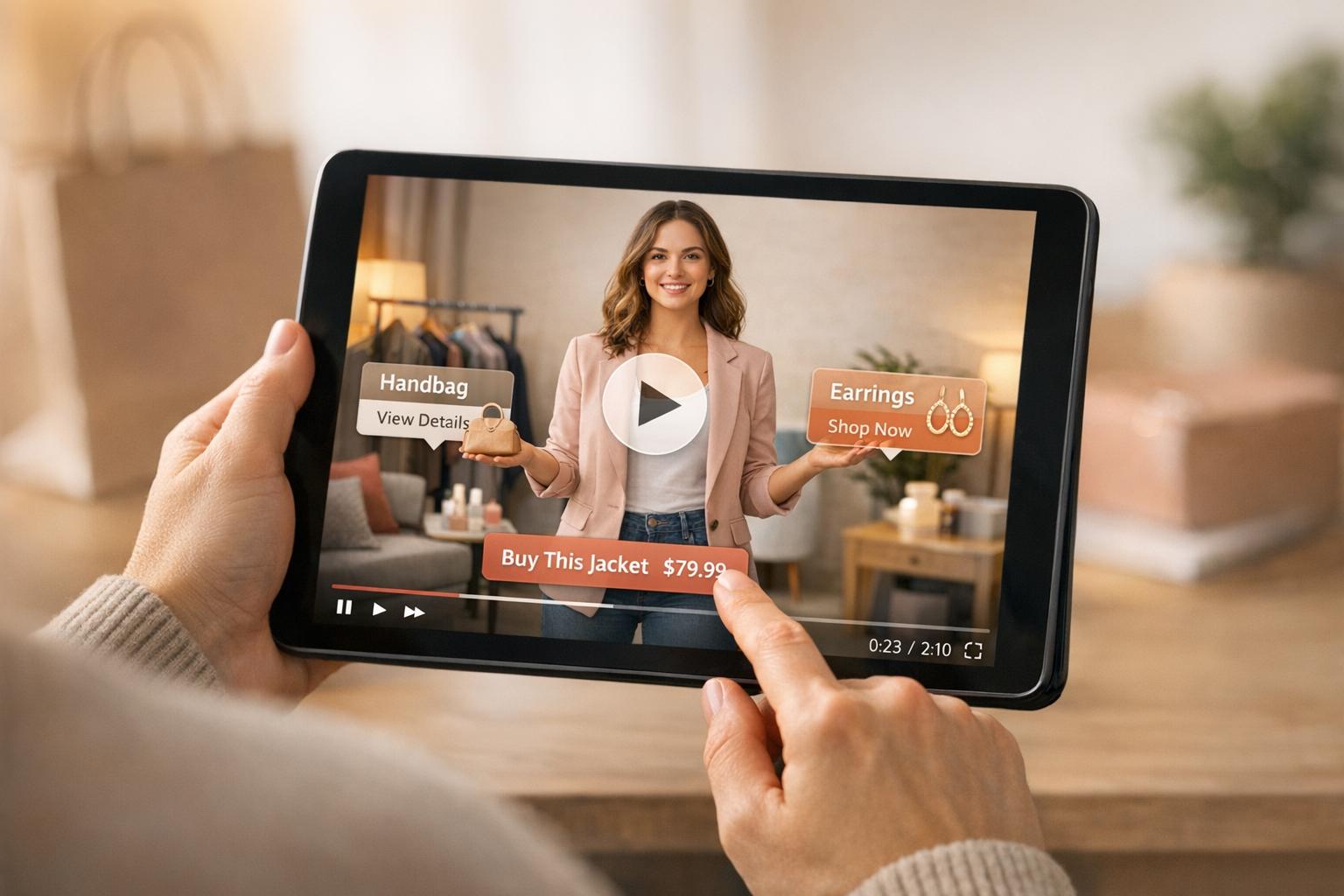
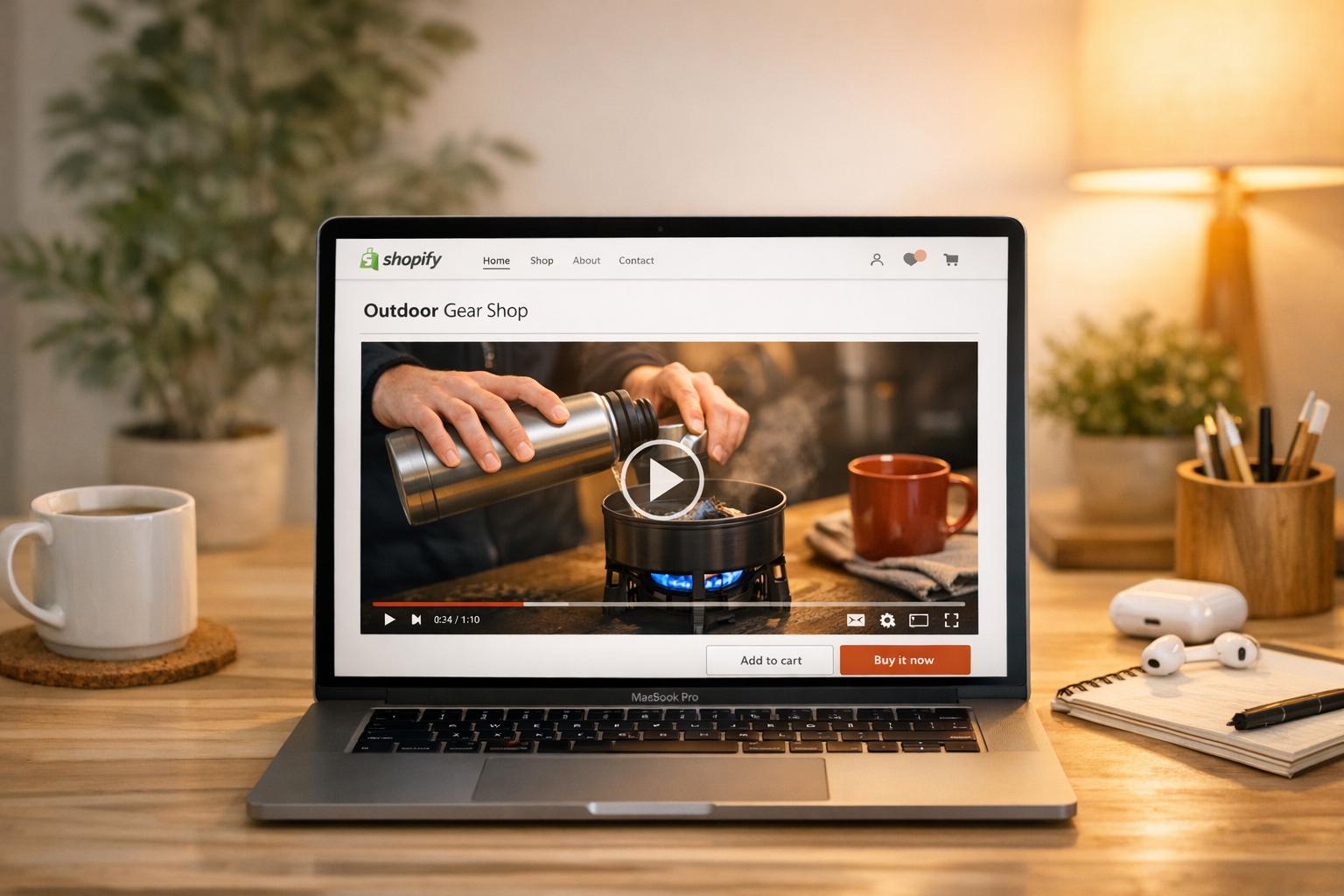
When it comes to building trust on your Shopify store, video testimonials are one of the most effective tools. Unlike text reviews, videos let potential buyers see and hear real customers share their experiences, making them feel more genuine. Here’s why they matter:
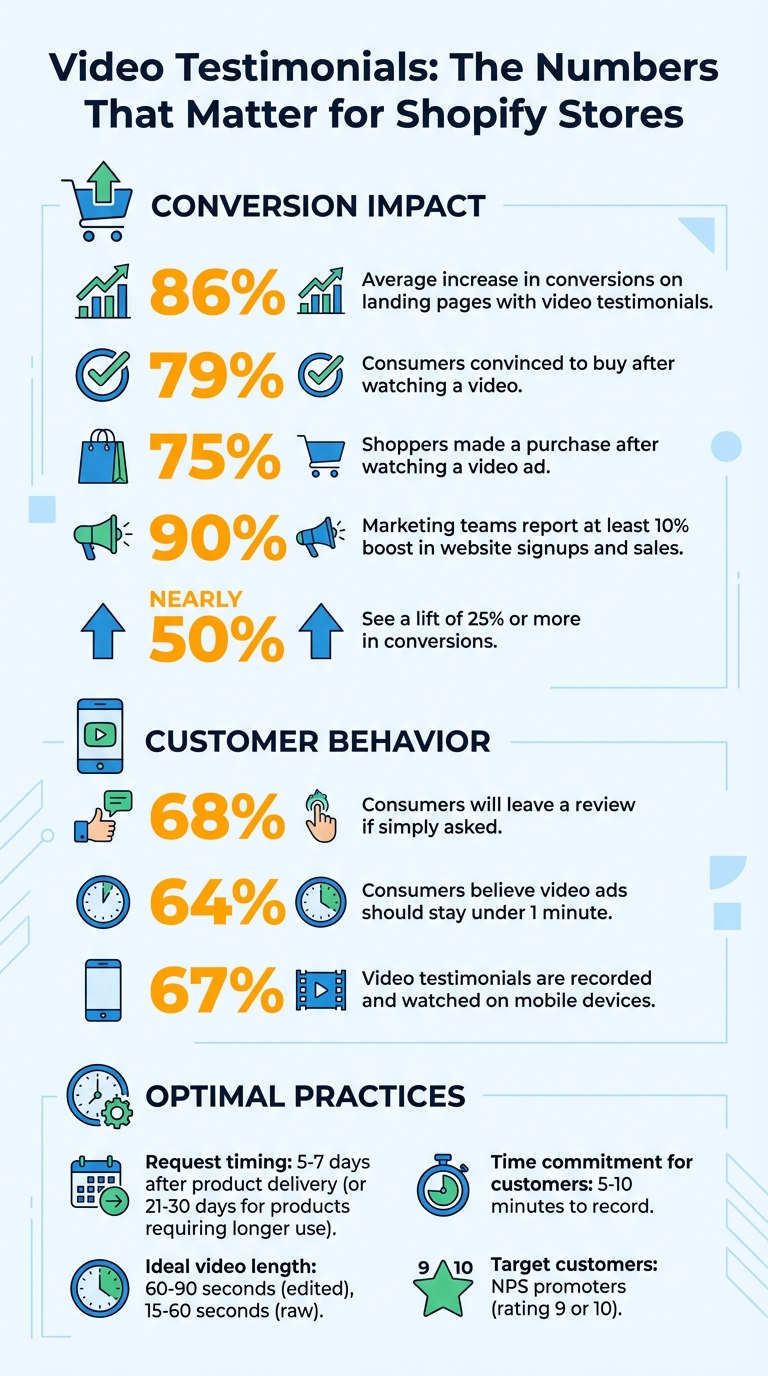
- Boost Conversions: Landing pages with video testimonials see an average 86% increase in conversions.
- Influence Purchases: 79% of consumers say they’ve been convinced to buy a product after watching a video.
- Showcase Products in Action: Videos help shoppers visualize how products work in real life.
To make the most of video testimonials, focus on identifying satisfied customers, personalizing your outreach, and making the submission process simple. Use platforms that allow easy video uploads, provide clear recording tips, and strategically display testimonials on product pages. Tools like Loox and UWidget can help organize and showcase these videos effectively.
Video testimonials don’t just build trust - they drive sales. By featuring customer stories prominently, you can turn hesitant visitors into loyal buyers.
Video Testimonials Impact on Shopify Conversions: Key Statistics
How to Add Video Reviews & UGC Video Carousel to Shopify Product Page [Easy 2025 Tutorial]
sbb-itb-d9e5b3a
Getting Ready to Collect Video Testimonials
To gather impactful video testimonials, focus on identifying the right customers and crafting personalized outreach. A generic "please leave us a review" won't cut it - tailored, thoughtful communication is what turns silence into meaningful content.
Finding the Right Customers
Start with customers who have experienced a genuine transformation with your product - those who solved a specific problem or achieved a milestone while already engaging with your brand online. These could be customers who have made multiple purchases, spent significantly, or shown long-term loyalty.
Keep an eye on social media mentions, branded hashtags, and existing text reviews to spot these organic advocates. Prioritize Net Promoter Score (NPS) promoters - those who rate your brand a 9 or 10. The best moment to ask for a testimonial is after they've successfully used your product to tackle a challenge, not immediately after checkout.
"Testimonials are pieces of social proof that you collect intentionally and strategically. You request these from your star customers. The real success stories."
– Damon Chen, Founder of Testimonial
Choose customers whose experiences align with your target audience. When potential buyers see someone relatable on-screen, they’re more likely to trust the message and imagine your product in their own lives. Once you've identified these key individuals, personalize your outreach to reflect their unique journey.
Writing a Personal Request
Ditch the generic templates and make each request feel personal. Speak directly to the customer, explaining why their story matters to your brand. Reference their purchase history, a social media post they shared, or a challenge they mentioned in a prior review - this shows you value their experience.
Set clear expectations right from the start. Let them know the process is simple and quick - just 5–10 minutes using their smartphone or laptop, with no special software needed. To help them feel confident, provide 3–5 specific prompts or questions in advance. Suggest they record in a quiet, well-lit space, avoiding backlighting, and aim for a two-week turnaround.
Be transparent about any incentives you’re offering, but don’t rely on them alone. In fact, 68% of consumers will leave a review if simply asked. The key is making your customers feel valued and heard. Even small details, like framing your subject line around them - "We'd love to share your story" instead of "Help us with marketing" - can make a big difference.
This thoughtful, personalized approach creates a smooth path for collecting authentic, engaging testimonials.
How to Request Video Testimonials
Selecting Communication Channels
Email is often the go-to option for requesting video testimonials because it’s scalable and easy to automate. A good rule of thumb is to send these requests 5–7 days after a customer receives the product, giving them time to try it out. For products like skincare or electronics that require longer use, waiting 21–30 days makes more sense.
SMS and WhatsApp tend to get higher engagement rates than email, thanks to their direct and personal nature. Brands using automated text messages frequently see a noticeable boost in the number of reviews they receive. These platforms are especially effective with younger, mobile-first customers who are more likely to respond to a quick text.
Social media is another goldmine for testimonials. Reach out via direct messages to customers who’ve already tagged your brand or shared positive posts about your product. In these cases, you’re not asking them to create new content - you’re just requesting permission to feature what they’ve already shared. Post-purchase surveys, especially those tied to Net Promoter Score (NPS) tools, are also a great way to identify your most enthusiastic customers - those who rate you a 9 or 10.
For in-person opportunities, like at live events or retail stores, consider setting up a tablet in "Kiosk Mode" to capture immediate, unfiltered reactions.
Once you’ve chosen the right channel, the next step is to make the submission process as simple as possible.
Making Submission Easy
The biggest obstacle isn’t customer willingness - it’s technical hurdles. Choose platforms that let customers record their videos directly in a web browser, with no need for downloads or account sign-ups. Sending a link via email or text that takes them straight to a recording interface can make all the difference.
"It doesn't matter if you ask your customers at the perfect time and write an amazing email; if your customer has to set aside an hour to jump on a Zoom call... you still won't get as many testimonials as you'd like."
– Steve Norall, CEO, Vocal Video
Since most customers will use their phones to record, mobile optimization is critical. Ensure your submission form works seamlessly on mobile devices, whether it’s hosted on your Shopify store or another platform. To make it even easier, allow customers to upload pre-recorded videos from their camera roll or directly import content they’ve already created on TikTok.
You can also use QR codes on your product packaging or insert cards. These codes can link directly to the submission form, making it easy for customers to act on the request while their experience with the product is still fresh. Including a re-recording option is another smart move - it lets customers review their video and make changes before submitting, easing any nerves about getting it right on the first try.
With the technical side handled, it’s time to help customers focus on what to share.
Providing Content Guidelines
A smooth submission process is only half the battle. To get useful testimonials, you need to guide customers with clear and specific prompts. Broad questions often lead to scattered responses, so ask targeted ones like: "What problem did this product solve for you?" or "How has your daily routine improved since using this?".
For example, in December 2025, Rob Murgatroyd, a customer of Aletha Health, shared a video testimonial for their Hip Hook product. He described how the product helped alleviate his "chronic low back pain" and "low-level hip flexor pain" during workouts. This kind of focused feedback resonates with potential buyers.
Offer basic tips for recording: use a quiet, well-lit space, look directly at the camera, and avoid backlighting from windows or strong light sources. Let customers know that a short, 15–60 second video recorded on their phone is perfect. By framing it as a quick and simple task, you make the process feel manageable.
Encourage authenticity over perfection. Reassure customers that you’re looking for their honest thoughts, not a polished performance.
Finally, be upfront about the time commitment. Let them know the entire process - from setup to submission - should take just 5–10 minutes. When the effort required feels minimal, customers are much more likely to follow through.
Managing and Displaying Testimonials on Shopify
Organizing Your Testimonials
Keeping video testimonials organized ensures they’re easy to access and display effectively. Shopify apps like Loox and Vimonial make this process simple by letting you link video testimonials directly to their related product pages. These apps create centralized hubs in your Shopify admin, so testimonials automatically show up on the right product pages.
For stores managing a high volume of testimonials, tools like Zapier can help by automating the sync of approved videos to platforms like Google Drive or YouTube. This not only saves time but also ensures your content is backed up and ready for use across different marketing channels.
A quick tip: Loox supports video files up to 250MB and requires videos to be between 2 seconds and 15 minutes long. Be sure to regularly download high-resolution backups to maintain a local archive for newsletters, social media, or video marketing strategies.
Once your testimonials are neatly categorized, it’s time to showcase them where they’ll have the most impact.
Adding Testimonials to Product Pages
Displaying testimonials directly on product pages can boost credibility and drive conversions. Many modern Shopify themes, such as Dawn and Refresh, support video testimonials through App Embeds, which can be activated via the Theme Editor for immediate display.
If you’re using review apps like Judge.me, you can set filters to show only testimonials related to the specific product on that page. Placing these testimonials near the product description or the "Add to Cart" button ensures they grab attention and influence buying decisions.
To make these widgets visually align with your store’s branding, you can customize their styling by tweaking colors or adding custom CSS. Some apps even offer shoppable video features, allowing customers to purchase directly from the video itself, making the buying process quicker and smoother.
Using UWidget for Video Display
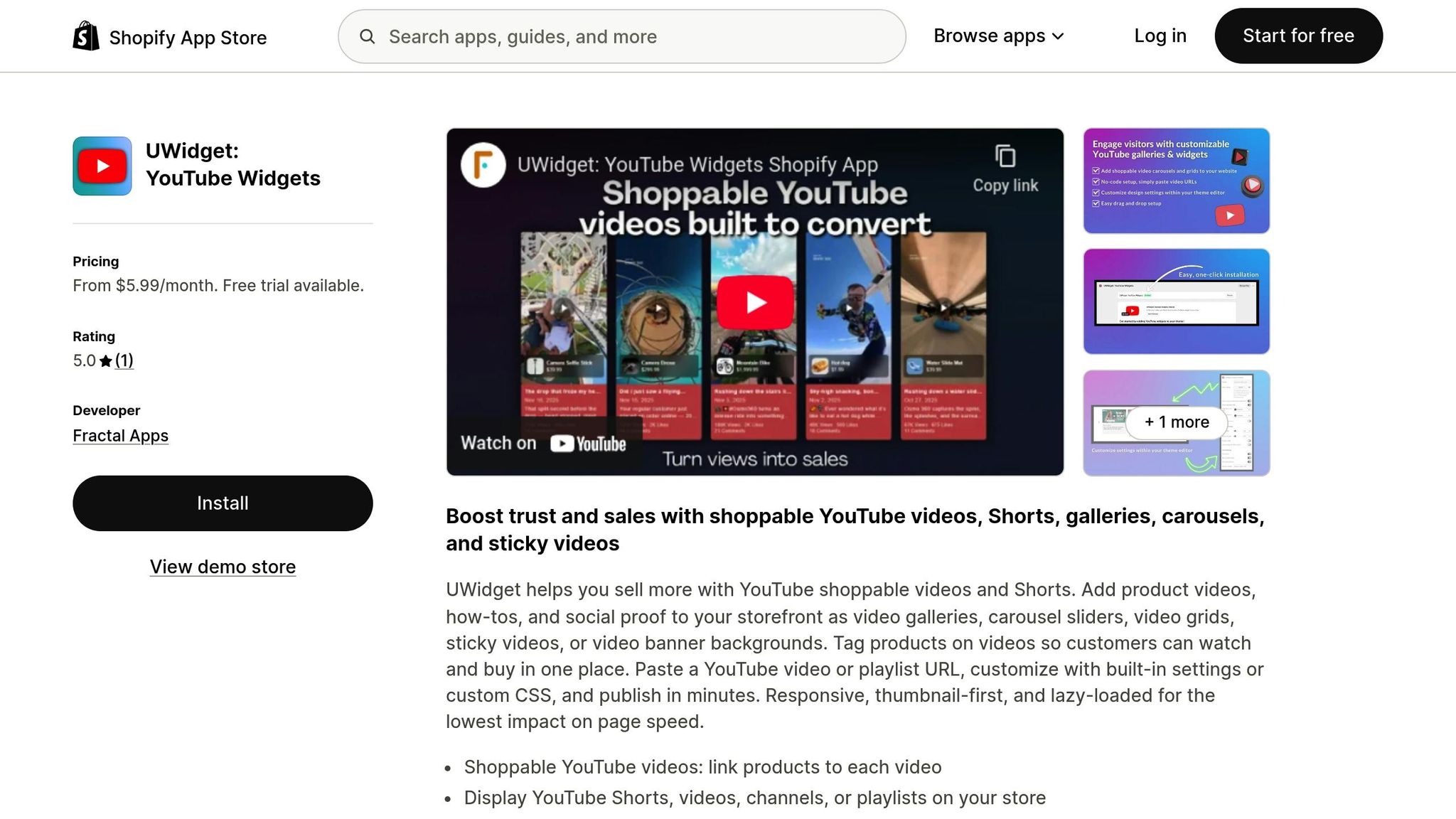
If your testimonials are hosted on YouTube, UWidget is a handy app for integrating them into your Shopify store. Simply input the YouTube URL into UWidget, and it can generate galleries, sliders, or grids for your product pages. You can also explore other formats like sticky video players or banner backgrounds for added flexibility.
UWidget’s shoppable video feature allows you to tag products directly within the videos, enabling customers to watch and shop without interruptions. Plus, its responsive design includes lazy loading, ensuring your page speed isn’t affected. The sticky video option is another nice touch, keeping important testimonials visible even as users scroll.
UWidget offers three pricing plans:
- Starter: $5.99/month for 1 widget and up to 25 videos
- Pro: $13.99/month for 3 widgets and up to 50 videos
- Premium: $19.99/month for unlimited widgets and videos
All plans include shoppable features and custom CSS support. This makes UWidget a versatile tool for creating engaging, conversion-focused video displays on your Shopify store.
Improving Video Testimonials for Better Conversions
Editing Videos for Quality
Raw footage rarely delivers the same results as polished content. To make your video testimonials stand out, aim to keep them between 60 and 90 seconds. Trim out long pauses, filler words, or any off-topic content - this aligns with the fact that 64% of consumers believe video ads should stay under a minute. Adding B-roll footage, like close-ups of your product, can smooth out jump cuts and make the video more visually engaging [3, 33]. Background music can help create an emotional connection, while maintaining consistent audio levels ensures a professional touch [3, 7]. Don't forget captions and text overlays - they not only make your videos more accessible for viewers who watch without sound but also improve SEO through searchable transcripts [3, 7].
Keep the edits natural. Overdoing it can make the video feel staged, which may erode trust. Shopify Staff advises, "It's important not to take things out of context or misrepresent the customer's intended message". Striking the right balance between polish and authenticity is key - after all, 75% of shoppers have made a purchase after watching a video ad. Once your videos are ready, placing them strategically on product pages can significantly amplify their impact.
Placing Testimonials on Your Pages
Where you place your video testimonials matters. Position them near "Add to Cart" buttons or within the product gallery to directly influence purchasing decisions [6, 8]. Combining video testimonials with text reviews caters to different shopper preferences, offering a well-rounded perspective [3, 7]. For those using tools like UWidget, the shoppable video feature is a game-changer. It allows you to embed "Buy Now" buttons directly within the video player, reducing the steps to purchase and making it easier to track ROI [8, 9].
Make sure your videos are optimized for mobile viewing. With 67% of video testimonials being recorded and watched on mobile devices, mobile-friendly content is no longer optional - it's essential.
Testing Different Approaches
Once you've refined your videos and placed them strategically, A/B testing can help you discover what works best. Experiment with different placements, such as "above-the-fold" versus "below-the-fold", or compare sidebar displays to inline integrations. Testing also helps fine-tune video length (15–60 seconds) and layouts, like carousels versus grids, to see what resonates most with viewers [20, 28].
The results can be significant: 90% of marketing teams report at least a 10% boost in website signups and sales when using testimonial videos, and nearly half see a lift of 25% or more. Use analytics to identify which customer stories or product use cases drive the most sales, and make sure those are featured prominently.
"A professional platform should provide analytics on key metrics, including: Views and Engagement... Conversion Influence... Top-Performing Content."
– Ben Salomon, Growth Marketing Manager, Yotpo
Conclusion
Video testimonials can be a game-changer for boosting conversions on your Shopify store. Start by reaching out to your happiest customers and making it easy for them to share their stories through mobile-friendly submission forms. Keep the process simple by offering helpful content guidelines rather than rigid scripts. Sweeten the deal with incentives like discount codes or loyalty points to encourage participation.
Focus on creating testimonials that are short and engaging - 30 to 60 seconds is ideal. Once recorded, ensure they’re professionally edited and strategically placed near key areas like "Add to Cart" buttons or product galleries to maximize their impact. Tools such as UWidget can enhance the presentation by adding shoppable features, allowing customers to purchase directly from the video player.
Research shows that video testimonials hold significant sway over purchasing decisions. In fact, just a few compelling videos can outperform a large number of text reviews. Experiment with different approaches, monitor their performance, and adjust your strategy to find what resonates most with your audience and drives the highest engagement and sales.
FAQs
How do I get customers to actually submit a video?
Make the process straightforward and inviting. Reach out at the right moment, tailor your approach to the individual, and clearly communicate why their testimonial matters. Use easy-to-navigate tools to simplify submissions and encourage honest, heartfelt responses. Emphasize how their video can inspire or assist others, and skip rigid scripts to keep it natural. A smooth, stress-free process boosts participation.
What should customers say in a good testimonial?
A strong testimonial delivers honest and specific feedback about a customer’s experience. It should outline the problem they encountered, how your product or service addressed it, and the results they achieved.
To make it even more impactful, customers can highlight the benefits they experienced, describe how the product made a difference, and explain why they’d recommend it to others. A natural, conversational tone helps keep the message relatable and emotionally engaging.
Where should I place video testimonials on my product pages?
Video testimonials work best when they’re placed where they can grab attention and build trust right away. Here are a few prime locations to consider:
- Next to product images or descriptions: This placement allows testimonials to immediately complement the product details, helping potential buyers feel more confident.
- In the product description section: Embedding them as a carousel or popup makes them easy to access without overwhelming the page.
- On checkout pages or post-purchase areas: These spots are excellent for reinforcing trust and nudging buyers toward completing their purchase.
Strategic placement ensures these testimonials deliver maximum impact.