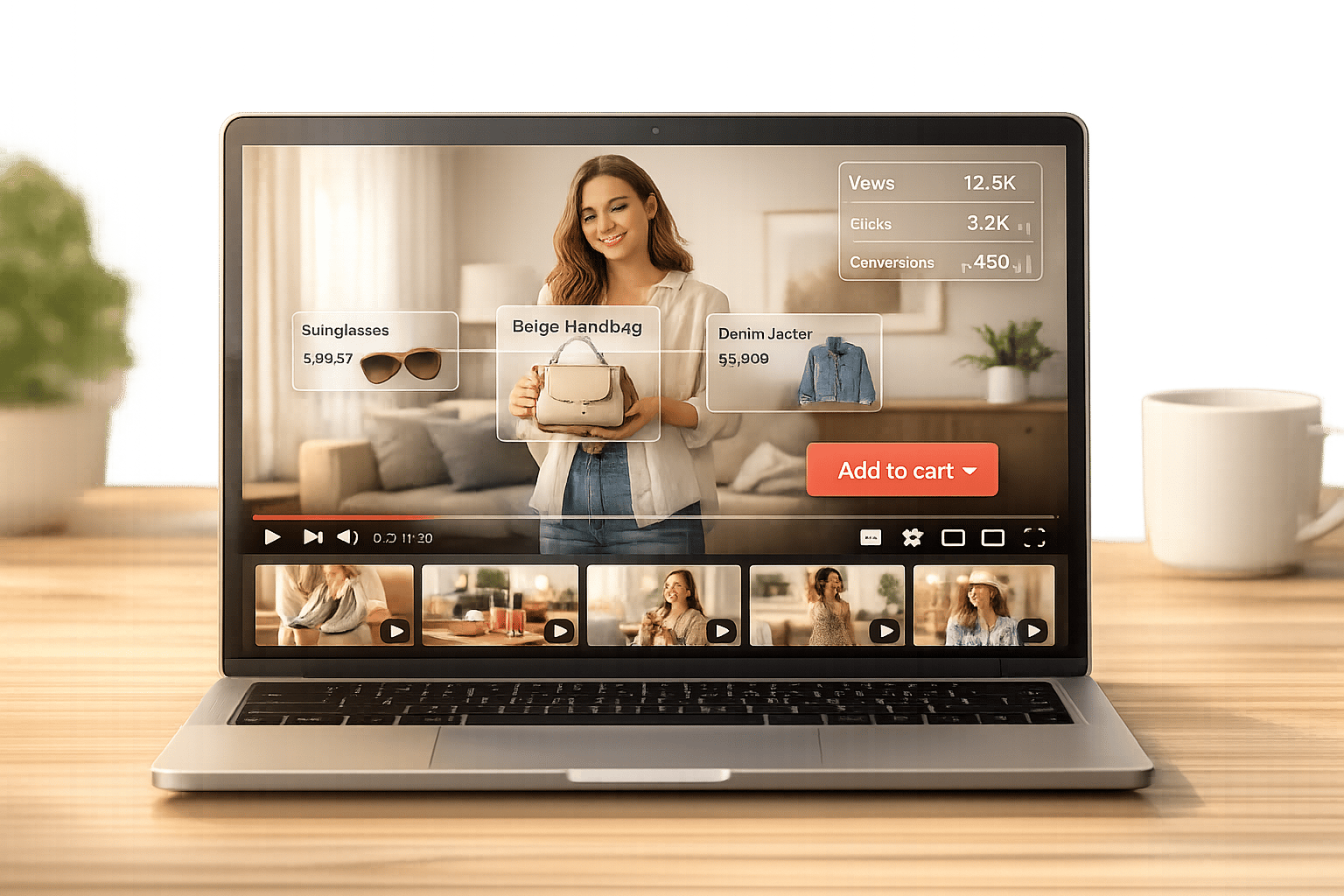
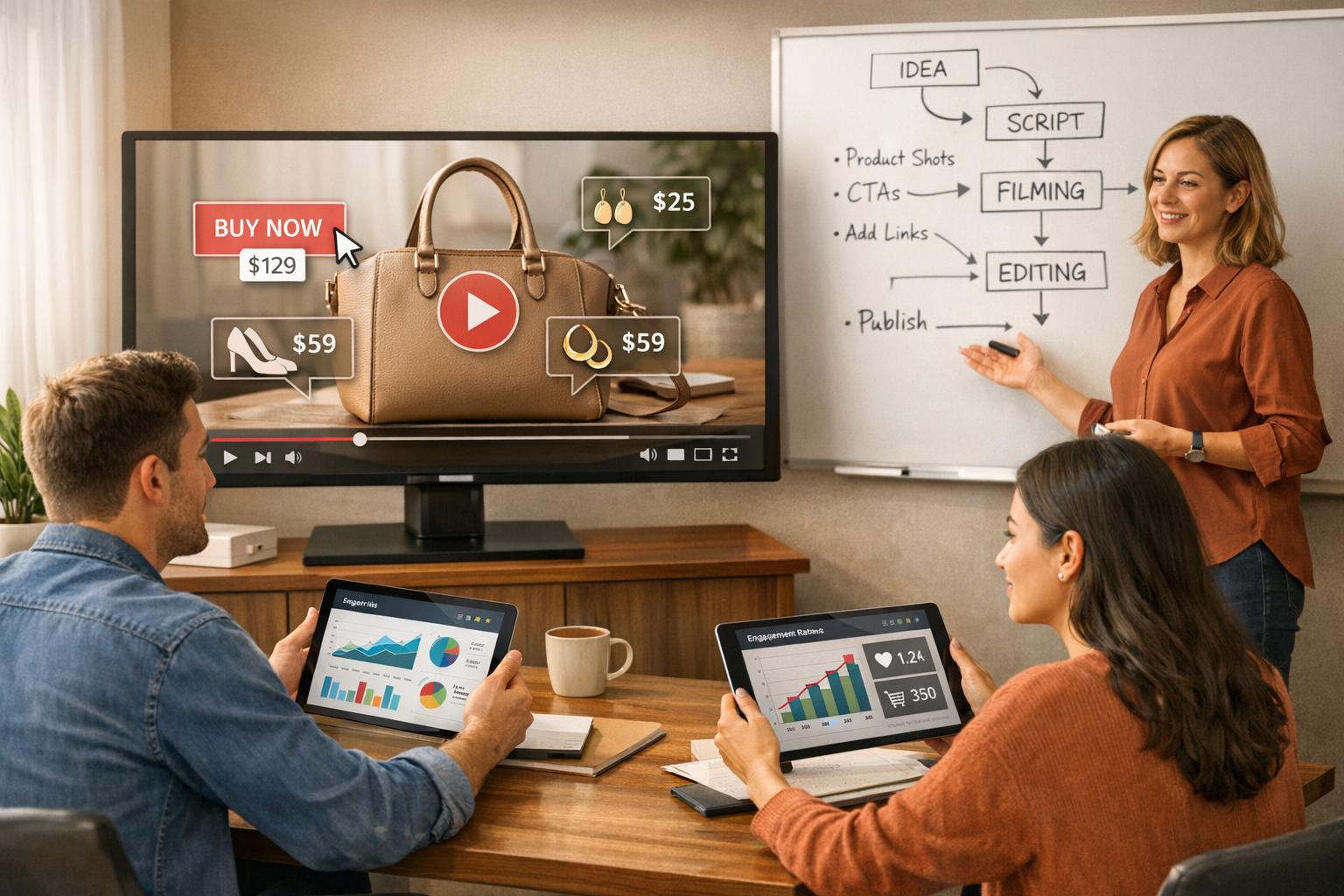
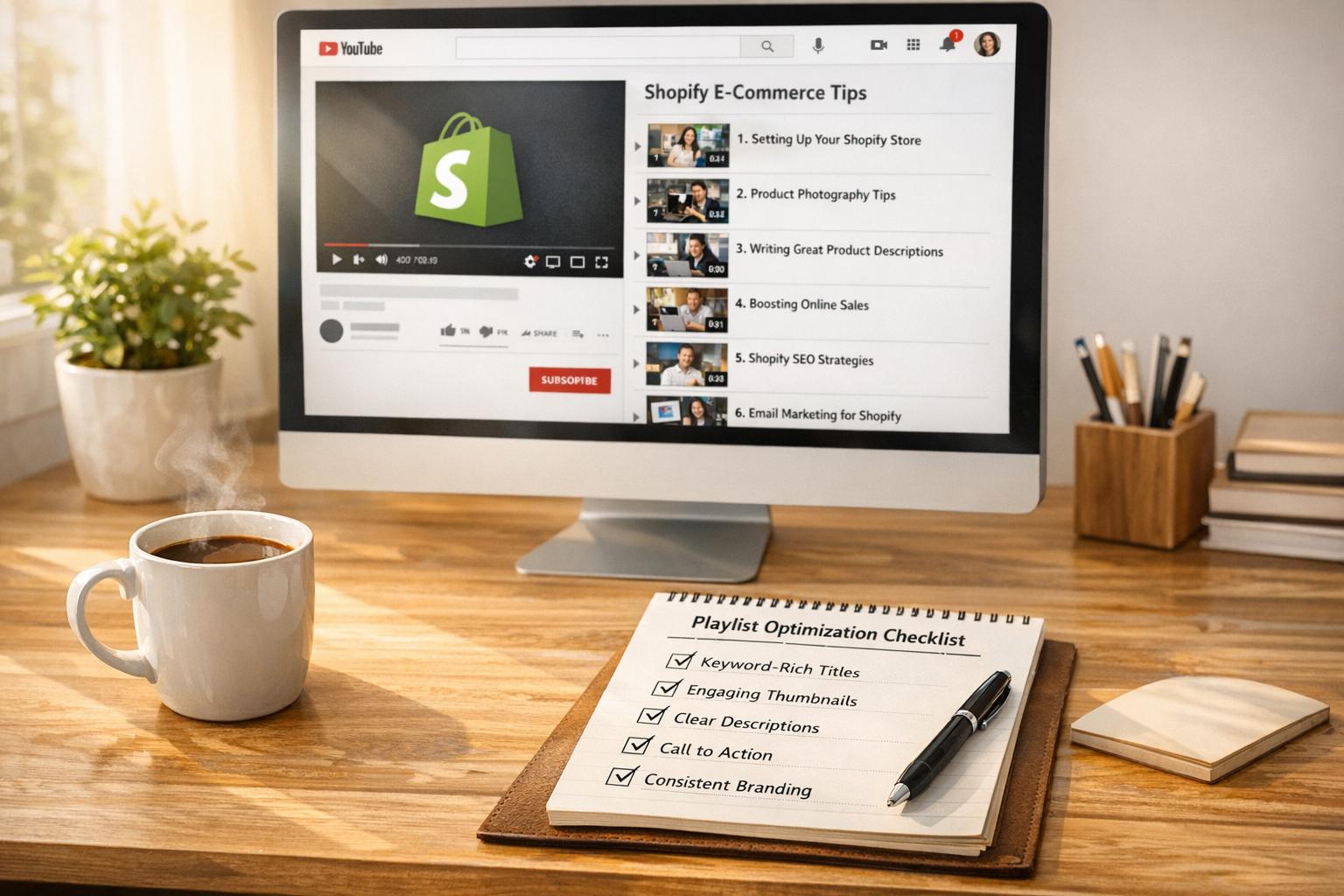
Clickable videos are a game-changer for Shopify stores. Unlike regular videos, they let customers shop directly while watching, eliminating extra steps that often cause lost sales. Features like hotspots, "Add to Cart" buttons, and shoppable tags make it easy for viewers to purchase products instantly.
Here’s why they matter:
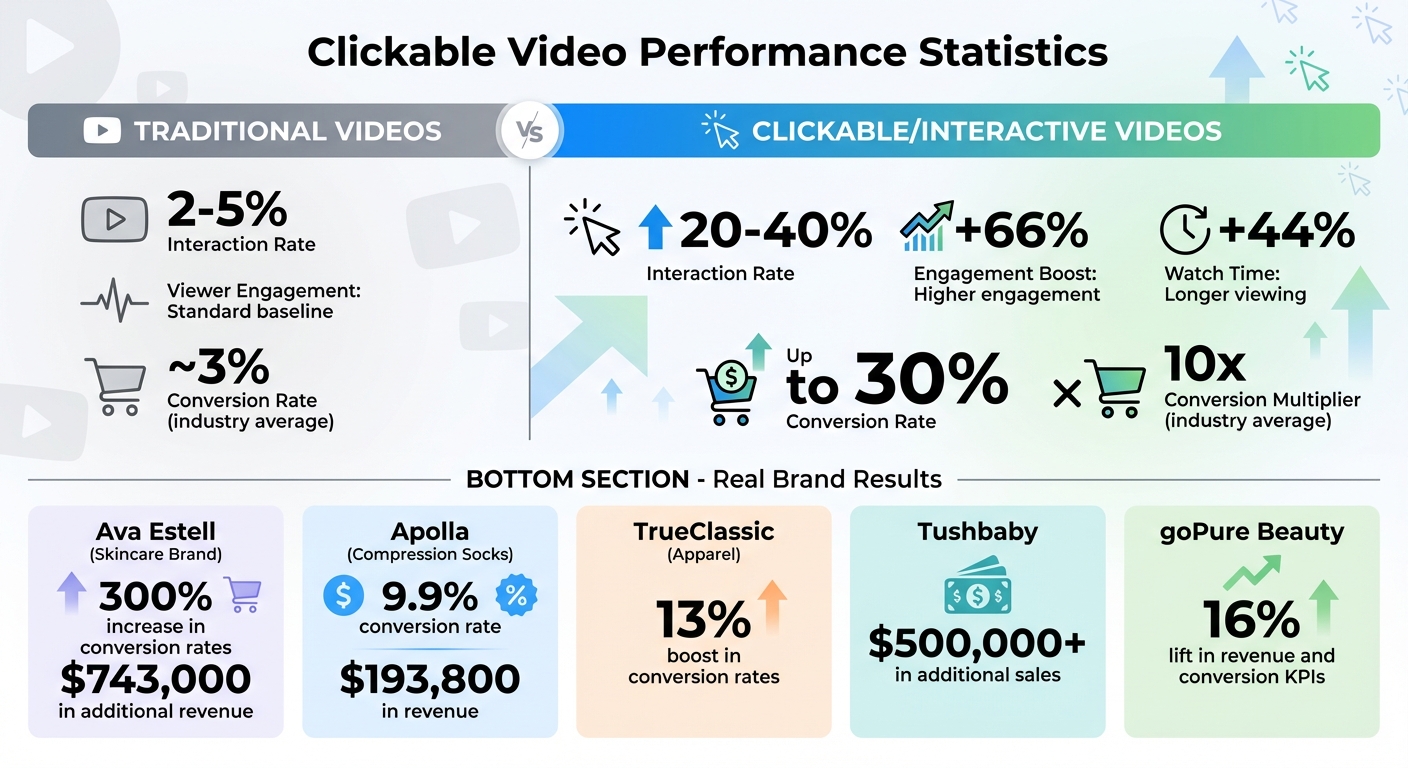
- Interactive videos boost engagement by 66% and keep viewers watching 44% longer.
- Conversion rates for shoppable videos can reach 30%, far higher than standard rates.
- Brands like Ava Estell have seen 300% more conversions, generating hundreds of thousands in extra revenue.
Tools like UWidget simplify adding clickable features to your Shopify store, starting at just $5.99/month. Alternatively, you can embed interactive videos manually. Track metrics like engagement rates, direct revenue, and average order value to refine your strategy over time.
Clickable videos don’t just engage - they drive sales. Start now to turn passive viewers into buyers.
Clickable Video Performance Statistics for Shopify Stores
How To Turn Product Images Into Interactive Shoppable Videos in Shopify Using Tolstoy AI

Why Traditional Video Content Fails in Shopify Stores
While standard product videos may look appealing, they can actually hurt sales by creating unnecessary hurdles for customers. These videos are designed for passive consumption - customers watch, might get interested, but then have to manually search for the products they just saw. This extra step disrupts the buying process and reduces the likelihood of conversion. Let’s break down the main challenges:
Low Viewer Retention
Static videos struggle to keep viewers engaged because they lack interactive elements. Instead of inviting exploration, they confine the experience to passive watching. The numbers tell the story: traditional videos only see 2%-5% interaction rates, while interactive videos reach 20%-40%. Plus, interactive videos are watched 44% longer than their static counterparts. When viewers lose interest, session times drop, and with it, the chance to convert them into buyers.
Limited Conversion Opportunities
Traditional videos often miss the mark when it comes to turning interest into action. Imagine a customer watching a product demo, intrigued and ready to buy, but there’s no “Add to Cart” button or direct link to purchase. Without clickable options, viewers are forced to leave the video to shop, which interrupts their momentum and reduces impulse purchases. This disconnect between interest and action means you’re losing potential sales when it matters most.
Passive User Experience
Beyond losing sales, traditional videos fail to cater to individual customer needs. They offer the same linear experience for every viewer, with no personalization or tailored recommendations. On top of that, the metrics they provide - like total views or watch time - don’t reveal which specific moments or products drive engagement. Without these insights, it’s nearly impossible to refine your video content to boost conversions effectively.
How Clickable Video Features Solve Engagement Problems
Clickable video features turn passive viewers into active participants, allowing them to shop directly while watching. These tools make it easier for shoppers to act on their interest right away, keeping them engaged and boosting conversions. Let’s break down what these features are and how they work.
What Are Clickable Video Features?
Clickable video features include elements like hotspots, shoppable tags, "Add to Cart" buttons, and branching paths. These interactive tools let viewers explore product details or make purchases without leaving the video player. Unlike traditional videos, this approach creates a seamless shopping experience, reducing the friction that often leads to abandoned carts.
Benefits of Clickable Videos for Shopify Stores
Interactive videos don’t just engage viewers - they deliver measurable results. Studies show that these videos drive 66% higher engagement and keep viewers watching 44% longer compared to static content. Even better, shoppable videos boast conversion rates close to 30%, which is nearly 10 times the industry average.
Take Ava Estell, a skincare brand that embraced shoppable videos on their Shopify store in 2024. Their efforts led to a 300% increase in conversion rates, generating an impressive $743,000 in additional revenue. Similarly, Apolla, a compression sock brand featured on Shark Tank in April 2022, used clickable videos to turn YouTube content into shoppable feeds. The results? A 9.9% conversion rate and over $193,800 in revenue.
These videos also personalize the shopping experience. Features like branching paths let viewers customize their journey, showing them products that match their interests. Plus, the detailed click data offers insights far beyond simple view counts, helping brands understand what resonates with their audience. By addressing engagement and conversion challenges, clickable videos provide a powerful solution for modern e-commerce.
Types of Clickable Video Features for Shopify Stores
Interactive video elements can turn passive viewers into active shoppers, creating a more engaging and seamless shopping experience. Here’s how these features work to convert viewers into customers.
Hotspots for Product Links
Hotspots are clickable areas within your video that provide product details or link directly to product pages. They come in two forms: static hotspots, which stay fixed on the screen, and sticky hotspots, which follow moving objects - like a jacket a model is wearing or a product someone is holding.
When viewers click a hotspot, they can instantly access product descriptions, prices, and related items - all without leaving the video. This eliminates the hassle of pausing to search your store manually. Sticky hotspots are especially useful for stores with a wide range of products, as they track items in motion, making it easier for viewers to interact naturally with what’s being showcased.
Shop Now and Add to Cart Buttons
Embedded "Shop Now" or "Add to Cart" buttons let customers add products to their cart or begin checkout directly from the video. Unlike traditional videos, these buttons update the shopping cart in the background using Shopify's AJAX API. They appear at key moments when products are being featured, allowing viewers to act on their interest at the perfect time.
This frictionless process keeps shoppers immersed in the video while making it easy to purchase. Stores using these features often see add-to-cart conversion rates improve by 15% to 30%. By combining these buttons with other interactive tools, you create a smooth and intuitive shopping experience.
Interactive Menus and Branched Paths
Interactive menus let viewers navigate through specific sections of a video, such as "How to Use", "Product Details", or "Contact", without needing to scrub through the entire video. Branched paths take this a step further by tailoring the experience to individual preferences.
With branching, viewers make choices that determine what they see next. For instance, a video might begin by asking whether the viewer is shopping for men’s or women’s products, then show only the relevant items based on their selection. This personalized approach leads to higher engagement, as interaction rates for interactive videos range from 20% to 40%, compared to just 2% to 5% for standard videos. By offering a customized journey, you keep viewers engaged and increase the likelihood of conversions.
sbb-itb-d9e5b3a
How to Add Clickable Video Features to Your Shopify Store
Adding clickable video features to your Shopify store is easier than you might think. Whether you prefer using an app or manually embedding videos, both methods can create an interactive shopping experience that engages customers.
Using UWidget for YouTube Video Features
UWidget: YouTube Widgets is one of the simplest ways to integrate shoppable videos into your Shopify store. Once you install the app from the Shopify App Store and connect it to your store, you're ready to go. The app has a 5.0/5-star rating and offers a 7-day free trial, so you can try it out risk-free.
With UWidget, you can add any YouTube video or playlist URL directly through its interface. The standout feature? You can tag specific Shopify products to your videos, allowing customers to watch and shop without having to leave the page. There are multiple display options to choose from, including video galleries, carousel sliders, grids, sticky players, or even video banner backgrounds. You can customize these layouts with built-in settings or custom CSS to match your store's design.
For better performance, UWidget supports thumbnail-first and lazy loading to keep your store running smoothly. You can embed these videos on product pages to showcase demos or tutorials. Adding clickable hotspots - timed to appear a second or two after the product is visible - ensures customers can easily engage with what they see. Pricing starts at $5.99/month for the Starter plan (1 widget, 25 videos), $13.99/month for Pro (3 widgets, 50 videos), and $19.99/month for Premium (unlimited widgets and videos).
Embedding Interactive Videos Manually
If you'd rather have more flexibility and avoid monthly fees, you can manually embed videos. Simply upload MP4 files or paste YouTube/Vimeo embed codes into your Shopify page's HTML using the <video> tag. To do this, go to Settings > Files in your Shopify dashboard, upload your video, and copy the URL.
When adding embed codes or HTML5 video tags, make sure to switch to HTML editing mode for proper formatting. You can enhance the video experience by adding attributes like autoplay, loop, or muted. Always test your videos on mobile devices to ensure they display and function correctly across different screen sizes.
Tracking Video Engagement with Shopify Analytics
To make the most of your clickable videos, tracking engagement is crucial. Whether you're using UWidget or manual embedding, analytics help you understand how your videos perform and how they impact sales. UWidget includes built-in tools for tracking YouTube-based widgets, showing which videos generate the most interaction.
For more in-depth insights, you can install a tracking pixel on your Shopify checkout page. This allows you to differentiate between direct sales (when customers add products to their cart directly from the video) and influenced sales (when they watch the video and purchase later in the same session). Metrics like session time added and average watch time provide a clearer picture of how videos contribute to the overall shopping journey.
If you're embedding videos manually, Google Analytics can track basic interaction data. For more advanced tracking, consider specialized analytics tools that break down performance by video, widget, page, and shopper behavior. These insights can help you refine your strategy and maximize the impact of your video content.
Measuring and Improving Clickable Video Performance
Key Metrics to Track
Tracking the right metrics can help you make smarter decisions about your video strategy. Start with direct revenue, which measures purchases made directly within the video player, and influenced revenue, which captures sales from users who watched at least five seconds of a video and completed a purchase during the same session. Together, these metrics highlight how well your videos drive sales.
Another critical metric is the engagement rate, showing the percentage of visitors who click on your video widgets. If this number is low, it might be time to rethink your thumbnails or placement. Keep an eye on total on-site added time, which measures how much longer users stay on your site after interacting with a video - this often correlates with higher conversion rates. The average video complete rate is equally important, as it tells you whether viewers are watching your videos to the end or dropping off early. This can help you identify content that needs to be shortened or reworked.
Don’t forget to track average order value (AOV). Interactive videos have been shown to boost AOV by as much as 20%. Lastly, analyze performance across devices. Mobile and desktop users often engage with videos differently, so segmenting your data can uncover valuable insights.
When combined with earlier analytics, these metrics provide a well-rounded view of your video performance.
Strategies for Continuous Improvement
Once you’ve identified the key metrics, focus on strategies to improve your video performance over time.
Start with A/B testing to fine-tune elements like button colors, hotspot placements, and calls-to-action (CTAs). For example, in 2023, apparel brand TrueClassic saw a 13% boost in conversion rates by testing their interactive video features. Similarly, Tushbaby generated over $500,000 in additional sales by optimizing their video interface based on performance data.
"On average we've seen a 16% lift in our revenue and CR KPIs." - Daniel Mariano, Director of UX + CRO, goPure Beauty
Make your CTAs more specific. Swap out generic phrases like "Learn More" for action-driven prompts such as "Shop the Look" or "Add to Cart". Use detailed analytics tools, like tracking pixels, to separate direct sales from influenced ones. Keep an eye out for sudden spikes in views - these often indicate your video is gaining traction on social media, offering a chance to engage with a broader audience quickly. If a video isn’t performing well, consider relocating it to a high-impact page, such as a product gallery or your homepage. And when creating product demo videos, aim to keep them under 60 seconds - 73% of consumers prefer short videos over lengthy descriptions.
Conclusion
Clickable video features tackle a key challenge for Shopify stores: converting passive viewers into active buyers. By integrating product tags, hotspots, and "Add to Cart" buttons directly into videos, you create a smooth path from product discovery to checkout, reducing barriers to purchase.
Interactive videos don't just grab attention - they hold it. They increase engagement by 66% and extend view time by 44%. Take skincare brand Ava Estell, for example, which saw a 300% lift in conversions, or Dr. Squatch, which enjoyed a 9.9% boost.
The best part? You don’t need a massive budget or advanced skills to get started. Tools like UWidget make it easy to enhance YouTube videos for your store, starting at just $5.99/month. Keep your videos short (30–60 seconds), position them strategically on product pages, and use clear calls-to-action like "Shop the Look" or "Add to Cart" to drive results.
To keep improving, regular testing and optimization are key. Monitor metrics like direct revenue, engagement rates, and average order value to see what resonates. Experiment with button placements, calls-to-action, and video styles to refine your strategy over time.
FAQs
How can clickable videos help boost sales on Shopify stores?
Clickable videos are a game-changer for driving sales, offering customers the ability to interact with products directly within the video. With just a click, shoppers can explore product details, add items to their cart, or even complete a purchase - all without ever leaving the video. This creates a smooth, engaging shopping experience.
By eliminating extra steps, this approach keeps customers engaged, minimizes distractions, and helps them make decisions faster. The result? Higher conversion rates and a more interactive way to connect with your audience.
How do clickable videos improve customer engagement on Shopify stores?
Clickable videos take customer interaction to the next level by letting viewers engage directly with the products showcased in the video. Imagine watching a video and being able to click on tagged items - up to 30 per video - to shop instantly, all without leaving the video. It’s a smooth, immersive shopping experience that keeps viewers engaged and ready to buy.
These videos can also feature customizable galleries, carousels, or even sticky videos to showcase product demos, tutorials, or customer testimonials. These elements not only highlight the value of the products but also help ease any doubts shoppers might have, building confidence in their purchase decisions.
On top of that, integrated analytics tools give store owners valuable insights into viewer behavior, like watch time and conversion rates. This data helps fine-tune video content to maximize results, making every interaction count.
By blending interactivity, ease of use, and actionable data, clickable videos don’t just make shopping more engaging - they also drive better conversions for Shopify stores.
How do I add clickable video features to my Shopify store using UWidget?
Adding video features to your Shopify store is a breeze with UWidget: YouTube Widgets. Start by installing the app from the Shopify App Store. Once it's set up, simply paste the URL of your YouTube video or playlist into the app.
From there, you can adjust how the videos look to fit your store’s style. Choose from layouts like sliders, galleries, or even sticky videos. These options let you seamlessly match the videos to your store’s design.
Once customized, embed the videos on key pages like your homepage or product pages to make them interactive and eye-catching. You can easily manage or update your videos through the app dashboard whenever needed, keeping your content fresh and relevant. This straightforward process helps create a more engaging shopping experience and can encourage more conversions.